Your cart is currently empty!
Category: Daily Goody
The Daily Goody is daily tip, fact, or lesson on podcast production. You can receive it daily or a weekly roundup with our dedicated newsletter.
-
Podcast Participants Trailing off at the End of Sentences
Some podcasts hosts and guests have a habit of trailing off at the end of sentences, which means their last few words are spoken/mumbled so quietly that they can barely be heard.
This is a major problem for listeners who are listening in environments that has considerable background noise (like driving in a car, jogging, washing dishes, at the gym, etc.) because when the guest trails off the listener will not be able to hear those words AT ALL, making the conversation difficult and annoying to follow.
To help alleviate this problem in post-production tools like compression, limiting, leveling, or all three could be used. It’s also possible to manually raise the level of those quiet/mumbled parts but that is A TON of work and very time consuming.
How do you handle this kind of thing?
Want to receive the Daily Goody in your email, daily or weekly? Subscribe free here.
And please keep in mind, the Daily Goody is only a tiny little tip, fact or lesson everyday. Please don’t expect any of these posts to be long, earth-shattering masterpieces that instantly answer every single question you can think of and completely transform you into a world class podcast engineer. “Little by little, a little becomes a lot.”
-
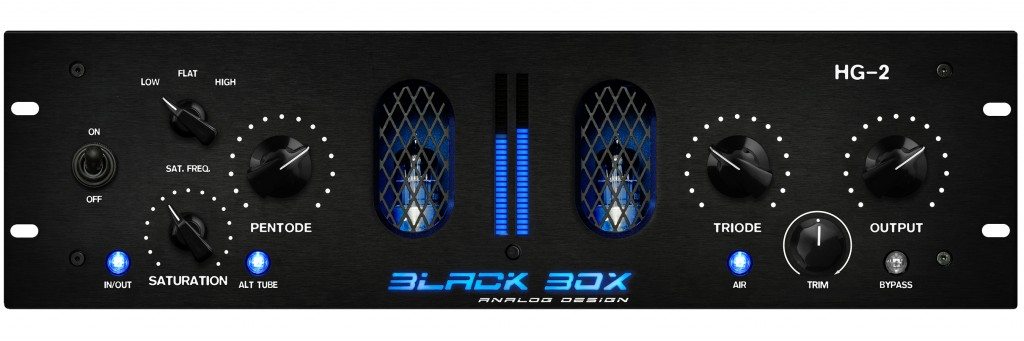
Black Box Analog Design HG-2
The Black Box Analog Design HG-2 is a saturation plugin that is OUTSTANDING!
I’ve been using it on podcast voices because it brings voices closer and makes them smoother and more analog. And the Air knob adds some nice clarity to darker recordings.
From their website: Dial in the perfect blend of pentode and triode tube sweetness, then adjust the Density control to drive both tubes harder without changing their relative balance, adding more girth and mass. The Air knob lets you control how much high-frequency fairy dust you sprinkle on. Turning down the Mix control adds back dry signal at the plugin’s output, combining HG-2’s beautiful tube softness and luster with the original signal.
Have you tried this plugin?
Want to receive the Daily Goody in your email, daily or weekly? Subscribe free here.
And please keep in mind, the Daily Goody is only a tiny little tip, fact or lesson everyday. Please don’t expect any of these posts to be long, earth-shattering masterpieces that instantly answer every single question you can think of and completely transform you into a world class podcast engineer. “Little by little, a little becomes a lot.”
-
Set up Your Microphone To Point Away From Any Sources of Noise
If there is anything in your room that is or will be making noise (like road noise coming through a window, or an air vent in the ceiling, etc.) – be sure to set up your microphone so that it’s pointing AWAY from those sources of noise. And then, of course, you should talk into the front of the microphone as usual.
Btw, the only scenario in which this would NOT work is if you’re using an omnidirectional microphone, which you shouldn’t be using anyway (unless you’re recording 2 or more people with the same microphone, but you shouldn’t be doing that unless it’s an “emergency”).
Where are you set up in your room, and which direction are you facing?
Want to receive the Daily Goody in your email, daily or weekly? Subscribe free here.
And please keep in mind, the Daily Goody is only a tiny little tip, fact or lesson everyday. Please don’t expect any of these posts to be long, earth-shattering masterpieces that instantly answer every single question you can think of and completely transform you into a world class podcast engineer. “Little by little, a little becomes a lot.”
-
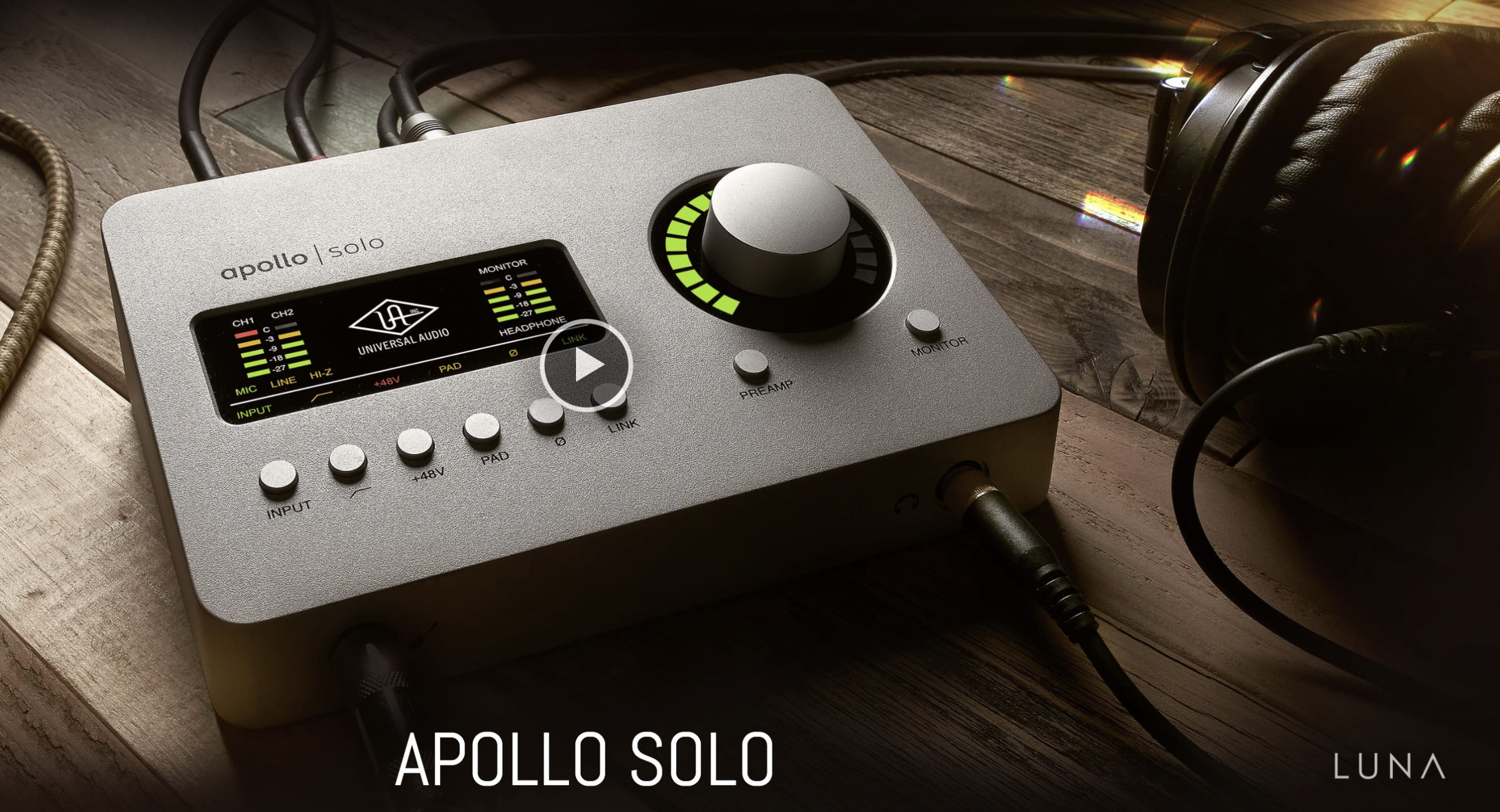
Apollo Solo
Made by Universal Audio, all the interfaces in the Apollo series are very high quality.
The Apollo Solo has two XLR inputs and is used by many podcasters.
From their website:
The Apollo Solo is a 2×4 desktop recording audio interface for Mac and Windows — delivering class‑leading A/D and D/A audio conversion, two Unison™ mic preamps, and a suite of onboard UAD plug-ins. Record with near-zero latency through mic preamp emulations from Neve, API, and more using Unison™ technology.
Includes:
- Realtime Analog Classics plug-in bundle, you get legendary compressors like the Teletronix LA-2A and EQs like the Pultec EQP-1A, stunning guitar and bass amp emulations from Softube, as well as UA’s landmark 610-B Tube Preamp and EQ plug-in.
- LUNA Recording System — a fully-integrated and inspiring music production application (Mac only)
Have you used an Apollo series interface before?
Also, have you tried the Luna DAW?
Want to receive the Daily Goody in your email, daily or weekly? Subscribe free here.
And please keep in mind, the Daily Goody is only a tiny little tip, fact or lesson everyday. Please don’t expect any of these posts to be long, earth-shattering masterpieces that instantly answer every single question you can think of and completely transform you into a world class podcast engineer. “Little by little, a little becomes a lot.”
-

EQ’ing is a Skill
When it comes to using EQ, there’s a huge difference between knowing what each control does vs. being able to skillfully dial in a great sound.
Understanding the controls is a vital first step, of course, but training your ears to manipulate audio so that it sounds great is an entirely different skill.
How do you evaluate yourself with regards to skill using an EQ?
And what EQ’s do you normally use in production?
Want to receive the Daily Goody in your email, daily or weekly? Subscribe free here.
And please keep in mind, the Daily Goody is only a tiny little tip, fact or lesson everyday. Please don’t expect any of these posts to be long, earth-shattering masterpieces that instantly answer every single question you can think of and completely transform you into a world class podcast engineer. “Little by little, a little becomes a lot.”
-

Earning a Lot Being a Professional Podcast Editor, Engineer and Producer
A career in podcast production can be amazing, if done properly. And by properly I mean PROFITABLY.
It helps if you have:
- The right tools (to be able to produce professional grade audio)
- A great mentor (to greatly speed up your progress, avoid mistakes and build a profitable business)
- An edge in the market (some angle that separates you from “average” editors)
FYI, if you’re already editing/producing podcasts and want more clients, check out my new course Getting New Clients at Higher Rates.
And check out the Podcast Editors Club on Facebook.
If you have any specific questions please comment below.
Want to receive the Daily Goody in your email, daily or weekly? Subscribe free here.
And please keep in mind, the Daily Goody is only a tiny little tip, fact or lesson everyday. Please don’t expect any of these posts to be long, earth-shattering masterpieces that instantly answer every single question you can think of and completely transform you into a world class podcast engineer. “Little by little, a little becomes a lot.”
-
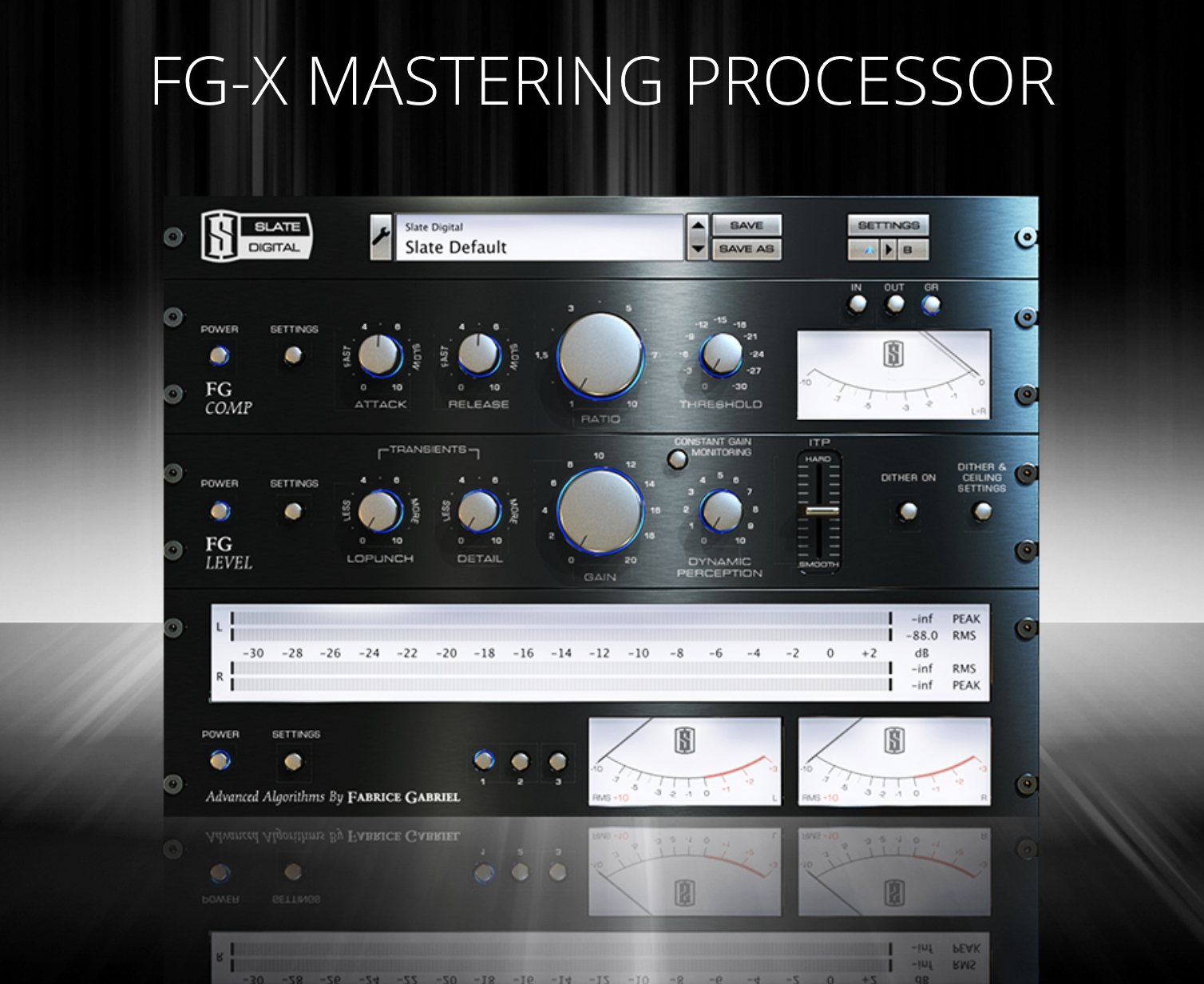
FG-X Mastering Processor from Slate Digital
I have not yet tried the FG-X Mastering Processor but I’ve heard good things about it, and the loudness enhancer looks very promising.
From their website: “The FG-X Mastering Processor is Slate Digital’s award-winning mastering plugin that combines an ultra-transparent compressor, the industry’s most coveted loudness enhancer, and a comprehensive metering panel. FG-X can make your mixes louder without altering the dynamics, removing punch, or skewing your mix balances.”
15-day free trial available.
Have you used this plugin? What has your experience been with it?
Want to receive the Daily Goody in your email, daily or weekly? Subscribe free here.
And please keep in mind, the Daily Goody is only a tiny little tip, fact or lesson everyday. Please don’t expect any of these posts to be long, earth-shattering masterpieces that instantly answer every single question you can think of and completely transform you into a world class podcast engineer. “Little by little, a little becomes a lot.”
-
Do Presentation Mistakes by Podcast Hosts Actually Draw Listeners In?
Do speaking mistakes (and the resulting self-corrections) “interrupt the pattern” of listeners and bring their full attention back to the audio and increase their focus on the content?
Do mistakes draw the listeners in, or are they just annoying?
When a podcast editor thoroughly removes all speaking mistakes, does the resulting imperfection-free audio make it more likely that listeners will zone out and lose attention?
I’ve been pondering this for a while because it seems when the host messes up, my attention is immediately drawn to them BECAUSE they messed up!
Does that happen to you when listening to podcasts?
Want to receive the Daily Goody in your email, daily or weekly? Subscribe free here.
And please keep in mind, the Daily Goody is only a tiny little tip, fact or lesson everyday. Please don’t expect any of these posts to be long, earth-shattering masterpieces that instantly answer every single question you can think of and completely transform you into a world class podcast engineer. “Little by little, a little becomes a lot.”
-
Nasty Microphone Hum Noise From Old School Headsets
Many old school call-center type headsets will output a nasty hum which is loud and terrible. And many podcast guests still use these types of headsets because they have them handy because they bought it like 15 years ago or something.
Use a de-hum processor to remove the hum or hums (yes, there may be several hums, not just one).
Many DAW’s have built in hum removal processors, and of course iZotope RX 8 has an excellent De-hum module.
What do you use to remove nasty hums?
Want to receive the Daily Goody in your email, daily or weekly? Subscribe free here.
And please keep in mind, the Daily Goody is only a tiny little tip, fact or lesson everyday. Please don’t expect any of these posts to be long, earth-shattering masterpieces that instantly answer every single question you can think of and completely transform you into a world class podcast engineer. “Little by little, a little becomes a lot.”
-
The Two Computer Settings Where You Need To Verify That Your Mic Is Active and Recording Properly
I was recently asked why someone’s podcast audio sounded unusually terrible and the reason was because their computer was recording the WRONG MICROPHONE! This is unfortunately something that happens way more than it should.
After hearing the person’s audio, I responded:
“Sounds like the computer is recording her computers on-board mic and NOT the ATR-2100. This is fairly common because most non-tech-savvy folks just plug in their USB mic and ASSUME that that USB mic is being recorded, when what they really need to do is check that their USB mic is chosen and active in two places: 1. At the computer level their USB mic should be their chosen input device, and 2. In Zencastr/Squadcast their USB mic should be their chosen input device. Make sure all 3 ladies verify both those settings before each and every recording session and that should solve the issue.”
Do you check those two settings every time you record?
Want to receive the Daily Goody in your email, daily or weekly? Subscribe free here.
And please keep in mind, the Daily Goody is only a tiny little tip, fact or lesson everyday. Please don’t expect any of these posts to be long, earth-shattering masterpieces that instantly answer every single question you can think of and completely transform you into a world class podcast engineer. “Little by little, a little becomes a lot.”
-
Podcast Audio Plugins – The Big List
I recently published this big list of podcast audio plugins categorized by EQ’s, compressors, channel strips, etc.
Most of them I have used personally, though I included others that have great reputations, too.
Please realize that I haven’t tried every single plugin in the world.
Check out the Big List!
Can you recommend any plugins that I should add to this list??
Want to receive the Daily Goody in your email, daily or weekly? Subscribe free here.
And please keep in mind, the Daily Goody is only a tiny little tip, fact or lesson everyday. Please don’t expect any of these posts to be long, earth-shattering masterpieces that instantly answer every single question you can think of and completely transform you into a world class podcast engineer. “Little by little, a little becomes a lot.”
-
The Way You Monitor Affects Your Production a Lot
A note to more advanced podcast editors/producers:
They way you monitor (or listen to) the audio you’re producing matters a lot. Whether you use headphones, earbuds or studio monitors, the quality and frequency response of those monitors makes a huge difference.
Monitoring your audio with no coloration from your headphones/speakers will ensure that your final mixes sound good to everyone everywhere.
Every pair of headphones or speakers “colors” the sound to some degree by playing back the audio at a less-than-flat frequency response.
Reference 4 from Sonarworks removes unwanted coloration from your headphones/monitors and allows you to trust what you’re hearing so you can produce audio with confidence with your current setup. I use this for my monitors and headphones.
Morphit from ToneBoosters does a similar thing — headphones correction, simulation and personalization.
Do you use an app to flatten out the frequency response of your monitors?
Want to receive the Daily Goody in your email, daily or weekly? Subscribe free here.
And please keep in mind, the Daily Goody is only a tiny little tip, fact or lesson everyday. Please don’t expect any of these posts to be long, earth-shattering masterpieces that instantly answer every single question you can think of and completely transform you into a world class podcast engineer. “Little by little, a little becomes a lot.”
-
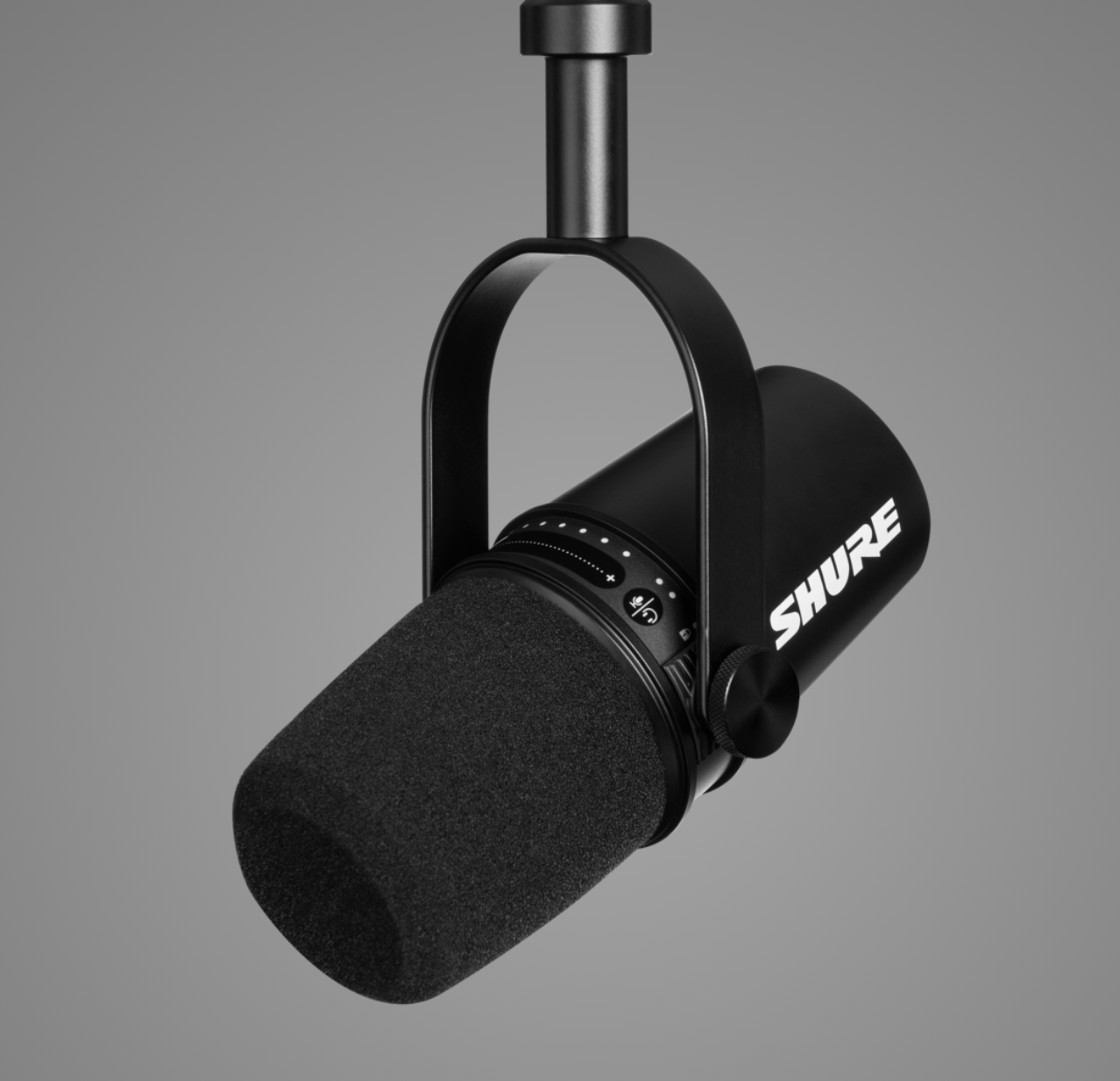
Shure MV7 – New Microphone for Podcasting and Gaming
The Shure MV7 microphone is a brand new microphone made for podcasters, gaming and home recording.
Ralph M. Rivera already bought one.
From Shure’s website: “Inspired by the legendary SM7B, the MV7 is a dynamic microphone with both USB and XLR outputs for use with computers and professional interfaces alike. Connect via USB and explore additional set-up features and Auto Level Mode within our ShurePlus™ MOTIV app, to control your vocal tone, and distance from the microphone. With Auto Level Mode, you can let the microphone do the work for you.”
Here’s a short overview video from Sweetwater.
And here’s an interesting video of some guys trying it out and comparing to other microphones.
The controls on the mic itself seem pretty cool: a mute button and headphone volume controls for the mic and computer audio (and a mix control to balance the two).
Want to receive the Daily Goody in your email, daily or weekly? Subscribe free here.
And please keep in mind, the Daily Goody is only a tiny little tip, fact or lesson everyday. Please don’t expect any of these posts to be long, earth-shattering masterpieces that instantly answer every single question you can think of and completely transform you into a world class podcast engineer. “Little by little, a little becomes a lot.”
-
Townsend Labs Sphere L22 Microphone

This microphone, the Townsend Labs Sphere L22, models several vintage microphones and cost around $1,499.
One student of PES has this mic and loves it. Personally I’ve never tried it.
Also, Bandrew is currently using it on his show, the Bandrew Says Podcast.
Have you tried this mic, or any vintage modeling mic?
Want to receive the Daily Goody in your email, daily or weekly? Subscribe free here.
And please keep in mind, the Daily Goody is only a tiny little tip, fact or lesson everyday. Please don’t expect any of these posts to be long, earth-shattering masterpieces that instantly answer every single question you can think of and completely transform you into a world class podcast engineer. “Little by little, a little becomes a lot.”
-
Podcast Editors: Beware of Negotiating Your Price Down
When a client or potential client asks you to reduce your regular price, how do you handle that?
It can be easy to drop your price to secure/maintain that client, but in the long run it may frustrate you deeply that you’re not earning what you should be earning.
One of the benefits of sticking to your guns, which I discuss at length in Getting New Clients at Higher Rates, is that you will earn more, work less and be happier overall.
Beware of negotiating your price down and the long term effects that can have because there definitely ARE clients out there who are willing to pay you your chosen rate.
Want to receive the Daily Goody in your email, daily or weekly? Subscribe free here.
And please keep in mind, the Daily Goody is only a tiny little tip, fact or lesson everyday. Please don’t expect any of these posts to be long, earth-shattering masterpieces that instantly answer every single question you can think of and completely transform you into a world class podcast engineer. “Little by little, a little becomes a lot.”
-
Metadatics – An Advanced Audio Metadata Editor for Mac OS X
I know some people argue that tagging MP3 files is not necessary anymore but I completely disagree with that.
I recently stumbled upon this app called Metadatics – an advanced audio metadata editor for Mac OS X.
From their website:
- Metadatics is a powerful audio metadata editor with many features. It supports batch editing of most audio file types including MP3, M4A, AIFF, WAV, FLAC, APE, OGG, WMA, and more.
- Features include Batch Editing, Online Sources, Rename Your Files, Functions, Album Artwork, various Metadata Formats and more.
FYI, I still use ID3 Editor or Fission to tag my MP3 and M4A files.
What do you use? And will you try Metadatics?
Want to receive the Daily Goody in your email, daily or weekly? Subscribe free here.
And please keep in mind, the Daily Goody is only a tiny little tip, fact or lesson everyday. Please don’t expect any of these posts to be long, earth-shattering masterpieces that instantly answer every single question you can think of and completely transform you into a world class podcast engineer. “Little by little, a little becomes a lot.”
-
Should You Edit a Boring Speaker Differently Than an Exciting Speaker?
Podcast participants who are exciting and energetic versus those who are more slow and boring — should you edit them differently?
My thinking: If the participant is slow, boring, and not energetic, their audio should be edited tighter to keep the pace flowing forward at a more reasonable pace. But if a participant is very energetic, then editing a bit more loosely would maintain their flow and avoid making it sound too fast.
For reference:
- Editing “tighter” means removing more blank space, removing more unnecessary filler words, and potentially removing sections where the host repeats themselves or restates something.
- Editing “looser” means leaving in more blank space, leaving in some/all filler words, and potentially leaving in sections where the host repeats themselves or restates something.
So, here’s the question for podcast editors: Does the energy level of a participant affect how tightly you edit their audio?
Want to receive the Daily Goody in your email, daily or weekly? Subscribe free here.
And please keep in mind, the Daily Goody is only a tiny little tip, fact or lesson everyday. Please don’t expect any of these posts to be long, earth-shattering masterpieces that instantly answer every single question you can think of and completely transform you into a world class podcast engineer. “Little by little, a little becomes a lot.”
-
EQ then Compress, or Compress then EQ?
The age old question in audio production — should I EQ first and then use a compressor, or should I compress first and then use an EQ?
First, you should try both and hear the difference yourself. If the source audio does not need lots of EQ, then the difference is very minimal.
In general, in podcast production:
- If there is a voice that needs substantial corrective EQ then I will typically EQ it first and then compress. But of course I may use a second EQ after the compressor as well 😉
- If a voice already sounds good and doesn’t need that much corrective EQ then it probably doesn’t matter which order you use EQ and compression.
Do you have a rule of thumb regarding the processing order of EQ and compression that you live by?
Want to receive the Daily Goody in your email, daily or weekly? Subscribe free here.
And please keep in mind, the Daily Goody is only a tiny little tip, fact or lesson everyday. Please don’t expect any of these posts to be long, earth-shattering masterpieces that instantly answer every single question you can think of and completely transform you into a world class podcast engineer. “Little by little, a little becomes a lot.”
-
Trivia: What Compression Ratio Do I Use on My Channel Strip on the Way “To Tape?”
Trivia: What compression ratio do I use on my channel strip on the way “to tape?”
- 1.6:1
- 2.3:1
- 3:1
- 4:1
- 6.5:1
- 8:1

Want to receive the Daily Goody in your email, daily or weekly? Subscribe free here.
And please keep in mind, the Daily Goody is only a tiny little tip, fact or lesson everyday. Please don’t expect any of these posts to be long, earth-shattering masterpieces that instantly answer every single question you can think of and completely transform you into a world class podcast engineer. “Little by little, a little becomes a lot.”