Your cart is currently empty!
Author: Chris Curran
-
Approaching Local Businesses to Offer Your Podcast Production Services

Lots of local businesses might want to start a podcast but they just don’t know HOW to start a podcast, or WHERE TO GET ALL THE VARIOUS INFO (from someone they trust) about how to start a podcast. So they don’t ever start a podcast.
What if you could be their knight in shining armor?
Want to receive the Daily Goody in your email, daily or weekly? Subscribe free here.
And please keep in mind, the Daily Goody is only a tiny little tip, fact or lesson everyday. Please don’t expect any of these posts to be long, earth-shattering masterpieces that instantly answer every single question you can think of and completely transform you into a world class podcast engineer. “Little by little, a little becomes a lot.”
.
-
Finalizer by TC Electronic
In the late 90s I used a Finalizer 96K hardware unit to master many music projects, and it was quite impressive back then. It was loaded with amazing presets which utilized multiband compression, limiting and EQ algorithms.
Now an improved version called Finalizer is available as a plugin!
Note: It’s made to master music, but I hope to test it someday on “finalizing” some podcast episodes.
From their website:
The Finalizer app compiles the best multiband compression, limiter and EQ algorithms that we have ever developed. They are ported 1:1 from our System 6000 platform, optimized for modern performance and bundled in a brand-new package along with a wealth of new features and an entirely new way of presenting audio visually. The distance between your mix and final master has never been shorter.
They also offer a Free Analyzer, a cloud-based service that allows you to harness the power of TC Electronic’s innovative displays and advanced measuring algorithms:
Brand new TC-developed Compress-O-Meter shows how dynamic and loud your track is compared to other tracks.
Spectr-O-Meter compares the spectral response of your whole track against the spectral response of other tracks for example in the same music genre.
Loudness Radar reveals the loudness envelope over the duration of your track. This is great for checking the different parts relative to each other or to other tracks.
Want to receive the Daily Goody in your email, daily or weekly? Subscribe free here.
And please keep in mind, the Daily Goody is only a tiny little tip, fact or lesson everyday. Please don’t expect any of these posts to be long, earth-shattering masterpieces that instantly answer every single question you can think of and completely transform you into a world class podcast engineer. “Little by little, a little becomes a lot.”
.
-
Roundup of Daily Goody Posts – PES 167

I overview recent Daily Goody‘s (from Dec. 6 – Dec. 19). Here’s the link to view all those blog posts. And don’t forget that you can sign up to receive the Daily Goody in your email every day or once per week. Sign up here.
Here are the Daily Goody posts that we discussed in this episode:
- My Experience With Starting to Create Short Videos
- Podfest Multimedia Expo 2020 – Are You Going?
- The Speed of Sound
- Regarding Quality Microphones for Use With iPad
- REW – Room EQ Wizard Room Acoustics Software
- My Desperate Plea to Podcast Guests:
- True Iron (Plugin from Kazrog)
- An Inexpensive Podcasting Equipment Setup to Sound Great
- If Your Connection Fails and You Drop Off a Virtual Recording Session…
- Using a Vocal Subgroup When Mixing
- Editing in Reaper While the Session is Playing
- Using Tape Emulation When Mastering Episodes
- In Terms of Sound Quality and Production Value, Which Podcasts Do You Appreciate Most?
- How Waves Models Analog Gear
Announcement: The start date for the next PES will be April 28, 2020
What did you learn in this episode? Let me know by commenting below.
I appreciate you listening, and if you have any questions please let me know 🙂
If you know anyone who would like to learn more about the technical production of podcasts, please share this show with them.
.
-
Tightness of Edits When Transitioning Into and Between Ads
When transitioning between two ads, or between content and ads, or coming out of ads back into content – how tightly cut should those edits be?
Your answer to this question solely depends on the experience you want to provide for your listeners.
Tight cuts (leaving very little silence) maintain the energy and flow, but can also feel rushed and negatively impact the listeners comprehension of the ads.
Longer gaps of silence bring the energy down and sort of “cleanse your pallet” before going into the next section. Longer gaps can also cause the listener to feel bored and more annoyed by how long the ads are going on and on.
What are your ideas on this topic?
Want to receive the Daily Goody in your email, daily or weekly? Subscribe free here.
And please keep in mind, the Daily Goody is only a tiny little tip, fact or lesson everyday. Please don’t expect any of these posts to be long, earth-shattering masterpieces that instantly answer every single question you can think of and completely transform you into a world class podcast engineer. “Little by little, a little becomes a lot.”
.
-
Guest Repositioned Her Headset Mic Halfway Through…
A recent guest repositioned her headset mic halfway through the episode and that changed the sound drastically.
In post-production, in order to match her first half sound to her second half sound, I split her recording and put each half on its own track so I could process each separately to match their different levels and tones and sibilance reduction, etc.
It worked out well, though of course it added a substantial amount of time to my post-production.
Want to receive the Daily Goody in your email, daily or weekly? Subscribe free here.
And please keep in mind, the Daily Goody is only a tiny little tip, fact or lesson everyday. Please don’t expect any of these posts to be long, earth-shattering masterpieces that instantly answer every single question you can think of and completely transform you into a world class podcast engineer. “Little by little, a little becomes a lot.”
.
-
Plugging Earbuds Directly into a USB Microphone
When using a USB microphone, it’s probably best to plug earbuds into the USB mic instead of plugging earbuds into the computer itself. This helps avoids any weird playback issues (especially on a PC).
On a recent session a guest had their earbuds plugged into their PC while speaking into an ATR2100-USB microphone, and midway through the session they stopped hearing everything. So we had to troubleshoot why they couldn’t hear anything, and ended up having them plug their earbuds into the ATR microphone, and then they could hear again.
Plus, it’s more straightforward for folks to set both their computer’s input and output device settings to the USB mic.
Want to receive the Daily Goody in your email, daily or weekly? Subscribe free here.
And please keep in mind, the Daily Goody is only a tiny little tip, fact or lesson everyday. Please don’t expect any of these posts to be long, earth-shattering masterpieces that instantly answer every single question you can think of and completely transform you into a world class podcast engineer. “Little by little, a little becomes a lot.”
.
-
Guests Connecting Online Using a Microsoft Surface
Let’s say you are going to record an episode with a remote guest who will be connecting on their Microsoft Surface device.
If they have a strong WiFi signal and are connecting using Skype, Zoom, FaceTime, etc., everything should function OK.
However, if they are connecting via Squadcast, Zencastr, Ringr, etc., (service that record participant’s audio locally without them knowing it) there is a chance that the local audio recording made by these services may encounter problems due to the Surface’s lack of processor speed, memory, or other factors.
Some people think that Surface’s ARE regular computers, but I don’t buy that. I’ve never owned one, but I’ve done several sessions with guests connecting from a Surface and there have been problems every time.
All I’m saying is, be aware and be careful when connecting with guests using a Surface, etc. And you may want to ask them if they are able to connect from a regular computer, so you can avoid any potential problems 😉
Want to receive the Daily Goody in your email, daily or weekly? Subscribe free here.
And please keep in mind, the Daily Goody is only a tiny little tip, fact or lesson everyday. Please don’t expect any of these posts to be long, earth-shattering masterpieces that instantly answer every single question you can think of and completely transform you into a world class podcast engineer. “Little by little, a little becomes a lot.”
.
-
LUNA Recording System from Universal Audio
(Coming Spring 2020)
The LUNA Recording System from Universal Audio is a new kind of DAW. And it’s FREE for all existing Thunderbolt Apollo & Arrow interfaces (Mac only).
Here’s a video from NAMM 2020 with more details.
Details from their website:
-
-
- LUNA transforms Apollo interfaces into the most inspiring and fully‑integrated Mac‑based recording systems on the planet.
- DEEP APOLLO INTEGRATION – A Fast, Natural Workflow
- BUILT-IN NEVE® SUMMING – Instant Classic Console Sound
- INTEGRATED MULTITRACK TAPE – Warmth and Punch on Demand
- ALL-NEW LUNA INSTRUMENTS – Incredible Realism to Fuel Inspiration
-
Do you think this will be a revolutionary DAW?
Want to receive the Daily Goody in your email, daily or weekly? Subscribe free here.
And please keep in mind, the Daily Goody is only a tiny little tip, fact or lesson everyday. Please don’t expect any of these posts to be long, earth-shattering masterpieces that instantly answer every single question you can think of and completely transform you into a world class podcast engineer. “Little by little, a little becomes a lot.”
.
-
-
When’s the Last Time You Cleaned and Dusted Your Studio?
Weekly or monthly cleaning works well, but every now and then (every year or two?) you have to literally disconnect all your gear, dust everything, vacuum everywhere, and then put Humpty Dumpty (your studio) back together again.
This is also a good opportunity to:
-
-
- Tidy/replace/upgrade cables
- Upgrade gear
- Adjust/optimize the placement of your gear
- And of course take new pictures of your clean, optimized studio!
-
So the question is: When’s the last time you cleaned and dusted your studio?
I did last week and IT FEELS GREAT!
Want to receive the Daily Goody in your email, daily or weekly? Subscribe free here.
And please keep in mind, the Daily Goody is only a tiny little tip, fact or lesson everyday. Please don’t expect any of these posts to be long, earth-shattering masterpieces that instantly answer every single question you can think of and completely transform you into a world class podcast engineer. “Little by little, a little becomes a lot.”
.
-
-
SSL 2 and SSL 2+ Interfaces (NEW!)

SSL has just released these two interfaces – the SSL 2 and SSL 2+. They both have two input channels with XLR combo input jacks.
SSL is one of the most revered pro audio companies in the world, and I’m happy to see them make a small interface that’s affordable for podcasters.
Note: I haven’t tried these yet 😉
As per their website, these interfaces come with:
-
-
- Matchless SSL sonics and superior build quality
- Legacy 4K button for instant analog mojo
- Bundled SSL Native and third-party software
-
The SSL 2 costs around $230.
The SSL 2+ costs around $280.
If you want to know how they differ, check out the specs here.
Do you want one?!?!
Want to receive the Daily Goody in your email, daily or weekly? Subscribe free here.
And please keep in mind, the Daily Goody is only a tiny little tip, fact or lesson everyday. Please don’t expect any of these posts to be long, earth-shattering masterpieces that instantly answer every single question you can think of and completely transform you into a world class podcast engineer. “Little by little, a little becomes a lot.”
.
-
-
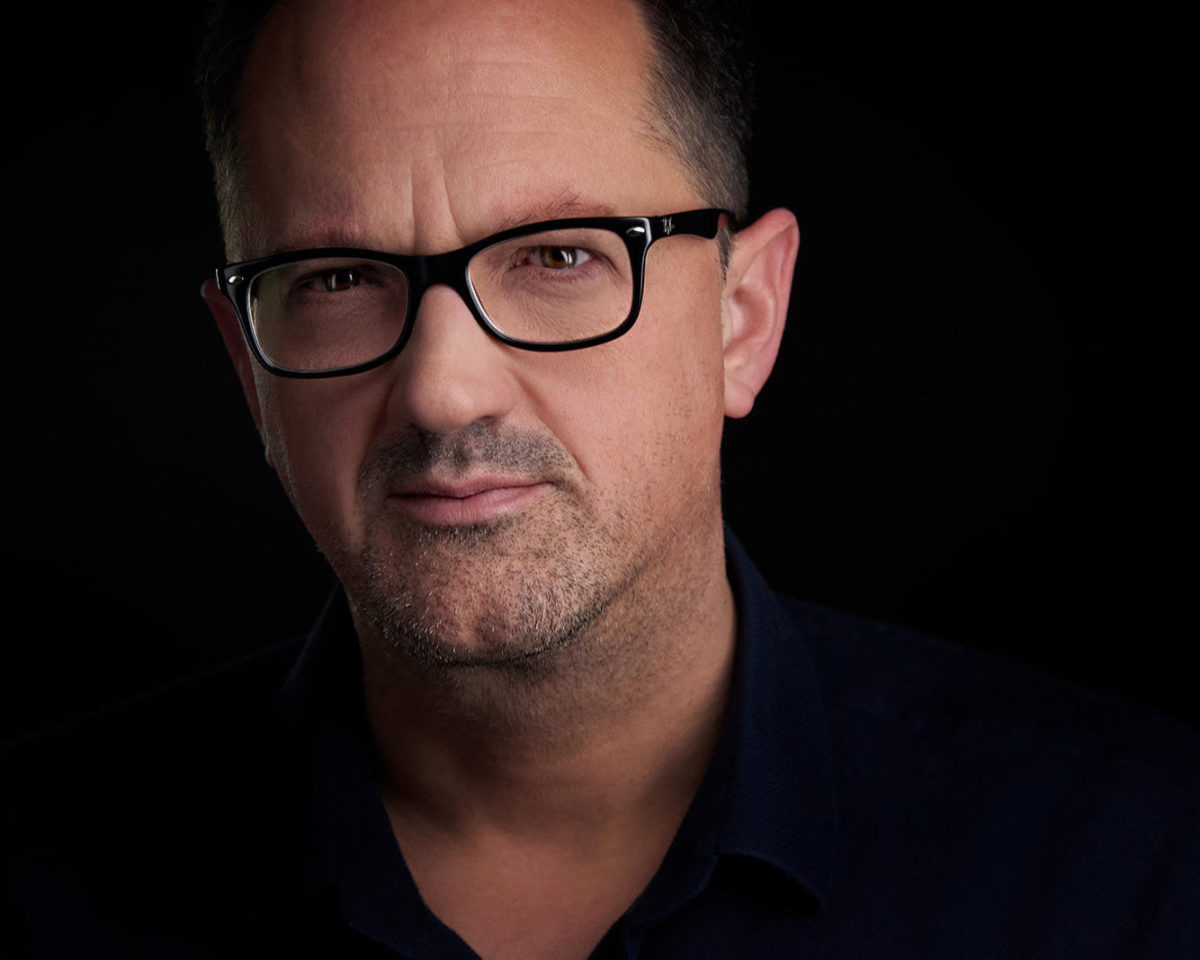
Chris Williams – Host of Badass Agile, Audio Engineer and Musician – PES 166
My guest is Chris Williams – host of Badass Agile, audio engineer and musician!
We discussed SO MUCH! …..including:

- Mics:
- Manley Reference Cardioid mic —> UA Arrow (API Vision channel strip with no EQ or compression)
- Neumann U87, TLM103
- RODE NTK
- Shure KSM32
- Shure SM7B
- EV RE20
- Various Handhelds – Shure Sm58, Beta58, Beta87, Neumann KMS105
- Mixer – Behringer Eurorack, M-Audio Profire2826, UAD Console Virtual Mixer
- Preamplifiers:
- Neve Shelford Channel
- Great River me1nv
- Grace Design M101
- UA Solo 610
- Interfaces:
- UAD Apollo Twin Duo
- Twin Quad
- x6
- Arrow
- Recorders:
- Tascam DR40
- Sound Devices MixPre-3
- Computer – Macbook Pro 15 (2019)
- Post-production:
- Recordings go from MixPre or Tascam, exported into logic or Reaper, or directly into Logic 1 of 2 ways:
- Desktop/portable rig Mic->UA Arrow or Twin Quad, through Unison Mic Pre (usually API Vision)
- Rack – Mic->Mic pre->balanced line out into UAD x6, bypass onboard preamps and into converters
- Editing and Mixing done in Logic, some mixing in Reaper or Pro Tools (or outsourced)
- Typical Vocal Bus – Plugin Alliance BlackBox, EL Arouser, Waves NS1 for dynamic mics
- UAD Shadow Hills Mastering Compressor or UA LA2A, UAD Manley Massive Passive, Waves NS1 for Condensers OR Acustica Audio Aquamarine (Shadow Hills compressor), Magenta, Purple when untethered.
- Occasionally use Kazrog TrueIron (also try Valve EQ, K-clip), Kush UBK1, Novatronclassi
- Recordings go from MixPre or Tascam, exported into logic or Reaper, or directly into Logic 1 of 2 ways:
- Mastering Bus:
- Softube Tape or UAD Ampex ATR102, Manley Massive Passive, Softube TubeTech Channel, PluginAlliance bx_limiter or UAD Precision Limiter
- Occasionally Use Airwindows plugs, Logic Stock plugs, various Acustica and UAD emulations, waves emulations, various reverbs..always trying new plugins as well.
- Cleanfeed
- MJUC
- Tokyo Dawn – free compressor and EQ
- Chandler Curvebender!
- Stoicism!

Thanks for being a great guest, Chris!
Comment below with any questions or comments.
.
- Mics:
-
Your Computer’s Input/Output Settings

The first thing I do when preparing my computer to record audio (after restarting of course!) is verify/change my computer’s audio input/output settings. Every. Single. Time. This is where you choose what device you want to use for the input of audio and the output of audio. You can see in the image that my input device is set to “MixPre-6.”
Because there’s nothing worse than “thinking” you’re recording your good microphone when unbeknownst to you – it’s your computer’s onboard mic (yuck) that is being recorded! Good luck trying to make that sound good in post 😉
So make it a ritual – every time you restart, and every time you’re going to record audio, check your computer’s audio input/output settings.
Want to receive the Daily Goody in your email, daily or weekly? Subscribe free here.
And please keep in mind, the Daily Goody is only a tiny little tip, fact or lesson everyday. Please don’t expect any of these posts to be long, earth-shattering masterpieces that instantly answer every single question you can think of and completely transform you into a world class podcast engineer. “Little by little, a little becomes a lot.”
.
-
Trivia Question About Chris Curran
What is Chris’s specialty area of audio engineering?
- Tracking bands
- Live sound
- Mixing
- Overdubbing
- Mastering
- Other
Want to receive the Daily Goody in your email, daily or weekly? Subscribe free here.
And please keep in mind, the Daily Goody is only a tiny little tip, fact or lesson everyday. Please don’t expect any of these posts to be long, earth-shattering masterpieces that instantly answer every single question you can think of and completely transform you into a world class podcast engineer. “Little by little, a little becomes a lot.”
.
-
Producing Client’s Audio: Quality vs. Quantity
I believe each of us should have a good balance between quality and quantity of episodes that we produce for clients (and for ourselves).
On the one hand: If you strive to produce world-class audio quality for every single episode, it will definitely take much longer to produce episodes.
On the other hand: If you strive to produce as many episodes as is humanly possible, you’ll definitely have to settle for less-than-great audio quality.
Striking a balance between audio quality and production time is key to your overall success.
Are you balanced in this area? Or do you lean heavily toward one side or the other?
Want to receive the Daily Goody in your email, daily or weekly? Subscribe free here.
And please keep in mind, the Daily Goody is only a tiny little tip, fact or lesson everyday. Please don’t expect any of these posts to be long, earth-shattering masterpieces that instantly answer every single question you can think of and completely transform you into a world class podcast engineer. “Little by little, a little becomes a lot.”
.
-
Abbey Road Studio 3 (For Mixing on Headphones)
The Abbey Road Studio 3 plugin brings the acoustic environment of the legendary Abbey Road Studio 3 control room to your headphones, so you can have better reference for your mixes and productions wherever you are.
Check out the tutorial videos and example audio here.
Want to receive the Daily Goody in your email, daily or weekly? Subscribe free here.
And please keep in mind, the Daily Goody is only a tiny little tip, fact or lesson everyday. Please don’t expect any of these posts to be long, earth-shattering masterpieces that instantly answer every single question you can think of and completely transform you into a world class podcast engineer. “Little by little, a little becomes a lot.”
.
-
If Someone Has a Bazillion Umms and You Remove Them All…
If someone has a bazillion umms and you remove them all, the remaining audio can sometimes have a very different vibe/flow than the original vibe/flow. When a person uses lots of umms their pacing tends to be very slow, so if you remove all the umms the pacing picks up. But, the tone and flow of their actual words can still feel slow, and this could cause the listener to feel like something is incongruent.
Want to receive the Daily Goody in your email, daily or weekly? Subscribe free here.
And please keep in mind, the Daily Goody is only a tiny little tip, fact or lesson everyday. Please don’t expect any of these posts to be long, earth-shattering masterpieces that instantly answer every single question you can think of and completely transform you into a world class podcast engineer. “Little by little, a little becomes a lot.”
.
-
Processing a Guest That Keeps Drifting on and off Mic
When a person has poor mic technique (continually drifting closer and further from the microphone), their recording ends up being extremely dynamic and the color/tone of the sound varies drastically.
When the person is close to the mic, the sound is fine, but when they drift off-mic the tone has much less presence/clarity as well as more room noise/reverb.
Of course if you do nothing about this, you end up giving the listeners a bad listening experience.
So, one strategy to help reduce the effects of bad microphone technique:
- First, level it generally (using a compressor with a longer release time, and/or an automatic vocal rider plugin)
- Then use a multiband compressor to try to even out the major tone differences.
Want to receive the Daily Goody in your email, daily or weekly? Subscribe free here.
And please keep in mind, the Daily Goody is only a tiny little tip, fact or lesson everyday. Please don’t expect any of these posts to be long, earth-shattering masterpieces that instantly answer every single question you can think of and completely transform you into a world class podcast engineer. “Little by little, a little becomes a lot.”
.
-
How to Use the ‘Loopback’ Feature on the Focusrite Scarlett 3rd Gen Interfaces
Did you know that Focusrite Scarlett 3rd Gen Interfaces can help you record other audio sources from within your computer (e.g., the audio output from a web browser, etc.)?
From their website:
On the supported Scarlett 3rd gens (see note below) we have included a new feature, Loopback. Focusrite Control’s Loopback feature lets you record other audio sources from within your computer (e.g., the audio output from a web browser). Loopback uses the Scarlett’s ‘virtual’ inputs, which have no physical connectors on the hardware interface itself but may be selected in the DAW as signal sources for recording in the same way as any other.
Thus, by selecting the Loopback output as the recording source on a mono or stereo DAW track, you can record from another software application into your DAW. Note that your computer will assign DAW 1 and DAW 2 as the default sound output channels.
Here’s Focusrite’s article describing exactly how to use this feature:
NOTE: Scarlett Solo and 2i2 3rd Gen don’t have a dedicated Loopback feature. This is available when working with the larger devices in the range, Scarlett 4i4, 8i6, 18i8 and 18i20 3rd Gen.
Have you used this feature yet?
Want to receive the Daily Goody in your email, daily or weekly? Subscribe free here.
And please keep in mind, the Daily Goody is only a tiny little tip, fact or lesson everyday. Please don’t expect any of these posts to be long, earth-shattering masterpieces that instantly answer every single question you can think of and completely transform you into a world class podcast engineer. “Little by little, a little becomes a lot.”
.
-
Daily Goody Roundup with Ralph – PES 165
Thanks to Focusrite for sponsoring this episode! If you haven’t checked out the new Focusrite Scarlett 3rd Gen. series of interfaces yet, you can see them here.
My esteemed colleague Ralph M. Rivera and I overview recent Daily Goody‘s (from Nov. 22 – Dec. 4). Here’s the link to view all those blog posts. And don’t forget that you can sign up to receive the Daily Goody in your email every day or once per week. Sign up here.
Here are the Daily Goody posts that we discussed in this episode:
- How Long Should It Take to Complete Post-Production for One Episode?
- Tactics vs. Sound Quality When Producing Podcast Audio
- Optimal Loudness to Monitor at When Mixing
- Sound Devices MixPre-6 (Audio Interface, Recorder and Mixer)
- Hardwood Floors vs. Carpeting
- Audio Hijack (Mac only) by Rogue Amoeba
- Much Gratitude to Everyone Producing Good Audio! #Thanksgiving
- When a Podcast Host Is a Guest on Other Shows…
- Beware of Guests Connecting From a Slow, Bloated and Outdated Office Computer
- Mixing Tip: Reducing the Volume of Person A’s Loud Laughing While Person B Is Still Speaking
- My 5 Videos from the Podcasters’ 5 Week Video Challenge (2019 Nov.)
- Mid-Word Edit Points
Announcement: The start date for the next PES will be April 28, 2020
What did you learn in this episode? Let me know by commenting below.
I appreciate you listening, and if you have any questions please let me know 🙂
If you know anyone who would like to learn more about the technical production of podcasts, please share this show with them.
.


