Your cart is currently empty!
Author: Chris Curran
-
Noah Sniderman – PES 113
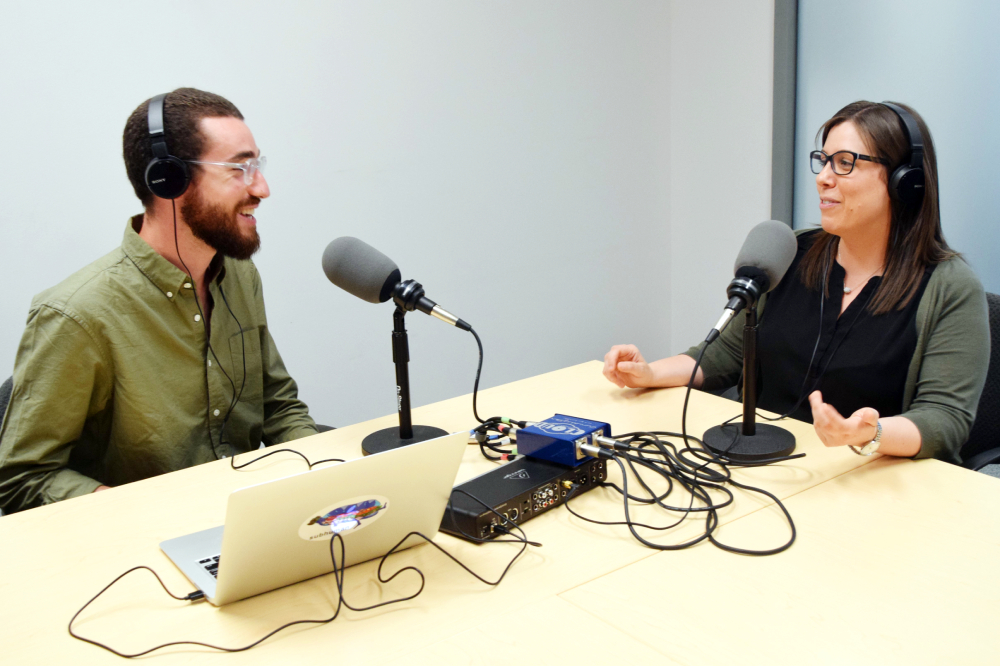
Me and Noah Sniderman had an awesome chat. He is the producer of The Dopist and producer/host of Innovating Employment. He also works at CJRU in Toronto.
Here’s some of what we discussed:
- SM7b
- Shure SM57 w/A81WS windscreen
- Sound Devices MixPre-3
- Adobe Audition
- iZotope RX 6: De-bleed, spectral de-noise, EQ (General Enhance preset), de-plosive, de-esser (Simple Voiceover preset),
- Auphonic: Desktop versions of both regular Auphonic as well as Auphonic Multitrack, and its crossgate feature
- Hazel
- Forecast app for chapters, etc.
- Spreaker
- Recording on location
- Shure Beta87a
- “I can log into my headless Mac Mini (at home) while I’m at work, and de-bleed in the other direction while I’m de-bleeding on my laptop. I use a program called Screens 4 for this.”
- Tascam DR10x – inline recorder, records a backup 10dB lower
- Rode Reporter mic
Thanks for being such a great guest, Noah!
Comment below with any questions or comments.
.
-
Area Rugs

Sounding like you’re in a gymnasium or a long hallway NEVER sounds good on a podcast.
If you’re recording in a room with hardwood floors, an area rug or two can help absorb some of the reflections and reverb. The size and quality of the rug will determine how much sound it will absorb. Typically, the thicker and shaggier rugs will absorb more sound.
Of course there are other ways to reduce room reverb, and they will be coming soon 😉
Want to receive the Daily Goody in your email, daily or weekly? Subscribe free here.
And please keep in mind, the Daily Goody is only a tiny little tip, fact or lesson everyday. Please don’t expect any of these posts to be long, earth-shattering masterpieces that instantly answer every single question you can think of and completely transform you into a world class podcast engineer. “Little by little, a little becomes a lot.”
.
-
Storing Audio & Video Gear When Not in Use
Audio and video gear are investments, in one sense, so when you store some of your gear away because you’re not going to use it, you don’t want your gear to be damaged or ruined simply because you stored it in the wrong place.
You always want to store gear in a place with low or average humidity, and definitely NOT in extreme heat or cold. Obviously avoid places that can get very cold or very hot like attics, garages, sheds, vehicles parked outdoors, etc.
And I always like to keep the original boxes that gear comes in so that when I store it away I can keep it in its original box 😉
Want to receive the Daily Goody in your email, daily or weekly? Subscribe free here.
And please keep in mind, the Daily Goody is only a tiny little tip, fact or lesson everyday. Please don’t expect any of these posts to be long, earth-shattering masterpieces that instantly answer every single question you can think of and completely transform you into a world class podcast engineer. “Little by little, a little becomes a lot.”
.
-
How Long Will it Take to Get Good?
The good news: If you want to significantly enhance your podcast audio production skills you could probably spend 3-6 months studying and practicing and end up with skills that will greatly enhance the quality of your audio production.
To become a pro, though, probably takes years because there are so many unique situations that can arise and so many problems that can occur with audio recording. It takes a while, in any field btw, for individuals to gain awareness of all the problems that can occur AND the knowledge and skill to fix those problems.
But one thing is for sure – if you want to become a pro and you pursue it with dedicated work and confidence, you WILL be a pro before you know it 😉
Want to receive the Daily Goody in your email, daily or weekly? Subscribe free here.
And please keep in mind, the Daily Goody is only a tiny little tip, fact or lesson everyday. Please don’t expect any of these posts to be long, earth-shattering masterpieces that instantly answer every single question you can think of and completely transform you into a world class podcast engineer. “Little by little, a little becomes a lot.”
.
-
Tape Emulation
For about 25 years now digital audio recording has been more widespread than its predecessor – analog tape recording. But everyone, audio engineers and listeners alike, seem to prefer the warm, full sound of analog recordings over the comparatively sterile, cold, computerish sound of digital recordings.
To have the best of both worlds, many audio companies have created analog tape emulation plugins or software that process digital recordings and make them sound like they were recorded on analog tape. Mmmm warm…
Want to receive the Daily Goody in your email, daily or weekly? Subscribe free here.
And please keep in mind, the Daily Goody is only a tiny little tip, fact or lesson everyday. Please don’t expect any of these posts to be long, earth-shattering masterpieces that instantly answer every single question you can think of and completely transform you into a world class podcast engineer. “Little by little, a little becomes a lot.”
.
-
Mixdown Resolution
When it’s time to finalize a particular podcast episode and save your mix in MP3 format, it is a really good practice to FIRST save your final mix in an uncompressed format like .WAV of .AIFF for archiving purposes, and THEN also save it in MP3 format.
This way, months or years later, if you ever need to make edits to that particular episode, you can make the edits on the uncompressed file and then create the new MP3 from that edited uncompressed file. Doing it that way is much better quality than editing the original MP3 and then saving/re-encoding it again as an MP3.
Note: Fission by Rogue Amoeba is the only audio editor that I know of that DOESN’T re-encode an MP3 after you edit it; it saves the edited MP3 audio without having to re-encode it, which avoids the degradation of re-encoding.
Want to receive the Daily Goody in your email, daily or weekly? Subscribe free here.
And please keep in mind, the Daily Goody is only a tiny little tip, fact or lesson everyday. Please don’t expect any of these posts to be long, earth-shattering masterpieces that instantly answer every single question you can think of and completely transform you into a world class podcast engineer. “Little by little, a little becomes a lot.”
.
-
Background Noise
If you’re not recording in a professional recording studio, inevitably there will be some amount of background noise when recording. The air conditioner, the road outside your window, your family in the next room, your computer’s fan, your dog, your phone ringing and buzzing, …the list goes on and on.
It’s best to reduce or eliminate, in advance, the amount of background noise that is present in your recording space. This will ensure that your microphone picks up as little noise as possible so your recording will be as “clean” as possible.
The saying, “An ounce of prevention is worth a pound of cure” is exactly right when it comes to audio recording 😉
Want to receive the Daily Goody in your email, daily or weekly? Subscribe free here.
And please keep in mind, the Daily Goody is only a tiny little tip, fact or lesson everyday. Please don’t expect any of these posts to be long, earth-shattering masterpieces that instantly answer every single question you can think of and completely transform you into a world class podcast engineer. “Little by little, a little becomes a lot.”
.
-
The Connection Speed of Internet Guests
Most podcast hosts interview their guests remotely using a VoIP service like Zencastr, Squadcast, Ringr, or Skype.
The guests internet connection speed is one factor that will affect the flow of the conversation as well as the quality of the guests audio.
A couple tips:
Although rare these days, it is best for the guests computer to be connected to the internet via a hardwired connection – an ethernet cable. Remember those?!
If the guest must connect via WiFi (which almost everyone does these days) it’s best of they are connected via a strong WiFi signal, which usually means they should be close to their WiFi router.
Want to receive the Daily Goody in your email, daily or weekly? Subscribe free here.
And please keep in mind, the Daily Goody is only a tiny little tip, fact or lesson everyday. Please don’t expect any of these posts to be long, earth-shattering masterpieces that instantly answer every single question you can think of and completely transform you into a world class podcast engineer. “Little by little, a little becomes a lot.”
.
-
My 416 Experience so Far, and More – PES 112
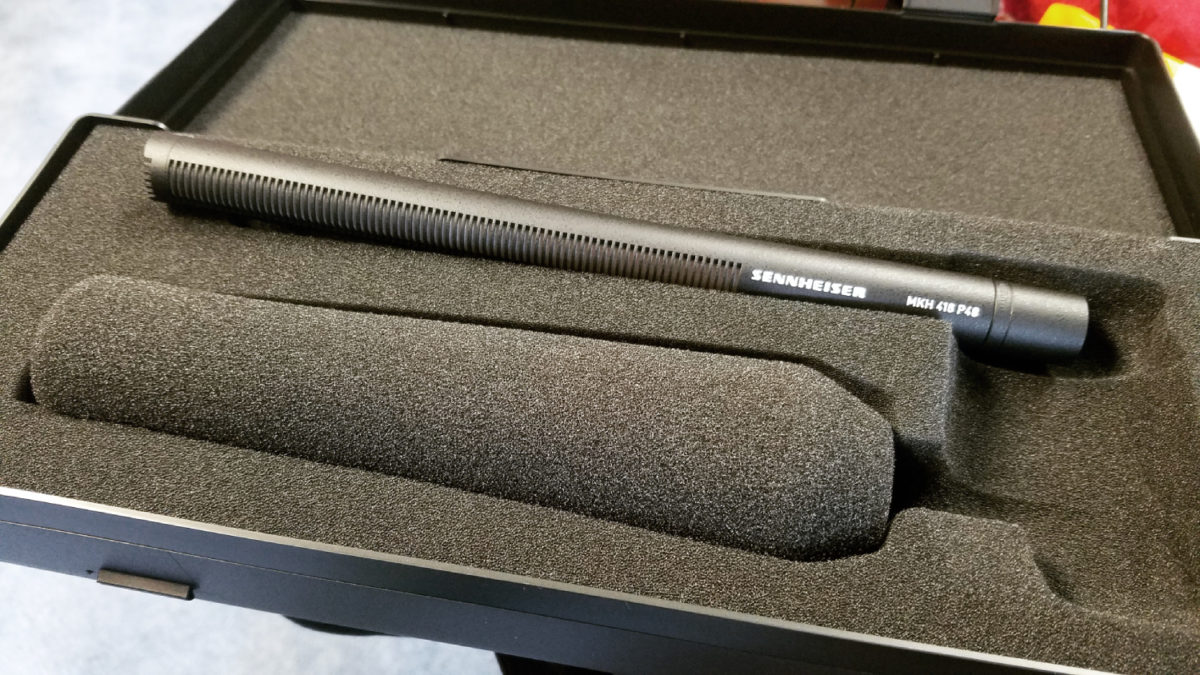
First, I give you my initial reactions and use cases for my new Sennheiser MKH-416 microphone. *NOTE: This is not an in-depth review or anything like that.
Also, don’t miss this revealing sample of audio: Audio Technica 8035 vs Sennheiser MKH-416
I also discuss the 416’s:
- Specifications (at the bottom of this post)
- Quality: Lots of smooth clarity in mid and high end.
Smooth low end. - My accessories: Shock mount, My laser gun holder
- Testing close miking: Definitely getting plosives even when using the included foam windscreen. Plosives are easy to fix in post, but if you’re streaming Live it would be awesome to avoid the plosives going out on the Livestream.
- My streaming use case: Picks up my HVAC unit really well, mostly because there are no walls in between.
- My Portico II processing: 48v Phantom Power, since mic is not close to my mouth I’m adding quite a bit of low end at 220 shelving, rolling off the low end around 80 Hz, using the Blue Silk mode, and my usual amount of to-tape compression (mild).
ANNOUNCEMENT: I started the Daily Goody!
I discuss a use case for Auphonic Multitrack – leveling all voices to the same LUFS level before mixing and editing.
I describe me EQ’ing the last quarter of a guests track because she moved away from the computer and there was suddenly background noise and she also lost some clarity.
REVEALED: My 5 days in a cabin in the woods.
The 9 books I mentioned which are going to help me excel in 2019: (in no particular order)
- Rejection Proof by Jia Jiang
- Can’t Hurt Me by David Goggins
- Deep Work by Cal Newport
- The War of Art by Steven Pressfield
- Rest by Alex Soojung-Kim Pang
- The Four Agreements by Don Miguel Ruiz
- The Laws of Manifestation by David Spangler
- Above Life’s Turmoil by James Allen
- The One Thing by Gary Keller with Jay Papasan
Here’s to the best 2019 you could possibly have!!!
Sennheiser MKH-416 Specifications:
- Transducer: Pressure Gradient/Interference Receiver Condenser
- Polar Pattern: Low, Mid: Hypercardioid — Above 2 kHz: Lobar
- Frequency Response: 40 to 20,000 Hz
- Dynamic Range (Typical): 117 dB
- Signal-to-Noise Ratio: 81 dB
- Maximum Input Sound Level: 130 dB (@ 1 KHz)
- Sensitivity: 25 mV/Pa +/- 1dB
- Power Requirements: Phantom Power 48 V (± 12 v)
- Output Impedance: Nominal Impedance: 25 Ohms, Minimum Terminating Impedance: 800 Ohms
- Output Connectors: XLR-3M Type
- Pad: None
- Low Frequency Roll-Off: None
- Applications: Film, Radio and Television, Especially for Outside Broadcast Applications
- Dimensions (L x Diam): 9.84 x 0.74″ / 250 x 19 mm
- Weight: 5.82 oz / 175 g
.Comment below with any questions or comments.
-
Mixer
Also known as:
- Mixing board
- Mixing console
- Audio mixer
- Audio console
- Mixing desk
- Sound mixer
- Sound board
- or simply as board or mixer
Basically a mixer is a piece of hardware or software that:
- Accepts audio inputs from various different sources
- Allows the audio to be “mixed” together, manipulated and routed in many varied and customizable ways
- Sends audio out in many varied and customizable ways
There are many different types and brands of mixers with varying capabilities, features and qualities.
Want to receive the Daily Goody in your email, daily or weekly? Subscribe free here.
And please keep in mind, the Daily Goody is only a tiny little tip, fact or lesson everyday. Please don’t expect any of these posts to be long, earth-shattering masterpieces that instantly answer every single question you can think of and completely transform you into a world class podcast engineer. “Little by little, a little becomes a lot.”
.
-
Ear Training
Your ears are the most important part of you when it comes to podcast audio production. And it is possible to develop your critical listening skills so that you can identify audio qualities and problems quickly and accurately. Of course correctly identifying a problem is necessary in order to correctly fix it. By the way, there are many types of problems that can occur when producing audio, and learning how to handle them all will make you a bulletproof engineer 😉
It all comes down to focused practice, really.
Just by living life you’ve already had a lot of experience hearing different audio in different places, etc. Now, to develop deeper perception of frequencies, amplitudes and characteristics you just have to start listening more intently.
For starters, here’s one good exercise you can do:
Listen to one of your favorite songs on computer speakers, then listen to the same song on earbuds, and then through the car stereo, etc. *Notice the difference in sound when listening in these different places.
What do you hear?
Want to receive the Daily Goody in your email, daily or weekly? Subscribe free here.
And please keep in mind, the Daily Goody is only a tiny little tip, fact or lesson everyday. Please don’t expect any of these posts to be long, earth-shattering masterpieces that instantly answer every single question you can think of and completely transform you into a world class podcast engineer. “Little by little, a little becomes a lot.”
.
-
Introducing Your Daily Goody
Hi!
Every day I’ll be publishing one very short post each day containing a tip, fact or lesson to enhance your knowledge of podcast audio production. I’m calling it your “Daily Goody” because each post will be a tasty morsel for your podcast production brain. (Zero calories!)
Over time you will receive quite an education.
Want to receive the Daily Goody in your email, daily or weekly? Subscribe free here.
Or here’s the link you can visit everyday to see the new post: https://podcastengineeringschool.com/category/daily-goody/
And please keep in mind, the Daily Goody is only a tiny little tip, fact or lesson everyday. Please don’t expect any of these posts to be long, earth-shattering masterpieces that instantly answer every single question you can think of and completely transform you into a world class podcast engineer.
“Little by little, a little becomes a lot.”
As always, if you have any questions please contact me directly here.
Sound great!
Chris CurranPS– if you haven’t heard my Podcast Engineering Show, you may want to check it out, too 😉
-

Bobby Owsinski, Audio Engineer and Author – PES 111
My guest is Bobby Owsinski – Audio Engineer, Producer, Author, Coach, and host of Bobby Owsinski’s Inner Circle Podcast! Bobby has earned many engineering and producer credits on popular music, and he has authored 24 books on recording, music, the music business and social media. Check out lots of Bobby’s credits and accomplishments below.
On this episode Bobby and I discussed tons, including:

- Shure SM7B
- 1073 clone from Golden A
- Used to use an 1176 clone (Warm Audio WA76)
- UAD Apollo Twin MKII
- 2013 iMac, about to upgrade
- Soundflower
- ATM50X Headphones (Has HD650’s but open back doesn’t work that well)
- Wireworld pro cables
- Monitors: Equator D8’s (soon he will have Ampheon 218’s, whic are not powered)
- Acoustic treatment – a lot of ASC Tubetraps, round cylinders, one in every corner, 18-20 total.
- Post processing:
- Gentle gate, 15 db reduction
- Compressor – Fabfilter C2
- EQ curve in Fabfilter, one for Skype, one for phone
- Waves F6 dynamic EQ for de-esser
- Mog Audio EQ4, famous air band, gives it the air that’s missing
- Reverby recording – de-reverb with RX6
- Master buss – Fabfilter L2, has a LUFS meter
- He edits quite a lot, mostly for continuity and pacing, and mostly himself
- Audio fundamentals that new podcasters should know
And here are more (not nearly all) of Bobby’s accomplishments:
- Mixed a #2 album on the Billboard Blues charts for Adrianna Marie and her Bluescutters.
- Authored several courses for Berklee College of Music.
- Author of 24 books that are now staples in audio recording, music and music business programs in colleges around the world, including the best selling “Mixing Engineer’s Handbook,” “The Recording Engineer’s Handbook,” and “Music 4.0: A Survival Guide For Making Music In The Internet Age” (all now in their 4th edition). He has also penned hundreds of audio-related articles for a variety of popular industry trade publications such as Surround Professional, EQ, Billboard, Film & Video, Hollywood Reporter, Pro Sound News, Mix, Grammy Magazine, Electronic Musician, Recording Engineer/ Producer and Music Executive Insider, among others.
- Music Production blog at https://bobbyowsinskiblog.com/
- Surround projects and DVD productions for a variety of legendary superstar acts including The Who, Willie Nelson, Neil Young, Iron Maiden, The Ramones, and Chicago, and more.
Thanks for hanging out with us, Bobby!
Comment below with any questions or comments.
.
-
Announcements, and Detailed Overview of the PES Program – PES 110
I spend most of this episode detailing what is included when attending the Podcast Engineering School full program, specifically:
- Who should attend PES?
- Why attend PES?
- The audio background of your instructor (me)
- Mentorship aspect of the program
- LIVE classes, not pre-recorded
- All class topics
- Tons of teaching topics
- Contact me if you’re interested in starting January 15th
Also, a few announcements:
- Jump on our email list – Monthly Resources for Podcasters and Producers
- I’m looking for guests for this show. If you can recommend someone please send them HERE: https://podcastengineeringschool.com/guest
- 2019 events:
- Podfest Multimedia Expo (March 7-9, 2019 in Orlando)
- I’ll be heading up the “Ask The Expert” booth at NAB from April 8-11, 2019 in Las Vegas
- Podcast Movement (August 13-16, 2019 in Orlando)
Testimonials of graduates:

“This course is one of very few that I’ve ever actually completed (of the many I have purchased online), and it’s hands-down been the best, and the most fun. I seriously looked forward to it every week. What makes it so different from all the other courses I’ve purchased over the years is the live, in-person element. It makes it so much more enjoyable, and I know for a fact I would never have made it through all this material if it were a self-paced, video course.”
~Adam C., Class 18D Alumni“If you are serious about producing podcasts and would like to learn from a true leader in the field, Chris Curran’s Podcast Engineering School is a huge value. This is a lifetime of experience that will benchmark your knowledge among the best in podcast sound engineering. I am now highly aware of the process, production, and importance of professional sound for podcast listeners – and I know how to make it happen!”
~Jim C., Class 17A Alumni“As a beginner in the world of audio, I really benefited from Chris’s Podcast Engineering School. Chris is a very good professor because he was very interactive with every single classmate and very patient with all the help he would give. After graduating I feel WAY more confident producing audio than I ever would have without this program. Overall, I highly recommend PES to anyone interested in learning the straight to the point no fluff version of professional audio engineering for podcast production.”
~Erika K., Class 17A Alumni“The Podcast Engineering School is an absolutely stellar course. It’s amazingly thorough while remaining focused on providing you exactly what you need to become a professional podcast producer.”
~Bryan E., Class 17A Alumni“Podcast Engineering School is a worthwhile and valuable investment for anyone who wants to produce a high quality podcast. Chris is very attentive and accessible for participants, and each class session went far beyond my expectations in terms of what I hoped to learn. Best of all, it’s all very practical, and I’m able to apply it immediately so I can “SOUND GREAT!”
~Barry G., Class 18B Alumni“I learned tons about recording, mixing tracks, adding effects to create higher quality podcasts, and so much more. I’m already applying these skills big time. Chris is a great teacher who really knows what he’s talking about when it comes to sound engineering. Overall, I would highly recommend this course to anyone who wants to improve their podcast production skills by leaps and bounds.”
~Ben L., 15 yrs old, Class 17A Alumni“If you’re thinking of signing up for Podcast Engineering School, do yourself a favor and sign up now. Chris’s passion and deep knowledge of all things audio made this course both fun and highly informative. Having listened to every episode of The Podcast Engineering Show, I had high expectations when I started the course. The experience exceeded my expectations. I’m using a lot of what I learned to make the shows I work on Sound Great!”
~Ed S., Class 18D AlumniAgain, if you’d like some very special pricing for our January semester, contact me asap.
Thanks for hangin’ with me!
.
-
Daniel Hager – PES 109
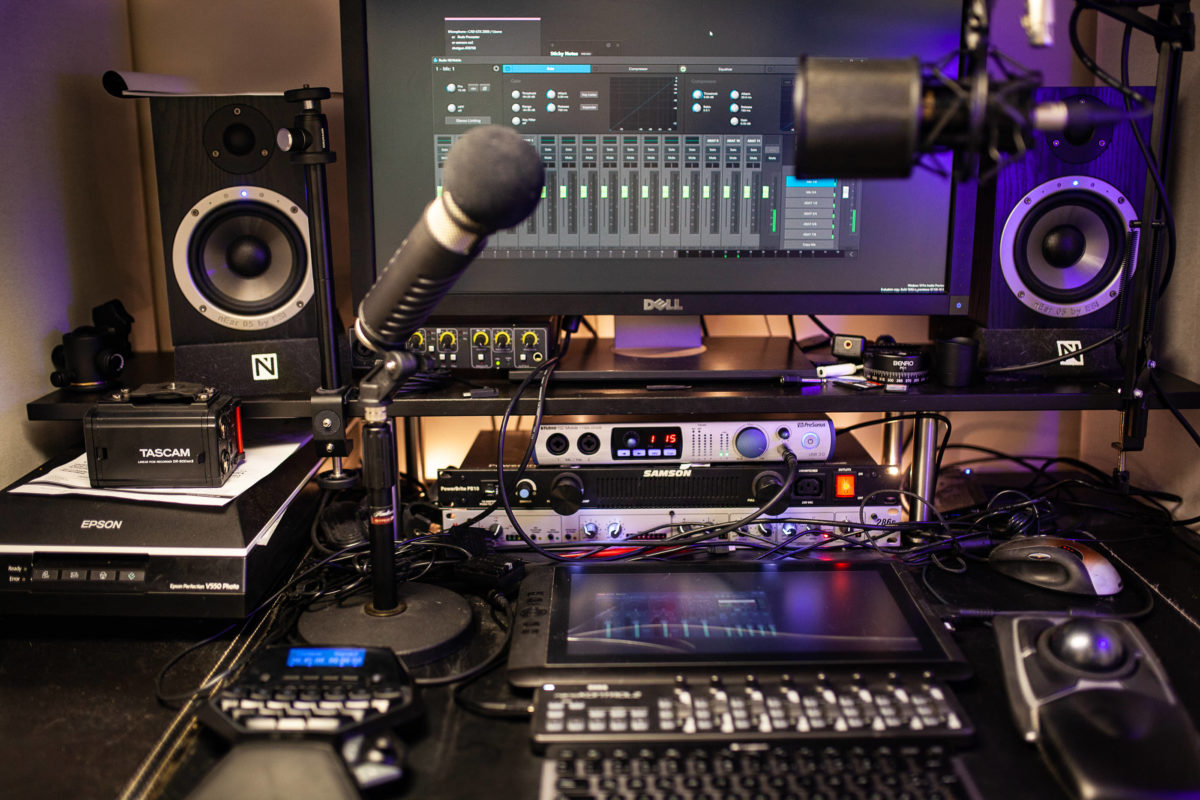
My guest is Daniel Hager from Germany, host of Let’s Talk Re-Touching, owner of Hager Media, and award-winning, internationally published retoucher and Adobe Photoshop Certified Expert.
We covered a ton including:
- A self-modified OEM branded mic with a capsule similar to the Shure Beta 27
- dbx 286s channel strip
- Power conditioners
- Presonus 192 Mobile interface (used to use a Focusrite Scarlett 2i2)
- Balanced/unbalanced
- Zoom H1
- Tascam DR 60D (can record up to 4 tracks)
- Self-built Windows computer
- Adobe Audition DAW and its multi-band compressor targeted for plosives, EQ to match the host and guest, sometimes a bit of compression, and on the mix-bus track for voices a multi-band compressor, limiter, and sometimes an additional eq to affect all voice tracks
- Presonus Studio 1 DAW
- VB-Audio VoiceMeeter, a virtual mixer for Windows machines
- Recording 4, 6, or 8 tracks in one .WAV file at 24 bit resolution
- De-click
- De-noise
- Microsoft cloud services for media hosting
- Feed generated in WordPress
- Mastering to the desired output of -16 LUFS (Audition has a Loudness Radar as an effect which I put on the master track)
- File Output, adding an image, title, description or other meta information is also done all within Audition
- Daniel blogs about audio gear at https://all-geared-up.com
Thanks for hanging out with us, Daniel!
Comment below with any questions or comments.
.
-
Auphonic’s New Advanced Features, with Georg Holzmann – PES 108
My returning guest is Georg Holzmann from Austria, founder of Auphonic! He was previously on episode 22.
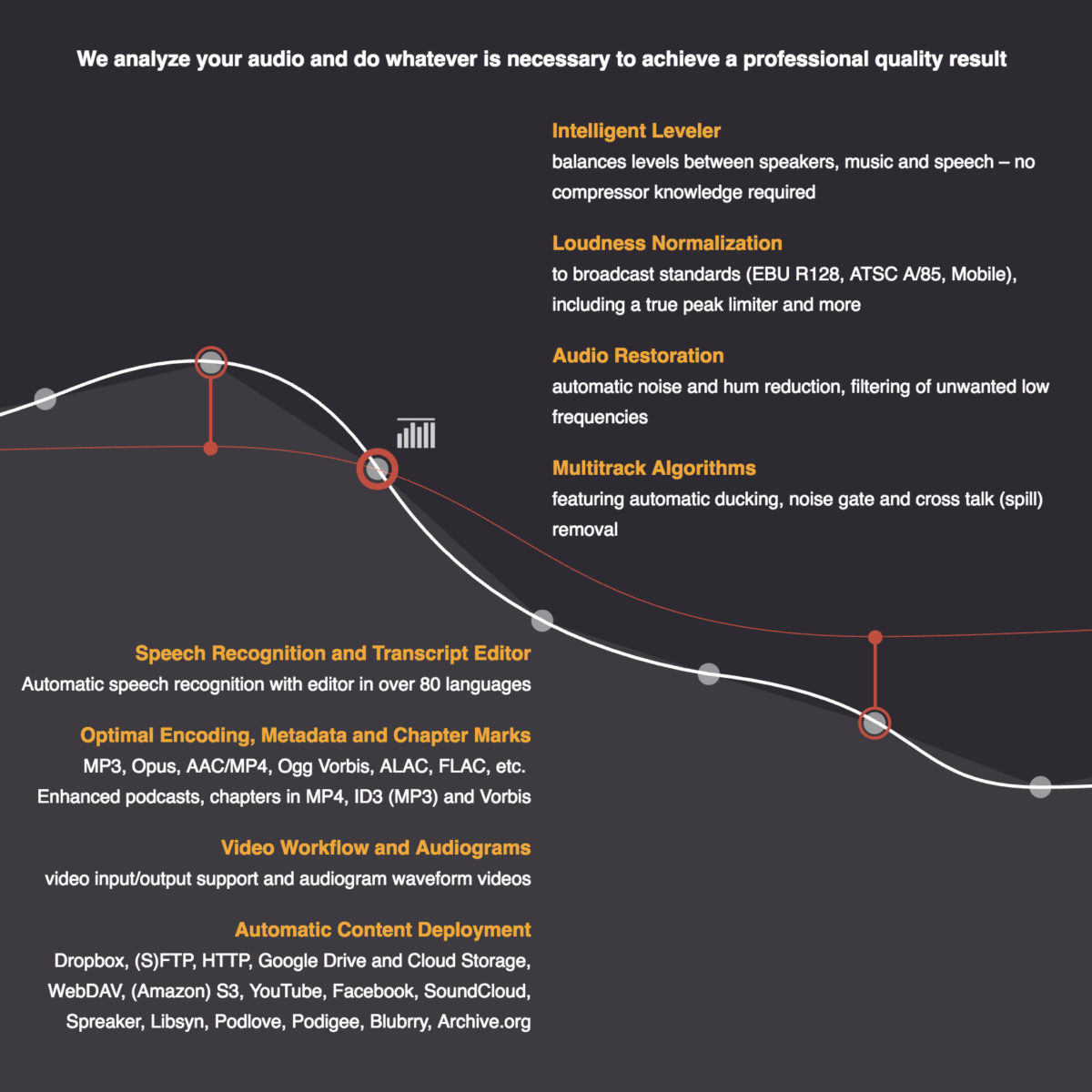
These new features are GREAT news for podcasters and editors, etc. We cover all the brand new advanced parameters of Auphonic’s audio processing algorithms. Auphonic has been tremendously helpful to podcasters for many years, and now they have stepped up their game A TON!
*If you want to try these new features, simply contact Auphonic and ask them to enable these new features for you.
Here’s some of what we covered:
- The Basics: How Auphonic levels different voices on the same track, machine learning, best practices, etc.
- Adaptive Leveler
- Presets
- Dynamic Range
- Compression
- Separate parameters for Music and Speech
- Loudness Target
- Maximum Peak Level
- Noise and Hum Reduction
Also, here’s the video I mentioned that I made when testing Auphonic’s brand new advanced parameters. (*NOTE: After I made this video Auphonic updated their user interface, etc., but all the audio processing details I discuss are still 100% relevant to their updated controls.
Thanks for hanging out with us, Georg!
Comment below with any questions or comments.
.
-
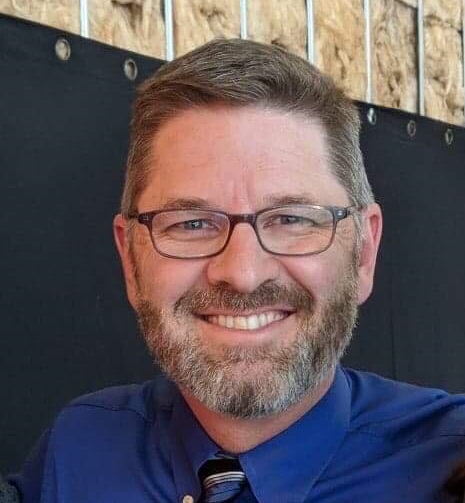
Jim Collison – PES 107
My guest is Jim Collison, gadget podcaster at TheAverageGuy.tv and co-host of the Ask the Podcast Coach show.
We discussed tons, including:
- At home, 2 PC setup
- At work, 3 PC setup
- Windows software: Audacity, Tried Audition but decided to go back to Audacity, Auphonic to level and create MP3 files, Windows Movie Maker
- Publishing to many different platforms: Podamatic, Spreaker, Soundcloud, Mixcloud, Audiomack, Podcast.com, Archive.org
- One of Jim’s NIGHTMARE SESSIONS
- ATR2100 microphone
- Mackie ProFX12 and ProFX8
- Logitech C920 webcam
- Google Hangouts LIVE
- Eggcrate foam on the walls
- Webcam IN FRONT of computer screen
- Jim’s next purchase? Probably a new PC
Thanks for hanging out with us, Jim!
Comment below with any questions or comments.
.
-

Andy Wang, Host and Producer of Inspired Money Podcast – PES 106
My guest is Andy Wang, host and producer of the Inspired Money podcast! He’s also a guitarist, investor, and fee-only financial advisor.
We discussed lots of podcast production equipment, workflows and techniques including:
- Setup at work
- CAD E100 microphone
- Rode PSA boom arm
- QSC TouchMix-16
- Surface laptop
- Doing interviews via Skype
- Sennheiser HD280 headphones
- Setup at home
- Wife’s iMac computer (for editing)
- Apogee Duet interface
- Cheap condenser mic – $50, sent it to a guy in cape cod ($300) to modify the capsule to sound like a U87
- Originally use Garage Band (overwrote a file tragically) but recently changed to Reaper (loves crossfading, etc.)
- Fabfilter plugins: gate, compression, EQ
- Waves: Vocal Rider (before compression), CLA vocals, L3 Multimaximizer on master track
- Mobile setup
- Shawn Smith’s iOS mobile recording rig setup
- ART Dual Pre interface (2 xlr inputs)
- iPad or iPhone to record
- Two Sennheiser e935
- Auphonic app to record
- Auphonic website for leveling and tagging
- Upload to Libsyn
- A few Nightmare Sessions!
- Andy’s next purchase???
Thanks for hanging out with us, Andy!
Comment below with any questions or comments.
.
- Setup at work
-
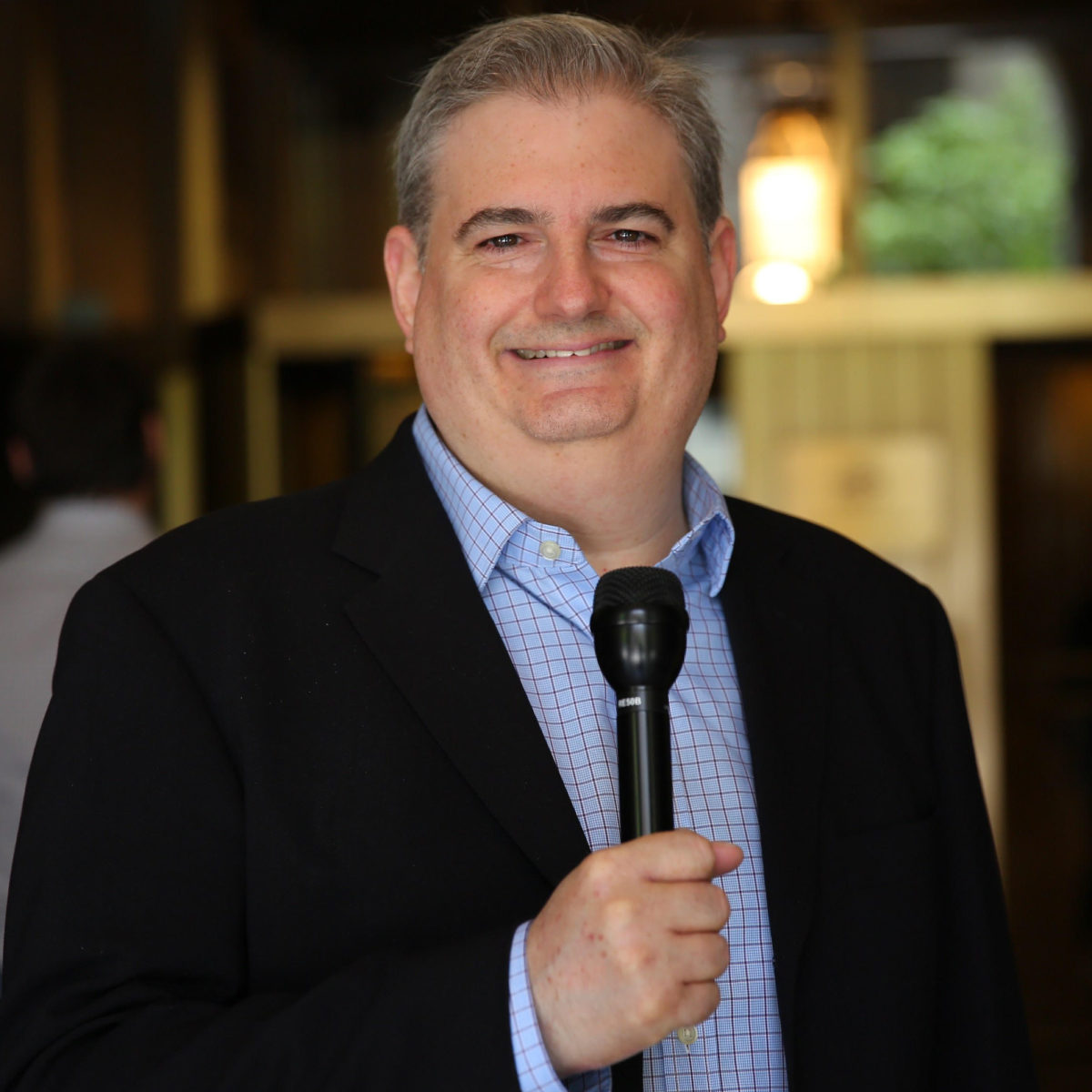
Ross Brand: Podcaster and Livestreamer – PES 105
My guest is Ross Brand from LivestreamUniverse.com! We discussed podcasting, Livestreaming, equipment and tons more. Enjoy listening!
Ross’s audio equipment:
- Primary Studio Mic – Shure SM7B (Had compared RE20, SM7B, PR40 & RE27 in B&H mic room before deciding on SM7B)
- Primary Reporter Mic – Electro-voice RE50, Omni,
- Backup/Guest Mic – Samson Q2u
- Primary Audio Interface/Mixer/ Recorder – Sound Devices MixPre-3
- Backup Studio Audio Interface – Audient iD14
- Secondary Studio/iOS Audio Interface – Shure MVi (I have a two interface setup that enables me to get both myself and guest’s audio on Instagram Live while also livestreaming to FB Live with no additional mics needed)
- Mobile Audio Interface – iRig Pre
- Headphones: Sennheiser HD280Pro, closed back
- Computer – 15″ MacBook Pro (mid 2015)
- Mobile: iPhone 7
- DAW: Screenflow (I know, I know…) – boosts level in places,
- Auphonic sometimes
- Likes and uses the Spreaker web player, chapters,
Ross’s video equipment:
- Webcam – Logitech C922x
- Camcorder – Canon Vixia R800
- Capture Card – Magewell
- Software – BeLive (for Facebook Live)
- Software – Wirecast Studio (switcher, encoding, streaming, recording, live production)
- Hardware Encoder – LiveU Solo (cellular streaming from remote, bandwidth challenged locations without computer)
Ross’s post-production workflow: (mixing, software, effects processing, editing, mastering, etc.)
- Record in MixPre-3 as wave file on SD card and edit in Screenflow
- Edit out any gaps, edit out the worst “ums” “and uhs” and occasionally a segment that detracts from the overall conversation
- Boost softer or lower louder areas to make overall volume more consistent
- Record into and outro
- Add music tracks
- Check volume levels again
- Export final mix as m4a
- Upload to Auphonic and use default settings
- Download mp3 from Auphonic
Thank you for hanging out with us, Ross!
Comment below with any questions or comments.
.