Your cart is currently empty!
Author: Chris Curran
-
Should I Bring MP3, M4A or WAV Files Into My DAW?
Since uncompressed files (WAV or AIFF) are the highest quality/resolution audio files, I always recommend recording in WAV format and using WAV format files all the way through production up until you create the final MP3 file for publishing.
But some folks record in compressed formats like MP3 or M4A, etc. (which I don’t recommend)
Regarding the use of MP3 or M4A files in post-production, this exchange I had with a listener explains things:
- Question: If you receive audio files for your podcast editing session that were recorded in MP3 or M4A compressed format, is it worth converting them to WAV (uncompressed) format before importing them into your DAW? For example, Piezo (a Skype call recorder) records in M4A AAC 256kbps Stereo — should I bring this M4A file directly into my DAW session or should I first convert it to WAV format and bring the WAV file into my DAW?
- Answer: You can just bring M4A or MP3 recordings directly into your DAW session. But if you need to clean up the audio first, I suggest doing what I do: First I bring the M4A/MP3 files into iZotope RX, etc. and process them as needed to clean them up, and then I export them from RX as a WAV file (24 bit), and then I import those WAV files into my DAW.
What are your thoughts on using these various file types in your productions? Comment below.
Want to receive the Daily Goody in your email, daily or weekly? Subscribe free here.
And please keep in mind, the Daily Goody is only a tiny little tip, fact or lesson everyday. Please don’t expect any of these posts to be long, earth-shattering masterpieces that instantly answer every single question you can think of and completely transform you into a world class podcast engineer. “Little by little, a little becomes a lot.”
-
Tour/Demo of Descript App and Q&A with Margaret Ereneta, Podcast Producer
Learn all about Descript, its features, limitations, and why you might want to use it for your podcast audio/video post-production. Margaret Ereneta, podcast producer of One80 Podcast, was kind enough to explain how easy it is to use Descript.
FYI, here’s the headset Margaret was wearing/using — ATH-M50xSTS StreamSet™
Also, here’s the One80 Podcast’s Instagram account.
OTHER LINKS:
Podcast production tips email list signup: http://eepurl.com/geOdAD
Career Option: Learn how to produce podcasts professionally from home and earn a great living doing it!
Want to receive the Daily Goody in your email, daily or weekly? Subscribe free here.
And please keep in mind, the Daily Goody is only a tiny little tip, fact or lesson everyday. Please don’t expect any of these posts to be long, earth-shattering masterpieces that instantly answer every single question you can think of and completely transform you into a world class podcast engineer. “Little by little, a little becomes a lot.”
-
Ignoring Levels?: Music vs. Hosts vs. Guests
It seems like half of the new podcasts I check out have a major issue in terms of audio quality — they have a level imbalance between intro music and each host and each guest. Intro music is usually way too loud (so listeners can’t even hear the host when they start talking), or way too quiet (making listeners JUMP when the host comes in MUCH louder than the music). And either host or guest is significantly lower in volume than the other, making it annoying for listeners to set a playback level where they can hear everything without straining to hear or getting their ears blown out every 90 seconds.
This is audio production 101 and experienced podcasters should not still be getting this wrong. In the mixing phase of production they should adjust the level of each of these elements to make them all play back at proper levels.
But sadly most podcasters aren’t even aware of this issue. And if you tell them about their audio quality shortcomings they won’t care — they’ll say something like, “Well, I’ve done 300 episodes and no one has complained.” Well, they haven’t complained TO YOU, but they’ve had to endure your bad audio even if they didn’t consciously know why.
Of course editors/producers should be nailing the mix every single episode.
And regular podcasters who want to do as little post-production as possible should at least use something like Auphonic’s Adaptive Leveler to accomplish a decent mix and avoid publishing bad audio.
Now get off my lawn. HA
What are your thoughts on this particular podcasting epidemic? Comment below!
Want to receive the Daily Goody in your email, daily or weekly? Subscribe free here.
And please keep in mind, the Daily Goody is only a tiny little tip, fact or lesson everyday. Please don’t expect any of these posts to be long, earth-shattering masterpieces that instantly answer every single question you can think of and completely transform you into a world class podcast engineer. “Little by little, a little becomes a lot.”
-
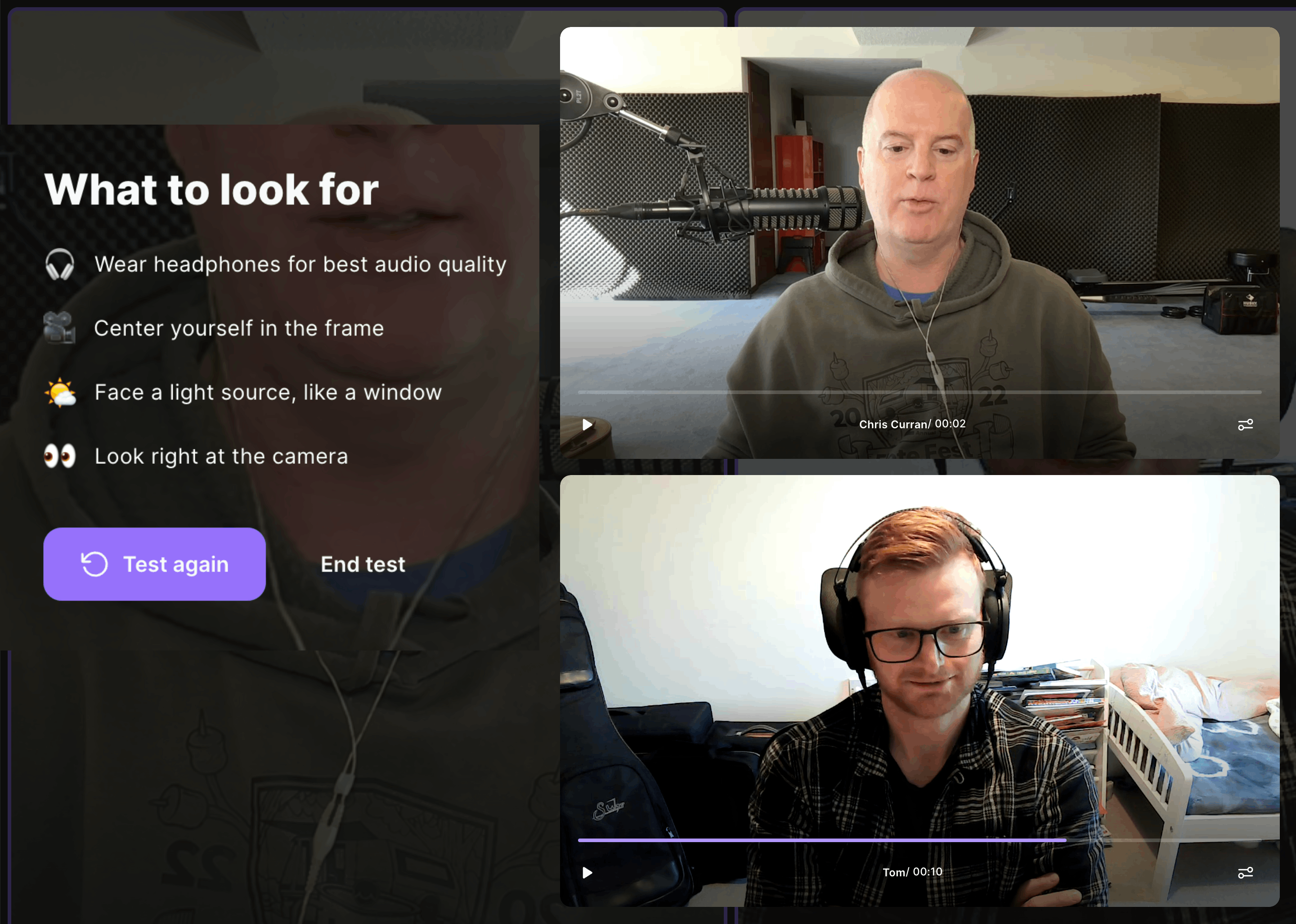
For Soundchecking, Riverside.fm Does Quick, Handy 10-Second Test Recordings!
I recently recorded a podcast episode with a remote guest using Riverside.fm and I was very pleased to see a new feature (for me, at least).
Before you start recording, Riverside prompts you offering to record a 10 second soundcheck. If you do, it records all participants for 10 seconds and then displays the audio/video on the screen for you to play and evaluate! And even guests can play back the test audio! See the screenshot above of me and Tom Pink – we could each click play and listen to the short recordings.
This is handy for soundchecking because it allows you (and everyone) to hear each person’s audio quality and level. Then, if anyone’s audio quality or level needs to be adjusted, they can make those adjustments before recording the entire episode, ensuring that you get the best recordings possible.
This may also be a great way for you to let guests hear the quality of their audio (especially if it’s bad) so that hopefully they’ll better understand the need to make adjustments to their sound before recording the episode.
Have you tried this yet? Comment below.
Want to receive the Daily Goody in your email, daily or weekly? Subscribe free here.
And please keep in mind, the Daily Goody is only a tiny little tip, fact or lesson everyday. Please don’t expect any of these posts to be long, earth-shattering masterpieces that instantly answer every single question you can think of and completely transform you into a world class podcast engineer. “Little by little, a little becomes a lot.”
-
Always Record One or Two Backup Recordings IN REAL TIME While You’re Recording Episodes
It’s risky to only record one copy of your audio when recording podcast episodes.
I was recently asked to try to fix some glitchy audio from a podcaster who had a VERY high profile guest. But the audio recording was skipping/gapping so badly it was 100% unusable. That’s right, throw it in the trash 🙁 When I asked if the backup recordings are also glitchy, I was informed that there are no backup recordings. Uh-oh. Well, tragically that’s an hour long interview with a high profile guest that is unpublishable. And have you ever tried messaging a recent guest saying that you lost their entire recording and you’d like to re-record it??!?! Yeah, no one is doing that.
So, when you’re recoding episodes, record a main recording and simultaneously record 1-2 backups so if the main recording fails you have a backup. And it’s not difficult to do.
Here are some examples of recordings you can make simultaneously (depending on your setup and situation):
- Cloud recording using Riverside, Squadcast, Zencastr, Zoom, etc.
- Local recording in your DAW or audio capture apps like Audio Hijack (Mac only), etc.
- Record on your audio interface if it has recording capability like the RØDECaster Pro II or Sound Devices MixPre II, etc.
- Record on any other app or hardware that you can record on.
My personal recording regimen when recording clients remotely was to record in Riverside, record in Audio Hijack, and record a combined stereo mix on my MixPre.
Do you record backups? Comment below!
Want to receive the Daily Goody in your email, daily or weekly? Subscribe free here.
And please keep in mind, the Daily Goody is only a tiny little tip, fact or lesson everyday. Please don’t expect any of these posts to be long, earth-shattering masterpieces that instantly answer every single question you can think of and completely transform you into a world class podcast engineer. “Little by little, a little becomes a lot.”
-
Wrong Answer Only: Will Descript and Similar Apps Completely Replace Trained, Skilled Podcast Editors/Producers? Comment Yes or No, and Why.
Comment below!
Want to receive the Daily Goody in your email, daily or weekly? Subscribe free here.
And please keep in mind, the Daily Goody is only a tiny little tip, fact or lesson everyday. Please don’t expect any of these posts to be long, earth-shattering masterpieces that instantly answer every single question you can think of and completely transform you into a world class podcast engineer. “Little by little, a little becomes a lot.”
-
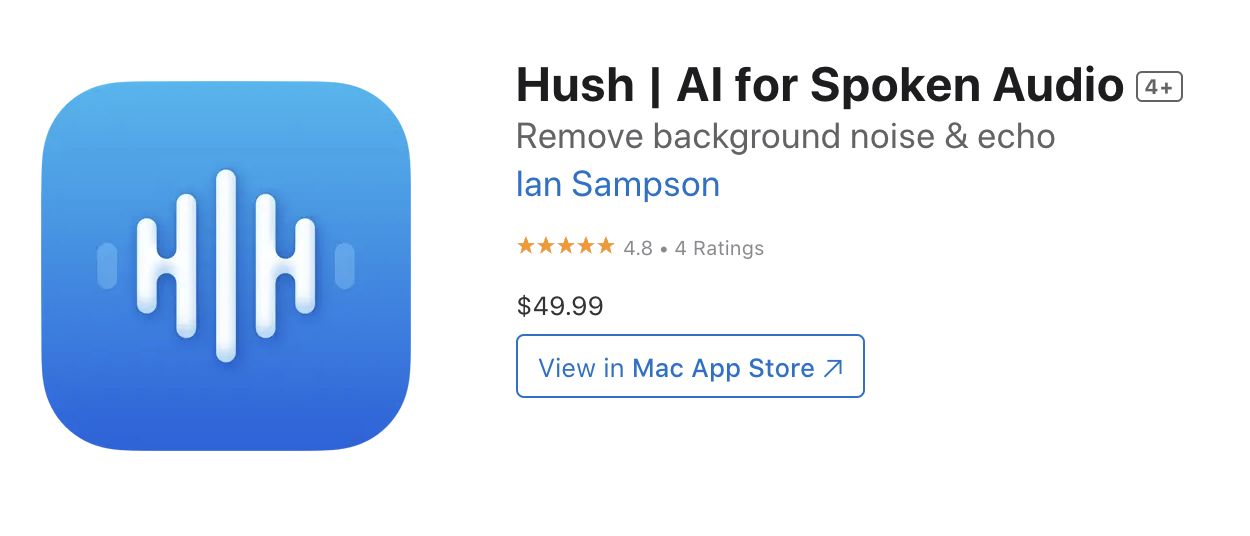
Hush App for macOS Removes Echo/Reverb and Background Noise
I haven’t tried Hush yet, but check out Allan Tépper’s review to hear examples of how much this app cleans up noisy, reverby audio. It has a free trial and costs $49.
Description of the product: Hush is a macOS app that uses state-of-the-art AI to clean up recorded speech. It automatically suppresses background noise and room reflections — without audible artifacts or loss of clarity. The result preserves all the nuance of the original signal, as if it were recorded in a well-treated studio.
Comment below!
Want to receive the Daily Goody in your email, daily or weekly? Subscribe free here.
And please keep in mind, the Daily Goody is only a tiny little tip, fact or lesson everyday. Please don’t expect any of these posts to be long, earth-shattering masterpieces that instantly answer every single question you can think of and completely transform you into a world class podcast engineer. “Little by little, a little becomes a lot.”
-
Occasionally I Get Leads for New Podcast Production Clients and I Pass Them Along to My PES Graduates
One perk of graduating Podcast Engineering School is that you occasionally receive leads from me, Chris, for potential podcast production clients.
Many of my contacts in the podcasting industry know that my school produces world class podcast engineers/producers and I am often asked if I have any students that are looking for work. And my answer is always YES! So I pass along to my students whatever opportunity my contacts pass to me.
Opportunities are all we have in life – let’s make the most of them all 🙂
Comment below.
Want to receive the Daily Goody in your email, daily or weekly? Subscribe free here.
And please keep in mind, the Daily Goody is only a tiny little tip, fact or lesson everyday. Please don’t expect any of these posts to be long, earth-shattering masterpieces that instantly answer every single question you can think of and completely transform you into a world class podcast engineer. “Little by little, a little becomes a lot.”
-
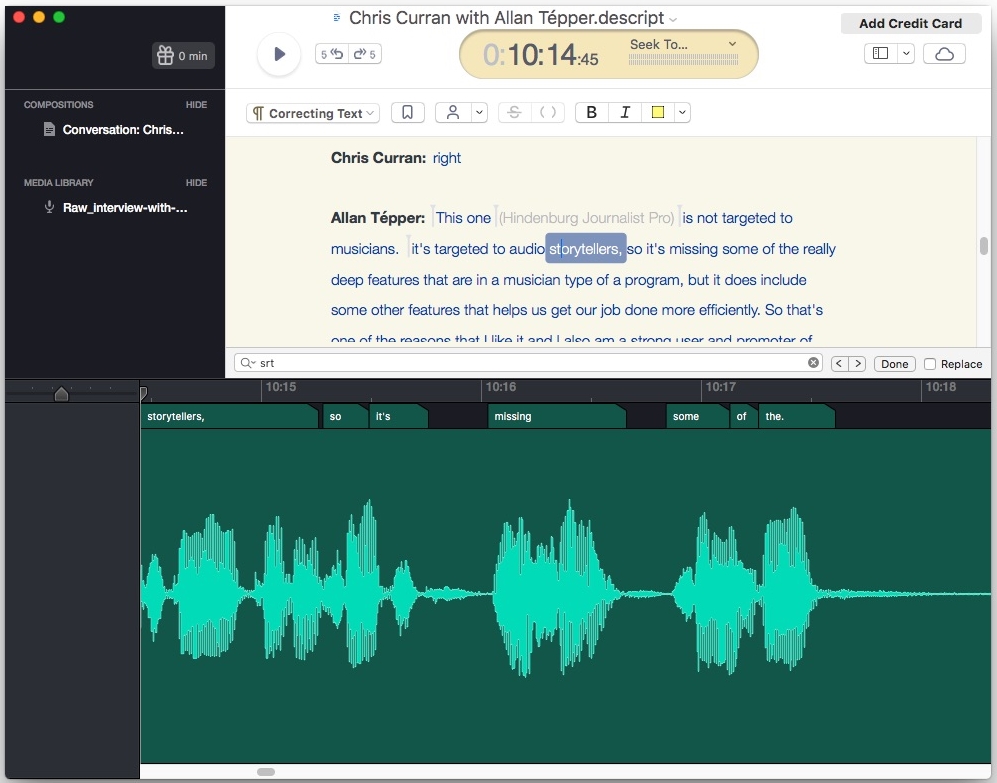
Transcript-based Audio Editing (Deleting Text Automatically Deletes the Corresponding Audio)
Transcript-based audio editing is not brand new (Descript has been around since 2017) but recently Riverside launched this functionality on their platform. In my research I also found another product, EditEddy by Headliner, that also does this.
Personally I haven’t used any transcript-based audio editing software yet, but lots of people absolutely love them. These apps definitely save producers TONS of time in certain types of productions like documentary-style podcasts where the producers have to go through 20-50 hours of raw recordings to pull out small sections or specific quotes, etc. For the majority of regular podcasts that are monologue or interview style, these apps can be helpful to automatically remove umms, etc. but BE AWARE that these apps are not 100% perfect in this regard, so you should always listen back to the edits it makes to ensure that they sound good.
Also note that the upcoming Hindenburg PRO 2.0 release will incorporate transcription in the DAW but I don’t believe it will do transcript-based audio editing, but I’m not 100% sure. If you know for sure, please comment below!
What are your thoughts on transcript-based audio editing in general? Comment below.
Want to receive the Daily Goody in your email, daily or weekly? Subscribe free here.
And please keep in mind, the Daily Goody is only a tiny little tip, fact or lesson everyday. Please don’t expect any of these posts to be long, earth-shattering masterpieces that instantly answer every single question you can think of and completely transform you into a world class podcast engineer. “Little by little, a little becomes a lot.”
-
The Most Contentious Podcasting Topic Ever: One-earbud Listeners LOL
The title of this post is a joke, but there are some (very few) people who listen to podcasts using only one earbud in one ear (because they’re at work, etc.), and some podcasters/producers refuse to pan any audio left or right because that would ruin the listening experience for the one-earbud listeners. Other podcasters/producers simply produce their audio however they want and don’t take the one-earbud listeners into consideration at all.
Personally, for regular interview podcast episodes I split the difference – I only pan voices a bit away from center so that one-earbud listeners will still be able to hear everything well, while regular listeners get a better listening experience with enhanced separation and clarity between participants.
What are your thoughts on this divisive topic? Comment below!
Want to receive the Daily Goody in your email, daily or weekly? Subscribe free here.
And please keep in mind, the Daily Goody is only a tiny little tip, fact or lesson everyday. Please don’t expect any of these posts to be long, earth-shattering masterpieces that instantly answer every single question you can think of and completely transform you into a world class podcast engineer. “Little by little, a little becomes a lot.”
-
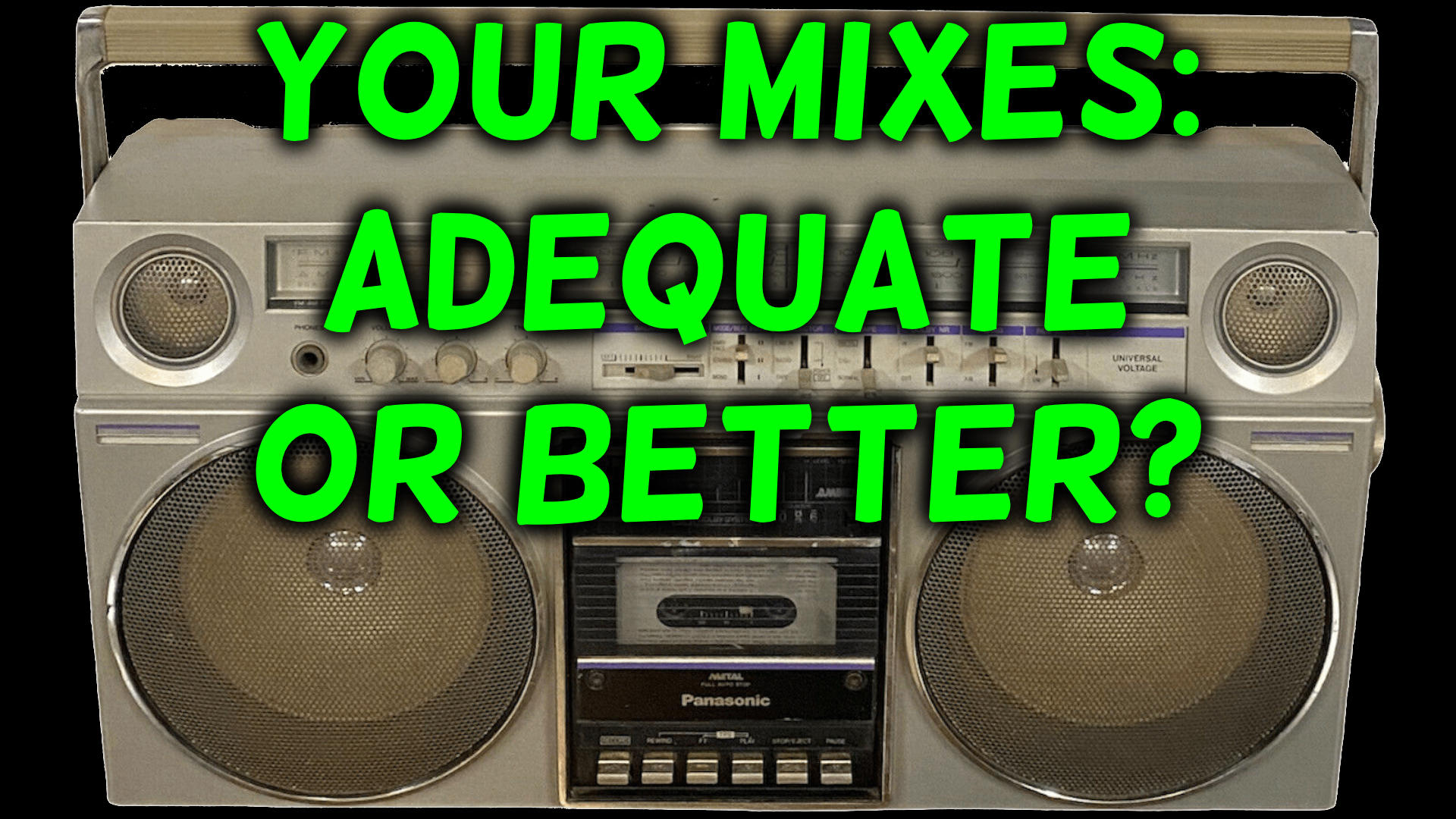
Check Your Own Podcast Mixes Against Reference Episodes From Time to Time
To verify that the audio quality of your podcast episodes is hitting the mark and sounding great, it’s a good practice to compare your mixes with other mixes which you know are objectively very high quality. When you compare your mix to others back to back, you’ll hear things like: One mix has more clarity, one mix has way too much low end muddiness, one mix sounds distant and the other sounds up front and clear, and much more. Then you can use these observations to tweak and optimize your mixes (and your ears) so that the audio you produce going forward is top notch!
Here’s how to use reference mixes:
- Identify several podcast episodes mixed by other people that sound really good. To help you get started, here are three that I’ve identified: One, two, three.
- Continue alternating between playing 20 seconds of your mix and playing 20 seconds of the reference mix. Make sure that both play back at the same volume (because if one is louder your brain will usually tell you that the louder one sounds better, even though it may not). Also be sure to jump around to listen to random sections of each episode for variety.
- Notice what the differences are and how your mixes could be improved.
- Immediately open up one of your mixes and spend a few minutes tweaking your mix to tweak/remedy any issues you may have identified.
- Repeat all these steps on a regular basis. If you’re new to producing audio, I suggest doing this once per month. If you’re more experienced, once per year should be fine.
What are your thoughts on this topic? Do you have any helpful suggestions? Comment below!
Want to receive the Daily Goody in your email, daily or weekly? Subscribe free here.
And please keep in mind, the Daily Goody is only a tiny little tip, fact or lesson everyday. Please don’t expect any of these posts to be long, earth-shattering masterpieces that instantly answer every single question you can think of and completely transform you into a world class podcast engineer. “Little by little, a little becomes a lot.”
-
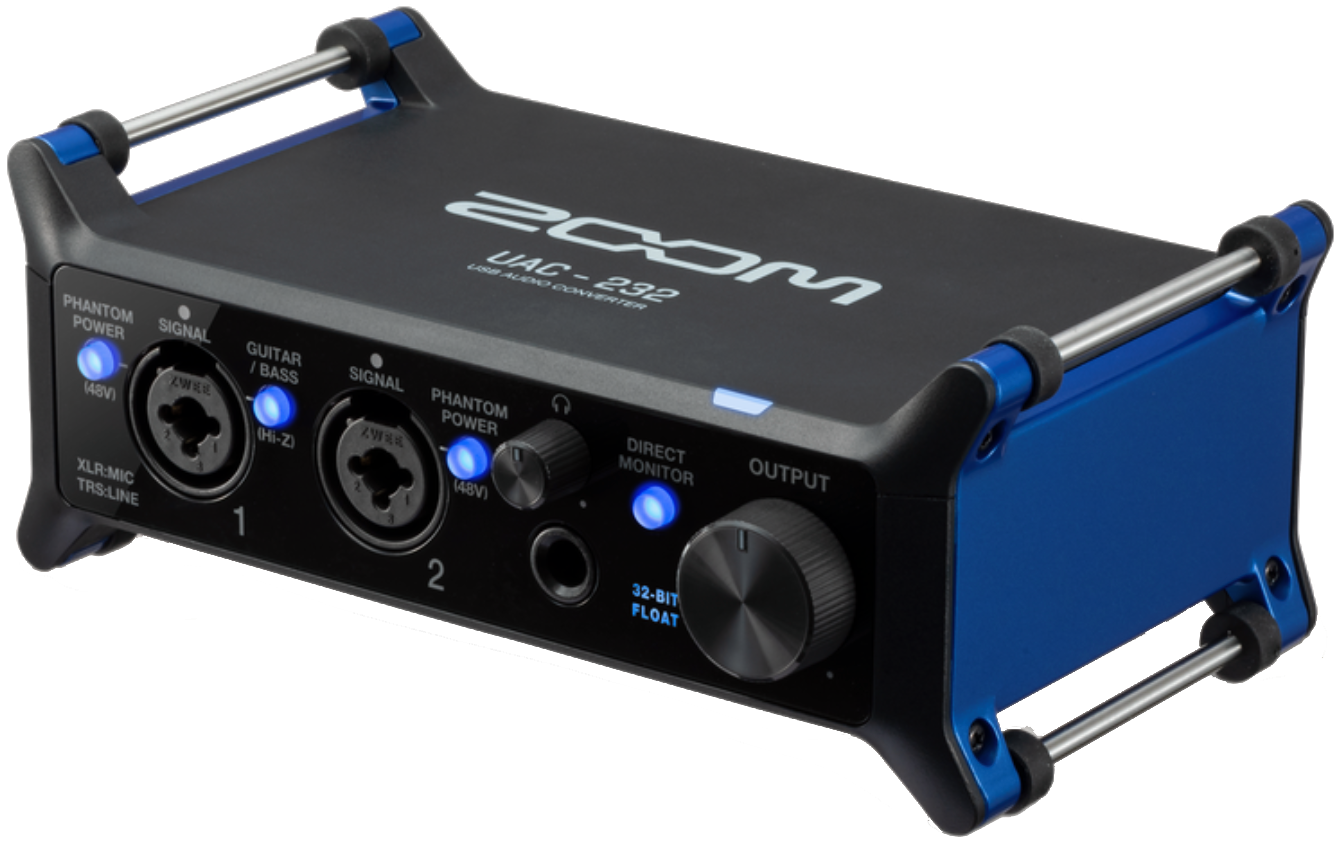
ZOOM UAC-232 (32-bit Float Audio Interface)
After recently reporting on the RØDE NT1 5G microphone which has 32-bit float capabilities, I discovered the ZOOM UAC-232 which is a 32-bit float audio interface!
By the way, 32-bit float technology is just beginning to revolutionize audio recording. And here’s a nice video briefly explaining 32-bit float —> 32 Bit Floating Point Explained (by Sound Speeds)
Here are the features of the ZOOM UAC-232 interface:
- Dual AD circuitry with 32-bit float recording technology
- High-quality mic preamps, same as the Zoom F6
- 2x XLR/TRS combo inputs
- Headphone output and 2x TRS main outputs
- High-power headphone outputs (100 mW)
- Records up to 192 kHz sample rate
- Compatible with Windows, Mac, and iOS devices (Android not supported)
- Zoom Mix Control software mixer
- MUSIC and STREAMING modes available via the software to optimize I/O
- Loopback available via the software
- Direct Monitor switch for latency-free recording
- Vertical or horizontal use
- MIDI IN/OUT for connection to external MIDI equipment
- Bus-powered operation (separate power required for Lightenting-enabled iOS devices)
I haven’t tried it yet but it looks really nice.
What are your thoughts on the ZOOM UAC-232 or 32-bit float in general? Comment below!
Want to receive the Daily Goody in your email, daily or weekly? Subscribe free here.
And please keep in mind, the Daily Goody is only a tiny little tip, fact or lesson everyday. Please don’t expect any of these posts to be long, earth-shattering masterpieces that instantly answer every single question you can think of and completely transform you into a world class podcast engineer. “Little by little, a little becomes a lot.”
-
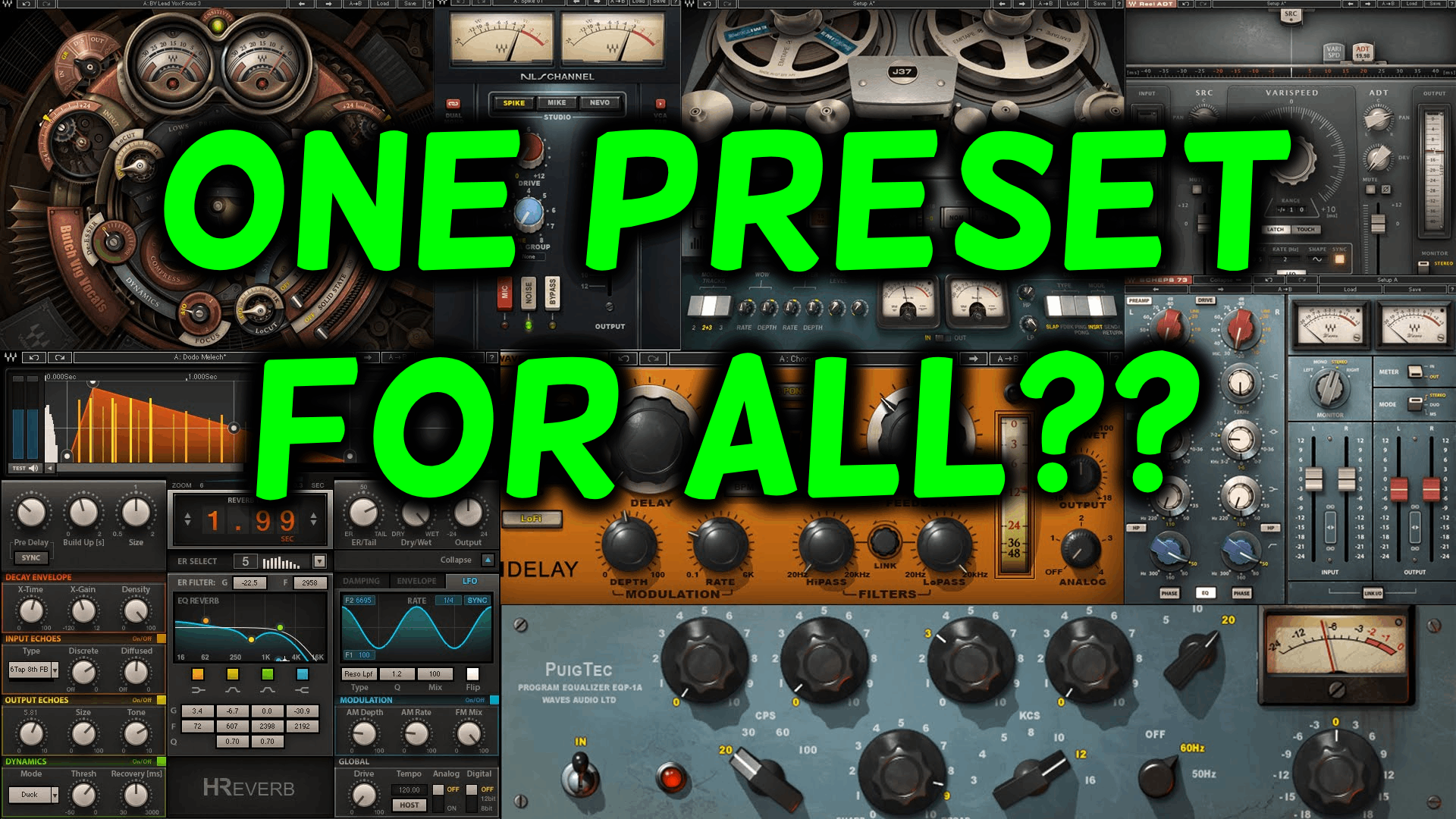
My Thoughts on Blindly Applying the Same Preset Processing Chain to Every Podcast Participants Voice
Don’t do it.
Yes it saves time, but you’re also ensuring that EVERY participants audio will sound SIGNIFICANTLY WORSE than it should. And some participants audio will be destroyed.
It would be like cooking every meal in the oven for the same exact amount of time at the same exact temperature – it would be a small miracle if ANY dish turned out properly.
Each podcast participants recording is unique in so many ways. If you apply the same exact plugin chain with the same exact settings, you’re ensuring that no one will sound as good as they should.
The correct approach is to START with a carefully crafted preset plugin chain and then tweak all the settings to taste USING YOUR EARS.
Yes, it takes more time, but you will quickly get good at it and you’ll be able to dial in someone’s sound pretty quickly. PLUS, each voice you process will SOUND GREAT!
Does this make sense? Comment below!
Want to receive the Daily Goody in your email, daily or weekly? Subscribe free here.
And please keep in mind, the Daily Goody is only a tiny little tip, fact or lesson everyday. Please don’t expect any of these posts to be long, earth-shattering masterpieces that instantly answer every single question you can think of and completely transform you into a world class podcast engineer. “Little by little, a little becomes a lot.”
-
Normalization vs Compression vs Limiting (With Audio Examples) – Ep.245
I define and discuss the differences between normalization, compression and limiting. Also the usefulness of each and when to use them. And I play audio examples!
FYI, you can sign up to receive my Daily Goody posts in your email every day or a weekly roundup. Sign up here.
Here are the plugins I referred to (by category):
Compressors:
- Scheps Omni Channel — https://www.waves.com/plugins/scheps-omni-channel
- CLA-2A — https://www.waves.com/plugins/cla-2a-compressor-limiter
- CLA-76 — https://www.waves.com/plugins/cla-76-compressor-limiter
- Abbey Road RS124 — https://www.waves.com/plugins/abbey-road-rs124-compressor#introducing-abbey-road-rs124-compressor
Channel Strips:
- Scheps Omni Channel — https://www.waves.com/plugins/scheps-omni-channel
- Focusrite SC — https://www.plugin-alliance.com/en/products/bx_console_focusrite_sc.html
- SSL E Channel — https://www.waves.com/plugins/ssl-e-channel —OR— https://www.plugin-alliance.com/en/products/bx_console_ssl_4000_e.html
Upward Compression:
- MaxxVolume — https://www.waves.com/plugins/maxxvolume
- MV2 — https://www.waves.com/plugins/mv2
- Fabfilter Pro-MB — https://www.fabfilter.com/products/pro-mb-multiband-compressor-plug-in
- Neutron 3 — https://www.izotope.com/en/products/neutron.html
- Oxford Inflator — https://www.sonnox.com/plugin/oxford-inflator-v3
Vocal Riders:
- Vocal Rider — https://www.waves.com/plugins/vocal-rider
- MAutoVolume — https://www.meldaproduction.com/MAutoVolume
- HoRNet AutoGain Pro MK2 — https://www.hornetplugins.com/plugins/hornet-autogain-pro-mk2/
- DynaRide2 — https://www.tbproaudio.de/products/dynaride
- GainRider3 — https://www.tbproaudio.de/products/gainrider
- Outlaw — https://www.waproduction.com/plugins/view/outlaw
- POWAIR — https://www.soundradix.com/products/powair/
Limiters:
- Pro-L 2 — https://www.fabfilter.com/products/pro-l-2-limiter-plug-in
- Scheps Omni Channel — https://www.waves.com/plugins/scheps-omni-channel
- CLA-2A — https://www.waves.com/plugins/cla-2a-compressor-limiter
- Focusrite SC — https://www.plugin-alliance.com/en/products/bx_console_focusrite_sc.html
- SSL E Channel — https://www.waves.com/plugins/ssl-e-channel —OR— https://www.plugin-alliance.com/en/products/bx_console_ssl_4000_e.html
- Pro-MB — https://www.fabfilter.com/products/pro-mb-multiband-compressor-plug-in
Dual Stage Compressors:
- Aquamarine 4 — https://www.acustica-audio.com/store/products/aquamarine
- Shadow Hills Class A Mastering Compressor — https://www.plugin-alliance.com/en/products/shadow_hills_class_a_mastering_comp.html
Multiband Compression: (great for people who move on and off mic a lot)
- Pro-MB — https://www.fabfilter.com/products/pro-mb-multiband-compressor-plug-in
- C6 — https://www.waves.com/plugins/c6-multiband-compressor
- Neutron 3 — https://www.izotope.com/en/products/neutron.html
- Ozone 9 — https://www.izotope.com/en/products/ozone.html
Other Notes:
- If you ever have questions please reach out!
- The start date for the next PES semester is April 4, 2023 and then June 27, 2023! (fyi, the course is delivered once per quarter)
- If you’d like to share this show with any of your podcaster friends, feel free to send them a message saying, “Btw, here’s a show about podcast audio production you may find helpful” with this link: https://podcastengineeringschool.com/subscribe/
- My smaller course for editors/producers who want more good clients: Getting New Clients at Higher Rates
Let me know if you have any questions or need any help with anything,
~Chris -
One Week Until the Next Opportunity To Change Your Life by Becoming a Professional Podcast Producer/Engineer/Editor!
The next cohort of Podcast Engineering School starts on April 4, 2023!
And once you become a world-class professional you’ll be able to work from home, be your own boss and earn a great living. Yeah, that’s a great position to be in 😉
PES will help you develop a set of highly coveted and in-demand skills that no one will ever be able to take away from you.
I’ve decided to leave the tuition fee at the discounted rate all the way up until the start date, April 4. But don’t wait that long to enroll because you and I need to meet 1-on-1 for an hour before we start classes 😉
And if you personally are not a good fit for PES, maybe there’s a 18-25 year old in your life that needs some direction in their life and would LOVE to attend PES, develop a career for themselves and earn lots of money doing something they love.
I appreciate you passing this post along to anyone who may be interested. I’m having the time of my life helping folks become true professionals and reaping the rewards in terms of income and satisfaction.
Thank you!
And if you have any questions always feel free to reach out to me!
Want to receive the Daily Goody in your email, daily or weekly? Subscribe free here.
And please keep in mind, the Daily Goody is only a tiny little tip, fact or lesson everyday. Please don’t expect any of these posts to be long, earth-shattering masterpieces that instantly answer every single question you can think of and completely transform you into a world class podcast engineer. “Little by little, a little becomes a lot.”
-

How To Handle Clients Who Want Guaranteed Audience Growth in Addition to Audio/Video Production Services?
A podcast producer friend of mine offers social media video creation in addition to his regular podcast production services. Recently a potential client asked him specifically about “concrete deliverables” in terms of how many new subscribers the clients’ podcast can expect to gain due to these social media videos. Basically, the potential client wanted to know what his return on investment (ROI) would be — a perfectly fair question!
My friend asked me how I deal with this question from potential clients and I responded:
“Ahhh, …unfortunately this is the major difficulty when dealing with marketing and ROI, which is why I’ve always avoided it — I only ever offer audio production.
“I know how marketing companies usually handle this — they never guarantee anything and they convey that clearly to the prospect, because they simply can’t guarantee any specific results. Every time I’ve tried to hire a marketing company, this is the part that always confused me as well (mostly because small companies like mine can’t afford to invest in marketing and then get little or nothing in return because that would literally put me out of business).
“If you speak with a marketing expert they would probably be able to explain this conundrum in more detail and give you more clarity and options.
“In general, you could:
- Explain that you can’t guarantee anything, and that no marketing company can ever guarantee anything, and that you understand completely if they don’t want to move forward with the marketing aspects of the agreement. You could sign him up as a client for audio/video production only and then recommend several marketing companies for him to contact.
- You could estimate the expected amount of growth in subscribers (in raw numbers or percentage), but not “guarantee” results. And plan on reviewing the actual results of the campaign with your client after 6 months to decide whether or not to continue the campaign.
- Some combination of the above.”
How do YOU handle this situation? Comment below!
Want to receive the Daily Goody in your email, daily or weekly? Subscribe free here.
And please keep in mind, the Daily Goody is only a tiny little tip, fact or lesson everyday. Please don’t expect any of these posts to be long, earth-shattering masterpieces that instantly answer every single question you can think of and completely transform you into a world class podcast engineer. “Little by little, a little becomes a lot.”
-
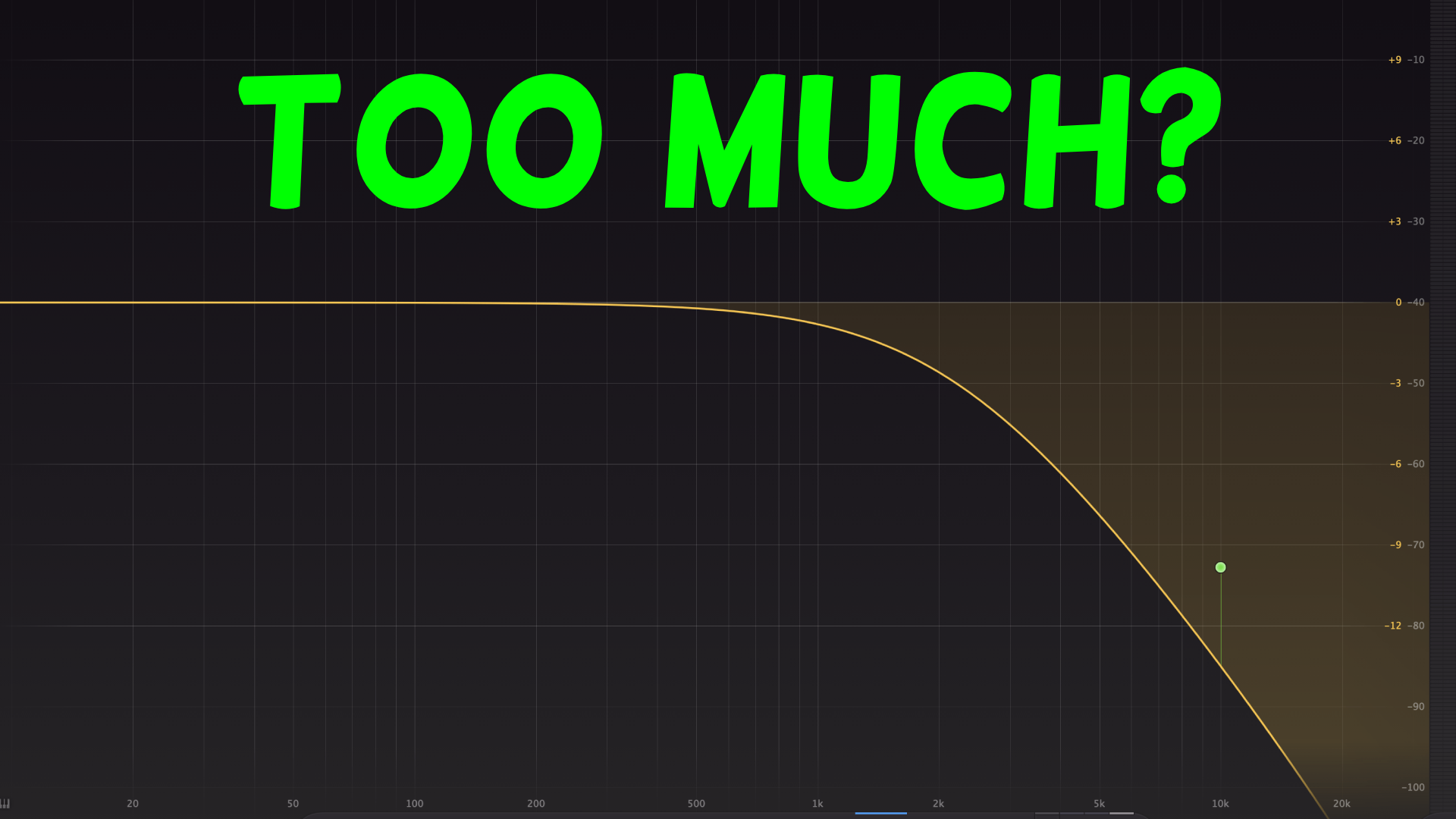
Don’t Make This Mistake Rolling off High Frequencies
The mistake? Rolling off WAY too much high end using a low-pass filter. Don’t do it. Because it removes way too much clarity from the person’s voice.
I almost never roll off high end. I suggest not rolling off any high end unless someone’s sound is very sharp in the 16-20 kHz range (caused almost always by a condenser mic), and in those cases I only roll off from around 16-18 kHz and above.
If there’s a lot of sharpness in the 10-14 kHz range I would use an EQ to reduce that a bit, like a shelving EQ starting around 10-12 kHz, and only reducing it by around 1-3 dB to taste. In these cases rolling off the high end isn’t the correct tool for the job.
Do you normally roll off high end? Comment below!
Want to receive the Daily Goody in your email, daily or weekly? Subscribe free here.
And please keep in mind, the Daily Goody is only a tiny little tip, fact or lesson everyday. Please don’t expect any of these posts to be long, earth-shattering masterpieces that instantly answer every single question you can think of and completely transform you into a world class podcast engineer. “Little by little, a little becomes a lot.”
-
What Impressed Me Most at Podcast Movement Evolutions Last Week
In addition to reconnecting with my podcast industry friends and meeting lots of new friends, I was pleasantly surprised by these two companies (below) that utilize artificial intelligence (AI) to save podcasters TONS of time.
NOTE AND REALITY CHECK: I haven’t actually tried either of these services yet so I can’t vouch for the quality, but the demo’s they both showed me look really good. Keep in mind, any service providing AI transcription is rarely 100% accurate, and utilizing AI to write shownotes, etc. is very new and evolving so the overall quality of the AI’s output may not be stellar yet, but maybe it is! Try them for yourself.
1. If you use Capsho, you simply upload your episode audio file and automatically get:
- Transcript
- Episode Title
- Episode Description
- Show Notes
- Blog Post
- Emails
- Social Media Captions (For all platforms)
- LinkedIn Article
- Quotes
- YouTube Description
2. If you use Podium, you simply upload your episode audio file and automatically get:
- Transcript
- Shownotes
- Episode Description
- Chapters and chapter summaries
- Highlight Clips: Timestamps and Transcripts
- Social Media Posts
- Keywords
Honorable mention: Hindenburg PRO 2 (coming later this year), which will include automatic transcription and more. Hindenburg PRO is already an excellent DAW for podcast production and the next version promises to be even better.
Which of these services catches your attention? Comment below!
Want to receive the Daily Goody in your email, daily or weekly? Subscribe free here.
And please keep in mind, the Daily Goody is only a tiny little tip, fact or lesson everyday. Please don’t expect any of these posts to be long, earth-shattering masterpieces that instantly answer every single question you can think of and completely transform you into a world class podcast engineer. “Little by little, a little becomes a lot.”
-
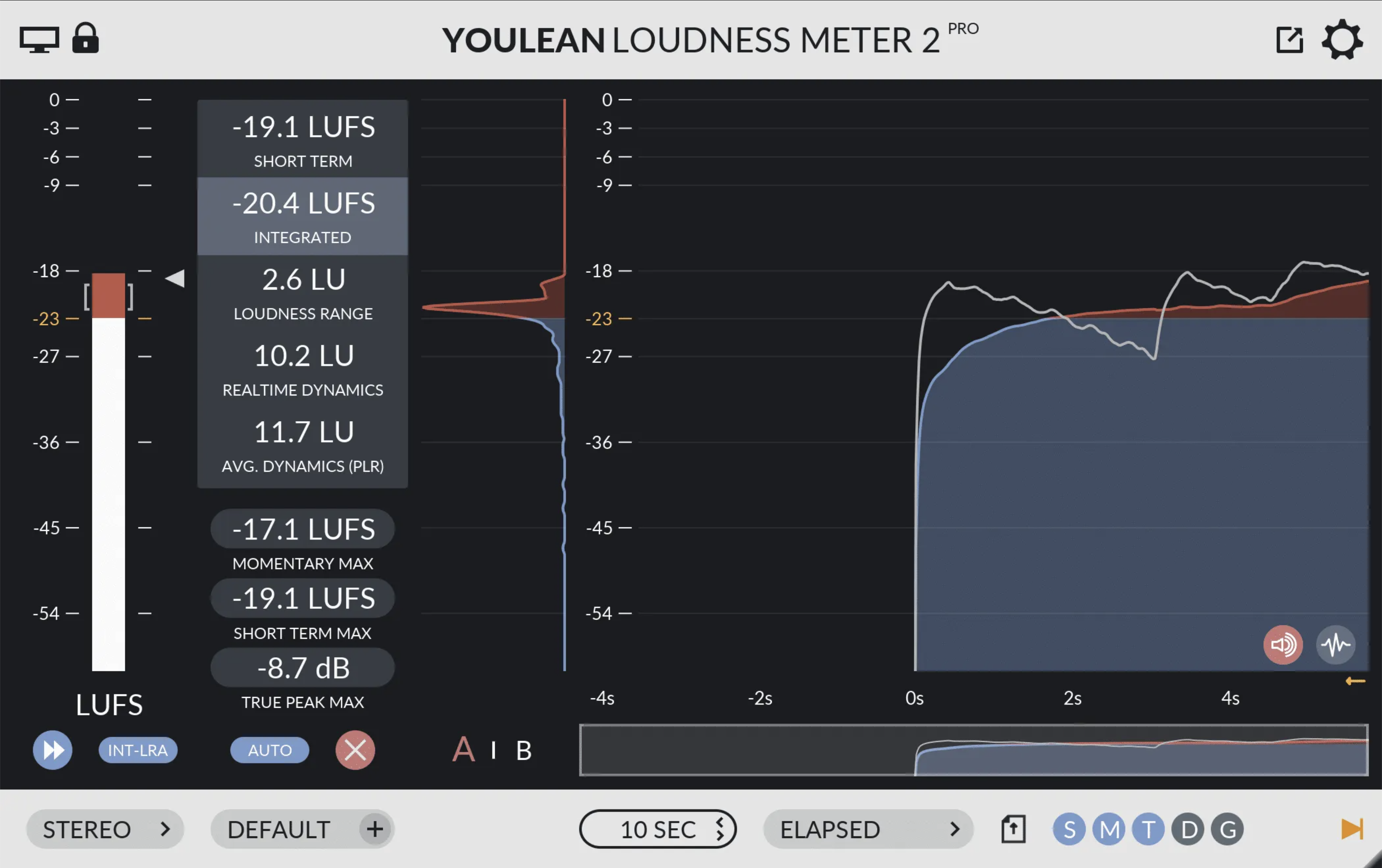
Youlean Loudness Meter 2 (Free and Pro Versions)
To help you manage the loudness of your final podcast episodes, the Youlean Loudness Meter 2 plugin is excellent. There’s a free version and a Pro version with more features (only $39 one-time payment with lifetime free updates).
I haven’t tried this plugin yet but the reviews are great.
You can use this in your DAW to set your episode’s final loudness to the unofficial podcast loudness standards: -16 LUFS for stereo, or -19 LUFS for mono episodes.
Have you tried this plugin yet? Comment below.
Want to receive the Daily Goody in your email, daily or weekly? Subscribe free here.
And please keep in mind, the Daily Goody is only a tiny little tip, fact or lesson everyday. Please don’t expect any of these posts to be long, earth-shattering masterpieces that instantly answer every single question you can think of and completely transform you into a world class podcast engineer. “Little by little, a little becomes a lot.”