Your cart is currently empty!
Author: Chris Curran
-
The Goody Bag – PES 181
I overview recent Daily Goody‘s (from Mar.13 – Mar.26). Here’s the link to view all those blog posts. And don’t forget that you can sign up to receive the Daily Goody in your email every day or once per week. Sign up here.
FYI, here are the two plugins I mentioned – my two newest plugins which I will be discussing more soon —> Brainworx bx_console Focusrite SC and Sonnox Oxford Inflator V3
Here are the Daily Goody posts that we discussed in this episode:
- Using De-Click Only on Specific Clicks
- What is Mid/Side Processing?
- Filepass for Client Approvals And Revisions?
- VIDEO: Sample Rates: The Higher the Better, Right?
- Hear 50 Vocal Mics Side by Side
- True Dynamics from Kazrog Just Released
- Sending Custom Mixes to Online Guests Using Audio Hijack and Loopback (Mac Only)
- Using Plugins in the Recording Process
- Mixing a Loud Projecting Voice with a Very Quiet Voice
- My Current List of Mastering Plugins
Announcements:
- In this episode I used my RØDE NT1 microphone.
- Regarding all the stress caused by this virus, you may want to check out my Mystic Show which explores spirituality, mindfulness and meditation.
- My lack of marketing skills – please share this Podcast Engineering Show with any podcasters you know – you could send them a note saying, “Btw, here’s a show about podcast audio production you may find helpful.”
- You are welcome to support my content creation if you so desire.
- The start date for the next PES will be July 7, 2020
What did you learn in this episode? Let me know by commenting below.
I appreciate you listening, and if you have any questions please let me know 🙂
If you know anyone who would like to learn more about the technical production of podcasts, please share this show with them.
.
-
Sometimes Using De-Reverb Only on Low and Low-Mid Frequencies

Normally I use de-reverb on the entire frequency spectrum of sounds, but I recently had a case where there was a lot of room reverb in the low and low-mid frequencies, so I tried removing reverb in those frequency areas ONLY, and it ended up sounding very good.
The main reason it ended up sounding good in this particular case was because I maintained the midrange and high-end clarity, while removing some muddiness in the low end.
Want to receive the Daily Goody in your email, daily or weekly? Subscribe free here.
And please keep in mind, the Daily Goody is only a tiny little tip, fact or lesson everyday. Please don’t expect any of these posts to be long, earth-shattering masterpieces that instantly answer every single question you can think of and completely transform you into a world class podcast engineer. “Little by little, a little becomes a lot.”
.
-
Phantom Blocker

Phantom Blocker from Triton Audio I just learned about the Phantom Blocker from die-hard Podcast Engineering Show listener Michael Merlino. It’s made by Triton Audio, the same company that makes the Fethead.
Phantom Blocker blocks phantom power while leaving the audio signal intact. Phantom power can be applied to either the male or the female side of Phantom Blocker’s XLR connector and will not reach the opposing XLR connector, the audio signal travels without restriction in both directions.
*It’s very handy when plugging in a combination of condenser and dynamic microphones into an audio interface that by default sends phantom power to ALL inputs simultaneously regardless of which inputs need phantom power or not. Using the Phantom Blocker will avoid any potential damage to dynamic microphones caused by unnecessary phantom power.
Here’s the insightful note I received from Michael Merlino:
I wanted to quickly let you know what happened with my 3 mic blow out (1 Q2U and 2 ATR2100s). Learning a ton from your show but still a newbie. But what happened to me could pretty much happen to anyone and I found a solution if needed in the future to prevent it from happening again.
This may be a good daily goodie for ya so here’s quickly what happened. Had this confirmed via Focusrite USA tech support today.
So before I started messing with mics, I did not readily know that condenser mics DO NOT need phantom power as you know. I think what happened is that when I was testing each mic I had phantom power turned.
The issue with the 2i2 is that when you turn phantom on it sends it to both XLR connections. So if the only mic connected is dynamic mic or 1 of the 2 is dynamic, you can easily blast the mic with more power than it can handle and pretty much fry it. I could have done something else in the chain but I doubt it. I think the 3 mics I blew happened because I had the phantom power button turned on..
I did find out that this phantom power mistake must be an issue because triton audio has a product it its fethead line called “Phantom blocker” It sells for $45 and connects to either end of your XLR cable to prevent a charge of phantom power from reaching a dynamic mic. It protects the mic but still allows a clean signal from the mic to the 2i2 or any other audio
interface.Anyway, figured it out after talking to focusrite tech support today and reasoning thru it.
Moral of the story. When you have an interface that sends phantom to all XLR connections on the unit NEVER use phantom power. I don’t think this is an issue with larger Focusrite units because you can send phantom to one bank of 4 XLRs for condensers and the other bank remains phantom free to use with dynamic mics or other inputs.
It would help if there was a phantom button off and on for each XLR connection but for a low end interface like the 2i2 for $169 bucks I doubt they will mess with that.
Thanks Michael!
Want to receive the Daily Goody in your email, daily or weekly? Subscribe free here.
And please keep in mind, the Daily Goody is only a tiny little tip, fact or lesson everyday. Please don’t expect any of these posts to be long, earth-shattering masterpieces that instantly answer every single question you can think of and completely transform you into a world class podcast engineer. “Little by little, a little becomes a lot.”
.
-
A Pre-Session Questionnaire for Podcast Guests
To help speed up sound check and avoid technical issues in advance, I now ask my clients guests to fill out a short multiple choice questionnaire asking them about their setup in terms of microphone, computer, WiFi strength, headphones, recording space, etc.
Usually I receive their answers several days in advance of their interview, so if there are any glaring issues I will contact the guests for clarification or to make suggestions.
This process helps ensure that there will be no major technical issues when they show up for the actual recording session.
Want to receive the Daily Goody in your email, daily or weekly? Subscribe free here.
And please keep in mind, the Daily Goody is only a tiny little tip, fact or lesson everyday. Please don’t expect any of these posts to be long, earth-shattering masterpieces that instantly answer every single question you can think of and completely transform you into a world class podcast engineer. “Little by little, a little becomes a lot.”
.
-
Waves Content Creator Audio Toolkit
Interesting bundle from Waves — the Waves Content Creator Audio Toolkit.
Details from Waves:
Bring superior sound quality to your podcasts, videos and live streams. Use the industry’s best pro-level tools to solve common audio problems (background noise, lifeless voiceovers, uneven levels) quickly and easily, and meet the loudness standards of all major content platforms.
Poor audio quality is a major reason viewers and listeners abandon videos, podcasts and live streams. Don’t treat audio as an afterthought – improve the audio quality of your content with the most popular tools in the industry.
Included with the Waves Content Creator Audio Toolkit:
- NS1 Automatic Noise Suppressor for removing distracting background noise
- Greg Wells VoiceCentric, an intuitive, hugely effective tool that combines EQ, compression, and de-essing into one smart control, to dramatically improve the quality of voice recordings
- The BRAND NEW Playlist Rider for automatically smoothing out the levels of multiple audio sources (host, guest, music, etc.) in the same podcast, live stream or video
- WLM Plus Loudness Meter to deliver the right loudness levels for YouTube, Spotify, Apple Podcasts and other major platforms
Features of the Waves Content Creator Audio Toolkit:
- In literally seconds, you can achieve a superior audio quality that will drive more engagement for your content – courtesy of Waves’ industry-standard plugins, used in major recording and post-production studios all over the globe.
- Bring superior audio quality to your podcasts, videos, and live streams
- 4 easy-to-use pro-level tools for instant results
- Compatible with major audio and video editing software
- Remove background noise easily & efficiently
- Boost & brighten dull voice recordings
- Smooth out the levels of multiple sources (host, guests, music) automatically
- Meet the loudness standards of major content platforms
- Includes presets for voice & music-under-voice
- Includes loudness presets for Spotify, YouTube, Apple Podcasts, Apple Music
Want to receive the Daily Goody in your email, daily or weekly? Subscribe free here.
And please keep in mind, the Daily Goody is only a tiny little tip, fact or lesson everyday. Please don’t expect any of these posts to be long, earth-shattering masterpieces that instantly answer every single question you can think of and completely transform you into a world class podcast engineer. “Little by little, a little becomes a lot.”
.
-
Playing Music and Sound Clips out of a Tablet During Recording
When I record episodes for my show, The Podcast Engineering Show, I play my theme music and all sound clips on my iPad during the recording process. And of course I record that audio on its own track.
FYI, the RØDECaster Pro has this functionality built in — you can load sound clips into it and trigger the audio by pressing the colored pads.
Want to receive the Daily Goody in your email, daily or weekly? Subscribe free here.
And please keep in mind, the Daily Goody is only a tiny little tip, fact or lesson everyday. Please don’t expect any of these posts to be long, earth-shattering masterpieces that instantly answer every single question you can think of and completely transform you into a world class podcast engineer. “Little by little, a little becomes a lot.”
.
-
Martins Popelis, Co-Founder of Sonarworks – PES 180
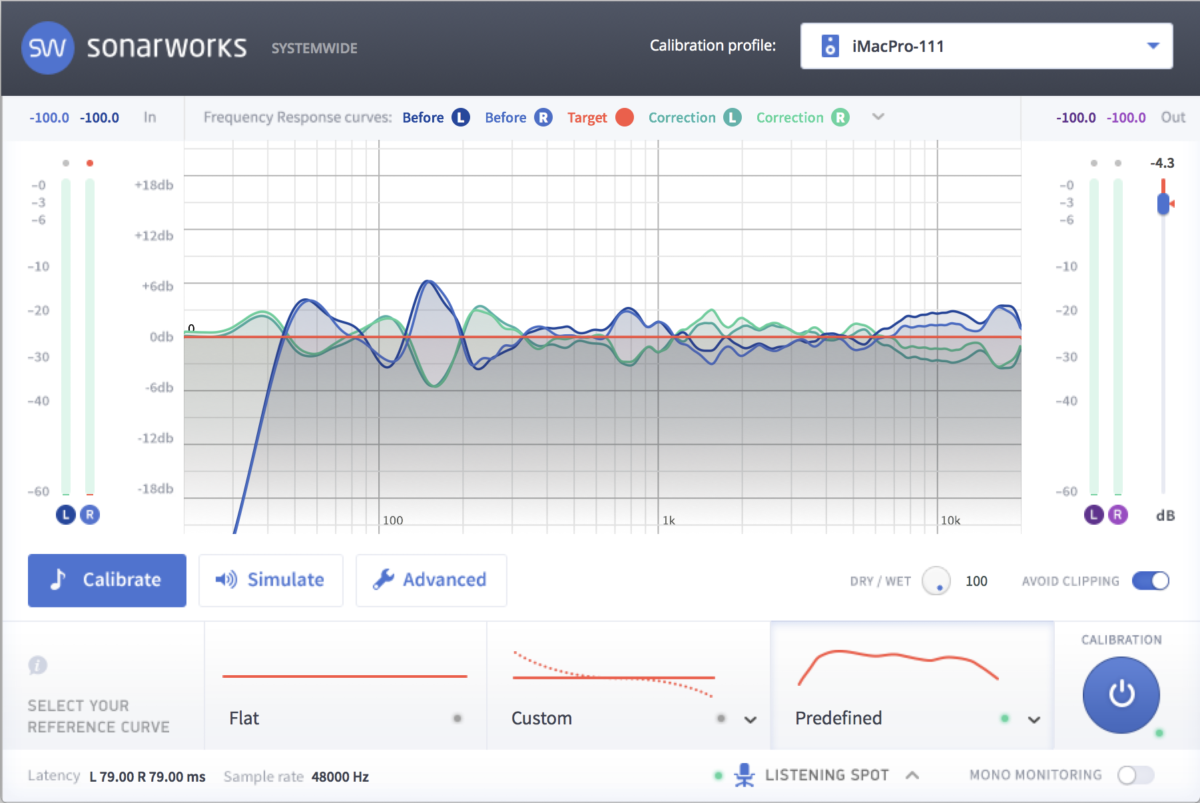
My guest is Martins Popelis, Co-Founder of Sonarworks! Having achieved success with delivering reliable reference sound to over 30,000 music creators worldwide with Sonarworks Reference product, Martins is now a firm believer of delivering individually perfected sound to all music listeners, thus eliminating sound translation problem at its core.
Note: I’m a proud user of Reference 4 and I also bought Sennheiser HD650 headphones from Sonarworks which included a customized calibration profile 😉
Martins and I discussed:
- Sonarworks Reference 4 (How Reference 4 works, various ways it helps production, various use cases and equipment setups)
- Speakers, headphones and the room you’re listening in effectively “EQ” the sound.
- Measurement microphones (37 measurement points)
- Re-measure after moving furniture, etc.? Yes.
- Headphone profiles – Sonarworks has calibrated hundreds of headphone makes and models to create profiles for each.
- Using Reference 4 Systemwide vs. within your DAW
- Systemwide: Virtual instrument, ~20 ms latency
- Sound ID – Research in consumer sound preferences. Machine learning asks user what sounds they like, then creates a profile for them.
- Audio perception
Comment below with any questions or comments.
And THANKS for being a great guest, Martins!
.
-
Shure BETA 87A Supercardioid Condenser Microphone
The Shure BETA 87A is a handheld supercardioid condenser microphone that delivers very good clarity.
The price is around $249.
Note: Corey Coates uses one. Check out his appearance on my show, episode 72.
Have you tried this mic? If so, what was your experience?
Want to receive the Daily Goody in your email, daily or weekly? Subscribe free here.
And please keep in mind, the Daily Goody is only a tiny little tip, fact or lesson everyday. Please don’t expect any of these posts to be long, earth-shattering masterpieces that instantly answer every single question you can think of and completely transform you into a world class podcast engineer. “Little by little, a little becomes a lot.”
.
-
Preparation That Reduces Post-Production Times
Preparation that reduces post-production times:
(remember the Boy Scout Motto? “Be Prepared!” And keep in mind – you don’t have to implement each and every one of these suggestions – use whatever makes sense for you and your show)
- Make sure your equipment is set up properly (mic, interface, etc.)
- Make sure your computer has been restarted and working properly
- Do the show as if it’s Live in one uninterrupted session (instead of stopping, starting again or taking breaks, because this will cause MUCH more editing later)
- Play intro music and sound clips Live (from a tablet or RØDECaster Pro, etc.)
- Use good mic technique
- Keep your energy up
- Research your guest a bit and list possible questions and talking points
- Gather all relevant links and notes, etc.
What else?
Want to receive the Daily Goody in your email, daily or weekly? Subscribe free here.
And please keep in mind, the Daily Goody is only a tiny little tip, fact or lesson everyday. Please don’t expect any of these posts to be long, earth-shattering masterpieces that instantly answer every single question you can think of and completely transform you into a world class podcast engineer. “Little by little, a little becomes a lot.”
.
-
VIDEO: Recording and Producing a Podcast Episode LIVE Using Two New Plugins
Watch me record, mix, edit and publish one of my Podcast Engineering Show episodes (#183). And I also show and tell about my two newest plugins – the Focusrite SC channel strip from Brainworx, and the Oxford Inflator v3 from Sonnox.
And if you have any questions please let me know.
Want to receive the Daily Goody in your email, daily or weekly? Subscribe free here.
And please keep in mind, the Daily Goody is only a tiny little tip, fact or lesson everyday. Please don’t expect any of these posts to be long, earth-shattering masterpieces that instantly answer every single question you can think of and completely transform you into a world class podcast engineer. “Little by little, a little becomes a lot.”
.
-
Descript – Import and Transcribe Zoom & Loom Recordings
Descript is able to import and transcribe Zoom & Loom recordings. (and then, of course, edit and export)
Here’s a short post about how to do that.
FYI, personally I haven’t tried Descript yet, but I want to because lots of people are saying good things about Descript.
Want to receive the Daily Goody in your email, daily or weekly? Subscribe free here.
And please keep in mind, the Daily Goody is only a tiny little tip, fact or lesson everyday. Please don’t expect any of these posts to be long, earth-shattering masterpieces that instantly answer every single question you can think of and completely transform you into a world class podcast engineer. “Little by little, a little becomes a lot.”
.
-
Recording, Editing and Mixing a Foreign Language Episode
I recently recorded a special episode for a client where the guest presenter was speaking Spanish. Normally the show is in English.
Personally, I know a bit of Spanish but not enough to understand every word. Therefor, I had to inform my client that I will need someone to provide exact timestamps of content edits because I don’t speak the language.
Of course, there were times when the presenter messed up, then stopped, then let me know (in English, as I had previously instructed him to do) that he was going to start over from a bit earlier. In these cases I was able to make the edits by myself very easily.
One tangential observation: In the mixing phase of a foreign language episode, perhaps it’s a bit easier for beginners to discern sibilance, plosives, various frequency ranges, etc. because their mind will not be “distracted” by comprehending familiar words and understanding the overall message???
Anyhoo- just a thought. What do you think?
Want to receive the Daily Goody in your email, daily or weekly? Subscribe free here.
And please keep in mind, the Daily Goody is only a tiny little tip, fact or lesson everyday. Please don’t expect any of these posts to be long, earth-shattering masterpieces that instantly answer every single question you can think of and completely transform you into a world class podcast engineer. “Little by little, a little becomes a lot.”
.
-
Chris’s Goody Bag – PES 179
I overview recent Daily Goody‘s (from Feb.28 – Mar.12). Here’s the link to view all those blog posts. And don’t forget that you can sign up to receive the Daily Goody in your email every day or once per week. Sign up here.
Thanks to Focusrite for sponsoring this episode! If you haven’t checked out the new Focusrite Scarlett 3rd Gen. series of interfaces yet, you can see them here.
Here are the Daily Goody posts that we discussed in this episode:
- VIDEO: Intro to Voice Meeter (PC Only), with Daniel Hager
- When Guests Drastically Change Their Proximity to Their Mic Halfway Through an Episode
- All Remote Podcast Hosts and Cohosts Should Record Their Own Raw Audio Locally
- How I Recently Handled a Panel of 4-5 People Recorded on a Single Track
- Not Shortening Comedic Awkward Pauses
- Using a Zero-Latency Limiter to Boost Your Livestream Audio
- Supercast
- My Guest Appearances on Wild Traxx with Ric Viers and Gary Allison
- 5 Types of Reverb Explained
- PreSonus ioStation 24c – Audio Interface and Production Controller
- VIDEO: Why MANY ANALOG EMULATIONS are SNAKE OIL!
- Stomach Growling Picked up by a Condenser Mic
- Maintaining the Synchronization of All Tracks Recorded Simultaneously in the Same Space
- Mixing “Into” a Compressor on the Master Buss
Announcements:
- In this episode I used my RØDE NT1 microphone.
- Regarding all the stress caused by this virus, you may want to check out my Mystic Show which explores spirituality, mindfulness and meditation.
- My lack of marketing skills – please share this Podcast Engineering Show with any podcasters you know – you could send them a note saying, “Btw, here’s a show about podcast audio production you may find helpful.”
- You are welcome to support my content creation if you so desire.
- The start date for the next PES will be April 28, 2020
What did you learn in this episode? Let me know by commenting below.
I appreciate you listening, and if you have any questions please let me know 🙂
If you know anyone who would like to learn more about the technical production of podcasts, please share this show with them.
.
-
LifeAfter – A Well-Mixed Narrative Podcast
I recently listened to the LifeAfter podcast and I really enjoyed the mixing of all the episodes, as well as the story. There are 10 episodes and each averages 25 minutes in length – well worth a listen.
Check it out here.
Want to receive the Daily Goody in your email, daily or weekly? Subscribe free here.
And please keep in mind, the Daily Goody is only a tiny little tip, fact or lesson everyday. Please don’t expect any of these posts to be long, earth-shattering masterpieces that instantly answer every single question you can think of and completely transform you into a world class podcast engineer. “Little by little, a little becomes a lot.”
.
-
Clarification on Squadcast’s Optional Echo-Cancellation Feature
In general regarding echo-cancellation:
- If everyone is wearing headphones or earbuds you should not use echo-cancellation processing, and that is how you should ALWAYS record episodes, unless…
- If one or more participants do not have headphones or earbuds (really?!?!) and they must listen to the other participants through speakers, then use echo-cancellation. But please, instead of lazily relying on echo-cancellation processing, ask all guests to FIND headphones or earbuds, because echo-cancellation has one big nasty side effect…
- That “ducking” phenomena, which happens when people talk over each other and one person’s voice gets “ducked,” meaning its volume gets pushed down significantly and the sound is also completely garbled temporarily, making it inaudible.
Clarification #1 regarding Squadcast’s echo-cancellation feature in particular: When you enable echo-cancellation it is applied to ALL participants’ audio. Which means if one participant doesn’t have headphones/earbuds, then EVERYONE ELSE’S audio will still suffer from the ducking effect refereed to above, which can cause terrible sounding audio for everyone. Yuck.
Clarification #2: Only the person hosting the Squadcast session has control of turning on/off the echo-cancellation processing. And that on/off setting is saved for future sessions.
Want to receive the Daily Goody in your email, daily or weekly? Subscribe free here.
And please keep in mind, the Daily Goody is only a tiny little tip, fact or lesson everyday. Please don’t expect any of these posts to be long, earth-shattering masterpieces that instantly answer every single question you can think of and completely transform you into a world class podcast engineer. “Little by little, a little becomes a lot.”
.
-
Guests With Noisy Spouses in the Next Room
It’s very unfortunate when a podcast guest has a spouse in the next room who is coughing, moving stuff around, making noise, dropping things, opening squeaky doors, closing doors, etc. And it’s especially horrendous when the guest is using their onboard computer microphone!
Truth: Most people don’t realize that ANY noise that’s happening around them is going to be picked up by the microphone, and that those noises WILL end up ON the actual podcast episode.
In my most recent experience with this situation I had to interrupt the recording mid-episode and ask the guest to please ask his spouse to not make so much noise in the next room, but the guest didn’t want to / couldn’t find the guts to actually ask the spouse to be more quiet. Hmmm. Luckily the noise didn’t completely ruin the episode audio.
Want to receive the Daily Goody in your email, daily or weekly? Subscribe free here.
And please keep in mind, the Daily Goody is only a tiny little tip, fact or lesson everyday. Please don’t expect any of these posts to be long, earth-shattering masterpieces that instantly answer every single question you can think of and completely transform you into a world class podcast engineer. “Little by little, a little becomes a lot.”
.
-
Brainworx bx_console Focusrite SC

The Brainworx bx_console Focusrite SC plugin is a channel strip plugin containing compressor, EQ, gate, filters, de-esser, saturation, and of course analog hardware emulation.
It is renowned as one of the cleanest and transparent and frankly best sounding plugins on the market.
Regular price is $349.
I’ll be experimenting with this plugin a lot over the next few weeks.
If you already use this one, please let me know how you like it 😉
Want to receive the Daily Goody in your email, daily or weekly? Subscribe free here.
And please keep in mind, the Daily Goody is only a tiny little tip, fact or lesson everyday. Please don’t expect any of these posts to be long, earth-shattering masterpieces that instantly answer every single question you can think of and completely transform you into a world class podcast engineer. “Little by little, a little becomes a lot.”
.
-
10 Different Monitor Controllers
Check out 10 different monitor controllers in this article from B&H.
Do you own one of those?
Or do you want one?
I’m still using my old and probably overpriced (due to other brands offering many more features these days) Palmer MONICON Passive Monitor Controller. But someday I will upgrade.
Want to receive the Daily Goody in your email, daily or weekly? Subscribe free here.
And please keep in mind, the Daily Goody is only a tiny little tip, fact or lesson everyday. Please don’t expect any of these posts to be long, earth-shattering masterpieces that instantly answer every single question you can think of and completely transform you into a world class podcast engineer. “Little by little, a little becomes a lot.”
.
-
Kane Power – PES 178
My guest is Kane Power from New Zealand! He’s an audio engineer, podcast producer at Precision Podcasting, and host of Musicians Map. Check him out on Facebook, too.

We discussed:
- Microphones: Shure SM7b, AT4040, AKG D5, SM58, SM57
- Interfaces: Universal Audio Apollo Twin, Focusrite Sapphire Pro, Focusrite Scarlett 2i2
- Monitoring: Audio Technica ATH-M50x headphones, Yamaha HS7 monitors
- Pro Tools (12) on a Macbook Pro
- iZotope RX7: Spectral De-noise, Mouth De-Click
- Waves plugins: EQ3, Vocal Rider, De-esser
- UAD plugins: Teletronix LA-2A Legacy compressor, Pultec EQ
- Maxim peak limiter
- Youlean Loudness Meter 2
- Softube saturation
- Edit to client spec, final balance & master tweak, test bounce for levels, then final bounce
- Render to stereo MP3 at 192 kbps
Comment below with questions or comments.
And THANKS for being a great guest, Kane!
.