Your cart is currently empty!
Author: Chris Curran
-
iTunes Uses Fraunhofer

Encoding your MP3’s using the iTunes application provides better MP3 quality than many other applications because its Fraunhofer MP3 encoder is superior sounding to the more widely used LAME encoder.
FYI, …
Programs that encode MP3’s using the Fraunhofer MP3 Encoder algorithm:
- Adobe Audition
- iTunes
- Windows Media Player
Programs for which you can buy an optional Fraunhofer plugin for US $339.15
- Pro Tools
- Logic
- Cubase
- Nuendo
- Sequoia
- Wavelab
Programs that DO NOT use the Fraunhofer MP3 Encoder algorithm: (They use the LAME encoder)
- Hindenburg Journalist
- Reaper
- iZotope RX 6, 7
- Fission from Rogue Amoeba
Want to receive the Daily Goody in your email, daily or weekly? Subscribe free here.
And please keep in mind, the Daily Goody is only a tiny little tip, fact or lesson everyday. Please don’t expect any of these posts to be long, earth-shattering masterpieces that instantly answer every single question you can think of and completely transform you into a world class podcast engineer. “Little by little, a little becomes a lot.”
.
-
Reaper: How to Preserve Pitch When Speeding Up Playback
When you increase the playback speed in Reaper, by default the pitch of the audio is increased as well. As one Facebooker put it, “it sounds like a chipmunk that’s had one too many espressos.”
The fix:
In the Transport area, right-click the Playback Rate slider and select, “Preserve pitch in audio items when changing master playrate.”
That’s it.
Want to receive the Daily Goody in your email, daily or weekly? Subscribe free here.
And please keep in mind, the Daily Goody is only a tiny little tip, fact or lesson everyday. Please don’t expect any of these posts to be long, earth-shattering masterpieces that instantly answer every single question you can think of and completely transform you into a world class podcast engineer. “Little by little, a little becomes a lot.”
.
-
Doing Post-Production on Audio Recorded at a Live Event
Because most Live event staff members aren’t experienced audio producers (including the guy sitting next to the mixing board at the back of the room), many times the recordings you receive afterwards are very sub par. And you will usually receive a mono MP3 file containing all the speakers voices already mixed together! Yay. Or, actually you will receive a stereo file with the same exact audio on both left and right (taking up twice the file size for no reason).
There can be lots of problems with the recording:
- Participants voices at different volume levels
- Applause way too loud
- Levels all over the place
- Questions from audience way low
- Nasty sibilance on one speaker but not the others
- Noise from air conditioners, lights, etc.
- Reverb from the room itself
And your job is to fix all that – congratulations!
Side note: In advance I always ask for multitrack recordings from the event folks but they are never set up to record multitrack. In fact, these days I consider it a huge win to get one mono that’s recorded at a decent level and isn’t too noisy.
Want to receive the Daily Goody in your email, daily or weekly? Subscribe free here.
And please keep in mind, the Daily Goody is only a tiny little tip, fact or lesson everyday. Please don’t expect any of these posts to be long, earth-shattering masterpieces that instantly answer every single question you can think of and completely transform you into a world class podcast engineer. “Little by little, a little becomes a lot.”
.
-
Some Audio Apps Will Not Recognize Inputs Beyond 1 and 2
Recently I attempted to record a session with a guest and we couldn’t get his audio to come through Zencastr or Squadcast. He said he saw level in his computer, but I couldn’t hear him.
He was using a Zoom L-12 recorder/interface and he saw level there, too.
To make a long troubleshooting story short:
Even though the L-12 is a multitrack device, only the first 2 inputs of the L-12 are recognized by Chrome (for Zencastr and Squadcast). And his microphone had been plugged into channel 7 of his L-12.
Yeah.
So if he plugged his microphone into channel 1 or 2 of the L-12 I would have been able to hear him fine.
Moral of the story: If you have an interface with more than 2 inputs, some audio apps will not recognize any inputs except 1 and 2.
A workaround on a Mac is to use Rogue Amoeba’s Loopback app to create a virtual instrument to group together all the inputs from your interface, and then you can feed them all to whatever app you want to use.
Want to receive the Daily Goody in your email, daily or weekly? Subscribe free here.
And please keep in mind, the Daily Goody is only a tiny little tip, fact or lesson everyday. Please don’t expect any of these posts to be long, earth-shattering masterpieces that instantly answer every single question you can think of and completely transform you into a world class podcast engineer. “Little by little, a little becomes a lot.”
.
-
Behave as If You’re in a Recording Studio
That’s what I tell all guests.
I say, “Every little noise you make – tapping your foot, sniffling, clicking a pen, moving stuff around – will be heard on the podcast, so please be quiet. You may THINK you’re sitting in your office, but you’re actually in a recording studio.”
And this works. It drastically reduces the amount of noise the guest makes, and that is extremely helpful in post-production!
Want to receive the Daily Goody in your email, daily or weekly? Subscribe free here.
And please keep in mind, the Daily Goody is only a tiny little tip, fact or lesson everyday. Please don’t expect any of these posts to be long, earth-shattering masterpieces that instantly answer every single question you can think of and completely transform you into a world class podcast engineer. “Little by little, a little becomes a lot.”
.
-
Fission
Fission is an audio editor made by Rogue Amoeba. (FYI, personally I only use it to create and tag my final .m4a files.)
You can join files, crop and trim audio, and rapidly split up long files. Fission is streamlined for fast editing, and it works without the quality loss other audio editors cause.
One thing that Fission does that almost no other editor does is edit MP3’s and save them with no generation loss. Meaning, it doesn’t re-encode the MP3 audio to create another lesser-quality MP3 when saving; it simply uses the original MP3 audio information to avoid generation loss.
With Fission you can also:
- Convert between audio formats – export or batch convert files to the MP3, AAC, Apple Lossless, FLAC, AIFF, and WAV formats.
- Create chapters in MP3 and AAC files.
- Tag files
Want to receive the Daily Goody in your email, daily or weekly? Subscribe free here.
And please keep in mind, the Daily Goody is only a tiny little tip, fact or lesson everyday. Please don’t expect any of these posts to be long, earth-shattering masterpieces that instantly answer every single question you can think of and completely transform you into a world class podcast engineer. “Little by little, a little becomes a lot.”
.
-
Samson Q2U Microphone
The Samson Q2U is a USB and XLR microphone, and both signals can be used simultaneously.
It’s a dynamic microphone with a cardioid polar pattern, and it has an on/off switch which essentially acts as a mute switch.
This mic is a great option for solo podcasters because they can simply plug it in USB and be ready to go.
In comparison to the more popular Audio-Technica ATR2100, the Q2U seems to have a bit fuller sound with more low end.
Want to receive the Daily Goody in your email, daily or weekly? Subscribe free here.
And please keep in mind, the Daily Goody is only a tiny little tip, fact or lesson everyday. Please don’t expect any of these posts to be long, earth-shattering masterpieces that instantly answer every single question you can think of and completely transform you into a world class podcast engineer. “Little by little, a little becomes a lot.”
.
-
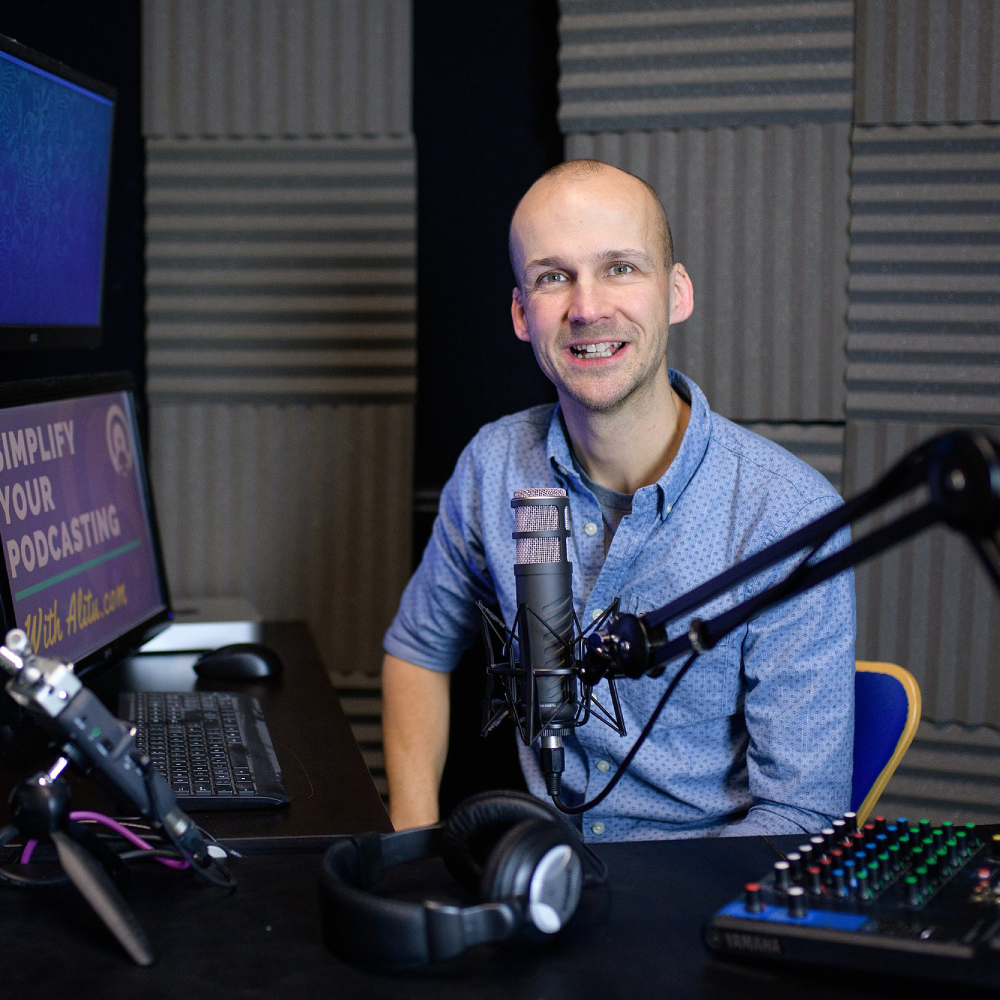
Colin Gray – PES 123
Colin Gray joins me! He is the founder of The Podcast Host, host of Podcraft and Hostile Worlds, and founder of the podcast app named Alitu.
We discussed many areas of Colin’s podcast production:
- Studio in his office
- Rode PSA-1 boom arms
- 3 Rode Procaster microphones
- Yamaha MG10 mixer
- Zoom H5 and H6
- Mac mini
- Adobe Audition
- iZotope RX7
- Editing in Audition
- Final MP3’s: 128kbps stereo or 96kbps mono
- Hosts at Blubrry, Buzzsprout, and Transistor.fm
Thanks for being a great guest, Colin!
Comment below with any questions or comments.
.
-
Room Reflections
If you’re recording podcasts indoors, the sound coming out of your mouth will enter the microphone directly, and in addition the sound coming out of your mouth will bounce off the walls, etc. and THEN go into the microphone.
The sounds that bounce off the walls and then into the microphone are called room reflections.
These reflections can make your recording sound like you’re in a hallway or gymnasium.
To reduce the amount of room reflections you can use various absorbing materials around the room like rugs, curtains, soft furniture, acoustic foam on the walls, etc.
It also helps to speak very close to the microphone.
Want to receive the Daily Goody in your email, daily or weekly? Subscribe free here.
And please keep in mind, the Daily Goody is only a tiny little tip, fact or lesson everyday. Please don’t expect any of these posts to be long, earth-shattering masterpieces that instantly answer every single question you can think of and completely transform you into a world class podcast engineer. “Little by little, a little becomes a lot.”
.
-
My Previous Studio Setup

I was recording my clients and their guests remotely, and I had several computers so I could bring each participant into the session on a different computer so I could record their audio separately on its own track.
The audio from each computer was brought into the mixer, then I sent direct outputs from the mixer to my Focusrite 18i20 interface and recorded multitrack in the computer using Reaper. I also used the mixer to generate mix minus’s for each participant/computer.
I had compressors which I could use “to tape” in case a participant was too dynamic.
I had my iPad to play the intro and outro music for each of my client’s shows. This would also go into the mixer then direct out into the computer.
I had an actual phone line as well so I could bring in folks on the phone.
And of course I had my own microphone going through my channel strip and then into the mixer.
Want to receive the Daily Goody in your email, daily or weekly? Subscribe free here.
And please keep in mind, the Daily Goody is only a tiny little tip, fact or lesson everyday. Please don’t expect any of these posts to be long, earth-shattering masterpieces that instantly answer every single question you can think of and completely transform you into a world class podcast engineer. “Little by little, a little becomes a lot.”
.
-
Publishing Episodes Immediately After They Are Recorded
I once had a client who wanted to record his weekly episodes on Thursday morning or midday and then publish the episode immediately, meaning that day, as soon as possible, as quickly as I could finish producing it!
When he told me this, I immediately blocked out 3 hours of time every Thursday afternoon for the next year, just to make sure no other sessions would be booked on Thursday afternoons.
Each Thursday the post production usually took me about 3 hours, and then I would immediately publish the episode.
Currently I have a client who records Thursday and wants it published very early Friday morning, so of course I have time blocked out to produce this one every Thursday afternoon/early evening.
The key with producing episodes like this is to make sure you have the time set aside to do the work, and of course being very clear with the client about timeframes and expectations, etc.
Want to receive the Daily Goody in your email, daily or weekly? Subscribe free here.
And please keep in mind, the Daily Goody is only a tiny little tip, fact or lesson everyday. Please don’t expect any of these posts to be long, earth-shattering masterpieces that instantly answer every single question you can think of and completely transform you into a world class podcast engineer. “Little by little, a little becomes a lot.”
.
-
Finishing an Episode vs. Tweaking it Forever
When producing episodes, most of us want to end up with the best possible sounding audio we can manage. To accomplish this, we spend lots of time processing the audio, editing, tweaking the sound, more editing, etc. If we wanted to, we could probably spend 10-20 hours on one episode.
It’s easy to get carried away with tweaking a mix until it’s perfect, or taking another pass through the entire episode for one more round of fine-tune editing, or trying to remove more of the reverb on the guests track, etc.
But each of us needs to find that line where the episode is done and sounds good, and stop ourselves from spending more time than necessary on it.
If you’re aware that you’re spending way too long producing episodes, try to be more aware of those moments when you feel like, “OK, it’s done.”
One more thought: Sometimes I experiment a bit when producing an episode, maybe trying a new plugin or editing technique, and this extra time I spend is chalked up to continued learning, which is critical for professional growth.
Want to receive the Daily Goody in your email, daily or weekly? Subscribe free here.
And please keep in mind, the Daily Goody is only a tiny little tip, fact or lesson everyday. Please don’t expect any of these posts to be long, earth-shattering masterpieces that instantly answer every single question you can think of and completely transform you into a world class podcast engineer. “Little by little, a little becomes a lot.”
.
-
Safe Peak Level for Final Episodes
In the final step of production when you are setting the final level of your episodes, it’s good to set the true peak level to -1 dB or -2 dB. This will ensure that your episodes don’t overload and distort any audio players that your listeners will be using. This applies to both mono and stereo episodes.
You can set your true peak level in Auphonic, Adobe Audition, Hindenburg, iZotope RX 7, and many other applications as well.
What software do you use to set your final true peak level?
Want to receive the Daily Goody in your email, daily or weekly? Subscribe free here.
And please keep in mind, the Daily Goody is only a tiny little tip, fact or lesson everyday. Please don’t expect any of these posts to be long, earth-shattering masterpieces that instantly answer every single question you can think of and completely transform you into a world class podcast engineer. “Little by little, a little becomes a lot.”
.
-
The Difficulty of Re-recording the Hosts Track
Sometimes a great interview will be conducted but the hosts recording will be unusable due to glitching, noise, or any number of reasons.
Then someone will come up with the idea of the host re-recording all his/her parts, and matching that up with the original recording of the guest.
Firstly, in cases when the guest is a famous person who will not be available to re-record the entire interview, this idea is good, but not easy to pull off seamlessly.
Second, if the guest IS available to re-record the entire interview, I would highly recommend this!
Because…
When you’re going to re-record one participant and match it up to the original recording of the other participant, you have to take many things into consideration:
- All the times that the two participants “stepped on” each other
- All the times when the host interrupted the guest and interjected a thought
- All the times that the host said “uh-huh” or “mm-hmm” while the guest was speaking. (Especially if the guests audio is ducking every time this happens)
- The energy and “performance” of the hosts re-recording
- Lining up all the pieces of the new recording with the original recording (Aaaaaah!)
- Etc, etc.
Unfortunately, soon I will have to re-record one of my clients hosts and do everything I listed above. Wish me luck!
Want to receive the Daily Goody in your email, daily or weekly? Subscribe free here.
And please keep in mind, the Daily Goody is only a tiny little tip, fact or lesson everyday. Please don’t expect any of these posts to be long, earth-shattering masterpieces that instantly answer every single question you can think of and completely transform you into a world class podcast engineer. “Little by little, a little becomes a lot.”
.
-
Accurately Hearing Low End vs. High End When…
…when monitoring via earbuds or headphones or speakers.
Note: For this post when I use the word monitors I’m referring to any earbuds, headphones or speakers you’re using to produce audio.
When mixing on monitors that you are not extremely familiar with, you run the risk of producing a mix that has way too much low end (sounding very bassy and boomy) or way too much high end (sounding very thin and harsh). There are also many other potential problems with this but we will keep it simple for now.
To avoid the two issues stated above, you can either become very familiar with your preferred monitors (by mixing lots of episodes, reviewing each mix on every speaker you have access to, and adjusting your mix processing to taste), and/or use professional monitors that are frequency balanced.
Want to receive the Daily Goody in your email, daily or weekly? Subscribe free here.
And please keep in mind, the Daily Goody is only a tiny little tip, fact or lesson everyday. Please don’t expect any of these posts to be long, earth-shattering masterpieces that instantly answer every single question you can think of and completely transform you into a world class podcast engineer. “Little by little, a little becomes a lot.”
.
-
Chris’s Goody Bag – PES 122
Enjoy my brief overview of recent Daily Goody posts.
And don’t forget that you can sign up to receive the Daily Goody in your email every day or every week. Sign up here.
I made some announcements, too:
- If you can help me out I would greatly appreciate it. If you know any 18-25 year olds who might want to produce podcasts and earn really good money doing it, please mention PES to them. I appreciate it!
- Podfest was awesome. If you want to grow a podcasting business or grow your presence in the podcast industry, the major podcasting events are SO helpful.
- PES starts April 16th!
- Upcoming episodes: Colin Gray, Emily Prokop, Carrie Caulfield, ‘Glenn the Geek’ Hebert, Shawn Kitchen, Nick Dunkerley and Evo Terra!
If you have any questions please let me know 🙂
.
-
Need More Mic Gain: A Chat with Johan
Johan:
Hi Chris! I love the show including the goody bag episodes! Thank you for your podcast, it’s been so helpful and fun to listen to.
Just a quick question about mic gain and this might be a dumb question. I would like to purchase the RØDE PodMic when it is released in the next month. However, I hear it is pretty much as gain hungry as the SM7b. I am only 8 episodes into my new podcast, so I’m fairly new at it and I am limited for funds as the show grows. I know a lot of people are running Cloudlifters or Fetheads on their SM7b mics but I was just wondering if another solution would be to simply run second preamp on on mic into the flow? Or would this give off way too much noise or possibly damage my other hardware? I’m running through a Presonus 68 interface at the moment.
Thanks again for all you do!
JohanChris:
Hi Johan – good to hear from you and glad you like the show!
First, be careful with this RØDE PodMic. I’m not yet clear on how good it really is. Tho I guess you could buy it and return it if you don’t like it…
Second, if you do need more gain, get a Fethead. I know funds are tight but you can probably find a way to afford it. –OR– get a better interface with better preamps.
If you can’t afford any of this, then just keep using what you’re using and do the best with what you have.
Finding a way to invest in good gear is ALWAYS worth it.
NOTE: if you’re not streaming Live, you could always just record at a slightly lower level and then boost the level in post. If you do this be sure top record using 24 bit because it gives MUCH higher resolution files 😉
Does this help?
All the best, bro!
~ChrisJohan:
Very helpful thank you! I’m currently running a podcast with 4 Sennheiser e945’s (there are 3-4 of us on each show) But they are currently being borrowed every time so we are looking to slowly purchase some mics of our own and the e945’s don’t have the same “umph” I’m looking for. I have some SM58’s I could use as well.
It could be because I am use to my AT2035 but as a condenser it’s not going to work in our multi-person recording environment. I was hoping the RØDE PodMic would be a good solution. A recent video I watched did a comparison to the SM7b and it looked promising. (https://www.youtube.com/channel/UCoNuHp71sHCErKuNF-LugZA) Price is a factor, but I don’t want to cheap out on everything either.
I thought about getting a Cloudlifter or Fethead anyway to bring the gain up on what we are currently using (at least mine as the main host). But I’m also exploring all options available to me before I put money on something. I noticed the SS-1 is similar to the Fethead but is a better price. Do you have any experience or thoughts using that?
Thank you again,
I love talking about this stuff
JohanChris:
I haven’t heard of the SS-1 but at first glance it looks good.
And at Podfest a few days ago Focusrite was using a DM1 Dynamite at their booth and they said it was good: https://www.seelectronics.com/dm1-dynamite-active-inline-preamp
Also at Podfest I got to hold a PodMic (it’s heavy and built like a tank) and I spoke into it briefly to test for plosives and it had about as much plosive response as an RE20 or SM7b, which is good.
How crazy do you get with your post-production? DAW, plugins, processing, editing, etc.
Also, can I post our back and forth here online so others can benefit from this conversation? (I won’t use your full name)
Johan:
Yes, share as much as you like. And thanks for putting my mind at ease with the PodMic, I preordered.
I do my post processing on Studio One, I am really happy with their noise gate and it doubles as a decent daw for my music. My basic plugins I use for post production are normalization, compressors, noise gate, de-esser and EQ. Sometimes I’ll use one called “make fatter.” I then send it over to Auphonic to make sure I get everything to the correct LUFS level.
Thanks again for your help and feedback!
JohanWant to receive the Daily Goody in your email, daily or weekly? Subscribe free here.
And please keep in mind, the Daily Goody is only a tiny little tip, fact or lesson everyday. Please don’t expect any of these posts to be long, earth-shattering masterpieces that instantly answer every single question you can think of and completely transform you into a world class podcast engineer. “Little by little, a little becomes a lot.”
.
-
ERA Voice Leveler
I haven’t tried this plugin yet but I watched the demo video and it looks really cool: https://accusonus.com/products/audio-repair/era-voice-leveler
And unfortunately I don’t know when I’ll have time to download the trial version and check it out.
If you happen to check out the trial version please let me know how you like it by commenting below.
For years I’ve been using a similar plugin from Waves called Vocal Rider. Though this ERA Voice leveler does seem to have more features than Vocal Rider.
These types of leveler plugins in general are extremely useful in podcast production to help even out massive level fluctuations due to the lack of microphone technique demonstrated by most podcast guests (and, sadly, many hosts!).
Want to receive the Daily Goody in your email, daily or weekly? Subscribe free here.
And please keep in mind, the Daily Goody is only a tiny little tip, fact or lesson everyday. Please don’t expect any of these posts to be long, earth-shattering masterpieces that instantly answer every single question you can think of and completely transform you into a world class podcast engineer. “Little by little, a little becomes a lot.”
.
-
What are Others Using for Hardware and Software?
Recently I initiated an open “speed round” in the Podcast Movement Facebook group. Here is my post and many of the responses: (if you’d like to post in that Facebook thread, you can find it here.
My Post:
I’d love if you would do a “speed round” telling everyone about your audio production and workflow!
Tell everyone your…
- Microphone:
- Audio Interface:
- Audio Software:
- Headphones and/or Speakers:
- VoIP Recording Service (like Squadcast, Zencastr, Ringr, etc.):
- Final Episode File Specs (like MP3 or M4A, 64/96/128 kbps, 44.1/48 kHz):
- Your Secret Weapon for Audio Production:
Comments:
Microphone: SM7B
ZoomH6
Audio Software: Audacity
Shure S215
VoIP Recording Service: Zoom
MP3, 96kbs, 44.1khzMicrophone: Neumann TLM103
Audio Interface: UA Solo 610
Zoom H6
Audio Software: Audacity
MP3/128/44.1Microphone: SM7B
Cloudlifter CL-1
DBX 286s
Audio Interface: Focusrite 18i8
iMac 21″
Audio Software: Logic Pro X
Backup Recorder (Zoom H6) with an ATR2100Not really a speed round… more of 20 questions! I spy with my little eye…. 🙂 Please note that I am a broadcaster, and therefore have a more “premium setup”.
Microphone: Electrovoice RE27, with an RE20 for single guest. Shure Beta 57A for field recording, and additional 57’s for other field or guests. My remote teams usually use a Blue Yeti for usage over Skype.
Audio interface: Behringer XR-12 X-Air for all processing and mixdown. I then feed that into a Fostex MR-8mkII for primary recording. X-Air is set for recording a backup.
Bonus item – field audio interface: Tascam DR-40. Best remote option yet!
Software: Goldwave as a primary, with a couple of items for cleanup outside of that… Levelator, a BBE Sonic Maximizer plugin, Audacity as needed for specialty mixdown and a few other items.
Headphones: Ultrasone HFI-580 are my primary cans, but I have a few others hanging about. $300 Bose computer speakers, and a $50 set of junkers for comparison.
VoIP: Skype. I’m not proud of it, not happy with it, and am exploring Squadcast.
Broadcast specs: MP3, 192k, 44.1
Podcast specs: MP3, 64k, 44.1
Secret weapon: Not sharing the above information with anyone!Microphone: Neumann U89i
Audio Interface: Focusrite Scarlett
Audio Software: Pro Tools
Headphones and/or Speakers: Genelec 1040/ Sony 7506
Final Episode File Specs: MP3
Your Secret Weapon for Audio Production: varies. Currently, a sheaf of wheat.Mic: Microphone: SM7B —> FETHead (Preamp)
Interface: Focusrite Scarlett 2i2
DAW: StudioOne 4 Pro
Headphones & Monitors: Sennheiser HD280Pro & PreSonus Eris 4.5
VoIP: Squadcast
Final Specs: 128kbps stereo mp3 @ 48KHz sample rate
Secret Weapon: I’ve been experimenting with CLA Mixdown in the Master bus before my multiband comp and limiterMicrophone: MKH416 or CAD E100s, Audio Interface: Audient iD14, AKG 702s, VoIP Recording Service: Cleanfeed, Final Episode File Specs: 24/48 WAV to 256 Mp3. Secret weapon: iZotope de-noise.
Hysteria 51
Microphone: MXL 990
Audio Interface: Behringer 1604 Mixer and Behringer MDX2600 Limiter Gate.
Audio Software: Audition
Headphones and/or Speakers: Behringer Studio Phones
VoIP Recording Service: Skype
Final Episode File Specs: MP3 128 kbps, 44.1
Your Secret Weapon for Audio Production: lots of editing and attention to making the final product sound exactly how we want it to.Microphone: Shure SM7B
Audio Interface: Focusrite Clarett 8Pre
Audio Software: Logic Pro X + Waves plugins
Headphones and/or Speakers: Sony MDR-7506 Pro & Yamaha NS10 monitors with a Hafler TA1600 amp
VoIP Recording Service: Skype
Final Episode File Specs: 44.1kHz 128kbps MP3
Your Secret Weapon for Audio Production: Vocal Rider, C6, and L3 plugins from Waves.Microphone: Shure SM7B
Audio Interface: Yamaha MG10XU
VoIP: Discord
Final Episode File Specs: MP3 – 128
Audio Software: Audio HijackMicrophone: Shure SM7B and a Fethead or Rode Broadcaster
DBX 286S
Audio Interface: Focusrite 2i2
iMac
Audio Software: Adobe Audition
Sony MDR7506 with Sonarworks
VoIP Recording Service: Squadcast
Mobile
Shure Beta SM57 or Beta SM58 or SM58
Zoom H6 or Soundcraft Signature 12 MTKMicrophone: Shure SM7B, Cloudlifter, Audio Interface: Scarlett Solo, iMac, Squadcast.
Microphone: 3 MXL BCD-1’s
3 Cathedral Pipes Durham (mic activator)
Rodecaster Pro
Headphones: Audio Technica (not sure of model, just got them from a friend)
Audio Software: Audacity at 224 kb mp3
Secret weapon is a Tascam DR-10X for the road with a Shure pe50sp super pro dynamic mic.Microphone: Shure SM7B or Audio-Technica USA ATR2100
Audio Interface: Focusrite Scarlet2 2i2 or Mackie Onyx Blackjack
Audio Software: Apple MacOS & Adobe Audition CC
Headphones: Audio-Technica USA ATH-M50x or Jaybird X3
VoIP Recording Service: SquadCast.fm & Google Chrome
Final Episode File Specs: Record wav 44.1 kHz/16-bit & Publish mp3 128 kbps
Your Secret Weapon for Audio Production: Chris Curran’s sage wisdom & my brother Vincent Moreno’s earsSolo shows: record in audacity with an ATR2100. Add in my intro music from friend and indie artist Jasmine Commerce. Then it’s ID3 tags, creating images in Canva, finishing up show notes and meta data on WordPress and Libsyn. And…publish.
Microphones: CAD Equitek E100, Sennheiser e935 or modded MXL V250 condenser
Audio Interface: Apogee Duet
Audio Software: Reaper
Headphones and/or Speakers: Sony MDR-7506 or Sennheiser HD280
VoIP Recording Service (like Squadcast, Zencastr, Ringr, etc.): Skype
Final Episode File Specs: MP3 128kbps
Your Secret Weapon for Audio Production: Waves CLA Vocals plug-in and AuphonicWant to receive the Daily Goody in your email, daily or weekly? Subscribe free here.
And please keep in mind, the Daily Goody is only a tiny little tip, fact or lesson everyday. Please don’t expect any of these posts to be long, earth-shattering masterpieces that instantly answer every single question you can think of and completely transform you into a world class podcast engineer. “Little by little, a little becomes a lot.”
.
