Your cart is currently empty!
Author: Chris Curran
-
You Can’t Evaluate the Sound of a Microphone While You’re Speaking Into It

It’s impossible to hear the sound accurately WHILE you’re speaking into a mic, because in addition to hearing the mic audio coming through your headphones into your ears, the sound of your voice traveling from your throat, through your skull and vibrating your eardrums from the inside MASSIVELY skews what you’re hearing through the mic.
So I don’t recommend evaluating the sound of a mic by speaking into it.
And this is why we offered the microphone test drive booth years ago. We allowed people to speak in to 8-10 microphones, but we would record them and send them the audio later when they could LISTEN to their own voice but NOT while they are actually speaking.
Want to receive the Daily Goody in your email, daily or weekly? Subscribe free here.
And please keep in mind, the Daily Goody is only a tiny little tip, fact or lesson everyday. Please don’t expect any of these posts to be long, earth-shattering masterpieces that instantly answer every single question you can think of and completely transform you into a world class podcast engineer. “Little by little, a little becomes a lot.”
.
-
Temporary Podcast Studios at Events
These are usually cool looking and fun, but I’m not sure how they sound because I’ve never recorded using one. Have you? If I did record in one of these I’d enjoy hearing the individual tracks afterwards at home to analyze each track on my studio monitors.
Usually these studios don’t have a ceiling so I’m not sure how much background noise ends up bleeding into the mics. But maybe some event background noise would be OK for ambiance??
Of course, if you’re ever going to record in a space which isn’t soundproof, it’s always helpful to get really close to the microphones to increase your signal to noise ratio.
Recently at Podfest they had one of these studios set up and were using the RØDECaster Pro and several RØDE PodMic’s, along with a few other popular microphones. You could reserve a time to use the studio, too. It was actually my first time seeing a RØDECaster Pro in person. And I spoke into the PodMic to try to hear how much of the plosives come through, and it sounded like an average amount similar to an RE20 or SM7b. Of course I can’t yet evaluate the PodMic without recording and hearing it back 😉
Want to receive the Daily Goody in your email, daily or weekly? Subscribe free here.
And please keep in mind, the Daily Goody is only a tiny little tip, fact or lesson everyday. Please don’t expect any of these posts to be long, earth-shattering masterpieces that instantly answer every single question you can think of and completely transform you into a world class podcast engineer. “Little by little, a little becomes a lot.”
.
-
Headphone Amplifiers
A headphone amplifier is used to monitor audio using headphones.
The audio signal coming out of your computer, mixer, phone, etc. is at line level and needs to be amplified for you to hear it and turn up the volume, etc. Almost all computers, interfaces, mixers and phones, etc. have built-in headphone amps allowing you to plug in your headphones and turn up the volume.
But sometimes you might need to plug in 3 or 4 headphones to allow 3 or 4 people to hear the same audio; in a case like this you can use a dedicated headphone amplifier which can have 4-8 headphone output jacks on it, and everyone’s headphones can be plugged into this one unit. You will also have a volume control for each headphones you plug in, so that everyone can monitor at their preferred volume (which btw should be as low as possible!- if you crank headphones too loud that sound will bleed into the person’s microphone!).
There are small inexpensive headphone amps (~$30) which can power 4 headphones, and there are many larger and more expensive units as well.
And of course if you don’t have that many people all needing to plug in headphones then you don’t need one of these headphone amps 😉
Want to receive the Daily Goody in your email, daily or weekly? Subscribe free here.
And please keep in mind, the Daily Goody is only a tiny little tip, fact or lesson everyday. Please don’t expect any of these posts to be long, earth-shattering masterpieces that instantly answer every single question you can think of and completely transform you into a world class podcast engineer. “Little by little, a little becomes a lot.”
.
-
Wavelength
The wavelengths below describe the distance it takes various frequency waves to go through one complete cycle. One cycle is from when the wave starts and then goes up to its positive peak then down (passing the zero line) to its negative peak and then back up to zero.
Note: one Hertz (Hz) is defined as one cycle per second. (Thanks to Heinrich Rudolf Hertz)
20 Hz wavelength = 56.5 feet (This means that a 20 Hz wave travels 56.5 feet in order to complete one cycle!)
100 Hz wavelength = 11.3 feet
1,000 Hz (aka 1 kHz) wavelength = 1.13 feet
10,000 Hz (aka 10 kHz) wavelength = 1.356 inches
20,000 Hz (aka 20 kHz) wavelength = 0.678 inches
Want to receive the Daily Goody in your email, daily or weekly? Subscribe free here.
And please keep in mind, the Daily Goody is only a tiny little tip, fact or lesson everyday. Please don’t expect any of these posts to be long, earth-shattering masterpieces that instantly answer every single question you can think of and completely transform you into a world class podcast engineer. “Little by little, a little becomes a lot.”
.
-
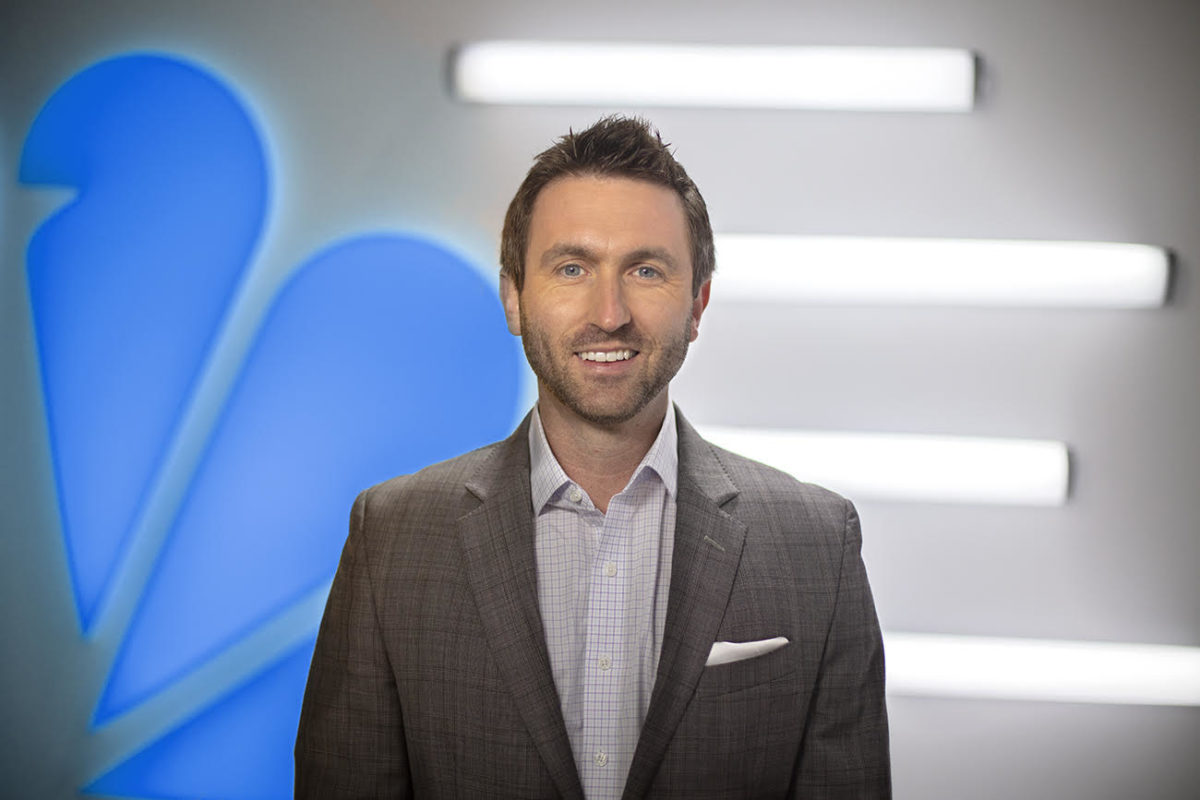
Brodie Brazil of NBC Sports California – PES 121
Brodie Brazil is here! He’s a TV broadcaster and hosts the Oakland A’s & San Jose Sharks Pre/Postgame Live on NBC Sports California. Check out his YouTube. He has won 13 Regional Emmy Awards and nominated for 32!
Also check out his podcast, Brodie Brazil.
We discussed a ton, including:
- Packing blankets and rug in his home studio
- Mics: TLM103, SM7B through Fethead, RE320’s, MD46’s, HMD26
- Mixer: Soundcraft 12 MTK
- Channel strips: dbx 286’s
- Remote interface: UMC202HD
- Recorders: Zoom H5 & H6
- Computer: MacBook Pro running Audition (old version!)
- Headphones: Beyerdynamic DT-770’s
- On-location: Zoom H6 w/ two RE320’s
- TV mic: Sennheiser MD-46
- Because I do a lot of live streaming – need most of my processing (comp, EQ, de-essing, gate) baked in. So I have that for both the Neumann and Shure mics. I do add a little post-processing for podcasts and YouTube videos with just some light compression… normalization, then clip gain matching to -16 lufs.
- Everything exported to .wav for videos and editing. eventually .mp3 for podcasting to… Soundcloud(!) I know, but it works best for me (I can explain).
Thanks for hanging with us, Brodie!
Comment below with any questions or comments.
.
-
Adjusting the Phase of Recordings
*NOTE: This is not usually a necessary process, so if you never do this in your whole life you’ll be fine. But, for us crazy audio people… (ha).
First, here’s how iZotope describes the phase we’re talking about here: “The Phase module in iZotope RX can balance asymmetric waveforms by rotating signal phase. Rotating the phase of a signal changes its peak values but doesn’t change its loudness, and otherwise has no audible effect on the signal. Asymmetric waveforms can occasionally occur in audio such as dialogue, voice, and brass instruments. Making the waveform more symmetrical gives the signal more headroom.”
Here is a question from the audience at my recent presentation at Podfest 2019!
Question: On one of the slides, it looked like you had a bunch of plugins you were using on a track. I noticed you were using a phase plugin which I’m guessing was the one from iZotope RX. Is that something you use on all tracks or would it have been to deal with a specific problem? If you always use it, could you share the settings?
Answer: Short answers: Yes, I use that phase processor in iZotope RX. Yes, I use it on all tracks. And for the settings you simply check a box called “Adaptive phase rotation.”
More on each answer:
1. I use module chains in RX to “clean up” every track in every episode that I produce. Phase is part of that, and I always use it first in the chain.
2. I use phase because it evens out any lopsided waves, meaning, when looking at the track in the screen, sometimes the bulk of the wave will be above the zero line and less of the wave will be below the zero line. This means that the peak on the positive side can more easily distort because it’s skewed higher than it should be. So when you correct the phase, it makes the amount of wave above and below the zero line equal, and therefore less chance that any peak distortion will take place during further processing.
3. Regarding the settings in RX you simply check a box called “Adaptive phase rotation,” which disables all other possible setting controls.
Hope this helps!
Want to receive the Daily Goody in your email, daily or weekly? Subscribe free here.
And please keep in mind, the Daily Goody is only a tiny little tip, fact or lesson everyday. Please don’t expect any of these posts to be long, earth-shattering masterpieces that instantly answer every single question you can think of and completely transform you into a world class podcast engineer. “Little by little, a little becomes a lot.”
.
-
Continued Learning
As someone who works with sound, one of the most fruitful lifelong habits you can develop is to continue learning throughout your life. It will keep you sharp. It will keep you up to date on new gear and software, etc. It will keep refining your ear.
When can you focus on learning? Every time you’re working with audio try something new or look into parameters you had not used yet. Set aside 1-2 hours every week/month to download new plugins and play with them, or download trial software and mess around with it. Attend conferences where you can talk with other professionals to learn and absorb a lot.
Most importantly, follow your intuition with regards to what you’ll focus on learning next. It will not always be something directly and immediately applicable to your current work; it may be in a genre of audio production which you know nothing about, but learning about different aspects of audio production will widen your knowledge and increase your expertise and value.
Although sometimes the best place to start is by asking yourself, “In what area are my skills and knowledge the weakest?”
Want to receive the Daily Goody in your email, daily or weekly? Subscribe free here.
And please keep in mind, the Daily Goody is only a tiny little tip, fact or lesson everyday. Please don’t expect any of these posts to be long, earth-shattering masterpieces that instantly answer every single question you can think of and completely transform you into a world class podcast engineer. “Little by little, a little becomes a lot.”
.
-
Know Where Distortion is Coming From
At a recent conference my friend Michael Helms attended a presentation where the voices of the speakers on stage started to distort when they got loud. This was due to clipping that was happening somewhere in the audio signal chain.
Unfortunately he also witnessed the sound guy lower the faders of the distorted voices which lowered their volume but didn’t remove any distortion! Not good.
In this case, and in most cases with microphones, the distortion was due to the microphone preamplifier being cranked too high.
The correct adjustment would have been to:
1. Turn down the mic preamp until the audio stopped clipping and distorting, and
2. Push up the fader a bit to compensate for the reduced level
It’s not easy handling sound for Live events, but if you know the actual cause of distortion you can quickly and easily eliminate it.
Want to receive the Daily Goody in your email, daily or weekly? Subscribe free here.
And please keep in mind, the Daily Goody is only a tiny little tip, fact or lesson everyday. Please don’t expect any of these posts to be long, earth-shattering masterpieces that instantly answer every single question you can think of and completely transform you into a world class podcast engineer. “Little by little, a little becomes a lot.”
.
-
Small Tweaks When Mastering
When you’re finished recording, mixing and editing your podcast episode, you may want to use a little bit of EQ and compression as part of your mastering step.
If you do, you’ll be applying those processors to your entire episode, which probably includes music, host, guest, and ads, etc.
When applying any processing to your entire mix, it’s wisdom to only use a small amount of processing.
A little goes a long way in the mastering step because your mix shouldn’t need any major adjustments. Any major adjustments that are needed to make your episode sound good should be done in the mixing and editing stages.
Mastering is like the cherry on top.
For instance, adding only a half dB of some frequencies using an EQ will make a huge difference in the overall sound of the episode. I don’t use much EQ in mastering because I try to get it right in the mix. Regarding compression, I use more compression in mastering because it helps tighten up the entire mix making it more present and perceptually louder.
Want to receive the Daily Goody in your email, daily or weekly? Subscribe free here.
And please keep in mind, the Daily Goody is only a tiny little tip, fact or lesson everyday. Please don’t expect any of these posts to be long, earth-shattering masterpieces that instantly answer every single question you can think of and completely transform you into a world class podcast engineer. “Little by little, a little becomes a lot.”
.
-
Making Edit Cuts on Words and Syllables
You don’t always have to make your cuts on the first word of a sentence, or an individual word; sometimes you can cut on a syllable within a word. Sometimes it’s easier to cut on the 2nd or 3rd word in a sentence, or even cut on a syllable within one of the words.
It all comes down to the performance of the voice you’re editing.
Meaning, some participants:
- …will make a mistake and then back up and start again by repeating a few of the same words before continuing on. This makes it easy to edit out their flub.
- …will laugh when repeating those few repeated words. This makes it almost impossible to edit at all because the result will sound really awkward; for instance after cutting out the flub, half of a sentence will be spoken clearly and calmly, and then the second half will be said while laughing. The listener will be confused and has no idea what happened. Usually in those cases I don’t make any edits at all; I will leave the flub because that’s better than an awkward edit.
- …will mess up the end of a word, then when repeating the word they mess up the beginning of the word, so now you have to try to make your cut on a syllable within that word in order to use the good beginning and the good ending of that word. Sometimes this works really well, and sometimes it’s tough to make it sound natural.
I’m sure there are many other examples of this type of ninja editing.
Have you made any tricky edits lately?
Want to receive the Daily Goody in your email, daily or weekly? Subscribe free here.
And please keep in mind, the Daily Goody is only a tiny little tip, fact or lesson everyday. Please don’t expect any of these posts to be long, earth-shattering masterpieces that instantly answer every single question you can think of and completely transform you into a world class podcast engineer. “Little by little, a little becomes a lot.”
.
-
Intro Music That Goes on Way Too Long
Intro music is nice because right off the bat it sets the tone for the show; it immediately creates a vibe for the listeners. But when the intro music goes on way too long by itself before the host comes in, the listeners can get bored or frustrated or both or etc.
Of course I’m talking about a standard podcast show which starts with some music and then the host comes in and says, “Hello, welcome to the show!”
Listeners aren’t listening to your show to hear music (unless of course it’s a music show!) so get on with it and start the show after only a short bit of music. Of course the music can keep going underneath as the host welcomes the listeners, etc., and then fade out gently after a bit.
In the end, there are no rules, which is awesome. But you may want to be aware of how your listeners are reacting to various aspects of your show.
Want to receive the Daily Goody in your email, daily or weekly? Subscribe free here.
And please keep in mind, the Daily Goody is only a tiny little tip, fact or lesson everyday. Please don’t expect any of these posts to be long, earth-shattering masterpieces that instantly answer every single question you can think of and completely transform you into a world class podcast engineer. “Little by little, a little becomes a lot.”
.
-
Helping Guests Connect via Online Recording Services
Services like Squadcast, Zencastr and Ringr make it really easy to connect hosts and guests and record podcast episodes.
Sometimes, though, a guest will not be able to “figure out” how to connect, how to allow Chrome to use their microphone, or how to use the web interface of these services.
Therefore it’s always a good practice to have the phone numbers of all guests handy BEFORE starting the session. This way, if the guest doesn’t show up in the session, you can call them. Also, if they enter the session but you can’t hear them or they can’t hear you, and they don’t realize that there is a chat functionality inside Squadcast and Zencastr (not Ringr), then it’s very handy to call them on the phone in order to sort out the confusion.
I’ve had to walk MANY guests through the process of connecting properly and choosing the correct input device, etc.
Get their phone number beforehand and be ready to help.
Want to receive the Daily Goody in your email, daily or weekly? Subscribe free here.
And please keep in mind, the Daily Goody is only a tiny little tip, fact or lesson everyday. Please don’t expect any of these posts to be long, earth-shattering masterpieces that instantly answer every single question you can think of and completely transform you into a world class podcast engineer. “Little by little, a little becomes a lot.”
.
-
This Week Podfest 2019, Win $300, and PES Discount Code
Welcome to The Podcast Engineering Show! Listen and Subscribe in Apple Podcasts, Spotify, Google Podcasts, TuneIn, iHeartRadio, Stitcher, Android, RSS.
This is quick announcement episode. If this is your first time hearing the show, check out previous episodes where I’m interviewing people about their equipment, software and production workflow.
Enter to win $300 here!
Get $350 off Podcast Engineering School tuition using coupon code PME19. Next semester starts April 16th!
Thanks for listening, and congrats on all your learning!
.
-
Podfest Starts Today! Enter to Win $300 CASH!
NOTE: Even if you’re not at Podfest you can still enter the drawing.
Want to upgrade your podcast production with new gear, software or marketing services, etc.?
Enter to Win $300 Spending Cash in 2 Steps:
1. Sign up for Our Email List — the Daily Goody and/or Monthly Resources. The Daily Goody is a tiny little tip, fact or lesson everyday to enhance your knowledge of podcast audio production. Also, you can receive monthly resources for podcasters, editors and producers.
2. Subscribe to The Podcast Engineering Show, where Chris Curran chats with podcasters and audio experts about their equipment, software and production workflow. A fun and energetic show where you will learn a ton!
ENTER HERE: PodcastEngineeringSchool.com/win
Want to receive the Daily Goody in your email, daily or weekly? Subscribe free here.
And please keep in mind, the Daily Goody is only a tiny little tip, fact or lesson everyday. Please don’t expect any of these posts to be long, earth-shattering masterpieces that instantly answer every single question you can think of and completely transform you into a world class podcast engineer. “Little by little, a little becomes a lot.”
.
-
If Two Guests MUST Share One Microphone…
First of all, don’t do this unless there is absolutely no way each participant can have their own microphone.
But if they MUST share a microphone…
- If you’re using a regular cardioid microphone (ATR2100, SM7b, etc.) the two guests should sit side by side (as close as possible to each other) and you should point the mic at the area directly between them. This way each person’s voice will enter the mic from the same slight angle.
- If you’re using a microphone which has an omni-directional pickup pattern, then it doesn’t matter what angle the participants are in relation to the microphone (they could sit on opposite sides of the mic), but they should be the same distance away from the mic as long as they both speak at approximately the same volume. If one person speaks louder, move the microphone away from them and closer to the quiet speaker.
- If you have a microphone which has an bi-directional pickup pattern, then the two guests should face each other with the mic directly between them.
What are your thoughts on these strategies? Have you ever had to do this?
Want to receive the Daily Goody in your email, daily or weekly? Subscribe free here.
And please keep in mind, the Daily Goody is only a tiny little tip, fact or lesson everyday. Please don’t expect any of these posts to be long, earth-shattering masterpieces that instantly answer every single question you can think of and completely transform you into a world class podcast engineer. “Little by little, a little becomes a lot.”
.
-
The Pressure of a Publishing Schedule
You know what’s not a good feeling? When you realize the evening before you’re supposed to publish an episode that you haven’t even recorded it yet!!! Then you have to scramble. Not fun.
It’s much better to always have 2-8 weeks worth of episodes recorded and ready to produce, or even completely done. Then, you’ll always have episodes “in the can” which you can easily publish whenever you need to.
It’s such a good feeling to be ahead of schedule with regards to recording episodes!
Want to receive the Daily Goody in your email, daily or weekly? Subscribe free here.
And please keep in mind, the Daily Goody is only a tiny little tip, fact or lesson everyday. Please don’t expect any of these posts to be long, earth-shattering masterpieces that instantly answer every single question you can think of and completely transform you into a world class podcast engineer. “Little by little, a little becomes a lot.”
.
-
Fast Processor, Lots of RAM
When you are using a computer to produce audio or video, it’s good to have a fast processor and lots of RAM in your computer. This way the computer will be able to handle all the processing and memory storage more quickly and easily.
If you have an extremely wimpy computer (slow processor and very little RAM), it will take much longer to process your audio files and there’s an increasing chance that your computer will become overwhelmed and fail (freezing, crashing, etc.).
Obviously I’m generalizing but these are good ideas to keep in mind when you’re preparing to buy a new computer.
Over the years I’ve always bought the strongest computer I could buy. In processing time alone it has probably saved me hundreds of hours over the years.
BTW, doesn’t the title of this post remind you of what Barry sometimes says on my show – “…big mouth, lotta teeth.”
Want to receive the Daily Goody in your email, daily or weekly? Subscribe free here.
And please keep in mind, the Daily Goody is only a tiny little tip, fact or lesson everyday. Please don’t expect any of these posts to be long, earth-shattering masterpieces that instantly answer every single question you can think of and completely transform you into a world class podcast engineer. “Little by little, a little becomes a lot.”
.
-
What is Monaural, Stereo and Surround?
1. Monaural (aka mono) is 1 channel of audio.
2. Stereo is 2 channels of audio — classic left and right.
Podcasts are typically published in mono or stereo.
Many podcasters prefer to publish episodes in mono because the file size is half the size of a stereo file, which means it’s a significantly smaller file for the listener to download/stream. Also, many podcast media hosts charge podcasters for the amount of megabytes they upload each month; in those cases podcasters would be able to upload twice as many mono episodes as stereo episodes.
Also, many podcasters (like me) prefer to publish episodes in stereo because I incorporate stereo music, and music sounds more lifeless when collapsed to mono. Also, I’m not worried about listeners downloading/streaming a slightly larger file – their phones and computers can easily handle that storage and bandwidth. And personally I’m never really in danger of going over my monthly media hosting limit.
NOTE: If your episodes don’t include stereo music or stereo sound effects, you should publish in mono because you don’t actually “need” a stereo file.
3. Surround sound is multiple channels which play through speakers which “surround” the listener, like when you go to the movies. FYI, 5.1 is the standard surround sound format — it has 6 total channels and calls for 6 speakers: Center (C) in front of the listener, Left (L) and Right (R) at angles of 60° on either side of the center, and Left Surround (LS) and Right Surround (RS) at angles of 100–120°, plus a subwoofer whose position is not critical.
Do you publish in mono or stereo? Comment below!
Want to receive the Daily Goody in your email, daily or weekly? Subscribe free here.
And please keep in mind, the Daily Goody is only a tiny little tip, fact or lesson everyday. Please don’t expect any of these posts to be long, earth-shattering masterpieces that instantly answer every single question you can think of and completely transform you into a world class podcast engineer. “Little by little, a little becomes a lot.”
.
-
Be My Guest!
If you create podcasts using good gear, good software and an interesting workflow, would you like to hang out with me and discuss your production processes on my Podcast Engineering Show?
If so, please fill out this form and I’ll get back to you: https://podcastengineeringschool.com/guest/
Also, do you know someone who would be a great guest for my show? Maybe share that link with them and/or introduce them to me!
Want to receive the Daily Goody in your email, daily or weekly? Subscribe free here.
And please keep in mind, the Daily Goody is only a tiny little tip, fact or lesson everyday. Please don’t expect any of these posts to be long, earth-shattering masterpieces that instantly answer every single question you can think of and completely transform you into a world class podcast engineer. “Little by little, a little becomes a lot.”
.