Your cart is currently empty!
Category: Daily Goody
The Daily Goody is daily tip, fact, or lesson on podcast production. You can receive it daily or a weekly roundup with our dedicated newsletter.
-
What is Oversampling? What is Aliasing?
Oversampling is when a digital processor internally increases the sample rate of the audio to avoid aliasing.
Aliasing is when one frequency is coded as a different frequency; when inaudible distortions above the Nyquist Frequency (half the sample rate) are interpreted by the D/A converter and mapped to frequencies within the audible range. (Here’s a good article on Aliasing, etc.)
Without oversampling, processors like saturation and distortion can create significant audible aliasing/artifacts that you may not want.
For the most commonly used processors, EQ and Compression, oversampling is not usually needed.
In general, for podcast audio production you don’t really need to worry about oversampling unless you’re using saturation or distortion as an effect, and even then you may not need or want oversampling. Keep in mind that sometimes you may even prefer the un-oversampled sound 😉
Here’s a good video explaining and showing more details: Oversampling Explained
Want to receive the Daily Goody in your email, daily or weekly? Subscribe free here.
And please keep in mind, the Daily Goody is only a tiny little tip, fact or lesson everyday. Please don’t expect any of these posts to be long, earth-shattering masterpieces that instantly answer every single question you can think of and completely transform you into a world class podcast engineer. “Little by little, a little becomes a lot.”
-
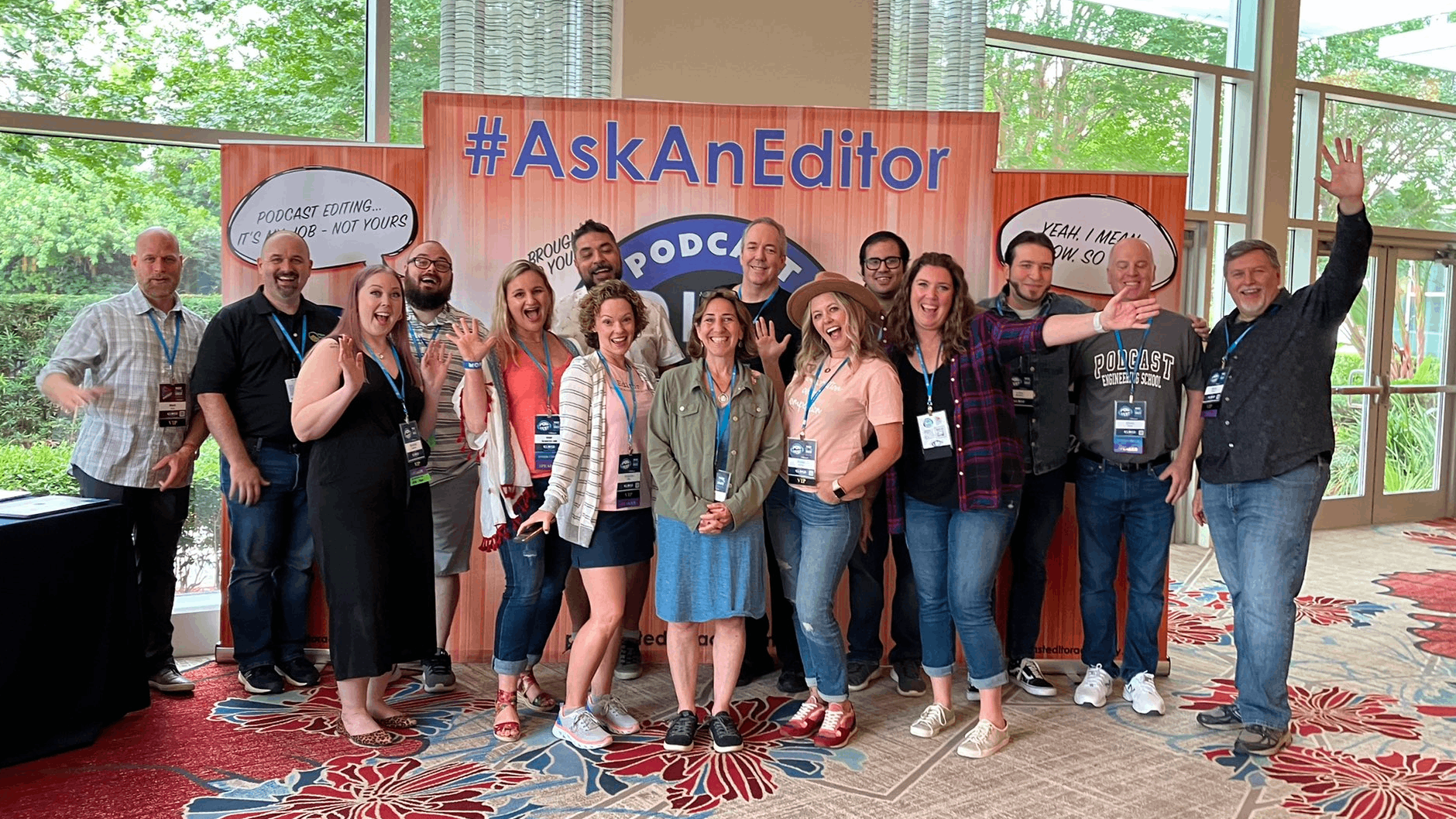
My Experience at Podfest 2022 – PES 235
I’ve attended every single Podfest since 2014. And this year it was great to see so many friends and colleagues in person again!
Here are some of my experiences, notes and highlights of the event:
MY TALK:
“How to Use Compression & Normalization (Mandatory for Creating Professional Grade Audio)” —> The full presentation will be published soon!
Outline what I covered:
- Normalization (Peak and Loudness) (When and where to normalize audio)
- Compression (Why, controls) (Demonstrations of compressors, upward compression, vocal riding, limiter, and a great sounding plugin chain)
*Audio Production Challenge for my listeners: Compress the ultra-dynamic audio clip that I used for demonstration in my presentation and send me your processed audio file!
Links to Apps and Plugins I Mentioned in My Talk at Podfest 2022 on “Compression and Normalization”
Link to 4 recent overview posts:
- What is Compression? (Audio Processing)
- Introduction to Compressor Controls
- What Are Audio Plugins? (Audio Processing)
- Introduction to Plugin Chains
PODCASTING 2.0, CRYPTO, BLOCKCHAIN, ETC.:
- Spoke with several podcast industry pro’s about Podcasting 22.0, crypto integrations into podcast feeds and websites, etc. Hardly anyone was talking about this. It’s still VERY early.
- The Florida Bitcoin & Blockchain Summit
PRESENTATIONS I SAW:
Seth Silvers, CEO of Story On Media — “The Roadmap To Using NFTs To Engage Your Podcast Audience and Increase Revenue”
- Focus on “how can NFTs help build my community, instead of how can NFTs make me money.”
- Think of an NFT as an access card.
- “Gratitude” NFTs just for people to support the show. (offer NFTs of every episode, etc.)
- Never-ending tickets.
- Uncut.fm “Collect NFTs from your favorite podcasts”
TikTok presentation by Melissa Hughes
- *Mindset when creating TikTok posts: Document instead of create.
WHAT I WAS INSPIRED TO CHANGE/DO:
- Create a new short course??
- TikTok posting for marketing purposes? (Am I really going to commit to this?!?!)
- Join a songwriting group (which I discussed w/Ashley Lehmann)
Other interesting things I learned about:
- Snowpixel: AI-generated images (Natalie Champa Jennings told me about this)
- “Dream 100”, gatekeepers, (from my conversation with Seth Silvers) — The Dream 100 are relationships with people and/or companies who can help me market my business to their audiences. Instead of focusing on marketing, focus on building these 100 relationships.
MY OVERALL EVALUATION OF THE ENTIRE EVENT:
- All in all very good
- Perhaps too many speakers and tracks, etc.
- Felt a bit too spread out
- I should have bought groceries
PEOPLE I HUNG OUT WITH:
- Seth Silvers
- Jennie Wren
- Steve Stewart and Mark Deal
- Glenn the Geek
- Mike Helms
- Marc Johanssen
- Roy Stegman
- Harry Duran
- Natalie Champa Jennings
- Ashley Lehmann
- Paul Desmond Adams
- Gordon Firemark
- Bryan Entzminger
- Julia Levine
- Ross Brand
- Dave Jackson
- Dan Hughley
- Daniel Abendroth
- MANY OTHERS!
NOTE: The next semester of PES starts on June 28, 2022.
Want to receive the Daily Goody in your email, daily or weekly? Subscribe free here.
And please keep in mind, the Daily Goody is only a tiny little tip, fact or lesson everyday. Please don’t expect any of these posts to be long, earth-shattering masterpieces that instantly answer every single question you can think of and completely transform you into a world class podcast engineer. “Little by little, a little becomes a lot.”
-
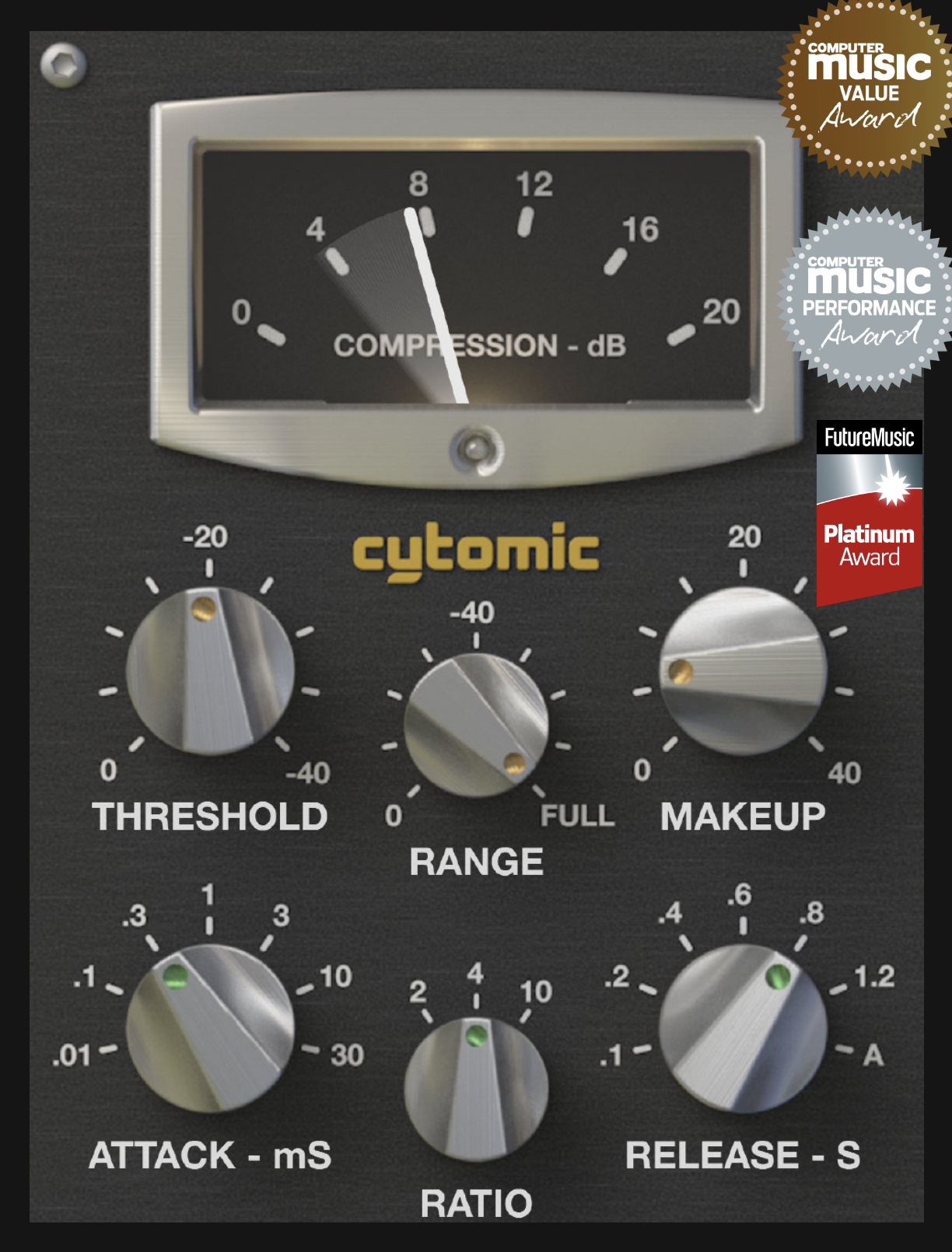
Cytomic The Glue – Analog Modeled Compressor Plugin
At Podfest last week Bryan Entzminger told me about this plugin – Cytomic The Glue (basically modeled off the classic SSL Buss Compressor). When asked for comment he said, “I like to set it to CRAZZZZY. Super fast attack. Very fast release, 4:1 ratio, and targeting 2-3 dB of compression. Pretty much the only things I tweak are the threshold (obviously), the makeup gain (sometimes) and maybe the high pass filter if the intro/outro music has heavy bass information that’s over-triggering the compressor.”
It retails for $99 but of course you can always try before you buy 😉
I haven’t tried Cytomic The Glue yet, but I will, at some point.
Want to receive the Daily Goody in your email, daily or weekly? Subscribe free here.
And please keep in mind, the Daily Goody is only a tiny little tip, fact or lesson everyday. Please don’t expect any of these posts to be long, earth-shattering masterpieces that instantly answer every single question you can think of and completely transform you into a world class podcast engineer. “Little by little, a little becomes a lot.”
-
Apps and Plugins I Mentioned in My Talk at Podfest 2022 on “Compression and Normalization”
Below are links to various apps and plugins I discussed in my presentation on Compression and Normalization at Podfest Expo 2022.
NOTE: Four handy posts if you need them: What is Compression?, Introduction to Compressor Controls, What Are Audio Plugins? and Introduction to Plugin Chains
Plugins and apps in the order I mentioned them:
- Auphonic
- Auphonic Multitrack
- iZotope RX (also its Loudness Control module)
- Adobe Audition
- Hindenburg Journalist Pro
- Introduction to Compressor Controls
- CLA-2A (compressor plugin from Waves)
- Scheps Omni Channel (channel strip plugin from Waves)
- MaxxVolume (dynamics plugin from Waves)
- Vocal Rider (dynamics plugin from Waves)
- Pro-L 2 (limiter plugin from Fabfilter)
- Introduction to Plugin Chains
- Sign up for Daily Goody emails (a tiny little tip, fact or lesson 3x per week on podcast production)
- Info on the next semester of Podcast Engineering School
*Also, you’re welcome to check out this page which lists MANY more plugins and apps: Podcast Audio Plugins – The Big List
If you have any questions contact me HERE 🙂
Sound great!
Want to receive the Daily Goody in your email, daily or weekly? Subscribe free here.
-
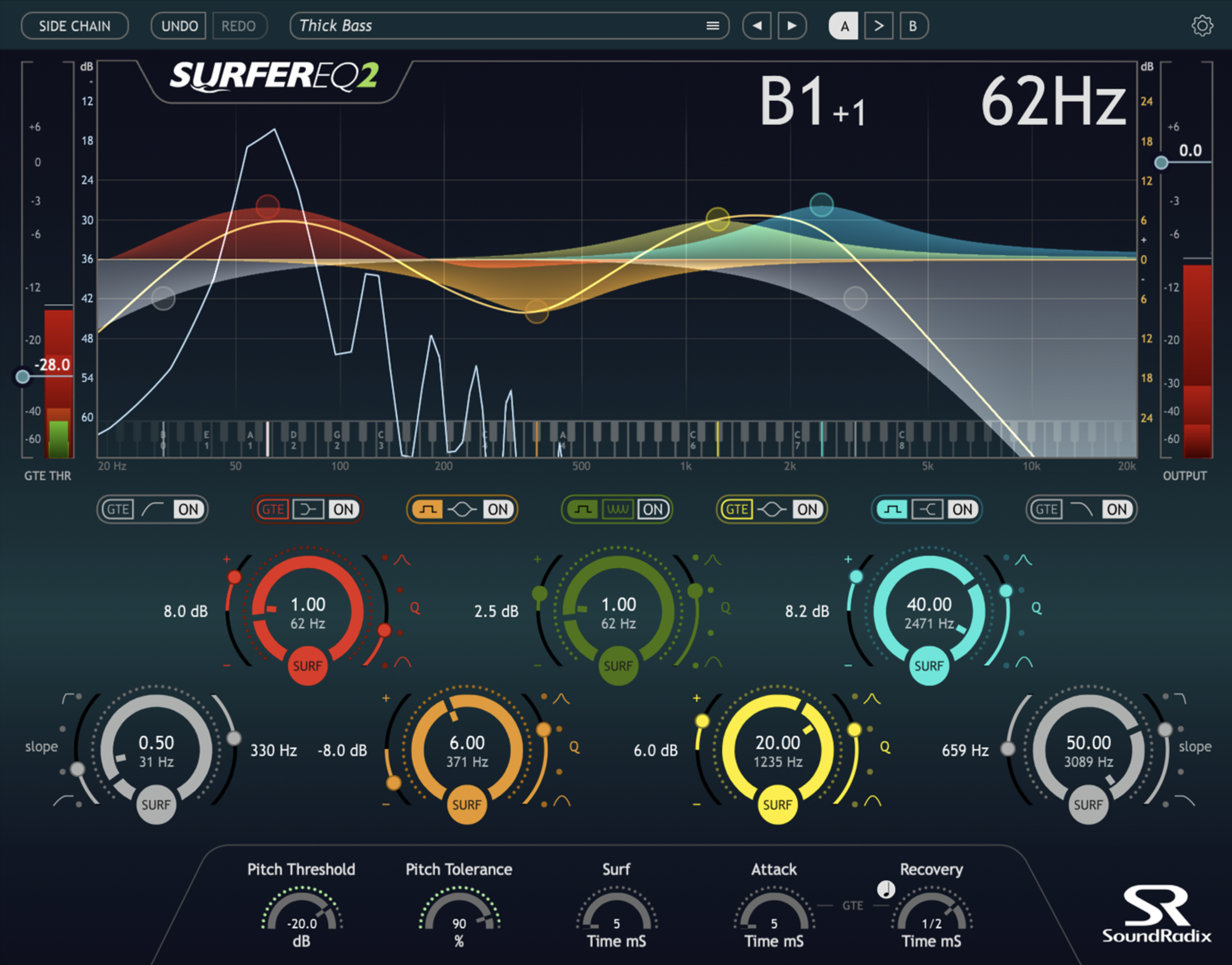
SurferEQ: Pitch-tracking Equalizer Plugin
The SurferEQ plugin has been around for 6+ years but I only just recently discovered it for myself. It looks awesome and I plan on trying it (via their 14 day free trial) very soon. Have you tried it?
SURFEREQ follows the pitch of a monophonic instrument or vocal in real-time and can adjust any of its bands accordingly, thus “Surfing” the sound waves.
Here’s a good overview video of the plugin:
Want to receive the Daily Goody in your email, daily or weekly? Subscribe free here.
And please keep in mind, the Daily Goody is only a tiny little tip, fact or lesson everyday. Please don’t expect any of these posts to be long, earth-shattering masterpieces that instantly answer every single question you can think of and completely transform you into a world class podcast engineer. “Little by little, a little becomes a lot.”
-
Introduction to Plugin Chains
If you’re not sure what plugins are: What Are Audio Plugins? (Audio Processing)
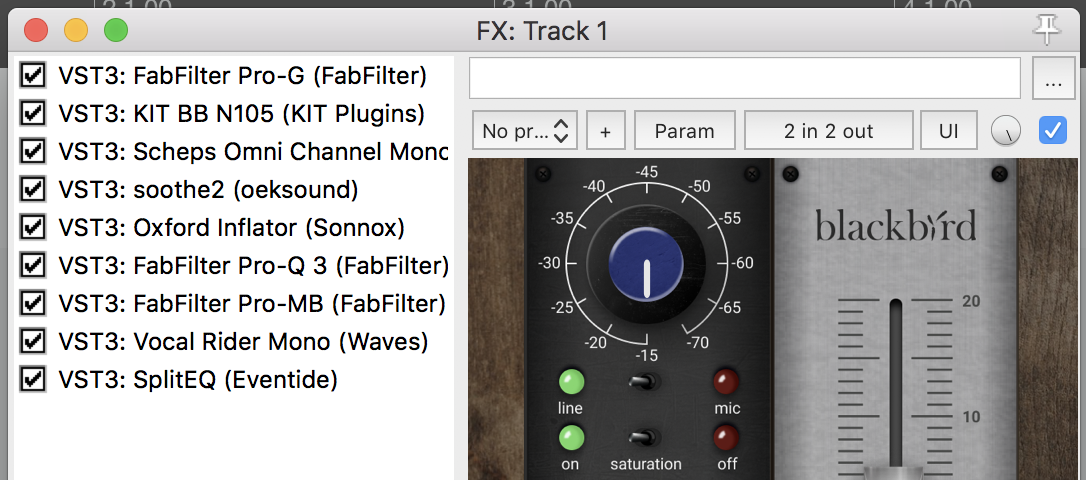
A plugin chain is a series of audio plugins that your audio flows through.
Most times when you’re producing audio you’re going to want to process the audio using several processors which typically include compressors, EQ, expanders, de-essers, etc.
In your DAW you can add multiple plugins to individual channels and order the plugins as you please.
You can also save these plugin chains so that next episode you can apply the same exact plugin chain with all the same exact settings dialed in 😉
Do you save and re-use plugin chains?
Want to receive the Daily Goody in your email, daily or weekly? Subscribe free here.
And please keep in mind, the Daily Goody is only a tiny little tip, fact or lesson everyday. Please don’t expect any of these posts to be long, earth-shattering masterpieces that instantly answer every single question you can think of and completely transform you into a world class podcast engineer. “Little by little, a little becomes a lot.”
-
What Are Audio Plugins? (Audio Processing)
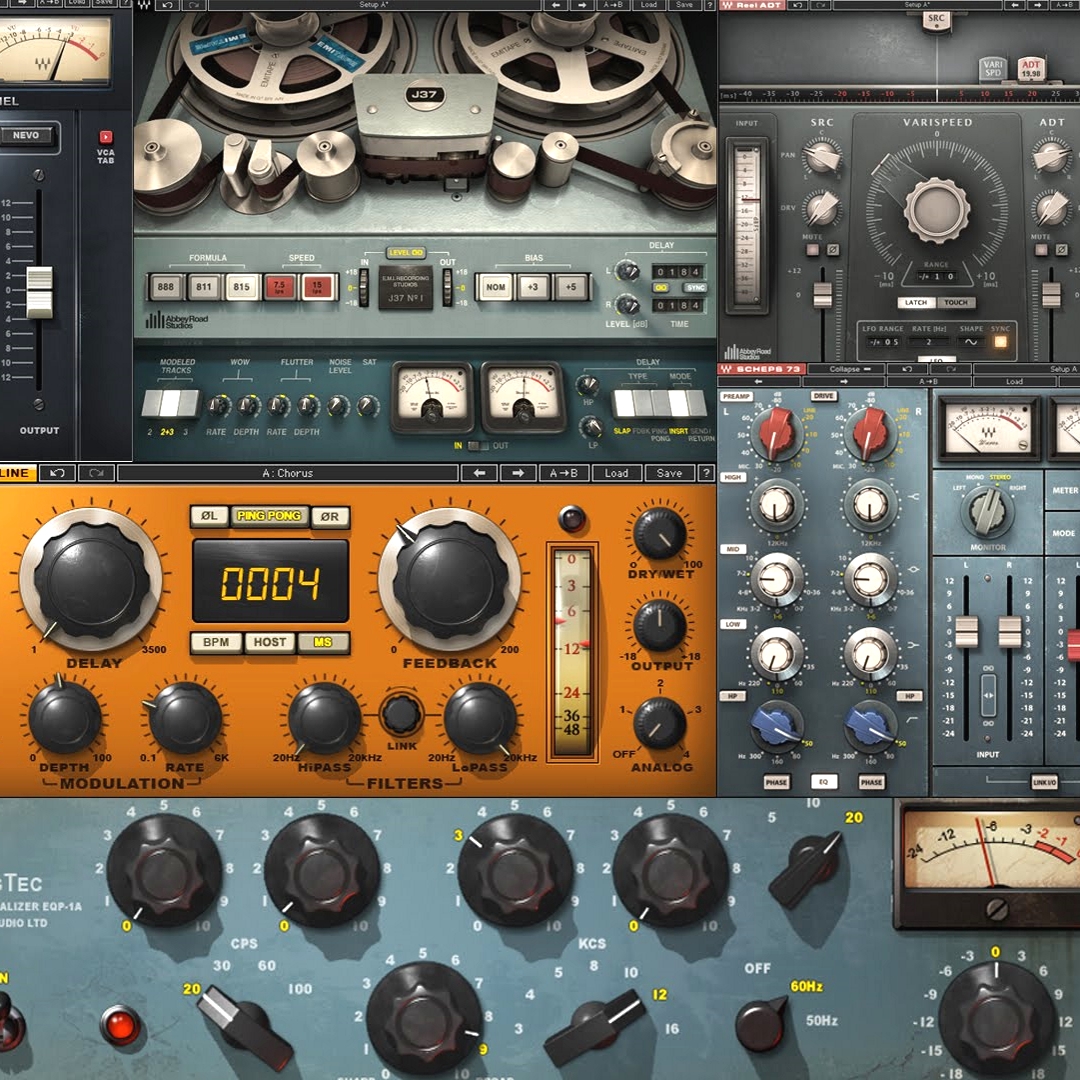
Audio plugins are small self-contained audio processors which you can use inside your audio software.
Most DAWs have built-in audio processors. In addition, 3rd party plugins can be purchased, installed and used within most DAWs.
The fundamental types of audio plugins for podcast production include compressors, limiters, EQs, channel strips, expanders, gates, de-essers, saturation, reverb, delays and other effects.
There are also other types of plugins including diagnostic tools, virtual instruments, sound synthesis and others.
RESOURCE: Here’s a big list of plugins that I use and recommend: Podcast Audio Plugins – The Big List
Want to receive the Daily Goody in your email, daily or weekly? Subscribe free here.
And please keep in mind, the Daily Goody is only a tiny little tip, fact or lesson everyday. Please don’t expect any of these posts to be long, earth-shattering masterpieces that instantly answer every single question you can think of and completely transform you into a world class podcast engineer. “Little by little, a little becomes a lot.”
-
Introduction to Compressor Controls
If you’re not sure what compression is: What is Compression? (Audio Processing)
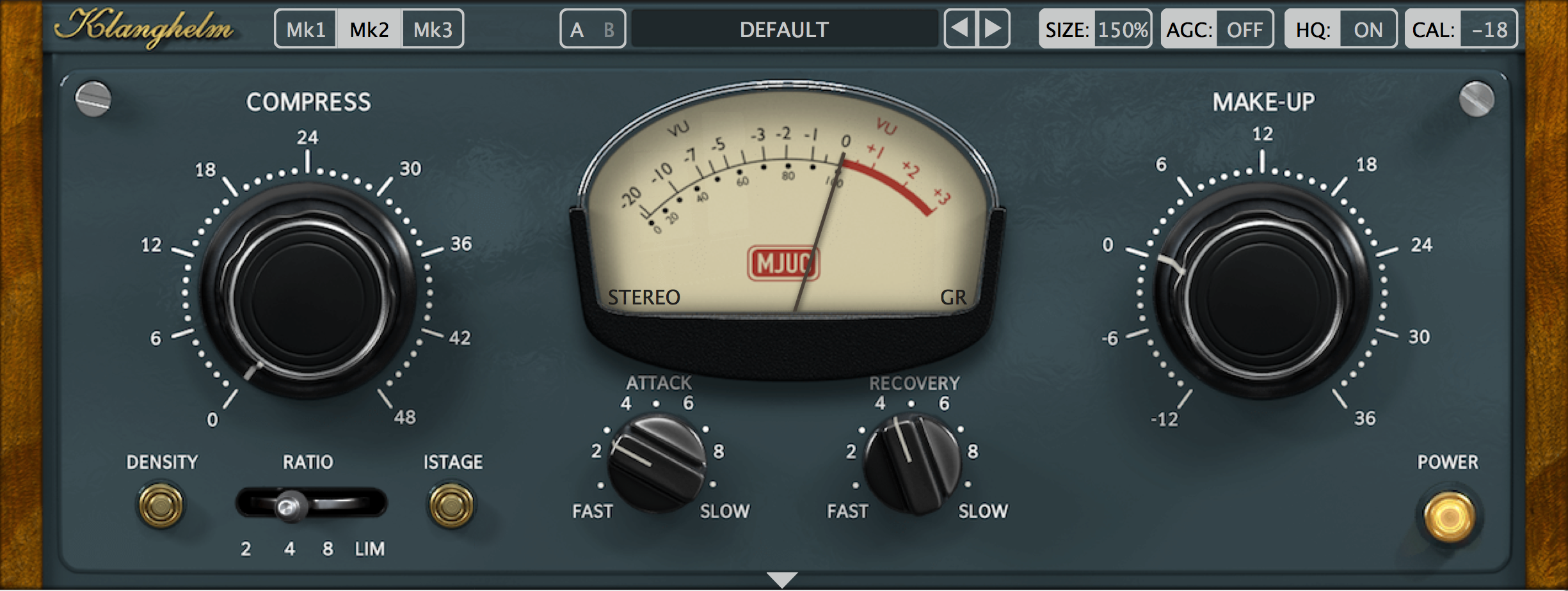
Compressors are audio processors that are vital to producing professional audio and they come in all shapes and sizes with widely varying features and controls. Some compressors have only one adjustable parameter (“one-knob compressors”) and others have many adjustable parameters.
Here are the fundamental controls of a compressor: (note, this is not an exhaustive list)
- Threshold – the level at which the compressor engages and disengages.
- Ratio – how aggressively or subtly the audio is compressed when it’s above the threshold.
- Attack – how quickly the compressor engages after the level goes above the threshold.
- Release – how quickly the compressor disengages after the level goes back below the threshold.
- Mix – the blend of the compressed signal with the original (uncompressed) signal.
- Sidechain – an external audio source that triggers the compressor to engage.
- Gain reduction meter – this is not a parameter but an ultra-handy meter so you can see how much compression is actually happening at any moment.
Experimenting with these controls yourself will give you lots more insight into each of these fundamental parameters of compressors. Spend 30 minutes twisting knobs and practicing – I dare you!
Sound great!
Want to receive the Daily Goody in your email, daily or weekly? Subscribe free here.
And please keep in mind, the Daily Goody is only a tiny little tip, fact or lesson everyday. Please don’t expect any of these posts to be long, earth-shattering masterpieces that instantly answer every single question you can think of and completely transform you into a world class podcast engineer. “Little by little, a little becomes a lot.”
-
What is Compression? (Audio Processing)
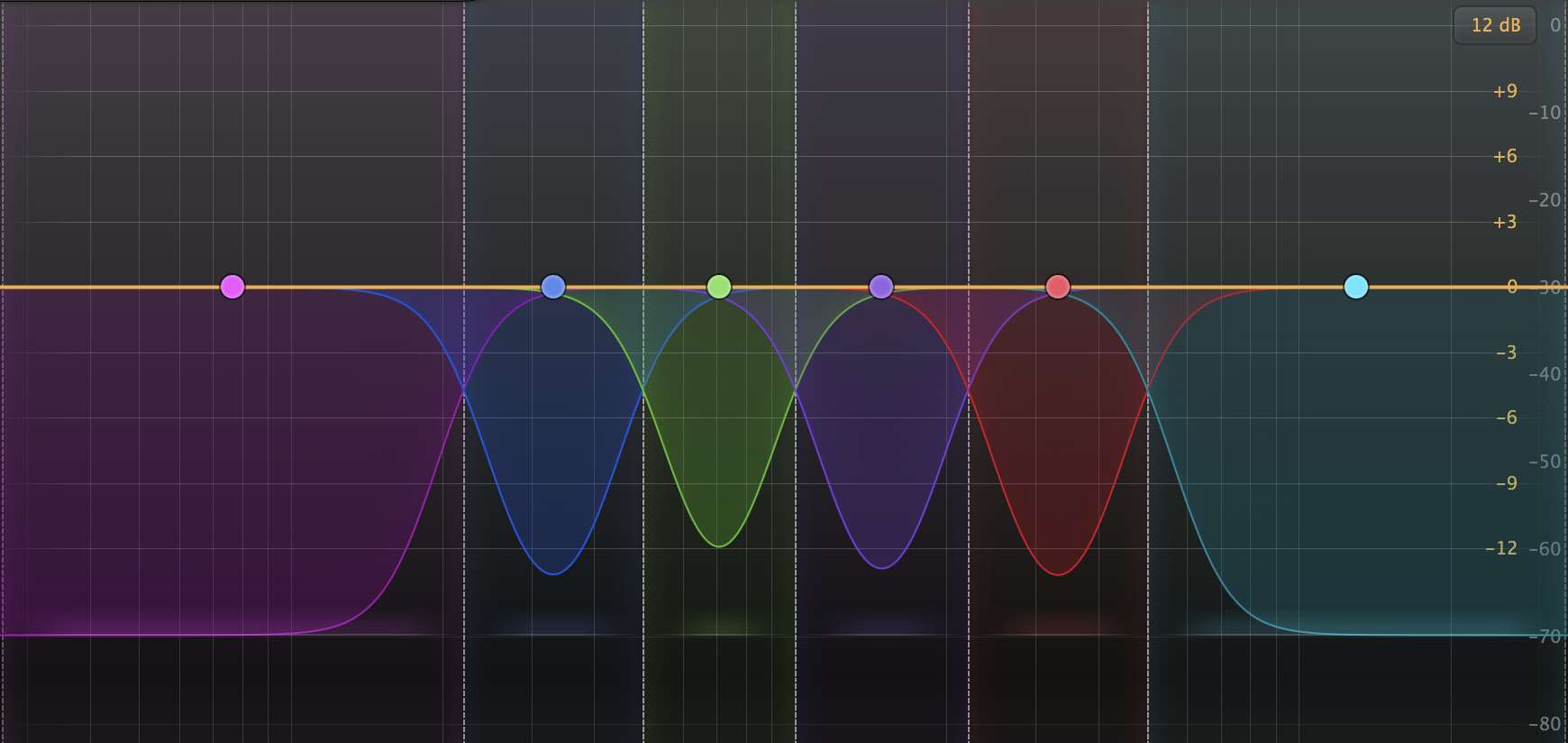
When producing audio it’s almost always necessary to use some type of audio compression.
The process of Compression reduces the dynamic range of audio. Dynamic range is the difference in loudness between the quietest parts of the audio signal and the loudest parts of the audio signal. Meaning, it’s the difference in loudness between a podcast participant mumbling quietly under their breath and then screaming or laughing really loud.
Raw recordings with no compression applied are usually much too dynamic and deliver a horrible listening experience; listeners are forced to “ride the volume knob” which means to manually turn down loud parts and manually turn up quiet parts. NOTE: Listeners will do this for about 30 seconds before turning off that podcast and never listening again.
Want to receive the Daily Goody in your email, daily or weekly? Subscribe free here.
And please keep in mind, the Daily Goody is only a tiny little tip, fact or lesson everyday. Please don’t expect any of these posts to be long, earth-shattering masterpieces that instantly answer every single question you can think of and completely transform you into a world class podcast engineer. “Little by little, a little becomes a lot.”
-
Independent Podcast Editors and Producers: Are You Profiting Enough?
Bringing in revenue is one thing, but being profitable is another. And it’s possible to have lots of clients and NOT be profitable!
Profit equals income minus expenses, and expenses include monetary expenses as well as your time expenditure.
Are you profiting enough?
To answer that question compare your revenue, expenses and time spent working to figure out your profit — then determine if the time you’re spending is worth the profit you’re achieving.
Seriously, sit down and figure it out for yourself. The clarity you gain will be priceless.
Resource: I go into way more detail on this subject in the Getting New Clients at Higher Rates course.
Want to receive the Daily Goody in your email, daily or weekly? Subscribe free here.
And please keep in mind, the Daily Goody is only a tiny little tip, fact or lesson everyday. Please don’t expect any of these posts to be long, earth-shattering masterpieces that instantly answer every single question you can think of and completely transform you into a world class podcast engineer. “Little by little, a little becomes a lot.”
-
Are Your Podcast Episodes Loud Enough?
Before publishing, how do you make sure that the loudness level of your podcast episodes are at or near the industry standards? (-19 LUFS for mono episodes, and -16 LUFS for stereo episodes)
- I use iZotope RX‘s Loudness Module to precisely set the final loudness level.
- Many people use Auphonic.
- Others try to look at the meter in their DAW to guesstimate the LUFS level. (not recommended)
- Some DAWs allow you to set the LUFS level when exporting. (Hindenburg Journalist Pro and others)
- Adobe Audition allows you to Match Loudness to your desired LUFS level.
- I’m sure there are many other ways.
How do you accomplish this important task?
Want to receive the Daily Goody in your email, daily or weekly? Subscribe free here.
And please keep in mind, the Daily Goody is only a tiny little tip, fact or lesson everyday. Please don’t expect any of these posts to be long, earth-shattering masterpieces that instantly answer every single question you can think of and completely transform you into a world class podcast engineer. “Little by little, a little becomes a lot.”
-
Podcast Editing: A Chore or Labor of Love?
Or both?
If you do edit your own podcast (some podcasters don’t edit at all) — is editing a painful experience for you, or do you enjoy doing a great job editing for the benefit of your listeners?
Personally, for my own show, I do minimal editing because I can’t stand podcasts that are over-edited, sterilized and devoid of all humanity. However, knowing this in advance, I try to perform my episodes as best I can with as few mistakes as possible when recording — and when you get in the habit of recording this way, you’d be shocked at how much you improve as a host!
Of course, if you edit podcasts for clients you better enjoy editing at least a little bit 😉
What do you dislike most about editing? Comment below!
Want to receive the Daily Goody in your email, daily or weekly? Subscribe free here.
And please keep in mind, the Daily Goody is only a tiny little tip, fact or lesson everyday. Please don’t expect any of these posts to be long, earth-shattering masterpieces that instantly answer every single question you can think of and completely transform you into a world class podcast engineer. “Little by little, a little becomes a lot.”
-
Can Some Particular Microphones Exacerbate Sibilance?
Yes, some microphones accentuate the frequency spectrum in the sibilance range (typically from around 5 kHz up to around 9kHz). Therefore, whatever natural sibilance a person’s voice has will be accentuated by these microphones.
Keep in mind that in all cases, two factors greatly affect the quality of the sound of a podcast participant: The unique audio characteristics of the person’s voice COMBINED WITH the unique audio characteristics of the particular microphone they’re speaking into. This is what makes it virtually impossible to recommend a specific microphone that will sound good on everyone’s voice.
Want to receive the Daily Goody in your email, daily or weekly? Subscribe free here.
And please keep in mind, the Daily Goody is only a tiny little tip, fact or lesson everyday. Please don’t expect any of these posts to be long, earth-shattering masterpieces that instantly answer every single question you can think of and completely transform you into a world class podcast engineer. “Little by little, a little becomes a lot.”
-

Unplugged Kingsize Megaphones in the Pähni Nature Centre by students of the Estonian Academy of Arts
This is pretty cool – check out this article with lots of pics: Unplugged Kingsize Megaphones Help Nature Explorers To Listen To The Forests.
An installation of three gigantic wooden megaphones built by a team of Estonian Academy of Arts interior architecture students will be opened for all forest dwellers for resting, contemplation and above all – listening to the sounds of nature and forests around them.
“Sound is the medicine of the future.” – Edgar Cayce
Want to receive the Daily Goody in your email, daily or weekly? Subscribe free here.
And please keep in mind, the Daily Goody is only a tiny little tip, fact or lesson everyday. Please don’t expect any of these posts to be long, earth-shattering masterpieces that instantly answer every single question you can think of and completely transform you into a world class podcast engineer. “Little by little, a little becomes a lot.”
-
Want To Approach Potential Clients but You Have a Fear of Rejection
The single most helpful book I’ve ever read on the topic of handling rejection is Rejection Proof by Jia Jiang. I love that book so much.
One important truth: The more prepared you are, the more comfortable you will be approaching potential clients.
That’s why in my smaller course called Getting New Clients at Higher Rates I teach all the practical preparation that you should do before going after new clients; topics include income goals, core offerings, market positioning, pricing, practical approaches to potential clients, niche focus (or not) and more.
Do you struggle with fear of rejection?
Want to receive the Daily Goody in your email, daily or weekly? Subscribe free here.
And please keep in mind, the Daily Goody is only a tiny little tip, fact or lesson everyday. Please don’t expect any of these posts to be long, earth-shattering masterpieces that instantly answer every single question you can think of and completely transform you into a world class podcast engineer. “Little by little, a little becomes a lot.”
-
Is It Necessary to Tweak the Sound of Royalty-free/Stock Music Tracks?
When you purchase royalty-free music to use as the introduction music for your podcast show, in almost all cases that music track has already been mastered, which means EQ’d, compressed and set to the standard LUFS loudness level.
Therefore, you may believe that you don’t have to do ANY additional processing to it.
Usually you don’t, but sometimes you do.
Of course you always have to adjust the overall volume of the music (via its channel fader) so that its loudness level is appropriate (not too loud, not too soft) in comparison to the peoples voices, but…
Typically the only processing you might want to apply to an already-mastered stock music track, if necessary, is an EQ to attenuate some high frequencies if the track sounds too bright (overly pronounced high frequencies, which is very common among stock music) or attenuate some low frequencies if there’s too much low end.
*And keep in mind that the only reason to tweak the sound of the music track using an EQ is so that the sound of the music blends in better with the sound of the voices.
Want to receive the Daily Goody in your email, daily or weekly? Subscribe free here.
And please keep in mind, the Daily Goody is only a tiny little tip, fact or lesson everyday. Please don’t expect any of these posts to be long, earth-shattering masterpieces that instantly answer every single question you can think of and completely transform you into a world class podcast engineer. “Little by little, a little becomes a lot.”
-
Upward Compression
Upward compression is explained very well in this Fabfilter video.
Basically, regular compression (“downward compression”) reduced the level of the loud parts, and upward compression raises the level of the lower volume parts.
Both reduce and control the dynamic range of raw audio, which produces a better listening experience listeners.
FabFilter’s Pro-MB does upward compression, and the following plugins do the same or similar type of processing: Waves’ MaxxVolume, MV2 and Vocal Rider, as well as iZotope Neutron 3 and the Oxford Inflator.
Have you ever used upward compression?
Want to receive the Daily Goody in your email, daily or weekly? Subscribe free here.
And please keep in mind, the Daily Goody is only a tiny little tip, fact or lesson everyday. Please don’t expect any of these posts to be long, earth-shattering masterpieces that instantly answer every single question you can think of and completely transform you into a world class podcast engineer. “Little by little, a little becomes a lot.”
-
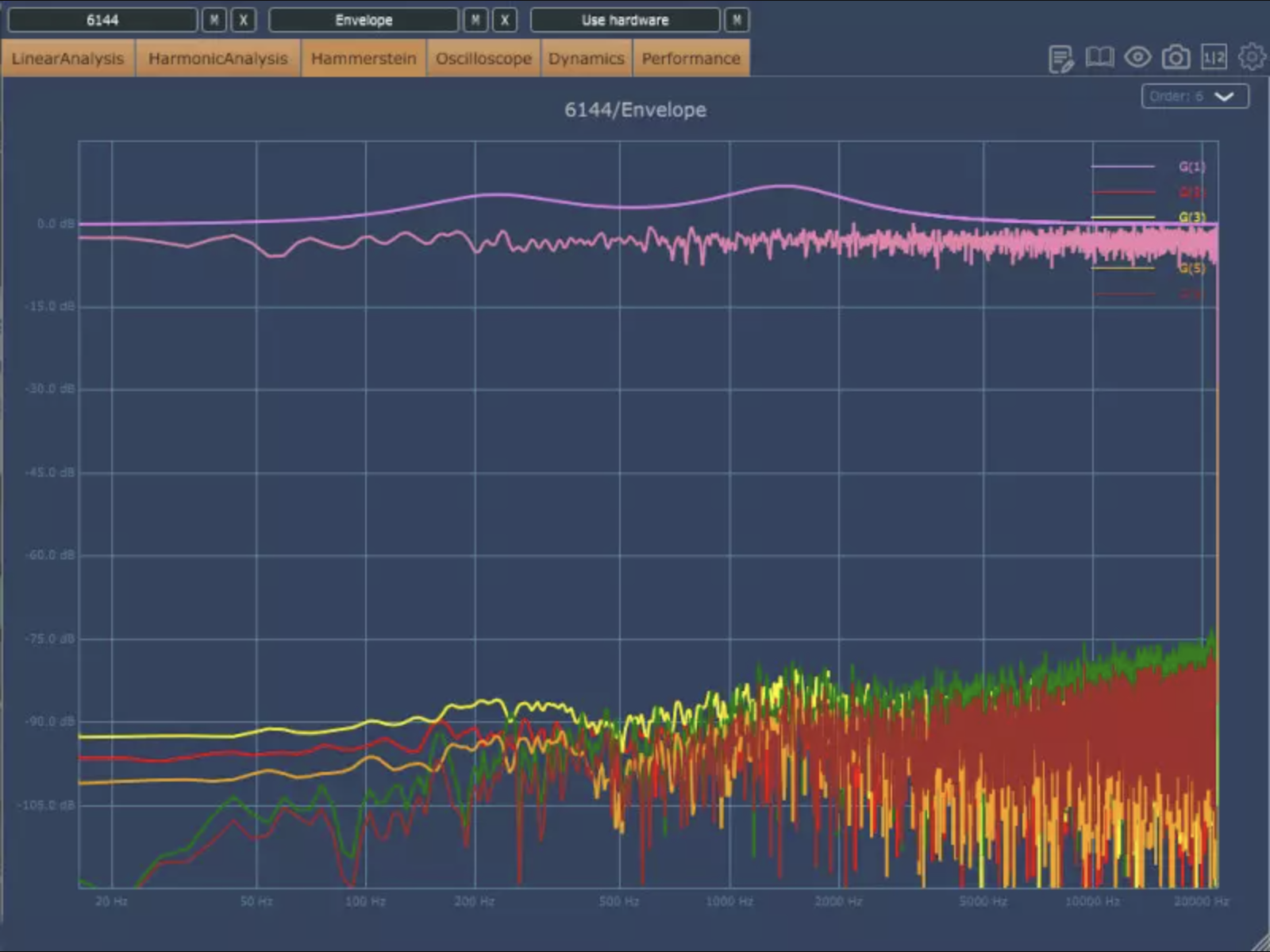
Plugin Doctor, a Plugin Analyzer for VST and AU Plugins
Plugin Doctor is a diagnostic tool, therefor not needed by 99.999% of podcasters. I haven’t used this plugin yet but it has a reputation for being incredibly handy for analyzing exactly how individual plugins are affecting the audio that passes through them.
From their website: Plugindoctor fills a longstanding gap in the market: a cross-platform and cross-bitformat plugin analyzer for VST and AU plugins. Whether you are a plugin developer yourself who wants to thoroughly test the audio quality of your latest and greatest product, or a power user who wants to understand in more detail what exactly a specific plugin is doing to your precious audio material, Plugindoctor will help you find out!
Want to receive the Daily Goody in your email, daily or weekly? Subscribe free here.
And please keep in mind, the Daily Goody is only a tiny little tip, fact or lesson everyday. Please don’t expect any of these posts to be long, earth-shattering masterpieces that instantly answer every single question you can think of and completely transform you into a world class podcast engineer. “Little by little, a little becomes a lot.”
-
I Love This: Morbid Podcast Mixes Their Ads a Bit Lower in Volume
I recently discovered the Morbid podcast and I really like it.
As a podcast producer, one detail of their show caught my ear and made me SO HAPPY —> The ads in their episodes are reduced in volume slightly compared to the main audio!
In many podcasts the ads are actually LOUDER than the hosts voices, which is very annoying and ruins the vibe.
But in Morbid the ads are nicely lower in volume; you can still hear the ad but it’s not nearly as annoying as most podcasts.
Big Thanks to Morbid for taking their listeners into consideration!
Of course there’s always a chance that they’re doing this by accident, but I’ve heard it in 10+ episodes so I’m thinking it must be intentional.
Tell me your thoughts on this below!
Want to receive the Daily Goody in your email, daily or weekly? Subscribe free here.
And please keep in mind, the Daily Goody is only a tiny little tip, fact or lesson everyday. Please don’t expect any of these posts to be long, earth-shattering masterpieces that instantly answer every single question you can think of and completely transform you into a world class podcast engineer. “Little by little, a little becomes a lot.”