Your cart is currently empty!
Author: Chris Curran
-
How Much Would You Like To Earn Producing Podcasts, $25k/year? $50k? $100k?
I can confidently tell you that if you know how to produce professional audio and you talk to enough potential clients, you can definitely build up to earning over $100k per year producing podcasts from home for clients. (full-time, of course)
But maybe you just want to work 5, 10 or 20 hours per week. Cool.
Whatever your plan, to roughly figure out your earning potential, I’d say $75 or $100 or $125 per hour is the kind of rate you could arrange, again, _IF_ you’re a pro at producing audio and talk with enough mid-large companies who have _real_ marketing budgets. NOTE: The figures above are estimates earnings per hour – I don’t advise charging per hour – charging per episode is usually much better for all parties involved.
*If you’re not a pro at producing audio and you WANT to be, check out the Podcast Engineering School’s FULL PROGRAM (next semester starts Jan. 11, 2022 – and the next semester after that will start in April 2022).
Want to receive the Daily Goody in your email, daily or weekly? Subscribe free here.
And please keep in mind, the Daily Goody is only a tiny little tip, fact or lesson everyday. Please don’t expect any of these posts to be long, earth-shattering masterpieces that instantly answer every single question you can think of and completely transform you into a world class podcast engineer. “Little by little, a little becomes a lot.”
-
Putting the Finishing Touch on Your Podcast Audio Before Publishing
Adjusting the overall loudness (LUFS level) of your final episode audio is usually the last step in podcast audio production, just before saving the final MP3 file. But before that, some podcast engineers/producers like to use a bit of compression (usually multiband) to control the dynamics a bit more and increase perceived loudness of the entire episode.
Personally I also sometimes add a bit of saturation in addition to a bit of compression.
What is your last step in your audio production?
Want to receive the Daily Goody in your email, daily or weekly? Subscribe free here.
And please keep in mind, the Daily Goody is only a tiny little tip, fact or lesson everyday. Please don’t expect any of these posts to be long, earth-shattering masterpieces that instantly answer every single question you can think of and completely transform you into a world class podcast engineer. “Little by little, a little becomes a lot.”
-
Do You Feel Hurried or Chill When You Edit Your Podcast?
Personally, I edit swiftly to knock out the work but I definitely don’t rush. I get in a zone and focus intently. I like editing so I definitely stay in a chill mood.
You?
Want to receive the Daily Goody in your email, daily or weekly? Subscribe free here.
And please keep in mind, the Daily Goody is only a tiny little tip, fact or lesson everyday. Please don’t expect any of these posts to be long, earth-shattering masterpieces that instantly answer every single question you can think of and completely transform you into a world class podcast engineer. “Little by little, a little becomes a lot.”
-
One Participant Using a Condenser Mic, the Other Using a Dynamic Mic
One thing to keep in mind when producing the audio of a podcast episode where one participant is using a condenser microphone the other participant is using a dynamic microphone:
Because the condenser microphone sound will probably contain more high frequency information (clarity) than the dynamic microphone, in post-production you may want to roll off some high frequencies of the condenser microphone so that it better matches the sound of the dynamic microphone. Alternatively you could boost the high frequencies of the dynamic microphone to better match the two sounds. Or do a combination of both, of course.
This isn’t alway necessary but it’s definitely something to keep in mind in this particular situation.
Also, sometimes you will not know what microphones were used in an episode, so it’s worth reminding you of some fundamental audio production advice: ALWAYS rely on your ears to mix various sources of audio.
Have often do you EQ voices to better match each other?
Want to receive the Daily Goody in your email, daily or weekly? Subscribe free here.
And please keep in mind, the Daily Goody is only a tiny little tip, fact or lesson everyday. Please don’t expect any of these posts to be long, earth-shattering masterpieces that instantly answer every single question you can think of and completely transform you into a world class podcast engineer. “Little by little, a little becomes a lot.”
-
3 Different Categories of “Noise” to Avoid When Recording Podcasts
1. Noise due to a bad microphone — scratchy, crunchy or distorted sound. This is extremely rare.
2. Background noise from air vents, air conditioners, fans, cars driving by, etc. Avoid this by recording in a quiet environment.
3. Bleed/Echo from other participants contaminating the recording due to a remote participant NOT wearing headphones or earbuds. The bleed/echo happens because their computer speakers’ audio goes directly into their microphone, causing an “echo” for all other participants as well as massive bleed of all other participants on the non-headphone-wearer’s recorded file, which of course is terrible and frankly unusable. Good recording services like Riverside, Squadcast, Zencastr, etc. offer Echo Cancellation for folks who are not using headphones/earbuds and this eliminates the bleed/echo — but this feature can also create a nasty muting/ducking effect when two or more participants speak over each other at the same time, and this is why no one should ever default to relying on this echo cancellation feature — every participant should ALWAYS wear headphones or earbuds, period, unless they literally don’t have any.
May you avoid all these types of noise on your recordings and produce audio that sounds great!!!
Want to receive the Daily Goody in your email, daily or weekly? Subscribe free here.
And please keep in mind, the Daily Goody is only a tiny little tip, fact or lesson everyday. Please don’t expect any of these posts to be long, earth-shattering masterpieces that instantly answer every single question you can think of and completely transform you into a world class podcast engineer. “Little by little, a little becomes a lot.”
-
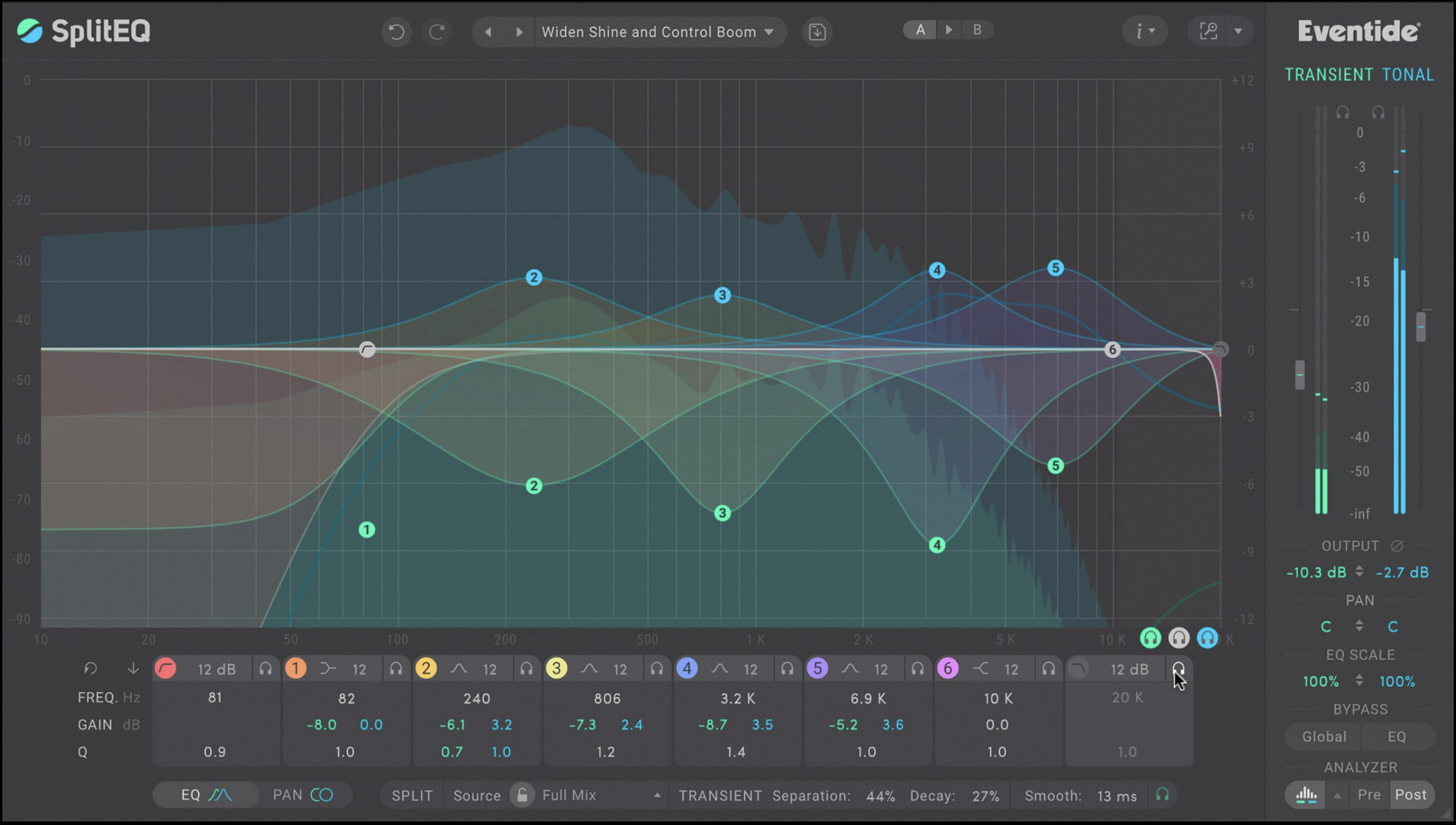
SplitEQ from Eventide
Eventide describes their SplitEQ plugin as “A New Era in Equalization,” which it actually seems to be! It was just released and it’s priced at $179, though it’s on sale now for $99. Find info, pics, videos and audio demonstrations HERE.
Its unique feature: For each EQ band you can separately adjust the Transient information and the Tonal information. By applying EQ and panning to Transient and Tonal separately, you can fix many of the problems normally solved by using complex combinations of EQ, compression, transient designers, de-essers, multi-band compression, spatial processors, or dynamic EQ.
From Eventide’s website:
At first glance, it’s a parametric EQ with 8-bands of precise musical filters. What’s new and different is Eventide’s powerful Structural Split engine which divides the incoming audio into separate Transient and Tonal streams that feed the 8 bands. This approach makes common EQ problems easy to solve—even in a complex mix.
- Want to soften the transients? Use the master Transient Gain slider.
- Remove plosives or de-ess? EQ only the Transient.
- Reduce snare ring? Put a filter on the Tonal mids.
SplitEQ™ is a groundbreaking EQ that offers a fundamentally new approach to corrective and creative audio equalization. It excels at Repairing, Rebalancing, Enhancing, and Widening any musical source or audio signal. SplitEQ is both a surgical tool for fixing particularly nasty problems and a creative tool as it opens up exciting new musical possibilities. More than just an EQ — It’s a new and better tool.
FYI, you can try this plugin for free.
I’ll let you know my thoughts about it after I’ve used it a bit.
Want to receive the Daily Goody in your email, daily or weekly? Subscribe free here.
And please keep in mind, the Daily Goody is only a tiny little tip, fact or lesson everyday. Please don’t expect any of these posts to be long, earth-shattering masterpieces that instantly answer every single question you can think of and completely transform you into a world class podcast engineer. “Little by little, a little becomes a lot.”
-
Background Noise Is Exacerbated by Compression
Using compression in post-production helps voices maintain a more consistent volume, but background noise is exacerbated and made louder by using compression.
…which is why you ALWAYS want to record podcast hosts and guests with the LEAST amount of background noise possible! This includes everything – fans, air conditioners, air vents, outdoor noise, family members in the next room, chair squeaks, desk thumps, etc.
How careful are you with regards to minimizing background noise?
Want to receive the Daily Goody in your email, daily or weekly? Subscribe free here.
And please keep in mind, the Daily Goody is only a tiny little tip, fact or lesson everyday. Please don’t expect any of these posts to be long, earth-shattering masterpieces that instantly answer every single question you can think of and completely transform you into a world class podcast engineer. “Little by little, a little becomes a lot.”
-

AKG K 240 MK II Stereo Studio Headphones
I’ve been using K240’s (not exclusively) since the beginning of my studio days in the early 90s.
They’ve always been really good quality and cost less than $100!
Good, solid headphones:
- Over-ear design for comfort during long work sessions
- Semi-open technology for solid bass and airy highs
- Patented Varimotion 30 mm XXL transducer for accurate signal transfer and great dynamic range
- Self-adjusting headband for optimum fit (*though some people don’t find them tight enough)
Have you ever tried these?
Want to receive the Daily Goody in your email, daily or weekly? Subscribe free here.
And please keep in mind, the Daily Goody is only a tiny little tip, fact or lesson everyday. Please don’t expect any of these posts to be long, earth-shattering masterpieces that instantly answer every single question you can think of and completely transform you into a world class podcast engineer. “Little by little, a little becomes a lot.”
-
Name One Song That Sounds Amazing/Perfect to You
Some songs are produced with such amazing sound that the song seems to transform into something MORE than just a song! Pure transcendence, you might say.
What is one song that sounds amazing to you? …or 2 or 3 songs 😉 hehe
Comment below.
I’ll give you one of mine — Pneuma by Tool.
Want to receive the Daily Goody in your email, daily or weekly? Subscribe free here.
And please keep in mind, the Daily Goody is only a tiny little tip, fact or lesson everyday. Please don’t expect any of these posts to be long, earth-shattering masterpieces that instantly answer every single question you can think of and completely transform you into a world class podcast engineer. “Little by little, a little becomes a lot.”
-
Musicians Can Fund Their Music Careers by Earning $50-150 Per Hour Producing Podcasts From Home
Earning over $100,000 per year is possible when producing podcasts from home. But you have to be a podcast audio professional and you have to find clients who can pay you what you’re worth — BOTH are possible!
Musicians may want to learn how to produce podcasts professionally and earn great money working part-time from home which will give them plenty of free time to focus on their music creation.
The clients ARE out there. High income levels ARE possible, IF someone is willing to become a true professional 😉
What are your thoughts?
Want to receive the Daily Goody in your email, daily or weekly? Subscribe free here.
And please keep in mind, the Daily Goody is only a tiny little tip, fact or lesson everyday. Please don’t expect any of these posts to be long, earth-shattering masterpieces that instantly answer every single question you can think of and completely transform you into a world class podcast engineer. “Little by little, a little becomes a lot.”
-
What is Mastering in Podcast Production?
Mastering, in general, is the final step of audio production in music, movies, podcasting, videos, etc.
In podcasting, the main role of mastering is to set the final audio level of the episode to -19 LUFS (if mono) or -16 LUFS (if stereo).
In addition to LUFS leveling, “crazy” people like me and many other accomplished podcast engineers take the opportunity in the mastering step to make additional tweaks to the audio using processors like EQ, compression, limiting, saturation, exciters, filtering and/or whatever else will make the episode sound even better.
What does your mastering step consist of? Comment below 😉
And if you’re interested, check out The History of Mastering.
Want to receive the Daily Goody in your email, daily or weekly? Subscribe free here.
And please keep in mind, the Daily Goody is only a tiny little tip, fact or lesson everyday. Please don’t expect any of these posts to be long, earth-shattering masterpieces that instantly answer every single question you can think of and completely transform you into a world class podcast engineer. “Little by little, a little becomes a lot.”
-
Using “Room Tone” When Editing Podcasts
Room Tone is the slight background “noise” that is captured by a microphone when the podcast participant(s) is not talking or making any other noise.
It can be handy to capture some of this room tone for the purpose of using it in post-production, if necessary, to elongate spaces between people speaking instead of inserting a 100% muted section of audio (which can sound unnatural and jarring).
Personally I don’t deliberately record any room tone — some people do — but usually in a normal recording session there is at least 1-2 seconds of room tone on each person’s track which I can copy and paste somewhere if I need to.
What’s your approach to room tone? Comment below.
Want to receive the Daily Goody in your email, daily or weekly? Subscribe free here.
And please keep in mind, the Daily Goody is only a tiny little tip, fact or lesson everyday. Please don’t expect any of these posts to be long, earth-shattering masterpieces that instantly answer every single question you can think of and completely transform you into a world class podcast engineer. “Little by little, a little becomes a lot.”
-
Chris’s Goody Bag – PES 227
I overview 9 recent Daily Goody‘s from April 9 through April 28 (see list below). You can sign up to receive Daily Goody’s in your email every day or a weekly roundup. Sign up here.
Note: In this episode I’m using my vintage RE20 microphone and Apollo x4 interface (with API preamp and LA-2A compressor).
Daily Goody posts that I discussed in this episode:
- Instead of Deleting Umms You Could…
- Using a Multiband Compressor on a Track Containing 2+ Participants
- When Your Client Saves Money by Producing Some Episodes Themselves
- A Handy Service: Capitalize My Title
- My Dream Microphone for Recording At Live Events
- Let Your Hardware Breathe
- AMEK EQ 200
- Mailing Microphones to Podcast Guests
- Recording Interviews at an Organizations Annual Conference
Other Notes:
- If you ever have questions please reach out!
- The start date for the next PES semester is January 11, 2021
- If you’d like to share this show with any of your podcaster friends, feel free to send them a message saying, “Btw, here’s a show about podcast audio production you may find helpful” with this link: https://podcastengineeringschool.com/subscribe/)
Let me know if you have any questions or need any help with anything,
~Chris -
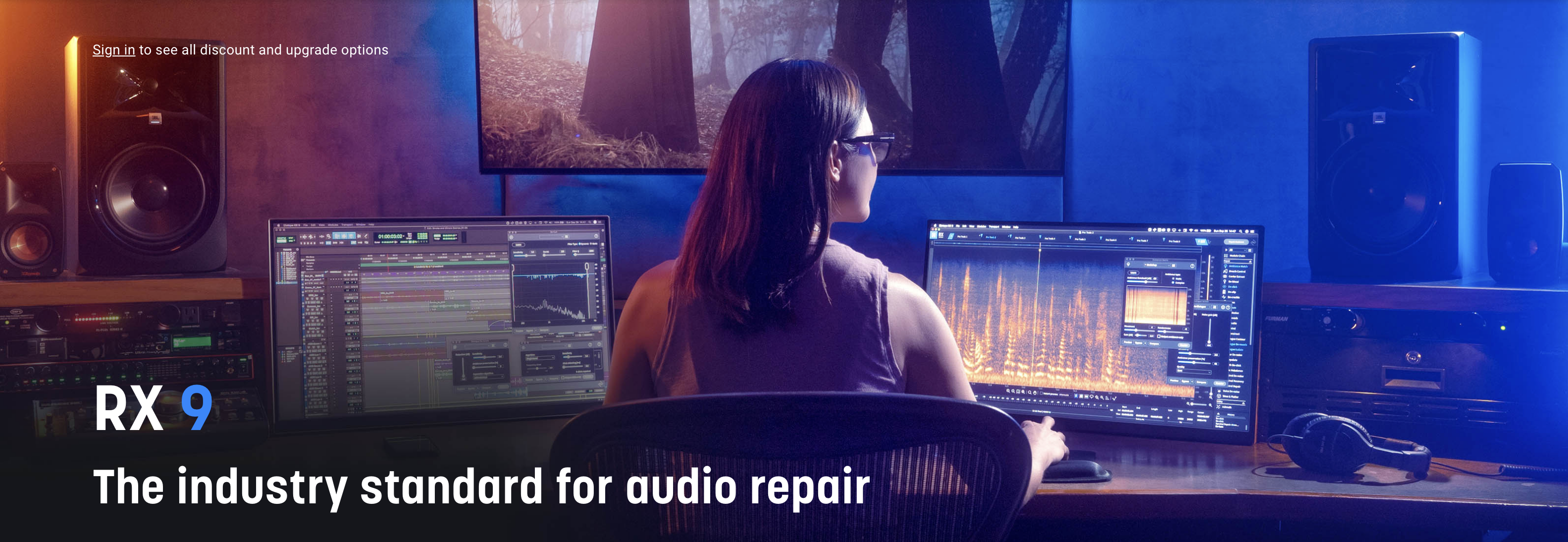
iZotope RX 9
iZotope just released RX 9! RX is arguably the best software for cleaning up bad podcast audio via its 40+ modules, which include these classics: De-click, De-clip, De-hum, De-plosive, De-reverb, Mouth De-click, Voice De-noise. etc.
What’s new in RX 9:
- Improved Dialogue Isolate
- A new Dynamic mode in De-hum
- A new Complex mode in Ambience Match
- Workflow enhancements including Restore Selection, Spectral Editor ARA For Logic Pro, Expandable History Pane.
Regarding upgrading from RX 8 to RX 9, I’m probably not going to upgrade unless I feel the need for one of the new features in RX 9, which I don’t foresee at the moment.
Want to receive the Daily Goody in your email, daily or weekly? Subscribe free here.
And please keep in mind, the Daily Goody is only a tiny little tip, fact or lesson everyday. Please don’t expect any of these posts to be long, earth-shattering masterpieces that instantly answer every single question you can think of and completely transform you into a world class podcast engineer. “Little by little, a little becomes a lot.”
-
Bad Edits Are Terrible – Don’t Make Bad Edits!
When editing a podcast:
- Chopping off part of a word is a bad edit and sounds terrible.
- Removing too much of the natural pause between a question and an answer (or between an answer and the next question) sounds unnatural and feels terrible.
- Unskillfully removing umms can make a conversation’s pacing sound artificial and unnatural.
- Removing “human” parts like laughing, pausing, struggling for a word, etc. can make a conversation sound sterile and lifeless.
- Cutting breaths in half sounds weird and is disruptive.
You get the idea.
What other examples am I forgetting? Comment below, rockstar!
Want to receive the Daily Goody in your email, daily or weekly? Subscribe free here.
And please keep in mind, the Daily Goody is only a tiny little tip, fact or lesson everyday. Please don’t expect any of these posts to be long, earth-shattering masterpieces that instantly answer every single question you can think of and completely transform you into a world class podcast engineer. “Little by little, a little becomes a lot.”
-
Podcast Intro Music: How Loud Should It Be?
It’s quite annoying when the intro music of a podcast is WAY louder than the hosts voice. This makes it difficult to hear the hosts voice clearly.
It’s also quite annoying when the intro music comes in at a very low volume, which prompts listeners to jack up their listening volume, and then when the host starts talking their voice is SO LOUD compared to the music that listeners jump and hurry to turn down their listening volume.
There is a happy medium and it’s the job of the podcast engineer/producer to properly mix the levels of the intro music and the host of the show.
Generally speaking, the music should be loud enough to convey the effect it’s meant to convey, but not too loud where it drowns out the hosts voice.
With a little attention, practice and reflection you can learn how to mix these levels really well and ALL listeners will APPRECIATE it without ever knowing that they’re appreciating it, which is the goal of professional audio production 😉 …and that’s a podcast engineer’s job well done!
Want to receive the Daily Goody in your email, daily or weekly? Subscribe free here.
And please keep in mind, the Daily Goody is only a tiny little tip, fact or lesson everyday. Please don’t expect any of these posts to be long, earth-shattering masterpieces that instantly answer every single question you can think of and completely transform you into a world class podcast engineer. “Little by little, a little becomes a lot.”
-
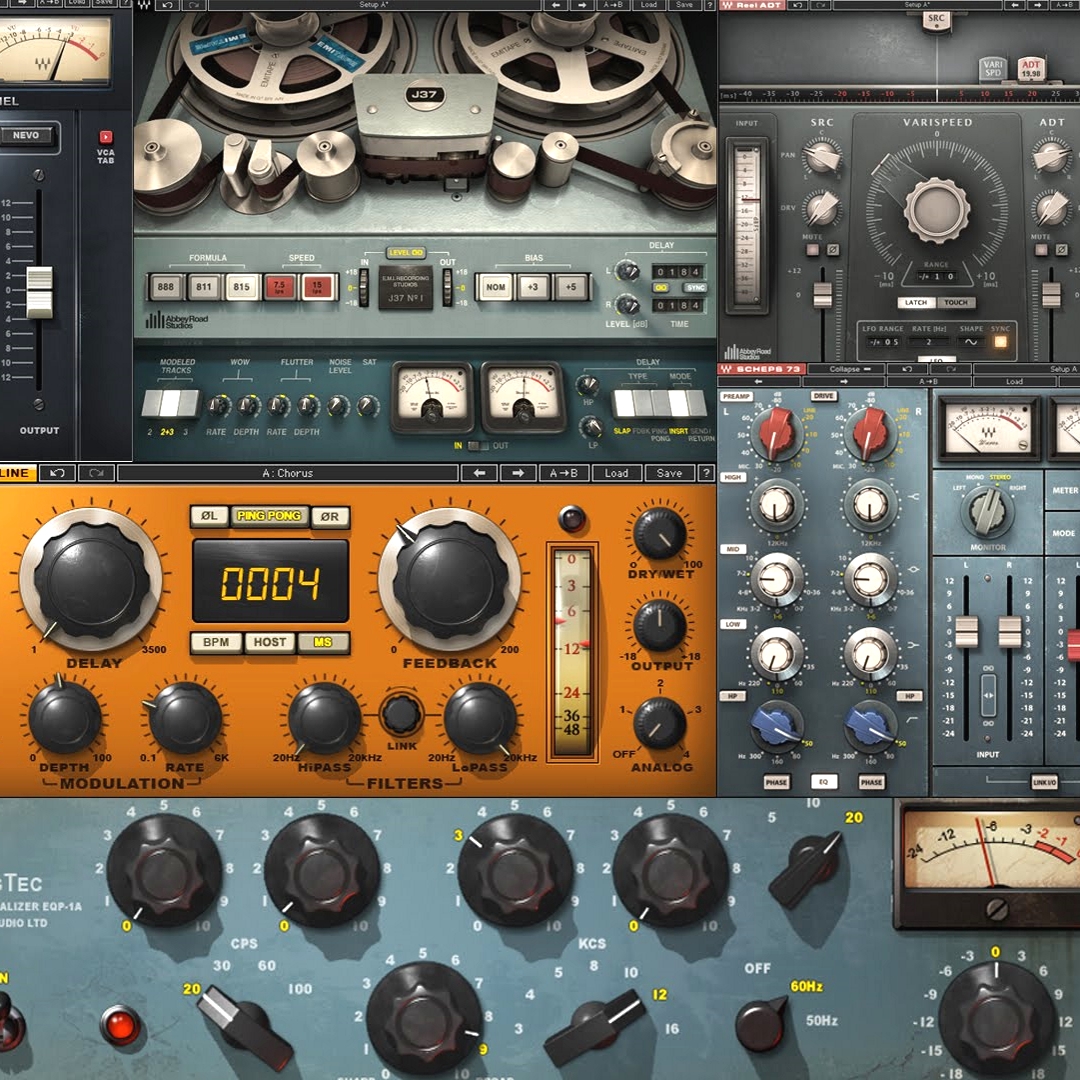
How to Make Decisions Regarding Buying New Plugins
Buying your first 3rd party plugin (EQ, compressor, channel strip, etc) is a momentous occasion. Of course your DAW already has some processors built into it, but most 3rd party plugins are WAY better quality than those — easier to use, better sound, better user interface, etc.
But, for some people, like ME!, once you start buying plugins it’s VERY easy to desire almost every single plugin you see.
The question is: When should you fight this urge to buy another plugin vs going ahead and excitedly buying another plugin?
Factors you may want to consider when deciding on the purchase of a particular plugin:
- Do you have the money to buy the plugin?
- Will you get significant use out of the plugin in question?
- Do you already have a similar plugin that does almost everything that this new plugin will do?
- Are you a plugin-aholic like Chris Curran??
Answering those questions will help you decide.
Also, keep in mind that using new/different plugins will also contribute to your continued learning, continued ear training, and your maturation into a seasoned podcast engineer/editor/etc. who possesses an audio “toolbox” full of top-notch “tools.” Take it from me, I’m a top-notch TOOL! ha
What factors do you take into consideration? Comment below.
Want to receive the Daily Goody in your email, daily or weekly? Subscribe free here.
And please keep in mind, the Daily Goody is only a tiny little tip, fact or lesson everyday. Please don’t expect any of these posts to be long, earth-shattering masterpieces that instantly answer every single question you can think of and completely transform you into a world class podcast engineer. “Little by little, a little becomes a lot.”
-
Being Ready at Least 5-10 Minutes Before Each Recording Session
The Boy Scout motto is: Be Prepared. This applies to every situation in life and it also applies to podcast recording sessions.
When I say be ready at least 5-10 minutes before each session, I mean be COMPLETELY ready to go, now, right now.
One of the worst things you can do is show up late, unprepared, and then make everyone else wait while you set up equipment, change various settings, turn off your phone, and get some water, etc.
It shows respect to everyone else involved when you are PREPARED.
It’s not difficult, either. And it will eliminate all those anxious feelings you feel when you show up last minute unprepared. That peace of mind alone is priceless 😉
Do you have this habit?
Want to receive the Daily Goody in your email, daily or weekly? Subscribe free here.
And please keep in mind, the Daily Goody is only a tiny little tip, fact or lesson everyday. Please don’t expect any of these posts to be long, earth-shattering masterpieces that instantly answer every single question you can think of and completely transform you into a world class podcast engineer. “Little by little, a little becomes a lot.”
-
Remote Recording Using WiFi vs Ethernet Cable
For convenience most people connect their computer to the internet using a WiFi connection. When it comes to recording good quality audio over the internet, a weak and/or unstable WiFi connection can potentially cause issues like dropouts, disconnections and synchronization drift. If the WiFi connection is strong there shouldn’t be any of these issues.
A much faster and more stable connection method is to “hardwire” a computer to the internet using an ethernet cable connected to a modem or router. The resulting data throughput is much faster and smoother that using WiFi, which means there’s almost no chance of experiencing dropouts, disconnections or drift.
I especially recommend being hardwired for podcast engineers/producers who are recording their clients’ sessions online using Riverside, Squadcast or Zencastr, etc.
What’s your connection method and does it suffice?
Want to receive the Daily Goody in your email, daily or weekly? Subscribe free here.
And please keep in mind, the Daily Goody is only a tiny little tip, fact or lesson everyday. Please don’t expect any of these posts to be long, earth-shattering masterpieces that instantly answer every single question you can think of and completely transform you into a world class podcast engineer. “Little by little, a little becomes a lot.”