Your cart is currently empty!
Author: Chris Curran
-
Should You Ask Remote Guests to Record Their Own Audio Locally?
There ARE recording services (see below) that make this question obsolete, but first…
In a way, there are two types of podcast guests and different ways to handle each one:
1. The guest who hosts his/her own podcast show. If a guest happens to host his/her own podcast, and therefor already has a decent microphone and the ability to record themselves locally, it’s usually not an inconvenience to ask them to record themselves locally and send you the file later (via Dropbox, etc.). I do this.
2. The average person who never records audio on their computer. 99% of non-podcasters do not know how to record themselves locally, and if you try to walk them through downloading and installing software, etc., you will spend lots of time feeling incredibly frustrated. I never do this.
*Thankfully there are services like Squadcast, Zencastr and Riverside – they record each of your guests locally on their computer without them knowing it! After the recording session you download everyone’s individual file. In terms of audio quality, this is by far the best way to connect and record remote guests.
Do you have any thoughts to continue this conversation in the comments below?
Want to receive the Daily Goody in your email, daily or weekly? Subscribe free here.
And please keep in mind, the Daily Goody is only a tiny little tip, fact or lesson everyday. Please don’t expect any of these posts to be long, earth-shattering masterpieces that instantly answer every single question you can think of and completely transform you into a world class podcast engineer. “Little by little, a little becomes a lot.”
-
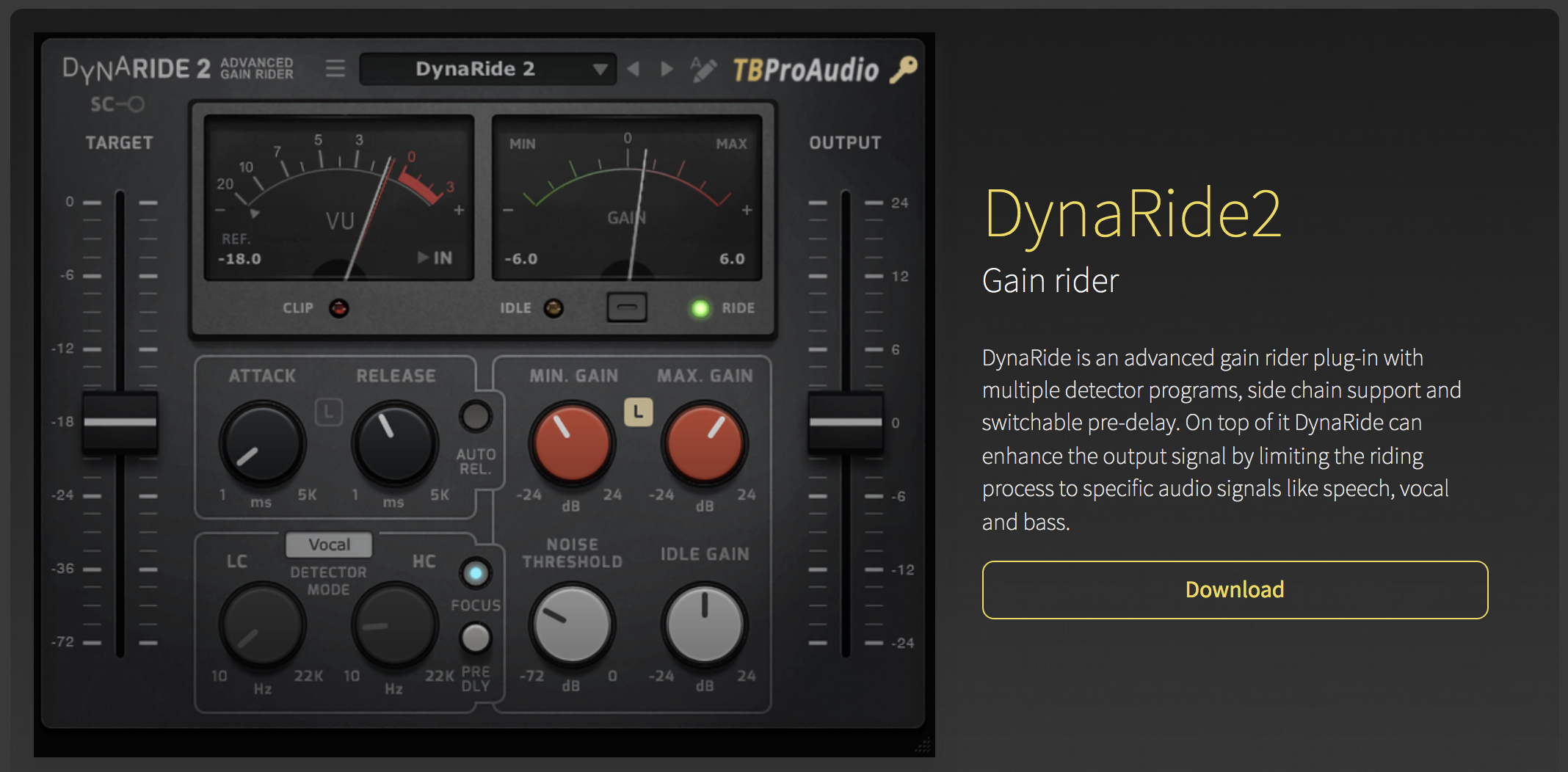
Gain Rider Plugin: DynaRide2
I have not tried this DynaRide2 plugin yet but it processes audio similarly to the popular Vocal Rider plugin from Waves, but of course it has different features.
These types of volume-riding plugins are great for podcast production because they can bring down the loud parts and bring up the low parts which creates a vastly superior listening experience for listeners.
Have you tried this plugin yet?
Want to receive the Daily Goody in your email, daily or weekly? Subscribe free here.
And please keep in mind, the Daily Goody is only a tiny little tip, fact or lesson everyday. Please don’t expect any of these posts to be long, earth-shattering masterpieces that instantly answer every single question you can think of and completely transform you into a world class podcast engineer. “Little by little, a little becomes a lot.”
-
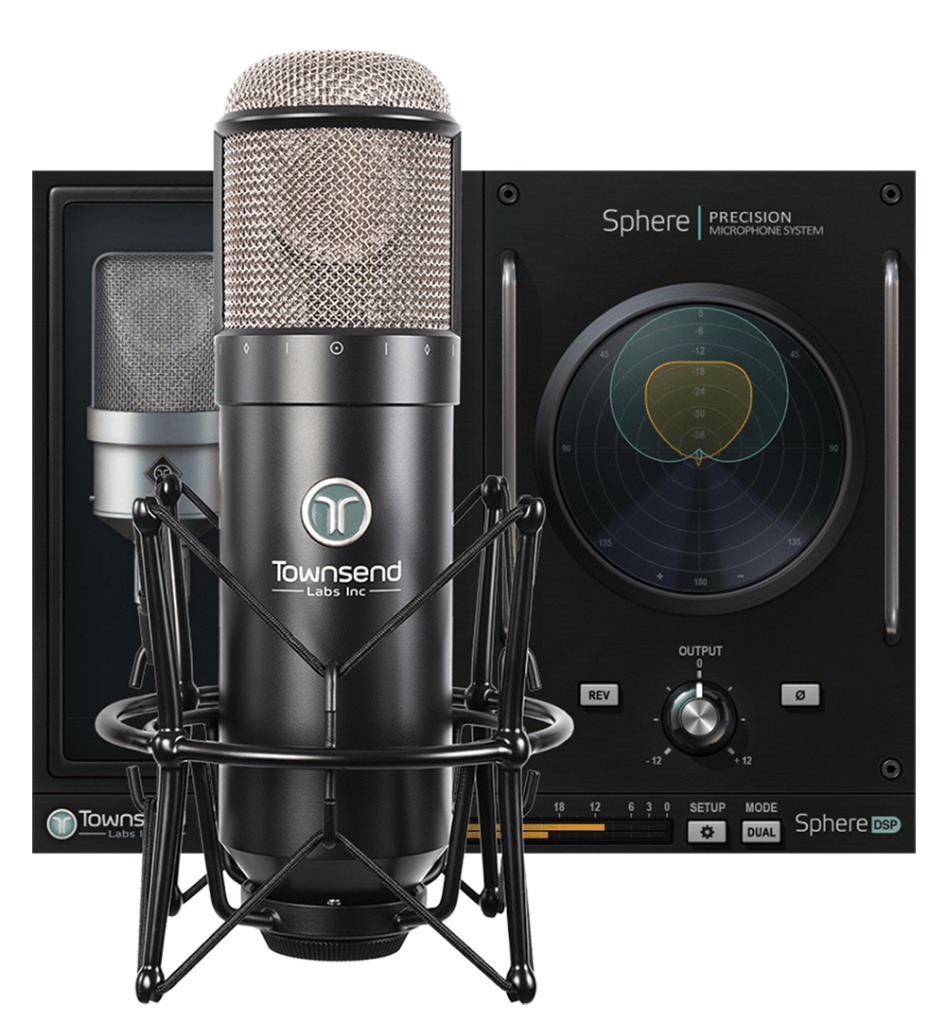
Best Sounding Microphone Emulation *For My Voice* Using My Sphere L22 Microphone
The Sphere L22 Microphone comes with many different emulations of classic microphones to choose from (The Townsend Labs Sphere Collection), and you can even change between emulation profiles AFTER RECORDING THE AUDIO! Very cool.
Recently I sound-checked my voice on every single emulation they offer to determine which one was most suitable for my own voice.
Quick Note: When you purchase the microphone you get a bunch of emulations along with it (The Townsend Labs Sphere Collection). There are two additional emulation collections which are available from Universal Audio — The Ocean Way Microphone Collection, and The Bill Putnam Mic Collection.
For my test I tried all the emulations from all three collections.
RESULTS?? *For my voice* the overall winner was the “LD-414 NYLON” emulation in the Townsend Labs Sphere Collection (which comes with the mic). Runners up were the “OW-12 #2” from the Ocean Way Collection and the BP-251E from the Bill Putnam Mic Collection.
I’ll be demonstrating the sound of these three emulations on an upcoming episode of my Podcast Engineering Show. Stay tuned.
And FYI, I was kind of expecting one of the U47 emulations to sound the best on me, but as we all know — sounding great it’s not about the mic itself, it’s about the unique marriage between the microphone and the person’s unique voice. Finding the combo that sounds best is truly a boon.
Want to receive the Daily Goody in your email, daily or weekly? Subscribe free here.
And please keep in mind, the Daily Goody is only a tiny little tip, fact or lesson everyday. Please don’t expect any of these posts to be long, earth-shattering masterpieces that instantly answer every single question you can think of and completely transform you into a world class podcast engineer. “Little by little, a little becomes a lot.”
-
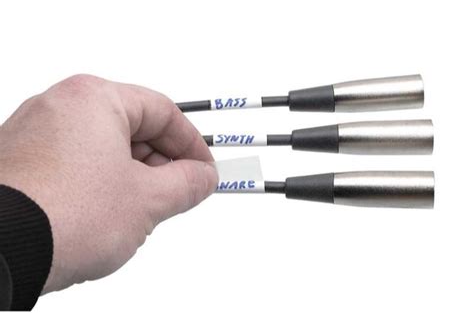
Using Cable Labels to Reduce “Spaghetti” Confusion in Your Studio
Labelling your audio/video cables can very extremely handy when you have lots of cables running everywhere.
I have used these labels in the past and they worked well for me: Hosa Technology LBL-466 – Peel and Stick Vinyl Cable Labels (60 Pieces for around $12)
Hope this helps.
Want to receive the Daily Goody in your email, daily or weekly? Subscribe free here.
And please keep in mind, the Daily Goody is only a tiny little tip, fact or lesson everyday. Please don’t expect any of these posts to be long, earth-shattering masterpieces that instantly answer every single question you can think of and completely transform you into a world class podcast engineer. “Little by little, a little becomes a lot.”
-
The “White Glove” Service: Engineering Client Recording Sessions Remotely
Podcast engineers can earn very good money by offering a type of “white glove” service: Being present in online recording sessions to help soundcheck all participants (hosts, guests), handle any technical issues that arise (not uncommon) and of course record the entire session including backups.
This way, the client doesn’t have to worry about ANYTHING except conducting a good interview. I’ve been doing this for years and CLIENTS LOVE IT.
NOTE: The engineer is not actually appearing or speaking on the podcast itself, he/she is just hanging out in the background making sure everything runs smoothly.
What do you need to run these kinds of sessions? Of course you’ll need a fast and solid internet connection, as well as availability during business hours because that’s when higher paying clients typically like to record.
Have you ever engineered a clients session Live?
FYI, in the full PES program I spend half of an entire class teaching every single aspect of running these sessions, soundchecking guests (rarely easy), coordinating bookings, the best platforms to use (Riverside, Squadcast, etc.) and much more!
Want to receive the Daily Goody in your email, daily or weekly? Subscribe free here.
And please keep in mind, the Daily Goody is only a tiny little tip, fact or lesson everyday. Please don’t expect any of these posts to be long, earth-shattering masterpieces that instantly answer every single question you can think of and completely transform you into a world class podcast engineer. “Little by little, a little becomes a lot.”
-
Loudness Range of Final Episodes – What’s Good and What’s Bad?
I speak a lot about controlling the dynamic range of podcast episodes in order to provide a good listening experience to all listeners.
Loudness Range (which is similar to dynamic range) is the average difference between the loudest parts and the quietest parts – and it’s measured in LU (Loudness Units, similar to dB).
If the loudness range of an episode is too great (like around 10-20) that means the loud parts of your episode will be EXTREMELY loud and the quiet parts will be VERY quiet and difficult for your listeners to hear if they’re listening in an environment that has ANY background noise, which is basically ALL listening environments, of course.
In my experience an ideal Loudness Range for spoken word podcasts is around 4-5 LU. To me this level sounds nicely compressed but still contains enough natural energy and life. Even 3.5 sounds good sometimes.
Auphonic and iZotope RX are two applications that I know of that can measure Loudness Range, and Auphonic can even process your audio to be whatever loudness range you want it to be!
Have you ever measured the Loudness Range of one of your final episodes? It’s eye opening for sure.
FYI, from the iZotope RX Loudness Control User Guide:
The loudness range is computed from the distribution (histogram) of Short-term loudness over time. First, signals more than 20 LU below the average Short-term loudness are thrown away. Second, 10% of quietest and 5% of loudest remaining signals are also excluded from the computation. Finally, the difference between the loudest and the quietest of the remaining signals is called the Loudness range and is measured in LU (equivalent to dB).
Want to receive the Daily Goody in your email, daily or weekly? Subscribe free here.
And please keep in mind, the Daily Goody is only a tiny little tip, fact or lesson everyday. Please don’t expect any of these posts to be long, earth-shattering masterpieces that instantly answer every single question you can think of and completely transform you into a world class podcast engineer. “Little by little, a little becomes a lot.”
-
When Editing Out Silence To Increase Pacing, Be Sure To…
It’s VERY annoying listening to a podcast episode which has been edited so tightly that there are literally no natural pauses between sentences or between the hosts questions and the guests answers. The listening experience is terrible, like listening through a fire hose instead of hearing human beings speak at a normal natural pace. For me it’s confusing and much more difficult to absorb what’s being said. It’s a big mistake to edit an episode too tightly.
Therefore…
When editing out silence to increase pacing, be sure to maintain a natural sounding gap between:
- Sentences
- Paragraphs
- Questions and answers
And natural means natural for each specific instance; the length of the silence should FEEL right and be appropriate for what’s being said, the emotions behind it, the context, etc.
It _IS_ possible to tighten up gaps of silence _AND_ maintain naturalness.
Do you agree?
Want to receive the Daily Goody in your email, daily or weekly? Subscribe free here.
And please keep in mind, the Daily Goody is only a tiny little tip, fact or lesson everyday. Please don’t expect any of these posts to be long, earth-shattering masterpieces that instantly answer every single question you can think of and completely transform you into a world class podcast engineer. “Little by little, a little becomes a lot.”
-
My Experience Opening and Operating a Brick and Mortar Podcast Studio for 3 Years – PES 230
I discuss my experience opening and operating a brick and mortar podcast studio for 3 years, including:
Discovering podcasting in late 2011
Starting my own show in my apartment solely for the experience of starting a podcast – The Chris Curran Show!
Why I decided to open a physical podcast studio in June 2012

Economics:
- I had no idea if this kind of business could be profitable, but I was so energized to do it that I took the leap.
- I’ll talk more later about the monetary success or failure of the studio 😉
History:
- Before Serial hit in the fall of 2014 the podcasting space was still relatively small and unknown.
- I don’t know anyone who ran a physical podcast studio back when I did, but I’m sure at least a few people must have.
What were my competitive advantages?
- My audio experience
- My local networking experience
I was fortunate that:
- I found a space very close to my apartment.
- I had previously been a member of the largest Chamber of Commerce in that area, so I knew a bunch of people already.
i signed a 3 year lease, but it wasn’t overly expensive because it was in an older building and the space was unique (perhaps difficult to sell to most average businesses).
Fractal Recording was born in June 2012.

Equipment setup:
- 4 mics (Sennheiser e835’s)
- 4 Heil boom arms
- 4 channels of dbx 166xs
- Headphone amp
- Digital hybrid to take actual phone calls
- iPad for playing music and sound clips
- Bought my first Mac for the studio
- Focusrite interface (stereo!)
- Bought a couch, chairs, and a round table
Started several shows to jumpstart the content coming out of my studio. I did this to generate as much buzz as possible around my studio.
Attending Chamber of Commerce networking events to promote my studio and invite local business people to be interviewed on my local business podcast. *Back then most people didn’t even know what podcasts were!
I met Barry the maintenance guy and got to know him.
Trying to partner with 2 different people – both were going to be in charge of marketing and sales (obviously because I wanted to focus on the audio production!) – and both ended up in tragedy.
The studio not being soundproof… UGH.
THE END: Deciding to NOT sign up for another 3 years, which happened to coincide with my move to Colorado (where I would start doing all client recordings virtually).

To sum up my experience having the studio for 3 years:
- Overall, I absolutely loved it.
- I learned so much and had so much fun.
- Got tons of experience hosting shows.
- Made some good friends.
- I paid my dues for what was to come next.
- The painful aspects of that experience have completely dissolved into nothingness.
Was the studio profitable? Barely. It took a lot of effort and technically the studio was profitable but not by much. If I had a good salesperson it could have been more profitable.
The Universe is funny – as soon as we moved to Colorado I got a call from a NJ business (who lived close to my old studio) who wanted to hire me to produce their podcast, but they did NOT want to come into my studio, and I said GREAT that works out nicely!
I started on-boarding additional remote production clients and within 5 months I got a huge contract with Forbes to produce their podcast network remotely.
What Did I Learn:
- When you know you can be successful at something, you just have to be bold and keep working hard and adapt when you need to. Eventually you will arrive in a place where you are making a good living doing something you love, though that place will definitely NOT be the place you originally had in mind.
Hope you enjoyed that.
Other Notes:
- If you ever have questions please reach out!
- The start date for the next PES semester is April 19, 2022!
- If you’d like to share this show with any of your podcaster friends, feel free to send them a message saying, “Btw, here’s a show about podcast audio production you may find helpful” with this link: https://podcastengineeringschool.com/subscribe/)
Let me know if you have any questions or need any help with anything,
~Chris -
Expecting a Plugin Preset to Do What the Name Says
To enhance your podcast production awareness, check out the first bullet point in this article titled The Top 10 Rookie Recording Mistakes — it’s about expecting a plugin preset to do what the name says.
It reads:
“The Mistake: I recently received a project where every track had a channel strip plug-in (fig. 1) inserted to add EQ and/or dynamics. Channel strips are a great one-stop shop for quick processing, but the mistake was that the guitar track had a preset called “guitar,” the female vocal had a preset called “female vocal,” the percussion had a preset called “percussion” — you get the idea. A preset may give the sound you want, but every guitar, voice, percussion, bass, etc. is different.”
My opinion: Presets are good to start with, but 90% of the time they still require a bit of tweaking the settings to make the sound just right. Don’t be afraid to tweak settings!
What are your thoughts?
Want to receive the Daily Goody in your email, daily or weekly? Subscribe free here.
And please keep in mind, the Daily Goody is only a tiny little tip, fact or lesson everyday. Please don’t expect any of these posts to be long, earth-shattering masterpieces that instantly answer every single question you can think of and completely transform you into a world class podcast engineer. “Little by little, a little becomes a lot.”
-
VIDEO: CLA-2A Compressor/Limiter Plugin (Waves) for Podcast Production
I explain and demonstrate the CLA-2A plugin from Waves and how you can use it in podcast post-production. This a compressor/limiter plugin which tames/compresses peaks and adds a nice smooth analog sound to the audio. It is modeled from the classic LA-2A which is one of the best hardware compressors of all time and used on a zillion of your favorite records.
LINKS:
- Waves CLA-2A plugin — https://www.waves.com/plugins/cla-2a-compressor-limiter
- User Guide for the Waves CLA-2A — https://www.waves.com/1lib/pdf/plugins/cla-2a-compressor-limiter.pdf
- Universal Audio LA-2A Collection — https://www.uaudio.com/uad-plugins/compressors-limiters/teletronix-la-2a-collection.html
Want to receive the Daily Goody in your email, daily or weekly? Subscribe free here.
And please keep in mind, the Daily Goody is only a tiny little tip, fact or lesson everyday. Please don’t expect any of these posts to be long, earth-shattering masterpieces that instantly answer every single question you can think of and completely transform you into a world class podcast engineer. “Little by little, a little becomes a lot.”
-
Riverside’s Noise Suppression Feature
Someone recently asked me about using Riverside’s Noise Suppression feature when recording participants who have “noise” in their audio signal.
Riverside describes their Noise Suppression feature as: “Remove background noises such as AC fans, heaters, and other ambient sounds. This does not affect clicks, pops, and other transient sounds.”
Here’s my response to their question about using that Noise Suppression during the recording process:
I haven’t done any testing on the quality of Riverside’s Noise Suppression, but in general I would only RECORD using noise suppression/reduction if BOTH of these are true:
- I won’t have the ability in post-production to do any noise reduction (which is virtually the same as their noise “suppression”)
- The participant has significant background noise which they CANNOT turn off or remove before we start recording.
And here’s the main reason you would not want to categorically use Noise Suppression on every participant in every recording session: Noise reduction in general can do significant damage to audio if it’s not done properly and/or it’s overdone. If someone has good audio with very little background noise you would NEVER want to use noise reduction on their audio because there’s no need, and because it could degrade the audio significantly.
What has your experience been with recording using noise suppression/reduction?
Want to receive the Daily Goody in your email, daily or weekly? Subscribe free here.
And please keep in mind, the Daily Goody is only a tiny little tip, fact or lesson everyday. Please don’t expect any of these posts to be long, earth-shattering masterpieces that instantly answer every single question you can think of and completely transform you into a world class podcast engineer. “Little by little, a little becomes a lot.”
-
Please Don’t Ever Use Your Computers Built-in Microphone for Recording Podcasts
Whether you’re a podcast guest or host, I recommend NEVER using your computers built-in microphone. It’s the worst possible option because it captures TERRIBLE sounding audio quality. It’s truly rubbish.
I realize some folks don’t care about sounding good, but those people are idiots. It’s been scientifically proven that good sound subconsciously results in the listeners liking you more and respecting you more. Plus it’s a whole lot easier to listen to.
Here are simple, good alternatives:
- Use earbuds that have a mic on the cable. (Still not the best, but WAY better than your computers built-in mic)
- Use a USB microphone. (Around $150 will get you a good microphone with stand and windscreen)
- Use an XLR microphone and an audio interface. (This is a more advanced setup and not necessary for the average solo podcaster or podcast guest)
Please share this post with your friend who needs this info!
Want to receive the Daily Goody in your email, daily or weekly? Subscribe free here.
And please keep in mind, the Daily Goody is only a tiny little tip, fact or lesson everyday. Please don’t expect any of these posts to be long, earth-shattering masterpieces that instantly answer every single question you can think of and completely transform you into a world class podcast engineer. “Little by little, a little becomes a lot.”
-

Brainworx bx_console AMEK 9099
The Brainworx bx_console AMEK 9099 plugin is a high-end channel strip plugin offered by Plugin Alliance. It contains an EQ, filters, compressor, limiter, gate and more.
I recently bought this plugin when it was on sale. I haven’t used it much yet but it is certainly an amazing sounding channel strip plugin.
Here are more details:
- Legendary analog sound with an incredible feature set
Released at the turn of the millennium with the slogan “Artistry in Analogue”, the 9098i Console designed by Rupert Neve (the designer) was one of the highest achievements in analog console design. Today, it becomes Brainworx’s most fully-featured console plugin with the release of the bx_console AMEK 9099. - Musical EQs with comprehensive dynamic control
The AMEK 9099 has the kind of EQ that provides you wide, musical curves, capable of tightening up enough to give you the precision you need without ever sounding “bad.” The dynamics section goes even further than the norm, with a fully variable expander, gate, compressor, and limiter, complete with extremely flexible sidechain capabilities. - Unique features not found in other consoles
The original AMEK 9098i was dotted with features not commonly found in analog consoles of its day. The EQ shelves feature a “Sheen” and “Glow” mode for even smoother boosts and cuts, while the parametric bands include a “Notch” mode for even more precise cuts. A unique “Ambience” switch in the dynamics section lets you easily hear exactly what your compressor is doing. And, the onboard EQ can operate as a fully parametric dynamics sidechain filter for even more precise control of your compressor and limiter. - More features than any other bx_console plugin
The engineers at Brainworx improved on a good thing by adding parameters not found on the original hardware. They added on a special “Clip” function in the limiter for super fast and smooth soft clipping and created a new fully functional expander/gate with its own sidechain filter, inspired by legendary analog gear. And, for the first time ever in a bx_console plugin, there’s even an onboard Mono Maker, Stereo Width and Auto Listen control. - Powered by Tolerance Modeling Technology (TMT)
Like every plugin in the bx_console line, the AMEK 9099 takes advantage of the proprietary Brainworx TMT design, to more accurately emulate the performance and behavior of a real analog console. Modeled after Dirk Ulrich’s own favorite AMEK strips, each channel is emulated at the component level to provide subtle channel-to-channel variances for greater dimension, width and depth, just like on a real analog console. - Legal Disclaimer: The Brainworx bx_console AMEK 9099 was developed by Brainworx Audio using its own modeling techniques, and one of the products studied was the AMEK 9098i Console. Rupert Neve is a registered trademark of RND (Rupert Neve Designs), which is unaffiliated with Brainworx Audio. RND has not licensed any intellectual property for use in the bx_console AMEK 9099, nor have they endorsed or supported the bx_console AMEK 9099 in any manner.
Don’t forget you can try this plugin before you buy, or not buy 😉
Want to receive the Daily Goody in your email, daily or weekly? Subscribe free here.
And please keep in mind, the Daily Goody is only a tiny little tip, fact or lesson everyday. Please don’t expect any of these posts to be long, earth-shattering masterpieces that instantly answer every single question you can think of and completely transform you into a world class podcast engineer. “Little by little, a little becomes a lot.”
- Legendary analog sound with an incredible feature set
-
Do You Breakdown and Put Away Your Equipment After Recording, Or…?
Do you breakdown and put away your equipment every time after recording, or do you leave your equipment set up at all times?
Personally I leave my equipment set up at all times (mic, interface, monitors, headphones, lights, green screen), though I do swing my microphone to the side (on the boom arm). I also cover most of my equipment with dust covers overnight.
What do you do?
Want to receive the Daily Goody in your email, daily or weekly? Subscribe free here.
And please keep in mind, the Daily Goody is only a tiny little tip, fact or lesson everyday. Please don’t expect any of these posts to be long, earth-shattering masterpieces that instantly answer every single question you can think of and completely transform you into a world class podcast engineer. “Little by little, a little becomes a lot.”
-
Chris’s Goody Bag – PES 229
I overview 9 recent Daily Goody‘s from April 30 through May 19 (see list below). You can sign up to receive Daily Goody’s in your email every day or a weekly roundup. Sign up here.
Note: In this episode I’m using my Sennheiser MKH 416 into an Apollo x4 interface (with a Distressor, Curve Bender and Pultec EQP-1A plugins running).
Daily Goody posts that I discussed in this episode:
- Bringing Down a De-esser’s Lower Range To Start Around 3-4 kHz if Necessary
- The Dreaded “Andumm” (Sounds like Ann Dumb)
- How Do You Set Your Final Episode LUFS Level to -16 Stereo or -19 Mono?
- “Firing” a Podcast Production Client
- Protecting Your Ears When Mowing the Lawn, etc.
- Rolls MS111 Mic Switch – Latching or Momentary Microphone Mute Switch
- Measuring the Intelligibility of Emergency Announcements in Public Areas
- NUGEN AMB: Audio Management Batch Processor
- Stripping Audio From Video Livestreams To Use as Audio Podcast Episodes
Other Notes:
- If you ever have questions please reach out!
- The start date for the next PES semester is January 11, 2021 — and the next one after that will start in April 2022!
- If you’d like to share this show with any of your podcaster friends, feel free to send them a message saying, “Btw, here’s a show about podcast audio production you may find helpful” with this link: https://podcastengineeringschool.com/subscribe/)
Let me know if you have any questions or need any help with anything,
~Chris -
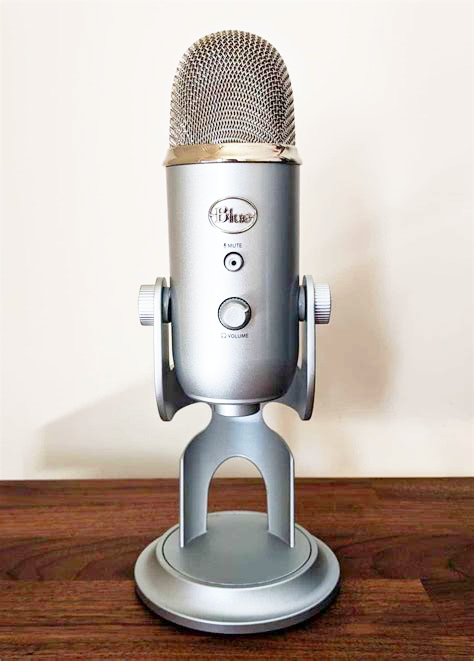
Urgent Advice for Any Podcaster Using a Blue Yeti
A listener of my show recently asked me for specific tips on how to ensure recording good sounding audio when using a Blue Yeti microphone.
My reply:
- Speak into the mic from the proper angle.
- Make sure the correct polar pattern is chosen on the mic.
- Speak as close to the mic as possible BUT MAKE SURE you use a pop filter or windscreen or both.
- Make sure there’s as little background noise as possible like fans, air conditioners, air vents, cars driving by, kids in the next room or upstairs, etc.
- If your room is reverby, dampen the reflections by using sound absorbing furniture, rugs, foam acoustic panels, etc.
- Get the mic up off the desk and onto a boom arm to avoid capturing the thuds and rumbles that are created on the table/desk.
It’s actually a very good mic _IF_ used properly.
Do you have any additional advice for Blue Yeti users? Comment below 😉
Want to receive the Daily Goody in your email, daily or weekly? Subscribe free here.
And please keep in mind, the Daily Goody is only a tiny little tip, fact or lesson everyday. Please don’t expect any of these posts to be long, earth-shattering masterpieces that instantly answer every single question you can think of and completely transform you into a world class podcast engineer. “Little by little, a little becomes a lot.”
-
Do This Before New Years Day
_IF_ you’re open to putting some effort into your own personal future success:
- Write out your 3-month goals in each and every one of these categories: 1. Family Goals, 2. Material Things goals, 3. Financial/Income/Savings goals, 4. Physical/Health/Fitness goals, 5. Career goals, 6. Hobbies/Fun goals, and 7. Spiritual goals.
- Write out your 1-year goals in each and every category above.
- Write out your 3-year goals in each and every category above.
- Write out your 10-year goals in each and every category above.
- Write down which character traits you’d like to dispense with, and which character traits you’d like to develop
- Write down every single thing in your life that you’re grateful for. Every. Single. Thing. Yes, it’ll be a long list 😉
- Contact me to tell me you’ve completed these tasks BEFORE January 1, 2022
I sincerely wish you all the best 🙂
Want to receive the Daily Goody in your email, daily or weekly? Subscribe free here.
And please keep in mind, the Daily Goody is only a tiny little tip, fact or lesson everyday. Please don’t expect any of these posts to be long, earth-shattering masterpieces that instantly answer every single question you can think of and completely transform you into a world class podcast engineer. “Little by little, a little becomes a lot.”
-
Get Fuller Sound by Manipulating Harmonics
Saturation plugins can increase harmonics and make your audio sound fuller and more professional. Different types of saturation include tape, tube, amplifier, transistor, and probably more.
Some of my favorite saturation plugins:
- Scheps Omni Channel (Waves)
- Black Box Analog Design HG-2 (Plugin Alliance)
- Saturn 2 (Fabfilter)
- True Iron (Kazrog)
- BB N105 (Kit Plugins)
I’d love to know — What other saturation plugins do you use?
Want to receive the Daily Goody in your email, daily or weekly? Subscribe free here.
And please keep in mind, the Daily Goody is only a tiny little tip, fact or lesson everyday. Please don’t expect any of these posts to be long, earth-shattering masterpieces that instantly answer every single question you can think of and completely transform you into a world class podcast engineer. “Little by little, a little becomes a lot.”
-
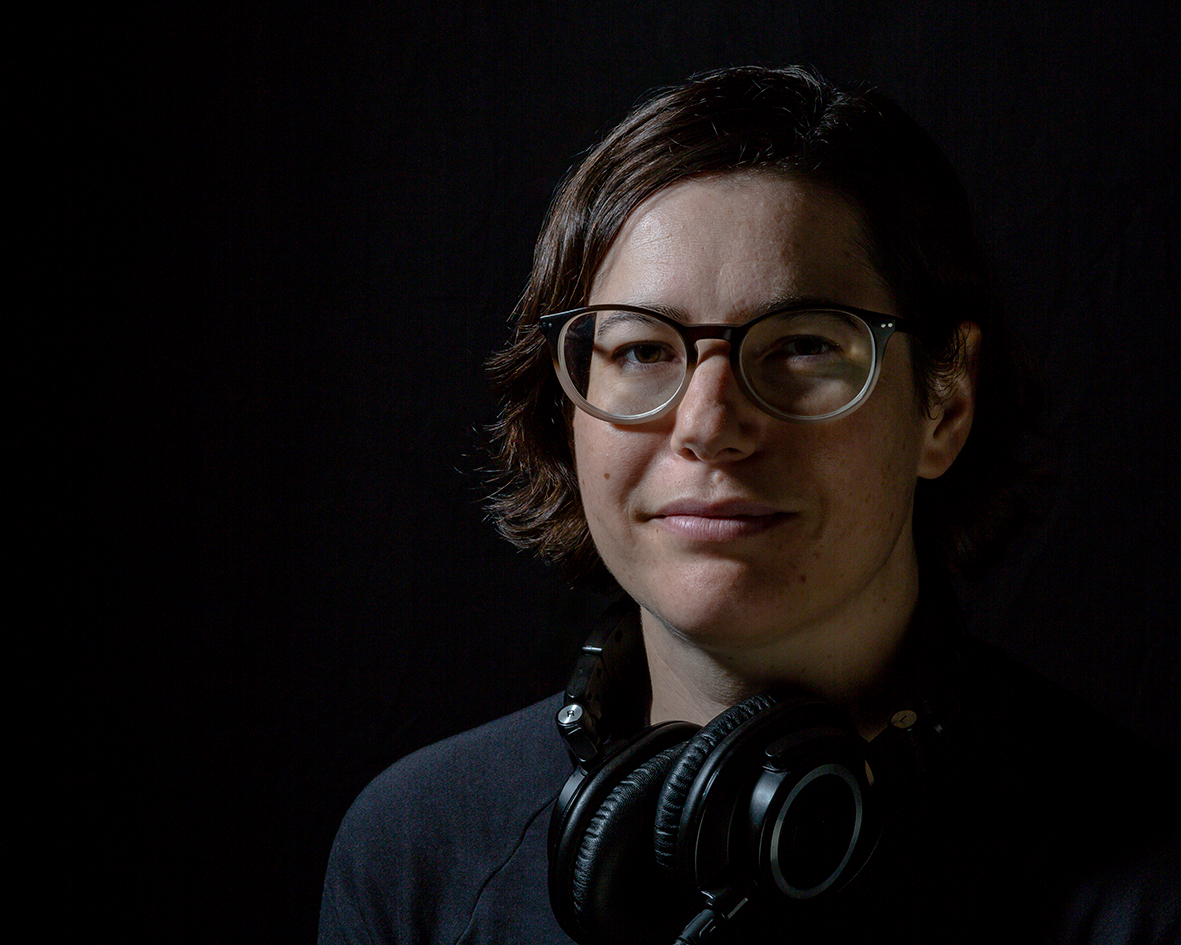
Corey Marie Green, Author of The Podcaster’s Audio Handbook – PES 228
Had a wonderful and insightful conversation with my guest is Corey Marie Green, freelance audio engineer specializing in radio and podcasting. She is also the author of The Podcaster’s Audio Handbook: A Technical Guide for Creative People.

We discussed and demonstrated SO MUCH in this episode including:
- Macbook Pro running Pro Tools
- Izotope RX 8
- Audio interface – Focusrite Scarlett 2i2
- Microphones – Sennheiser e945
- RODE NTG-2 shotgun mic
- Desk-mounted scissor boom stand
- AKAI MPK Mini Midi keyboard
- Zoom H5 portable recorder
- Headphones – AudioTechnica ATH-M50x
- Marantz PM5004 amplifier
- PSB speakers (Alpha B1)
- Processing: Audio repair, EQ, dynamics, sibilance, plosives, mouth noises
- SPL de-verb (if someone’s in a really live room)
- Waves sibilance plugin
- dyn3 de-esser (comes with pro tools)
- Waves MaxxVolume
- Using gentle dynamics processing to the sub-master to tie it all together
- Adding music underneath speech
- Intelligibility
- Episode I mentioned: Michael Pettersen (PES 062)
Thanks for sharing so much with us, Corey!