Your cart is currently empty!
Author: Chris Curran
-
Remember Steve Savanyu’s Awesome Episode?

Enjoy me and Steve Savanyu going deep into microphone fundamentals and use cases, etc.
He’s the Director of Educational Services at Audio-Technica U.S. and had LOTS of cool stories to share.
Great guest, great info, lots of fun.
Enjoy listening!
Want to receive the Daily Goody in your email, daily or weekly? Subscribe free here.
And please keep in mind, the Daily Goody is only a tiny little tip, fact or lesson everyday. Please don’t expect any of these posts to be long, earth-shattering masterpieces that instantly answer every single question you can think of and completely transform you into a world class podcast engineer. “Little by little, a little becomes a lot.”
.
-
Episode Turnaround Times Expected by Clients
For podcast editors/producers, episode turnaround time refers to the duration of time between the date/time you receive the raw recorded files and the date/time you complete the production of that audio.
Expectations vary A LOT so I highly suggest defining these expectations with clients BEFORE starting to work with them.
Also, you should have a plan in place for when the client needs you to produce audio in a shorter amount of time than the agreed upon turnaround time. You know, when they say, “I’m so sorry. but the episode I just sent you has to publish tomorrow. Sorry.” (!!!!!!! Wow, yeah)
Want to receive the Daily Goody in your email, daily or weekly? Subscribe free here.
And please keep in mind, the Daily Goody is only a tiny little tip, fact or lesson everyday. Please don’t expect any of these posts to be long, earth-shattering masterpieces that instantly answer every single question you can think of and completely transform you into a world class podcast engineer. “Little by little, a little becomes a lot.”
.
-
Using Multiband Compression When Mastering Episodes
A bit of multiband compression in the mastering step does a great job of “gluing” your mix together — evening out the dynamics of various speakers, taming various frequency ranges when they get too loud, increasing apparent loudness, slightly reigning in the last remaining bit of harsh sibilance, etc.
I really like the Fabfilter Pro-MB and the multiband compressor in iZotope Ozone 9.
Do you use a multiband compressor in your mastering step?
Want to receive the Daily Goody in your email, daily or weekly? Subscribe free here.
And please keep in mind, the Daily Goody is only a tiny little tip, fact or lesson everyday. Please don’t expect any of these posts to be long, earth-shattering masterpieces that instantly answer every single question you can think of and completely transform you into a world class podcast engineer. “Little by little, a little becomes a lot.”
.
-
After Removing an Umm
Sometimes when you remove an Umm it can cause the person’s “flow” to sound a bit unnaturally. And an unnatural flow can cause the listener to be distracted and say, “What was that? Sounded weird.”
So, after removing an Umm, be sure to listen back to that edit and decide if it sounds natural enough.
If it sounds unnaturally rushed, undo your edit and instead of cutting the entire Umm mute the entire Umm, and then only remove about 50-75% of that muted audio. So essentially you’re leaving a bit of blank space where the Umm used to be. Try this and feel the flow, Luke.
Do you use any other editing tricks like this?
Want to receive the Daily Goody in your email, daily or weekly? Subscribe free here.
And please keep in mind, the Daily Goody is only a tiny little tip, fact or lesson everyday. Please don’t expect any of these posts to be long, earth-shattering masterpieces that instantly answer every single question you can think of and completely transform you into a world class podcast engineer. “Little by little, a little becomes a lot.”
.
-
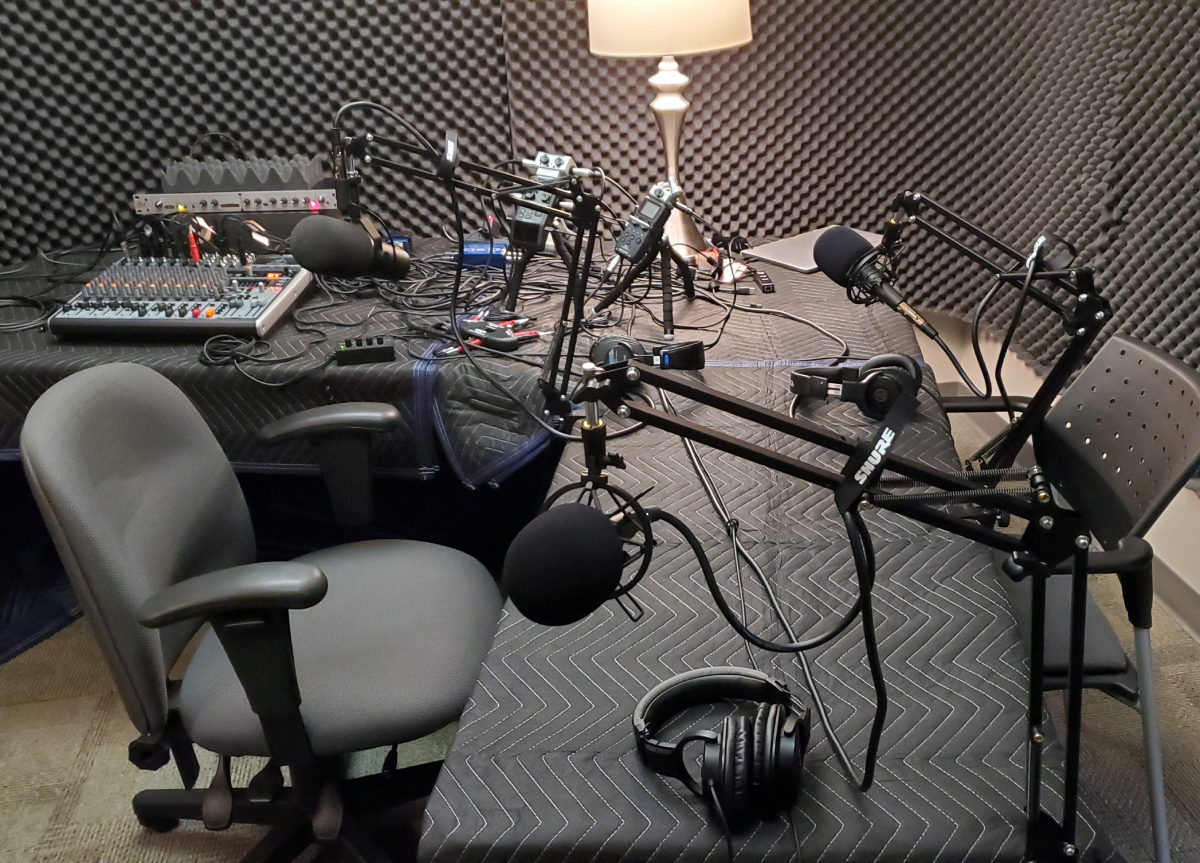
Andrew Gelina – PES 155
My guest is Andrew Gelina – host of Underserved (a podcast aimed at the tech industry) and CEO of the software consulting firm Syrinx.
We discussed so much:
- Shure SM7b (love/hate relationship)
- Shure SM58’s
- All his mics go through Cloudlifters, SM7B also goes through a dbx 286s
- Behringer Xenyx 1832 mostly just for mix minus to two dedicated Skype machines
- Zoom-Zoom setup (H6 as primary recorder of all vox on separate channels, H5 as a backup off the mixer/backup mode -12db as well)
- Copy 48K/24 bit WAVs off Zooms to a Dell Windows 10 PC (desktop, 4 monitors), import into Reaper
- WAVs rendered, converted to MP3, upload to Libsyn for distribution to everywhere, and use Libsyn for podcast website, too.
- Backblaze for backups, Microsoft OneDrive for syncing, and a Macbook Pro laptop for working on editing mobile and experimenting with video.
- Started with Audacity for an episode, then learned Reaper
- Normalize each track separately to -23 LUFS with SWS Extension (free)
- Auto Trim / Split Silence 250 ms -32db (Reaper built-in) on all tracks
- Andrew built a custom LUA script by Raymond Radet (https://www.extremraym.com/) to do a Truncate Silence like Audacity, similar to Overcast’s Smart Speed
- Each track has iZotope RX 7 voice denoise, breath control, de-ess, mouth click, plosive, adjusted as needed
- Sonible Smart EQ – learn each track’s voice separately.
- AWESOME Dugan-style automixer script (free) https://forum.cockos.com/showthread.php?t=173289
- Master channel: Ozone 8 to add a little air, Tri-Leveler 2 (free) to get to -16 LUFS, Limiter, Loudness meter
- Render to 48K/24 bit mono wav, watch peaks.
- Custom Python script watches /renders directory, converts WAVs to MP3 using ffmpeg (yes, LAME encoder, I know) and copies out to Andrew’s private www server for QA.
- Second pass of editing he works backwards using timestamped notes to avoid shifting things out from under himself.
- Multi-platform Reaper editing is interesting – use OneDrive to allow bouncing back and forth between Windows and Mac editing the same episode/files. Relative paths turned on, copy to /Media. VST paths set for both Win/Mac. Export complete configuration from Reaper (Win) to Reaper (Mac).
- Andrew’s Favorite PES episodes/guests: Mike Delgaudio, Dan Dugan, Dan Gonzalez
- His kids can now recite Barry lines when they hear them drop in the car!
Thanks for being a great guest, Andrew!
Comment below with any questions or comments.
.
-
Using Multiple Instances of the Same Plugin
Sometimes it’s useful to use multiple instances of the same plugin, one right after the other.
It helps in cases where you want to use the plugin in a certain way, but you also want to use it in another way, and you can’t do both things with one instance of the plugin.
Examples:
- Using a de-esser to reduce two different frequency ranges when the plugin only lets you choose one frequency range. Or to gently reduce sibilance twice instead of aggressively removing sibilance once.
- Using two different styles/settings of compression with the same compressor plugin.
- If your EQ plugin has a limited amount of bands and you need MORE!
- Using two different types of saturation when the plugin only lets you choose one at a time. (Sometimes I do this with Fabfilter Saturn)
- Using a Vocal Rider at the beginning of your plugin chain AND at the end of the chain, and using them differently.
- Etc.
Have you ever done any of this?
Want to receive the Daily Goody in your email, daily or weekly? Subscribe free here.
And please keep in mind, the Daily Goody is only a tiny little tip, fact or lesson everyday. Please don’t expect any of these posts to be long, earth-shattering masterpieces that instantly answer every single question you can think of and completely transform you into a world class podcast engineer. “Little by little, a little becomes a lot.”
.
-
A Guest Using Two Microphones in a Recording Studio
A recent guest was connecting from a College recording studio. He used a USB mic and connected with me via Zencastr, and IN ADDITION (at my request) the studio engineer there set up an additional mic to record the guest locally.
The engineer placed the two microphones right next to each other so they would both pickup the guests voice equally. In cases like this I believe it’s extremely important for the two microphones to be right next to each other AND picking up audio from the same direction. This way the guest’s mic technique will work well for both microphones. Plus, what is heard during the interview will be almost exactly the same as what’s on the local recording, and this is important in case the guest drifts off mic too much you’ll hear that Live and you can coach the guest to stay more on-mic, etc.
After the session the engineer sent me their high-resolution local recording and it was great, making me a happy camper! 🙂
Want to receive the Daily Goody in your email, daily or weekly? Subscribe free here.
And please keep in mind, the Daily Goody is only a tiny little tip, fact or lesson everyday. Please don’t expect any of these posts to be long, earth-shattering masterpieces that instantly answer every single question you can think of and completely transform you into a world class podcast engineer. “Little by little, a little becomes a lot.”
.
-
When Guests Connect Using a Windows PC or Surface
When a guest connects using a Windows PC or Surface, it’s best to take extra precautions when soundchecking them.
I recommend having them restart the machine, verify/set the input and output device settings, NOT open up any programs that aren’t absolutely necessary, turning off any files synching like Dropbox, etc., verifying their WiFi signal strength, etc etc etc… You get the idea.
With Mac computers you may want to take these same precautions as well, but with Windows machine I suggest being very careful and very thorough with every single guest. The reason for this is, of course, that many recordings have been compromised or completely ruined due to various Windows issues.
Want to receive the Daily Goody in your email, daily or weekly? Subscribe free here.
And please keep in mind, the Daily Goody is only a tiny little tip, fact or lesson everyday. Please don’t expect any of these posts to be long, earth-shattering masterpieces that instantly answer every single question you can think of and completely transform you into a world class podcast engineer. “Little by little, a little becomes a lot.”
.
-
Should You Update Your Computer to a Newly Released Operating System?
This questions arises because of a recent release of a new Mac operating system (OS), though it’s a continually relevant question.
In general there are two strategies in this regard:
1. Some people immediately update to the new OS and potentially suffer when some of their applications don’t work on the new OS. In this most recent Mac OS release, many audio applications would not work at all.
2. Some people (me included) don’t upgrade operating systems immediately when they become available because they want to allow time for all the kinks in the new OS to be worked out, and allow time for application developers everywhere to make sure their apps are compatible with the new operating system.
How do you handle OS updates?
Want to receive the Daily Goody in your email, daily or weekly? Subscribe free here.
And please keep in mind, the Daily Goody is only a tiny little tip, fact or lesson everyday. Please don’t expect any of these posts to be long, earth-shattering masterpieces that instantly answer every single question you can think of and completely transform you into a world class podcast engineer. “Little by little, a little becomes a lot.”
.
-
What Does Your Audio Equipment Setup Look Like?
If you’d like to post it here in the comments, we would enjoy seeing a picture of your audio equipment setup (your battle station!).
Here’s mine: (though my channel strip is not in the picture)

Here’s Ralph M. Rivera’s:

Feel free to share your pic and tag me @podcastengineer on Instagram or Twitter 😉
Want to receive the Daily Goody in your email, daily or weekly? Subscribe free here.
And please keep in mind, the Daily Goody is only a tiny little tip, fact or lesson everyday. Please don’t expect any of these posts to be long, earth-shattering masterpieces that instantly answer every single question you can think of and completely transform you into a world class podcast engineer. “Little by little, a little becomes a lot.”
.
-
Neumann KH 120 A (Active Studio Monitors)
These are awesome monitors and DEFINITELY overkill for podcast production. (Neumann KH 120 A)
I bought them because sometimes I still work on music and it was time to replace my old Yamaha NS-10 monitors but they don’t make NS-10’s anymore, so I researched really good near field monitors and read great things about the KH 120 A’s. I bought them and I really like them a lot. FYI, I prefer investing in really good equipment and then taking care of it so that it lasts a LONG time. 😉
NOTE: If you’re in the market for near field monitors and don’t want to spend a lot, check out the JBL LSR305 monitors – they are much less expensive but still very good monitors.
Description from the Neumann website: (Neumann KH 120 A)
Powerful compact bi-amplified studio monitor with superb impulse response and resolution.
-
-
-
- Compact bi-amplified studio monitor with a high efficiency
- Exceptional bass depth and transient response from 52 to 21k Hz
- Precise dispersion, optimized for near-field applications
- As a stereo system with KH 750 DSP and iPad® app, controllable and alignable to the room
-
-
Precision Redefined
The KH 120 is Neumann’s trailblazer model and development yardstick for compact studio monitors. It has been a reference class for close-range monitoring since 2011. Enormous power reserves meet high-precision sound conduction. The result: Maximum signal fidelity and distinctly contoured transients across the entire, neutrally designed frequency response. This enables you to precisely control tonal depth, spatial image and even the smallest details in the mix.
The KH 120 is a two-way bi-amplified monitor with thermally protected class-AB amplifiers (80 W each). Just like the drivers, its Mathematically Modeled Dispersion™ (MMD™) waveguide is calculated with an optimal level of precision. Sound distributed in a horizontally precise manner ensures flexibility in the listening position; the narrower vertical dispersion reduces the negative effects of nearby reflections – for example from a desk or mixing console. The finely controlled dispersion characteristics optimize reproduction in even the most varied of room configurations.
Best Working Environment: Close to Professional Ears
The KH 120 is typically used in near-field applications such as project, music, broadcast and post-production studios for recording, mixing and mastering.
Want to receive the Daily Goody in your email, daily or weekly? Subscribe free here.
And please keep in mind, the Daily Goody is only a tiny little tip, fact or lesson everyday. Please don’t expect any of these posts to be long, earth-shattering masterpieces that instantly answer every single question you can think of and completely transform you into a world class podcast engineer. “Little by little, a little becomes a lot.”
.
-
-
Headphone-Only Days
Everyday when producing and mixing podcast episodes I monitor through my near field monitors. On rare occasions I’ll check a mix on my headphones.
BUT, approximately one day per month I spend the entire day monitoring my audio using my headphones only. And I don’t even turn my speakers on. And I listen to some music through the headphones as well.
This practice helps keep me acclimated to what my headphones actually sound like. For instance, if I only listened through my headphones once per year, it might take a while to become acclimated to them.
Use it or lose it!
Want to receive the Daily Goody in your email, daily or weekly? Subscribe free here.
And please keep in mind, the Daily Goody is only a tiny little tip, fact or lesson everyday. Please don’t expect any of these posts to be long, earth-shattering masterpieces that instantly answer every single question you can think of and completely transform you into a world class podcast engineer. “Little by little, a little becomes a lot.”
.
-
The Best Mix of Host vs. Intro Music?, and Chris’s Goody Bag – PES 154
What does a good mix between a hosts voice and the intro music sound like? Hear my voice at 3 different levels over the same music and decide which one you prefer! Do you like the voice louder over the music, or the voice buried within the music, or a happy medium?
*Comment below with which level of voice you liked best: Clip 1, 2 or 3!
Also enjoy my brief overview of recent Daily Goody‘s (from Aug. 30 – Sep. 11). Here’s the link to view all those blog posts. And don’t forget that you can sign up to receive the Daily Goody in your email every day or once per week. Sign up here.
Here are the Daily Goody posts that we discussed in this episode:
- Guests Moving Around During Recording
- The Green Apple Trick
- Warning Listeners About Extreme Volume Spikes?
- Speeding Up a Slow Talker
- Fixing Small Mixing Mistakes in the Mastering Step
- Signal to Noise Ratio
- Is the Blue Yeti a Good Mic for Podcasting?
- Optimal Height for Your Studio Monitors
- Kramer Master Tape Plugin
- A Guest With a Bad Mic Cable
- Using a Large Diaphragm Condenser Mic Without a Pop Filter
- Tweaking Your Standard Sound Each Episode
Announcement: The start date for the next PES will be January 14, 2020
Did you learn anything from this episode? Let me know by commenting below.
I appreciate you listening, and if you have any questions please let me know 🙂
If you know anyone who would like to learn more about the technical production of podcasts, please share this show with them.
Punarmilāma!
.
-
Why Did I Create Podcast Engineering School?
I created Podcast Engineering School for two reasons:
1. Because there are lots of companies out there who want to pay individuals to produce their podcast audio, but unfortunately there is a shortage of professional podcast engineers and producers available for those companies to hire. Of course many individuals would LOVE to produce podcasts for those companies but they just don’t have the knowledge and skills to produce professional podcast audio. PES can transform those individuals into professionals and prime them to earn really good money. There’s a lot of money to be made producing podcasts for companies.
2. Many podcasters really want their shows to sound better but they have no idea how to produce great audio. PES solves that problem a thousand times over.
Want to receive the Daily Goody in your email, daily or weekly? Subscribe free here.
And please keep in mind, the Daily Goody is only a tiny little tip, fact or lesson everyday. Please don’t expect any of these posts to be long, earth-shattering masterpieces that instantly answer every single question you can think of and completely transform you into a world class podcast engineer. “Little by little, a little becomes a lot.”
.
-
Pricing Your Podcast Production Services
There are so many variables with regards to what services you can offer clients as well as the types of clients you want to work with.
Regarding services you can offer, the spectrum seems to range between simple post production like removing a few umms and creating the MP3 file, all the way up to lots of handholding, help with recording, professional mixing, super-detailed editing, mastering, post writing, etc. Depending on what you offer, you could charge anywhere from $25 per episode to over $1,000 per episode.
Regarding types of clients, the spectrum seems to range from clients who have no money and want you to do lots of work for dirt cheap, all the way up to big corporations that will ignore you if you DON’T charge them an arm and a leg. Matching your preferred rate with clients who can actually afford that amount makes a lot of sense.
So, thinking in these two terms will help you narrow in on pricing that you’d be happy with.
Want to receive the Daily Goody in your email, daily or weekly? Subscribe free here.
And please keep in mind, the Daily Goody is only a tiny little tip, fact or lesson everyday. Please don’t expect any of these posts to be long, earth-shattering masterpieces that instantly answer every single question you can think of and completely transform you into a world class podcast engineer. “Little by little, a little becomes a lot.”
.
-
Using EQ When Mastering Episodes
With tiny EQ adjustments in your mastering step, you can sometimes improve the sound of your episodes a lot.
By the way, EQ is usually used in conjunction with compression in the mastering step.
Here are some common EQ tweaks in the mastering step:
- Add a bit of high frequency clarity (8-10 kHz and above)
- Remove a bit of low-mid mud (250-500 Hz)
- Remove a bit of ultra-low frequencies (around 60 Hz and below)
- Add a bit of midrange bite (2-4 kHz)
Want to receive the Daily Goody in your email, daily or weekly? Subscribe free here.
And please keep in mind, the Daily Goody is only a tiny little tip, fact or lesson everyday. Please don’t expect any of these posts to be long, earth-shattering masterpieces that instantly answer every single question you can think of and completely transform you into a world class podcast engineer. “Little by little, a little becomes a lot.”
.
-
PES Update – 2019 Fall Semester
The 2019 Fall semester of Podcast Engineering School ended last week. Now 9 talented students are each finishing up their class project, and then will achieve their Certificate of Completion from PES.
Every semester I am so proud of the graduates because they are making such a big commitment to themselves and becoming professional podcast engineers/producers. Some want to produce a handful of their own shows with very high audio quality, others want to start a podcast production business and make a great living doing that (like I do! #gratitude), and others are employees of companies who are producing podcasts and need trained employees to create great audio.
I’m so happy that I can help transform students into podcast engineers who actually know how to produce great audio, fix terrible audio, deliver great mixes, and on and on and on, etc.
Congrats to the Fall Class of 2019!
Want to receive the Daily Goody in your email, daily or weekly? Subscribe free here.
And please keep in mind, the Daily Goody is only a tiny little tip, fact or lesson everyday. Please don’t expect any of these posts to be long, earth-shattering masterpieces that instantly answer every single question you can think of and completely transform you into a world class podcast engineer. “Little by little, a little becomes a lot.”
.
-
Double-Umms!
For a client’s show I recently recorded a guest who almost exclusively spoke double umms instead of single umms!
Example: “So I, umm umm, went to the store and, umm umm, bought some vitamins.”
Very unique, right?
Want to receive the Daily Goody in your email, daily or weekly? Subscribe free here.
And please keep in mind, the Daily Goody is only a tiny little tip, fact or lesson everyday. Please don’t expect any of these posts to be long, earth-shattering masterpieces that instantly answer every single question you can think of and completely transform you into a world class podcast engineer. “Little by little, a little becomes a lot.”
.
-
Checking Your Mixes on Various Monitors
To make sure that your mixes will sound good to each and every listener, it’s a goods practice to evaluate your mixes on 3 or more different monitors (speakers, headphones, earbuds, car stereo, smart speaker, mobile phone built-in speaker, boombox, TV speakers, etc.).
Different speakers reveal different aspects of the sounds and overall mix — good and bad — and after listening on 3 or more monitors you will become aware of things you may want to fix in the mix, including the EQ of each participants voice, the compression of each participants voice, the relative volume of voices vs. intro/outro music vs. sound FX, music fades, etc.
What 3 monitors can you check your mixes on?
Want to receive the Daily Goody in your email, daily or weekly? Subscribe free here.
And please keep in mind, the Daily Goody is only a tiny little tip, fact or lesson everyday. Please don’t expect any of these posts to be long, earth-shattering masterpieces that instantly answer every single question you can think of and completely transform you into a world class podcast engineer. “Little by little, a little becomes a lot.”
.