Your cart is currently empty!
Author: Chris Curran
-
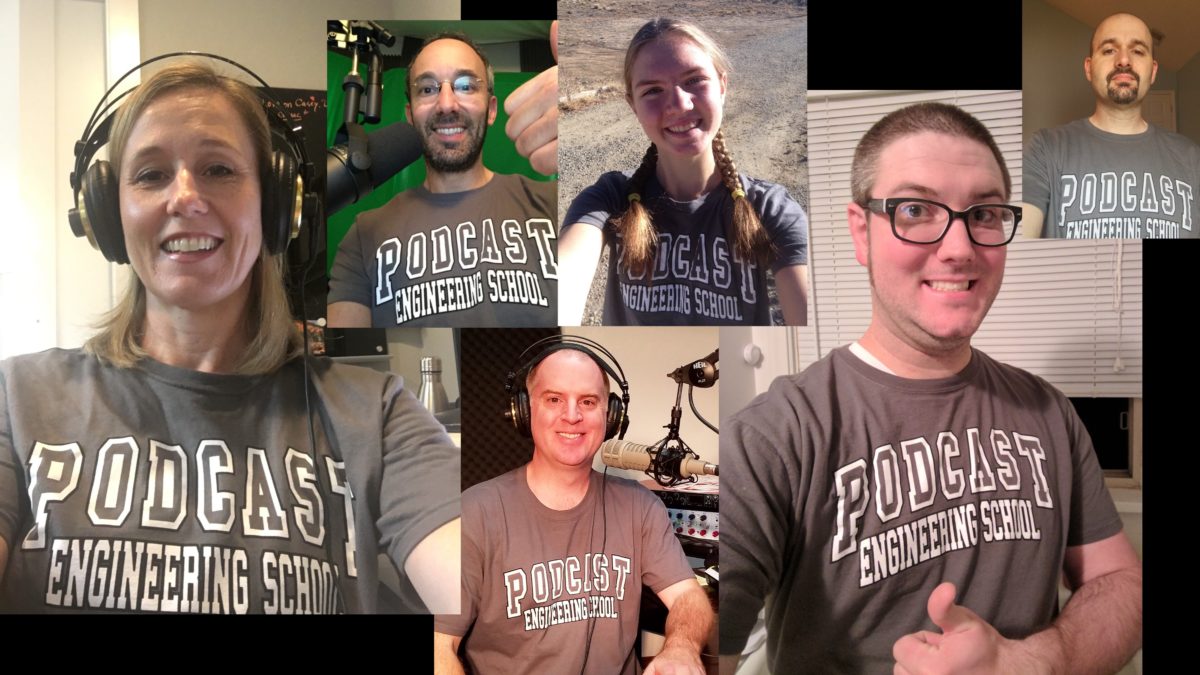
6 PES Graduates Who Are Now Rocking Their Own Podcast Production Businesses!
Attending Podcast Engineering School is life changing, no doubt. And when students apply themselves and work hard I am so proud to see each of them building a profitable home-based business where they can earn 6-figures per year and beyond!
Here are 6 PES graduates who are operating and growing their own podcast production business:
Ed Sullivan
Sonic Cupcake Podcast Production
http://www.soniccupcake.com/Bryan Entzminger
Top Tier Audio
https://TopTierAudio.com
bryan@toptieraudio.comJesse McCune
Tansy Aster Creative
https://tansyasteraudio.com/Landen Hardy
Supporter Sound Studios
landen@supportersoundstudios.com
https://supportersoundstudios.com/Michael Jerry
MiTi Productions
https://miti5audio.com/
miti.audio@protonmail.comTim Hanson
Half-Ogre Studios
https://halfogrestudios.com/Congratulations to these hardworking business owners and best of luck in the future! And please remember me when you’re rich and famous 😉
Want to receive the Daily Goody in your email, daily or weekly? Subscribe free here.
And please keep in mind, the Daily Goody is only a tiny little tip, fact or lesson everyday. Please don’t expect any of these posts to be long, earth-shattering masterpieces that instantly answer every single question you can think of and completely transform you into a world class podcast engineer. “Little by little, a little becomes a lot.”
-

Using a Dual-Stage Compressor on Your Master Buss
A Dual-Stage compressor on your Master Buss can really increase the apparent loudness of your episode and control the dynamics nicely.
A dual-stage compressor is simply two separate compressors with separate controls combined in one plugin.
There are two dual-stage compressors that I love and both use the same “formula” — an optical compressor first and then a discrete VCA-style compressor second.
They are:
- Aquamarine 4 Dual Compressor
- Shadow Hills Mastering Compressor Class A
Both of these plugins are incredible world-class compressors that sound amazing!
Do you use any compression on your master buss?
Want to receive the Daily Goody in your email, daily or weekly? Subscribe free here.
And please keep in mind, the Daily Goody is only a tiny little tip, fact or lesson everyday. Please don’t expect any of these posts to be long, earth-shattering masterpieces that instantly answer every single question you can think of and completely transform you into a world class podcast engineer. “Little by little, a little becomes a lot.”
-

Chris’s Goody Bag – PES 213
I overview 9 recent Daily Goody‘s from Nov. 13 – Dec. 2 (see list below). You can sign up to receive Daily Goody’s in your email every day or a weekly roundup. Sign up here.
Daily Goody posts that I discussed in this episode:
- Earning a Lot Being a Professional Podcast Editor, Engineer and Producer
- EQ’ing is a Skill
- Apollo Solo
- Set up Your Microphone To Point Away From Any Sources of Noise
- Black Box Analog Design HG-2
- Podcast Participants Trailing off at the End of Sentences
- The World Thanks You for Caring About Audio Quality!
- Recordings Riddled With Random Clicks?
- Repair Assistant in iZotope RX
Be sure to check out the Focusrite Scarlett series of audio interfaces, the world’s best-selling USB interface range with over 3 million units sold worldwide. Choose from 6 different interfaces with 1, 2, 4, or 8 microphone inputs. Works with the recording software you’re already using and works with any type of XLR microphone. New unique Air feature adds brightness and presence to your voice. Thanks to Focusrite for sponsoring this episode!
Other Notes:
- If you ever have questions please reach out!
- The start date for the next PES semester is April 20, 2021
- If you’d like to share this show with any of your podcaster friends, feel free to send them a message saying, “Btw, here’s a show about podcast audio production you may find helpful” with this link: https://podcastengineeringschool.com/subscribe/
Comment below with any questions!
-
What Are Some Things That You Purposefully Do NOT Edit Out of Podcast Episodes?
In the coming weeks I’ll be reporting on at least 3 situations where I do not edit out mistakes or verbal crutches or periods of silence.
But how about you? Please comment below with situations where you DON’T edit out things that other people might edit out.
Want to receive the Daily Goody in your email, daily or weekly? Subscribe free here.
And please keep in mind, the Daily Goody is only a tiny little tip, fact or lesson everyday. Please don’t expect any of these posts to be long, earth-shattering masterpieces that instantly answer every single question you can think of and completely transform you into a world class podcast engineer. “Little by little, a little becomes a lot.”
-

SoundID Reference (formerly known as Sonarworks Reference)
I’ve been using Sonarworks Reference for years to calibrate my speakers and headphones, and now they have created the next version of this software called SoundID Reference which has many cool new features! Here’s a good article on what’s new.
What’s New:
- Custom Target curve adjustments: You have full control to adjust the target curve in real-time, including the ability to limit the calibration frequency range.
- Save precious time with Translation Check: You can now access a library of 20 predefined simulations that will allow you to check your mix in different listening environments.
- Two new systemwide driver modes for Windows users: Finally, near 0 latency for Windows users.
- Updated user interface for improved user experience: Multiple improvements and new changes to simplify and streamline your workflow.
NOTE: If you are an existing user of Reference 4, you can install a free trial of SoundID Reference in parallel to Reference 4, so you can explore and try it out before you make a decision to upgrade.
How much does the upgrade cost? Upgrade for Headphones is $39 / €39, for Speakers and Headphones $89 / €89.
Will it work on Apple M1 / Big Sur? SoundID Reference is compatible with Apple Silicon computers through Rosetta Translation Environment.
What do you think?
Want to receive the Daily Goody in your email, daily or weekly? Subscribe free here.
And please keep in mind, the Daily Goody is only a tiny little tip, fact or lesson everyday. Please don’t expect any of these posts to be long, earth-shattering masterpieces that instantly answer every single question you can think of and completely transform you into a world class podcast engineer. “Little by little, a little becomes a lot.”
-

The Evolution of Riverside.fm
When it comes to recording high quality audio and video sessions/interviews conducted over the internet, Riverside has become one of the highest quality options available.
I reported on Riverside in June of 2020 and since then they have come A LONG WAY! And recently several podcast engineers that I trust have voiced their happiness with how Riverside is performing these days.
All recorded separately and locally:
- Audio recordings in .wav and .mp3 files at 44.1 kHz or 48 kHz
- Video recordings in 480p, 720p, 1080p and 2160p (4K!)
- Screen share recordings (audio and video)
And their Magic Compose feature can automatically combine all the separate recordings in post-production.
Personally I’m starting a new “reaction video” project soon and I’ll be using Riverside because I need to record audio/video of me and my remote cohost as well as record the audio/video of the video we’re reacting to. I’ll let you know how it goes 😉 …though I may not want to promote that project here because of all the idiotic social and political nonsense going on these days……hmmm….we’ll see.
Have YOU tried Riverside yet? What has your experience been?
Want to receive the Daily Goody in your email, daily or weekly? Subscribe free here.
And please keep in mind, the Daily Goody is only a tiny little tip, fact or lesson everyday. Please don’t expect any of these posts to be long, earth-shattering masterpieces that instantly answer every single question you can think of and completely transform you into a world class podcast engineer. “Little by little, a little becomes a lot.”
-
AirPods Are OK but They Don’t Give Professional Audio Quality
People who love their AirPods REALLY love their AirPods. I’ve never used them but I can certainly appreciate how handy they are.
When it comes to recording podcast episodes AirPods don’t sound very good. They are barely OK sounding and certainly don’t give professional audio quality.
Internet guests who use AirPods sound barely OK — there’s definitely a major lack of clarity due to the sample rate of the AirPods which only capture frequencies up to around 10 kHz, which means all the frequencies between 10-20 kHz are NOT captured, at all. And that affects the clarity of the sound big time.
When I do post-production on AirPods audio it’s always a huge bummer that I can’t even accentuate the high frequencies because they are literally not there. Sigh.
Have you had to do post-production on AirPods audio? What was your experience?
Want to receive the Daily Goody in your email, daily or weekly? Subscribe free here.
And please keep in mind, the Daily Goody is only a tiny little tip, fact or lesson everyday. Please don’t expect any of these posts to be long, earth-shattering masterpieces that instantly answer every single question you can think of and completely transform you into a world class podcast engineer. “Little by little, a little becomes a lot.”
-
Reaper’s Play Frequency Selection
From PES graduate Michael Jerry (Michael320):
“Did y’all know that RX allows you to play audio within a specific time and frequency selection? I didn’t. If you select the time-frequency tool then select a specific area in the audio file instead of choosing the normal play button, you select the “Play Frequency” button, it will play the audio in the frequency range selected :exploding_head:
“So if you just want to hear the “highs” “mids” or anywhere in between, it will play it. I found this to be useful for identifying specific noises, thuds or background noise that i want to remove. You can really hone in on it and hear what plugins are doing in a different way. Really cool stuff…”
Have you tried this yet?
Want to receive the Daily Goody in your email, daily or weekly? Subscribe free here.
And please keep in mind, the Daily Goody is only a tiny little tip, fact or lesson everyday. Please don’t expect any of these posts to be long, earth-shattering masterpieces that instantly answer every single question you can think of and completely transform you into a world class podcast engineer. “Little by little, a little becomes a lot.”
-
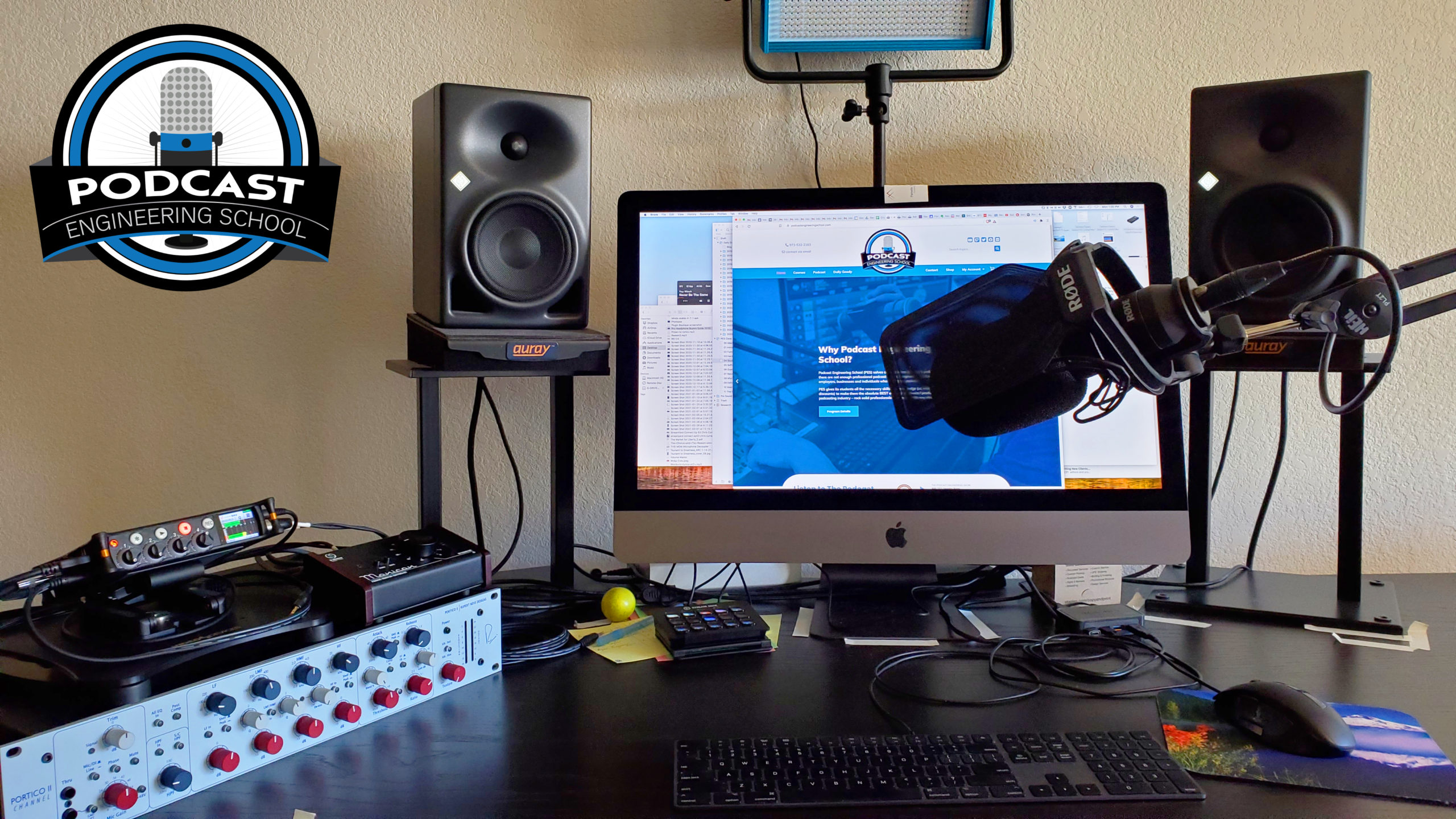
We Want to See Your Equipment Setup! Comment with a Link to a Pic
We want to see your equipment setup! Comment with a link to a pic!
My latest pic is above 🙂
Want to receive the Daily Goody in your email, daily or weekly? Subscribe free here.
And please keep in mind, the Daily Goody is only a tiny little tip, fact or lesson everyday. Please don’t expect any of these posts to be long, earth-shattering masterpieces that instantly answer every single question you can think of and completely transform you into a world class podcast engineer. “Little by little, a little becomes a lot.”
-
Chris’s Goody Bag – PES 212
I overview 9 recent Daily Goody‘s from Oct. 23 – Nov. 11 (see list below). You can sign up to receive Daily Goody’s in your email every day or a weekly roundup. Sign up here.
Daily Goody posts that I discussed in this episode:
- Why Pay for Professional Media Hosting Like Libsyn, Blubrry, etc.?
- Townsend Labs Sphere L22 Microphone
- Shure MV7 – New Microphone for Podcasting and Gaming
- The Way You Monitor Affects Your Production a Lot
- Podcast Audio Plugins – The Big List
- The Two Computer Settings Where You Need To Verify That Your Mic Is Active and Recording Properly
- Nasty Microphone Hum Noise From Old School Headsets
- Do Presentation Mistakes by Podcast Hosts Actually Draw Listeners In?
- FG-X Mastering Processor from Slate Digital
Be sure to check out the Focusrite Scarlett series of audio interfaces, the world’s best-selling USB interface range with over 3 million units sold worldwide. Choose from 6 different interfaces with 1, 2, 4, or 8 microphone inputs. Works with the recording software you’re already using and works with any type of XLR microphone. New unique Air feature adds brightness and presence to your voice. Thanks to Focusrite for sponsoring this episode!
Other Notes:
- If you ever have questions please reach out!
- The start date for the next PES semester is April 20, 2021
- If you’d like to share this show with any of your podcaster friends, feel free to send them a message saying, “Btw, here’s a show about podcast audio production you may find helpful” with this link: https://podcastengineeringschool.com/subscribe/
Comment below with any questions!
-
![Pro Headphone Buyers Guide 2020 [ebook]](https://podcastengineeringschool.com/wp-content/uploads/2021/03/Pro-Headphone-Buyers-Guide-2020.png)
Pro Headphone Buyers Guide 2020 [ebook]
Want to know the pros and cons of MANY different makes and models of headphones?
Check out the Pro Headphone Buyers Guide 2020 [ebook]
Want to receive the Daily Goody in your email, daily or weekly? Subscribe free here.
And please keep in mind, the Daily Goody is only a tiny little tip, fact or lesson everyday. Please don’t expect any of these posts to be long, earth-shattering masterpieces that instantly answer every single question you can think of and completely transform you into a world class podcast engineer. “Little by little, a little becomes a lot.”
-
PES Monthly Q&A Meeting for Students and Alumni
Students and Alumni of Podcast Engineering School are welcome to attend our monthly Q&A meeting to discuss any topics and ask any questions.
It’s a wonderful ongoing resource for students and alumni because over the years as they come across various real world situations they are able to ask me and the others about the best ways to handle various situations.
We often discuss new gear and plugins, too.
Plus it’s nice to see everyone on a regular basis.
I feel honored to be able to help my students and alumni in the long process of creating amazing careers for themselves.
#muchgratitude
Want to receive the Daily Goody in your email, daily or weekly? Subscribe free here.
And please keep in mind, the Daily Goody is only a tiny little tip, fact or lesson everyday. Please don’t expect any of these posts to be long, earth-shattering masterpieces that instantly answer every single question you can think of and completely transform you into a world class podcast engineer. “Little by little, a little becomes a lot.”
-
Stereo Imaging Enhancers
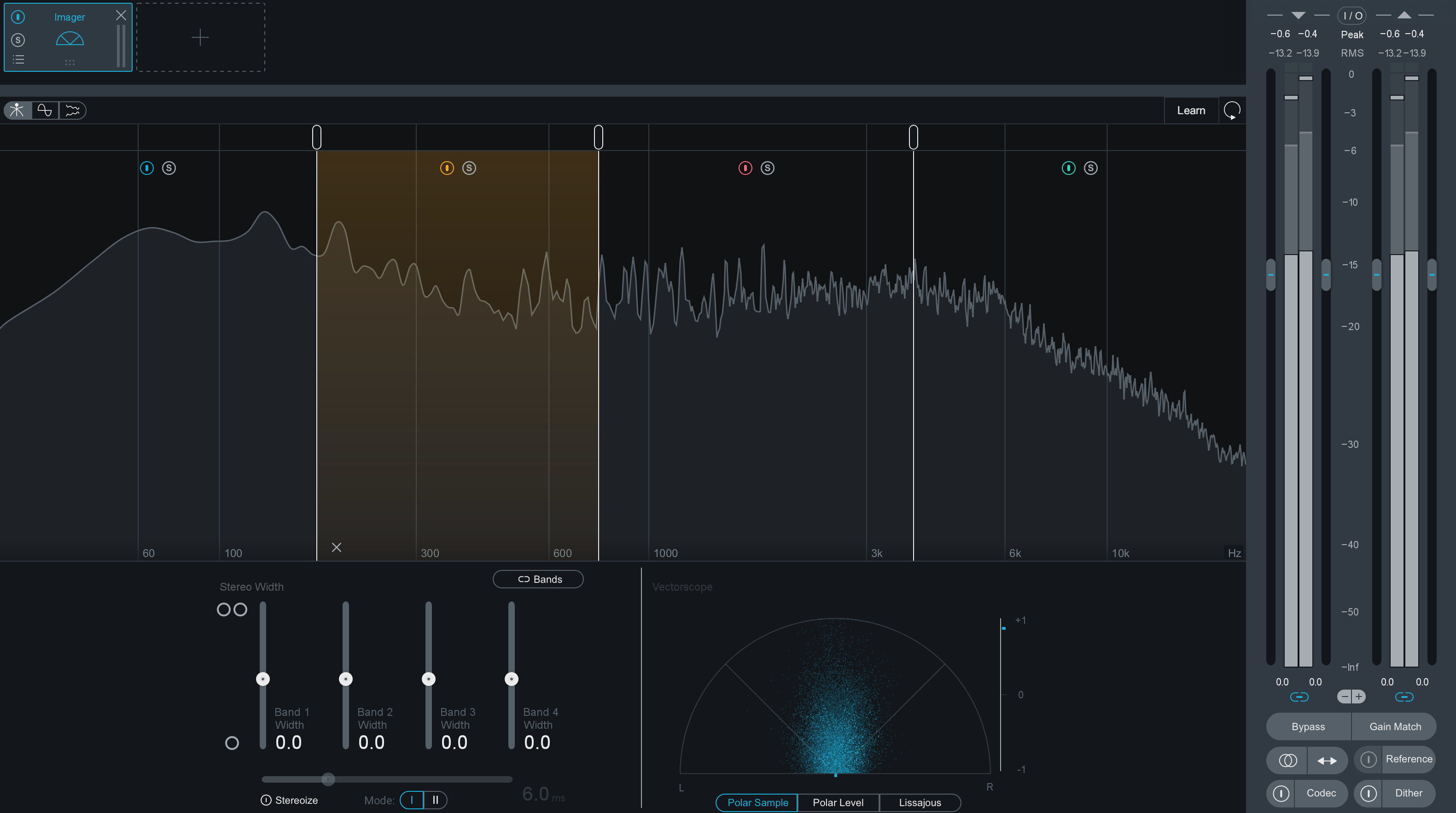
In podcast production it’s very rare that you would want to adjust the stereo imaging of some stereo music, but in case you ever want or need to make stereo music wider or more narrow, then you would use a stereo imaging enhancer.
Here are two:
Ozone Imager — This processor is part of Ozone mastering suite and I’ve used it before a few times. It’s a multiband stereo image enhancer and it’s pretty cool.
Waves S1 Stereo Imager — I’ve never used this one before.
Have you ever used a stereo imaging plugin before? Which one(s)?
Want to receive the Daily Goody in your email, daily or weekly? Subscribe free here.
And please keep in mind, the Daily Goody is only a tiny little tip, fact or lesson everyday. Please don’t expect any of these posts to be long, earth-shattering masterpieces that instantly answer every single question you can think of and completely transform you into a world class podcast engineer. “Little by little, a little becomes a lot.”
-
Editing Tip: Use Short Fades for Transparency, When Applicable
Sometimes when you make an audio edit, the resulting audio can sound a bit unnatural or just plain weird — which means it’s a potential distraction for the listeners.
Some edits may result in an unnaturally abrupt transition, an unnatural ending or beginning of a word, an abrupt piece of silence, or even an audible click. And sometimes these sounds are OK and can be left alone.
But if the edit sounds too weird you may want to clean it up, and one of the tools you can use is the fade. And I’m talking about really fast fades — fades that last a half of a second, or even a tenth of a second or less. Quickly fading in and/or out as needed can do a great job of smoothing over any weird noises or abrupt transitions.
Are you an editing ninja who uses fading like this? hehe
Want to receive the Daily Goody in your email, daily or weekly? Subscribe free here.
And please keep in mind, the Daily Goody is only a tiny little tip, fact or lesson everyday. Please don’t expect any of these posts to be long, earth-shattering masterpieces that instantly answer every single question you can think of and completely transform you into a world class podcast engineer. “Little by little, a little becomes a lot.”
-
Be Aware: Compression, EQ, Etc. Can Sometimes Exacerbate Sibilance
Sometimes when you use a combination of various plugins in post-production like compressors, EQ’s, saturation, etc. on a person’s voice, the plugins can accentuate sibilance. Even if there’s not an apparent issue with sibilance on the raw recording, some sibilance may appear after processing the voice with various plugins.
In cases like this you will want to use a de-esser in your plugin chain to tame that sibilance.
Do you have a de-esser on hand? Which one(s)?
Want to receive the Daily Goody in your email, daily or weekly? Subscribe free here.
And please keep in mind, the Daily Goody is only a tiny little tip, fact or lesson everyday. Please don’t expect any of these posts to be long, earth-shattering masterpieces that instantly answer every single question you can think of and completely transform you into a world class podcast engineer. “Little by little, a little becomes a lot.”
-
Voice Recorder Plugin (for WordPress)
The Voice Recorder Plugin for WordPress allows podcasters (or anyone) to accept voice-mail from your podcast listeners, fans, followers, members, or any other audience.
I haven’t tried this plugin yet.
For one website there is a one-time payment of $29. And they have additional options for using it on multiple websites, etc.
Do you use this plugin?
Want to receive the Daily Goody in your email, daily or weekly? Subscribe free here.
And please keep in mind, the Daily Goody is only a tiny little tip, fact or lesson everyday. Please don’t expect any of these posts to be long, earth-shattering masterpieces that instantly answer every single question you can think of and completely transform you into a world class podcast engineer. “Little by little, a little becomes a lot.”
-
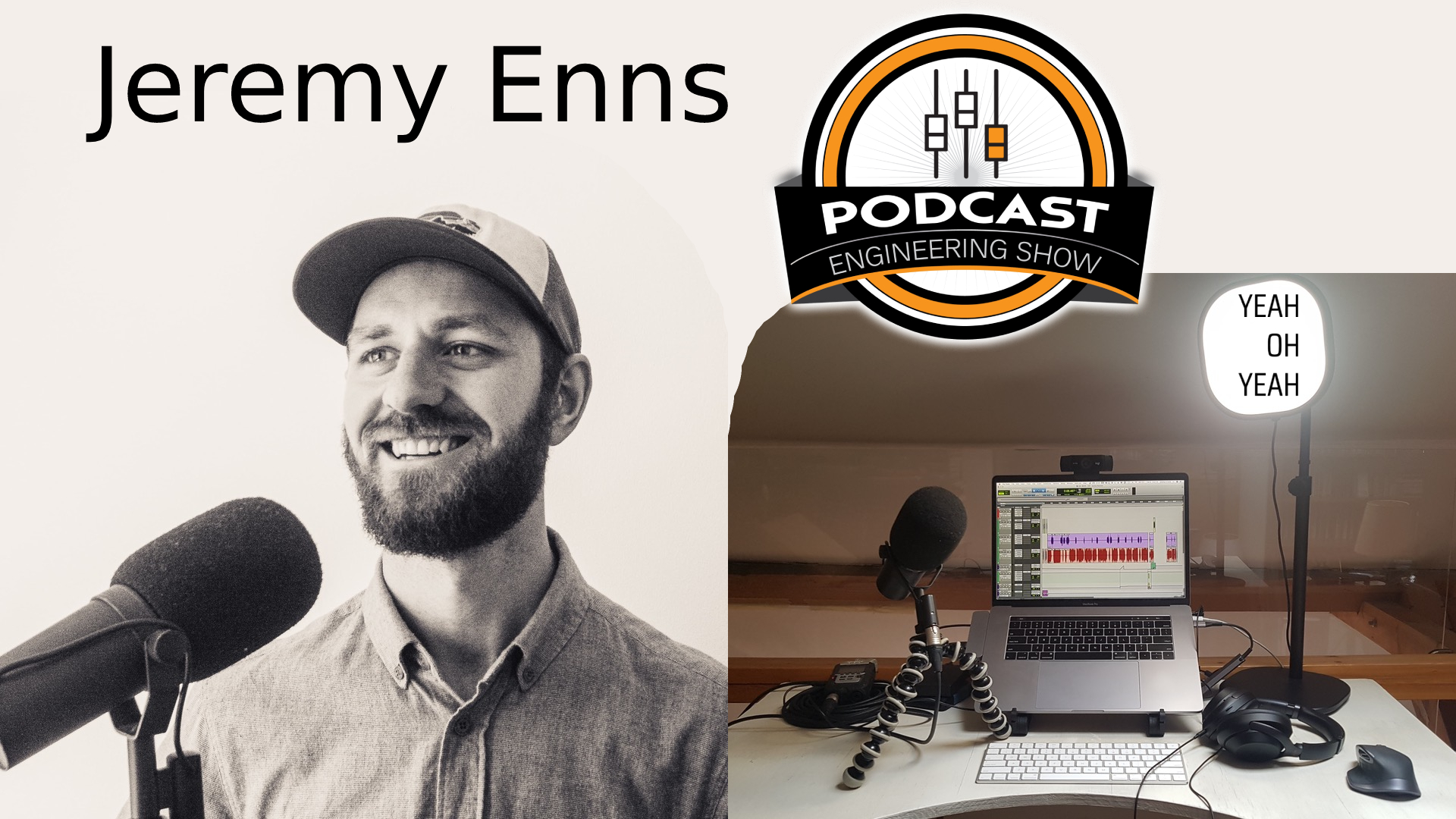
Jeremy Enns – PES 211
My guest is Jeremy Enns – Podcast Producer and Storyteller In Chief at Counterweight Creative. And here are the resources Jeremy mentioned including a free mini-course “Grow Your Audience Through Podcast Guesting” — find everything HERE.
We discussed SO MUCH, including:
- KRK V6 monitors
- Sony noise cancelling headphones
- ATR2100
- Shure SM7b – uses a Gorilla tripod to hold the mic when traveling
- Zoom H4n – with preamp gain maxed out
- Macbook Pro
- Pro Tools – And all his subcontractors use Pro Tools
- Quicktime to record local audio (all hosts and guests!)
- Zoom connection for interviews
- Waves plugins
- iZotope suite – noise removal, etc.
- Fabfilter Pro Q-3
- Multiband compressor
- 1176
- The Age Old Question Revisited: Is Content or Audio Quality King?
- What the Hell Is Semiotics and Why Does It Matter for Your Podcast Audio?
- Marketing Ideas: Collaborations with other creators where we promote each other, Cross promotion, Guesting on other podcasts
Thanks for being a great guest, Jeremy!
Comment below.
-
Guests: If You Own a Decent Microphone, PLEASE USE IT!
If you are going to be a guest on a podcast and you own a decent microphone, please use it! It makes a BIG difference toward you sounding your best to the audience.
Unfortunately I’ve witnessed many guests over the years who take the lazy way out and connect with no microphone — then when I ask them if they own a decent microphone they say, “Yes, it’s right over there.” Then I have to ask them to plug it in, etc.
In some cases the reason the guest connects without their microphone is because they have no respect for the podcast they’re guesting on — but I think in most cases guests do this because they simply don’t know how important good audio is, and/or they’re running late and didn’t have time to plug in their microphone (??!!).
Have you experienced anything like this?
Want to receive the Daily Goody in your email, daily or weekly? Subscribe free here.
And please keep in mind, the Daily Goody is only a tiny little tip, fact or lesson everyday. Please don’t expect any of these posts to be long, earth-shattering masterpieces that instantly answer every single question you can think of and completely transform you into a world class podcast engineer. “Little by little, a little becomes a lot.”
-
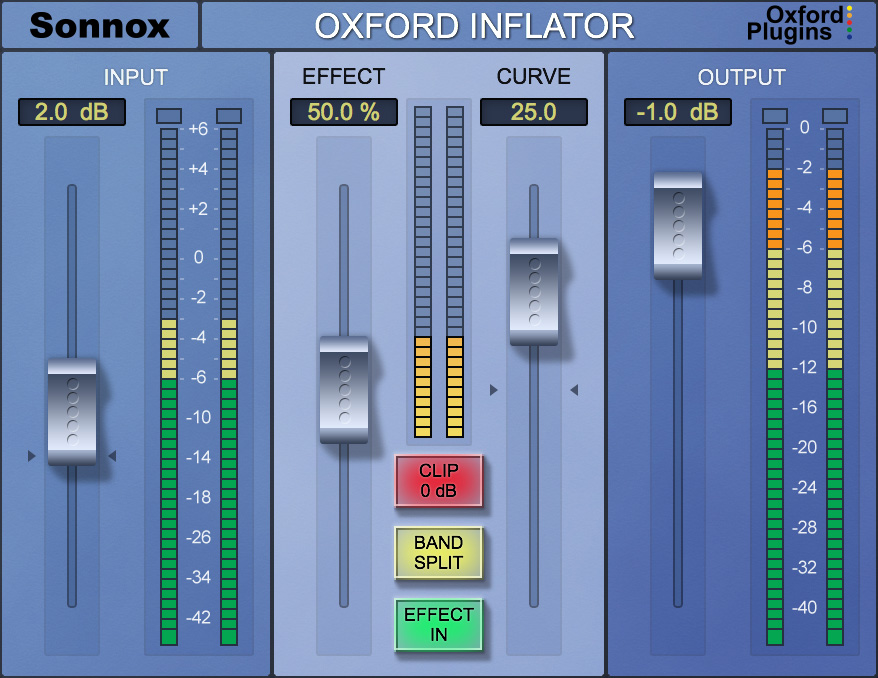
Using Oxford Inflator To Bring a Guests Voice “Closer”
This plugin is awesome as well as enigmatic. I love it and use it often. FYI, here’s a previous Daily Goody post with more details on the plugin itself.
It works great on guests whose mouth is quite far from their microphone — for instance when using a built-in laptop microphone or a desk-based USB mic like the dreaded Blue Yeti or Snowball.
It essentially makes the guest sound closer and therefor more intelligible especially in environments with loud background noise like a car, jogging, washing dishes, etc.
Have you tried this plugin?
Want to receive the Daily Goody in your email, daily or weekly? Subscribe free here.
And please keep in mind, the Daily Goody is only a tiny little tip, fact or lesson everyday. Please don’t expect any of these posts to be long, earth-shattering masterpieces that instantly answer every single question you can think of and completely transform you into a world class podcast engineer. “Little by little, a little becomes a lot.”