Your cart is currently empty!
Author: Chris Curran
-
Volume Master Extension for Chrome and Brave, etc.
Volume Master is very handy for boosting the audio playback volume of individual browser tabs up to 600%! It’s made for Chrome but definitely works in Brave and probably Dissenter, too.
This is very handy when recording or streaming reactions to YouTube videos that have really low volume. Or when an internet guests volume is way too low and they aren’t able to crank up their own volume any more.
I’m so glad I found this extension because I was trying like hell, unsuccessfully, to engineer a workaround for web audio that is very low in volume.
Have you tried this extension?
Want to receive the Daily Goody in your email, daily or weekly? Subscribe free here.
And please keep in mind, the Daily Goody is only a tiny little tip, fact or lesson everyday. Please don’t expect any of these posts to be long, earth-shattering masterpieces that instantly answer every single question you can think of and completely transform you into a world class podcast engineer. “Little by little, a little becomes a lot.”
-
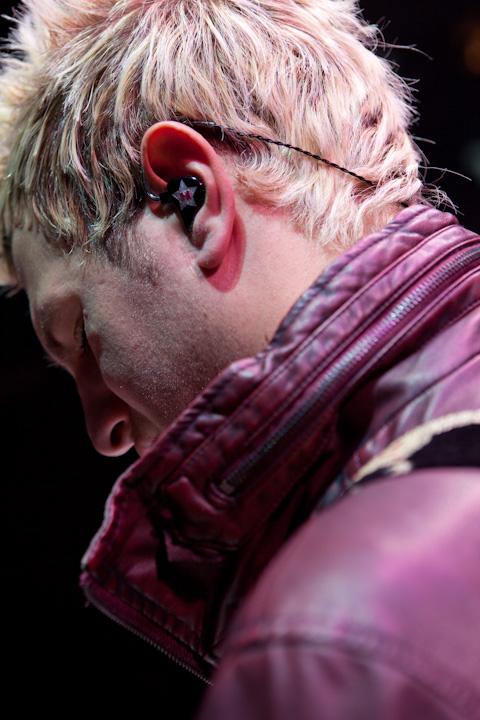
Ultimate Ears – Professional In-Ear Monitors
Several people I know use Ultimate Ears and LOVE them — my previous guests Michelle Levitt (Creative Marketing Director at Heil Sound) and Marcus DePaula (audio engineer and podcast producer at Me Only Louder), as well as PES graduate Ed Sullivan from Sonic Cupcake.
From the Ultimate Ears website: With ultra-detailed sound, superior isolation, unsurpassed comfort and a lightweight, portable design, UE Pro in-ear monitors deliver unparalleled performance for the stage, studio and beyond. 3D-printed from impressions of your unique ear shape, UE Pro in-ear monitors offer a level of personalized comfort that can’t be beat.
Someday I would love to buy them, too.
You?
Want to receive the Daily Goody in your email, daily or weekly? Subscribe free here.
And please keep in mind, the Daily Goody is only a tiny little tip, fact or lesson everyday. Please don’t expect any of these posts to be long, earth-shattering masterpieces that instantly answer every single question you can think of and completely transform you into a world class podcast engineer. “Little by little, a little becomes a lot.”
-
32 Bit Floating Point Explained (by Sound Speeds)
This is an excellent video made by Allen at Sound Speeds:
Want to receive the Daily Goody in your email, daily or weekly? Subscribe free here.
And please keep in mind, the Daily Goody is only a tiny little tip, fact or lesson everyday. Please don’t expect any of these posts to be long, earth-shattering masterpieces that instantly answer every single question you can think of and completely transform you into a world class podcast engineer. “Little by little, a little becomes a lot.”
-
Benefits of Attending LIVE Interactive Classes on Podcast Production
Watching YouTube videos to get quick answers to simple podcast production questions is very handy, but those types of videos don’t cut the mustard when a person wants to become a true audio professional by learning everything about podcast audio production in the greatest depth possible.
For professional in-depth training it’s best to attend Live classes with an accomplished instructor so you can ask questions on the fly, ask follow-up questions on the fly, and ask questions about a previous class, previous topics, etc.
That is how I conduct Podcast Engineering School and I wouldn’t have it any other way. And of course students can watch replays of all the classes, too.
Many people have told me over the past 4 years that I could make A LOT more money and do A LOT less work if I made the course “on-demand” so that people could purchase it and watch a bunch of videos without me ever meeting them or talking with them, etc.
I will NEVER do this. It is NOT the best way for people to learn – BY FAR. The depth at which I teach always stimulates deep, important questions from students, and you’re telling me that I’m just supposed to let them watch videos and wallow in confusion instead of helping them directly?!?! No way Jose.
My one goal is to help every students become a world-class podcast engineer and enjoy a wonderful career producing podcasts and earning a great income. And I’m proud of the MANY students who are actually creating that reality for themselves after attending PES.
Want to receive the Daily Goody in your email, daily or weekly? Subscribe free here.
And please keep in mind, the Daily Goody is only a tiny little tip, fact or lesson everyday. Please don’t expect any of these posts to be long, earth-shattering masterpieces that instantly answer every single question you can think of and completely transform you into a world class podcast engineer. “Little by little, a little becomes a lot.”
-
High-Mid Frequency Clarity vs. Harshness
There’s a balance to be struck in the high-mid frequencies (roughly between 2 kHz and 4 kHz).
If these frequencies are accentuated too much the audio will sound harsh, grating, and potentially cause actual pain when listening at higher volumes.
If these frequencies are too absent the audio will sound dull and unclear — kinda like people sound when wearing COVID masks, actually! (which dampen high and high-mid frequencies the most).
If these frequencies are set to the optimum level the audio will sound clear, crisp and articulate while maintaining it’s size and fullness.
Do you struggle with mixing these frequencies?
Want to receive the Daily Goody in your email, daily or weekly? Subscribe free here.
And please keep in mind, the Daily Goody is only a tiny little tip, fact or lesson everyday. Please don’t expect any of these posts to be long, earth-shattering masterpieces that instantly answer every single question you can think of and completely transform you into a world class podcast engineer. “Little by little, a little becomes a lot.”
-
When Editing, Are You Able To Quickly Highlight a Single Mouthclick and Delete It?
When I’m doing my fine-tuned editing on a podcast episode I use TwistedWave or Sound Forge Pro because they allow me to VERY QUICKLY zoom in, highlight very small things like single mouthclicks, and delete them.
When I try to make the same kind of edit in a DAW (Reaper and others) it takes forever.
What say you?
Want to receive the Daily Goody in your email, daily or weekly? Subscribe free here.
And please keep in mind, the Daily Goody is only a tiny little tip, fact or lesson everyday. Please don’t expect any of these posts to be long, earth-shattering masterpieces that instantly answer every single question you can think of and completely transform you into a world class podcast engineer. “Little by little, a little becomes a lot.”
-
Suggestion For Folks Who Don’t Process Their Audio in Post but May Want To:
If and when you want to add a little processing in post for the purpose of making your audio sound better, I would recommend using compression to make your voice more up front and perceptually louder. Compression also makes your voice much easier to understand for listeners in environments where there is considerable background noise like driving in a car, jogging, working out, washing dishes, etc.
Want to receive the Daily Goody in your email, daily or weekly? Subscribe free here.
And please keep in mind, the Daily Goody is only a tiny little tip, fact or lesson everyday. Please don’t expect any of these posts to be long, earth-shattering masterpieces that instantly answer every single question you can think of and completely transform you into a world class podcast engineer. “Little by little, a little becomes a lot.”
-

Ennuicastr: Synchronized Multi-Track Audio and Video Recording on the Web
I have not tried this yet, but it sounds like an alternative to Zencastr and Riverside.
Ennuicastr is currently in beta, is written by Wereweasel, and is open source (client, server).
Details from their website:
“Ennuicastr is every podcaster and vodcaster’s new best friend: Easy to use, high-quality, synchronized multi-track audio and video recording, on the web, for free during the beta, and $1/hour or $10/month after.
“NOTE: Ennuicastr is currently in beta. In an effort to be helpful during the global COVID-19 pandemic, the author of Ennuicastr is making the beta free and public.
“However, please do remember that this is a beta. It will have bugs. It does have bugs. If you are using Ennuicastr during the beta and have Discord, please join the Discord server.
“Recording multiple users online is usually surprisingly difficult. Assuming they all remember to record themselves at all, the first task of any editor is to synchronize all their audio, and that alone isn’t as easy as it sounds. Even after the initial sync, different microphones have different timing crystals, so they’re liable to slowly drift out of sync. On top of all that, if one system has a problem and their recording is unusable, either the whole recording is a bust, or you’re forced to switch to a difficult-to-edit single-track recording. Ennuicastr aims to fix all of this.
“Ennuicastr is a web-based voice chat tool and audio recorder, which records in high quality (128kbit Opus or lossless FLAC), and is foolproof for end-users. All that regular participants have to do is click a link, give their name or nickname, and talk. Then, each user’s separated audio is available for download by the host, all perfectly synchronized to each other. That’s really all there is to it!”
Have you tried Ennuicastr yet?
Want to receive the Daily Goody in your email, daily or weekly? Subscribe free here.
And please keep in mind, the Daily Goody is only a tiny little tip, fact or lesson everyday. Please don’t expect any of these posts to be long, earth-shattering masterpieces that instantly answer every single question you can think of and completely transform you into a world class podcast engineer. “Little by little, a little becomes a lot.”
-
Recording With a Dog in the Room
I’ve recorded many guests who had a dog with them in the room during the recording session.
Before pressing record, if I hear the dog I always ask the guest if they feel they should remove the dog from the room before recording. Sometimes they say that if the dog is outside the room it will bark more than if it is inside the room.
On many occasions in the middle of an interview I’ve heard the guests dog moving around, jingling it’s collar and occasionally barking or yelping or whining. Obviously all these noises can distract the listener from the conversation (unless you’re actually talking about the dog!). Note: It’s virtually impossible to remove those sounds in post-production.
On other occasions the dog remained completely silent for the whole interview. Whew!
What has your experience been with recording with dogs in the room?
Want to receive the Daily Goody in your email, daily or weekly? Subscribe free here.
And please keep in mind, the Daily Goody is only a tiny little tip, fact or lesson everyday. Please don’t expect any of these posts to be long, earth-shattering masterpieces that instantly answer every single question you can think of and completely transform you into a world class podcast engineer. “Little by little, a little becomes a lot.”
-
Chris’s Goody Bag – PES 210
I overview 9 recent Daily Goody‘s from Oct. 2 – Oct. 21 (see list below). You can sign up to receive Daily Goody’s in your email every day or a weekly roundup. Sign up here.
Daily Goody posts that I discussed in this episode:
- Remind Guests To Stay on After the Interview Ends
- Advice for Speaking Into a Lavalier Microphone?
- Zoom PodTrak P8
- Hooke Lav
- Trivia: What Compression Ratio Do I Use on My Channel Strip on the Way “To Tape?”
- EQ then Compress, or Compress then EQ?
- Should You Edit a Boring Speaker Differently Than an Exciting Speaker?
- Metadatics – An Advanced Audio Metadata Editor for Mac OS X
- Podcast Editors: Beware of Negotiating Your Price Down
Other Notes:
- I appreciate you listening and if you ever have questions please reach out!
- The start date for the next PES semester is April 20, 2021
- If you’d like to share this show with any of your podcaster friends, feel free to send them a message saying, “Btw, here’s a show about podcast audio production you may find helpful” with this link: https://podcastengineeringschool.com/subscribe/
Comment below with any questions!
-

Abbey Road RS124 Vintage Tube Compressor from Waves
I love this thing!!!
The RS124 is a relatively new plugin from Waves and it has quickly become one of my favorite compressors for podcast production. And it’s typically on sale for $38 to $58!
From the Waves website:
“The Holy Grail of Smooth Compressors”
“Give your music the sound of silky-smooth Abbey Road RS124 compression – the legendary velvety tones heard on every Beatles recording made at Abbey Road. With two distinct flavors to choose from, this classic tube model is the only software emulation of the ultra-rare RS124s, approved by Abbey Road Studios.
“Few pieces of gear define music history as the RS124 does. The custom-built RS124 compressors were the secret weapon of Abbey Road engineers during the ‘60s – favored by Geoff Emerick for punchy bass sounds; by Ken Scott for lush guitar treatment; by Norman Smith for lightly gluing the entire rhythm bus. RS124 was also a popular choice for mastering in Abbey Road’s cutting rooms.
“The RS124 sound is especially famous for the thick, creamy bass tones it produced on Beatles classics such as “Rain” and “Come Together.” Abbey Road engineers would typically push the input of the RS124 deep into 15-20 dB of gain reduction, producing wonderfully lush results on numerous sources.
“Today, Grammy®-winning pop/R&B and hip hop engineer Tony Maserati consistently applies RS124 tones to his vocal tracks, including those of Beyoncé and Alicia Keys, to supplement their stunning voice qualities.
“The RS124 was actually an extensive in-house modification of the American Altec 436B compressor. It is believed only 25 units were ever created, and each serial number was hand-built by Abbey Road/EMI technical legends Bill Livy, Len Page and Mike Bachelor.
“Naturally, no RS124 unit sounded exactly the same. Each had different sonic qualities and attack/release times, due to constant tinkering of the components used. As a result, some units were more suited for tracking, others for bus compression and disc cutting/mastering duties.
“Accordingly, the Waves Abbey Road plugin features two distinct RS124 flavors, modeled from the original hardware:
“Studio models RS124 serial no. 60070B – a favorite unit used for tracking at Abbey Road from the late ‘50s into the ‘60s, due to its faster attack and release times. This is the more aggressive sound of the RS124, which creates a beautiful “squashed” sound on transients.
“Cutter is a modification with slower attack and release times. The slower RS124s were favored for studio reduction mixes and in Abbey Road’s cutting rooms during the ‘60s. The more relaxed attack made these units suitable and more forgiving for bus compression and mastering purposes.
“The RS124 is a feedback compressor with a variable recovery. Want it to become more aggressive? The included “Super Fuse” mode matches release time to attack time, creating a brutal compression character that sounds like it’s “fighting against itself.” Try this on your drum bus for complete room destruction.
“The legendary RS124 left a huge sonic fingerprint on the Abbey Road ‘60s sound. Since its rediscovery in the early 2000s, this important, rare and unique compressor is still being used at Abbey Road Studios today. Now, its one-of-a-kind sound is yours.”
Want to receive the Daily Goody in your email, daily or weekly? Subscribe free here.
And please keep in mind, the Daily Goody is only a tiny little tip, fact or lesson everyday. Please don’t expect any of these posts to be long, earth-shattering masterpieces that instantly answer every single question you can think of and completely transform you into a world class podcast engineer. “Little by little, a little becomes a lot.”
-
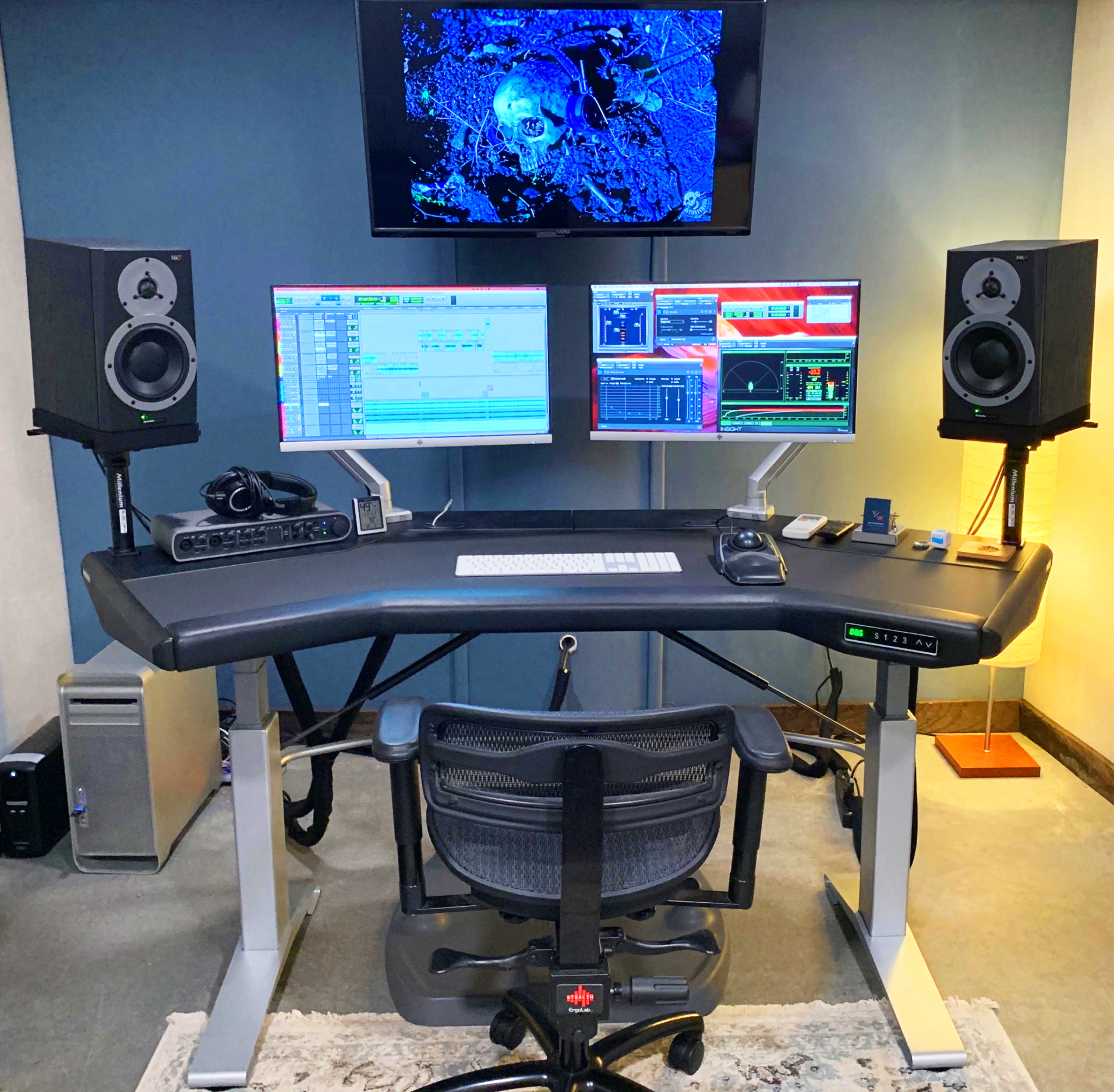
Argosy Halo Sit/Stand Desk
I don’t have one of these fancy new desks YET, but they sure look amazing and everyone I know who has a sit/stand desk LOVES it.
ARGOSY has been around since 1994 and their HALO desks are designed for any media environment. My previous guest Sarah Wendel has one!
Do you have a sweet desk?
Want to receive the Daily Goody in your email, daily or weekly? Subscribe free here.
And please keep in mind, the Daily Goody is only a tiny little tip, fact or lesson everyday. Please don’t expect any of these posts to be long, earth-shattering masterpieces that instantly answer every single question you can think of and completely transform you into a world class podcast engineer. “Little by little, a little becomes a lot.”
-
What Are Your Main Monitors? Headphones or Speakers? Which Model?
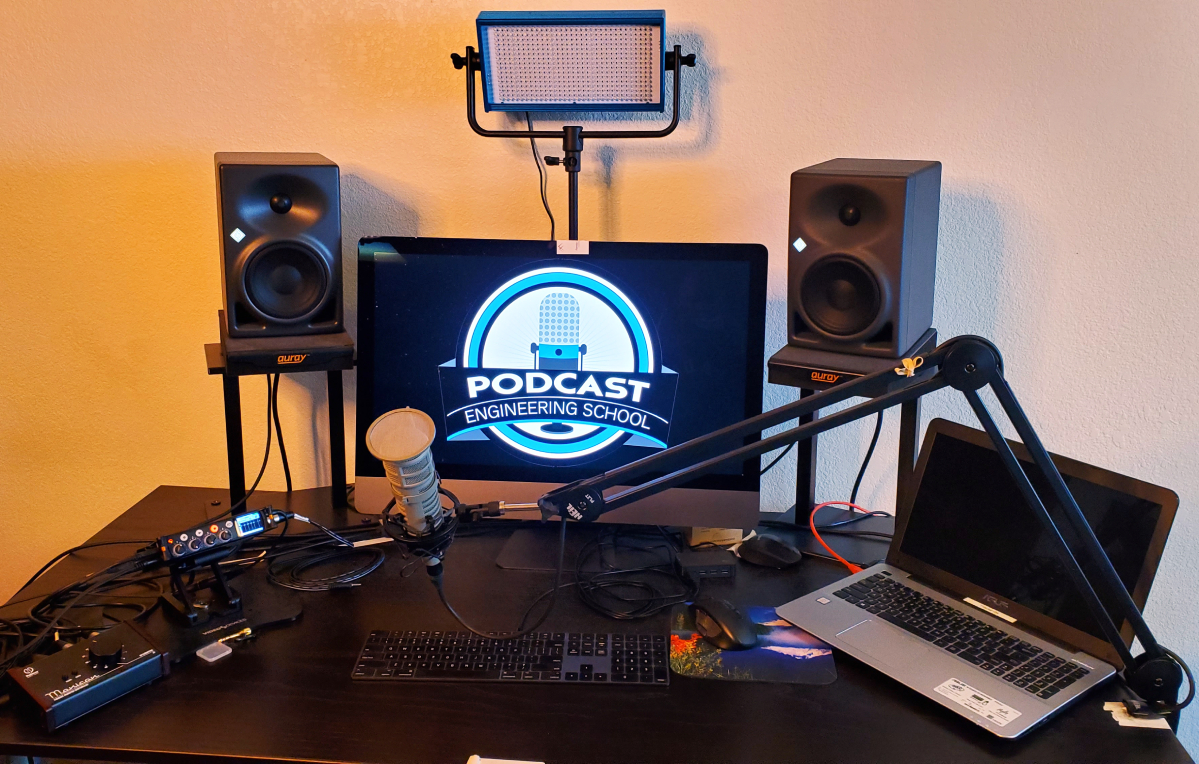
I’m curious how you’re monitoring your audio. What are your main monitors? Headphones or speakers? Which model?
My primary monitors are speakers — Neumann KH 120 A‘s.
My headphones, which I use about 10% of the time, are Sennheiser HD650‘s.
Want to receive the Daily Goody in your email, daily or weekly? Subscribe free here.
And please keep in mind, the Daily Goody is only a tiny little tip, fact or lesson everyday. Please don’t expect any of these posts to be long, earth-shattering masterpieces that instantly answer every single question you can think of and completely transform you into a world class podcast engineer. “Little by little, a little becomes a lot.”
-
Before Recording, Enable “Do Not Disturb” on Phones and Computers
You don’t want extraneous sounds disturbing your listeners concentration, so before recording be sure to enable “Do Not Disturb” and/or turn off notifications on your phones and computers. This applies to hosts and guests alike. Put a reminder for this on your pre-show soundcheck list.
Be prepared to help guests navigate to and adjust their “Do Not Disturb” and/or notifications settings. Note that the location of these settings controls is different for various phones and computers, and the location of the settings controls sometimes change with new operating systems and apps.
Want to receive the Daily Goody in your email, daily or weekly? Subscribe free here.
And please keep in mind, the Daily Goody is only a tiny little tip, fact or lesson everyday. Please don’t expect any of these posts to be long, earth-shattering masterpieces that instantly answer every single question you can think of and completely transform you into a world class podcast engineer. “Little by little, a little becomes a lot.”
-
Fewer Clients at Higher Rates vs. Many Clients at Lower Rates?
Would you rather fewer clients at higher rates or many clients at lower rates?
When starting a business producing podcasts for clients it’s easy to offer low rates because you want to onboard some clients as soon as possible. However in the long run charging low rates can make it very tough to be profitable AND have a life.
Some producers decide to charge much higher rates and only work with a smaller number of clients. This way they can work less hours and enjoy life more.
Which strategy do you currently use? Which do you think is better for you in the long run?
FYI, I offer a course called Getting New Clients at Higher Rates, so if you want to invest in yourself to learn how to do that check it out.
Want to receive the Daily Goody in your email, daily or weekly? Subscribe free here.
And please keep in mind, the Daily Goody is only a tiny little tip, fact or lesson everyday. Please don’t expect any of these posts to be long, earth-shattering masterpieces that instantly answer every single question you can think of and completely transform you into a world class podcast engineer. “Little by little, a little becomes a lot.”
-
Podcast Taxonomy
This is a new initiative. Details below. Also download the White Paper.
Summary: Podcast Taxonomy is an international, multidisciplinary collaborative standard for recognizing roles and credits in podcast production. It consists of a list of roles/credits and their respective description. This is a living, breathing document intended to be routinely updated via a convention of partners throughout podcasting known as the Podcast Taxonomy Consortium.
Goals of the project include adopting a standard set of roles in podcast creation as well as helping with job search and creation in podcasting, giving networks and independent creators a common list of known roles and job descriptions.
Want to receive the Daily Goody in your email, daily or weekly? Subscribe free here.
And please keep in mind, the Daily Goody is only a tiny little tip, fact or lesson everyday. Please don’t expect any of these posts to be long, earth-shattering masterpieces that instantly answer every single question you can think of and completely transform you into a world class podcast engineer. “Little by little, a little becomes a lot.”
-
Michael Garfield, Host of Complexity – PES 209
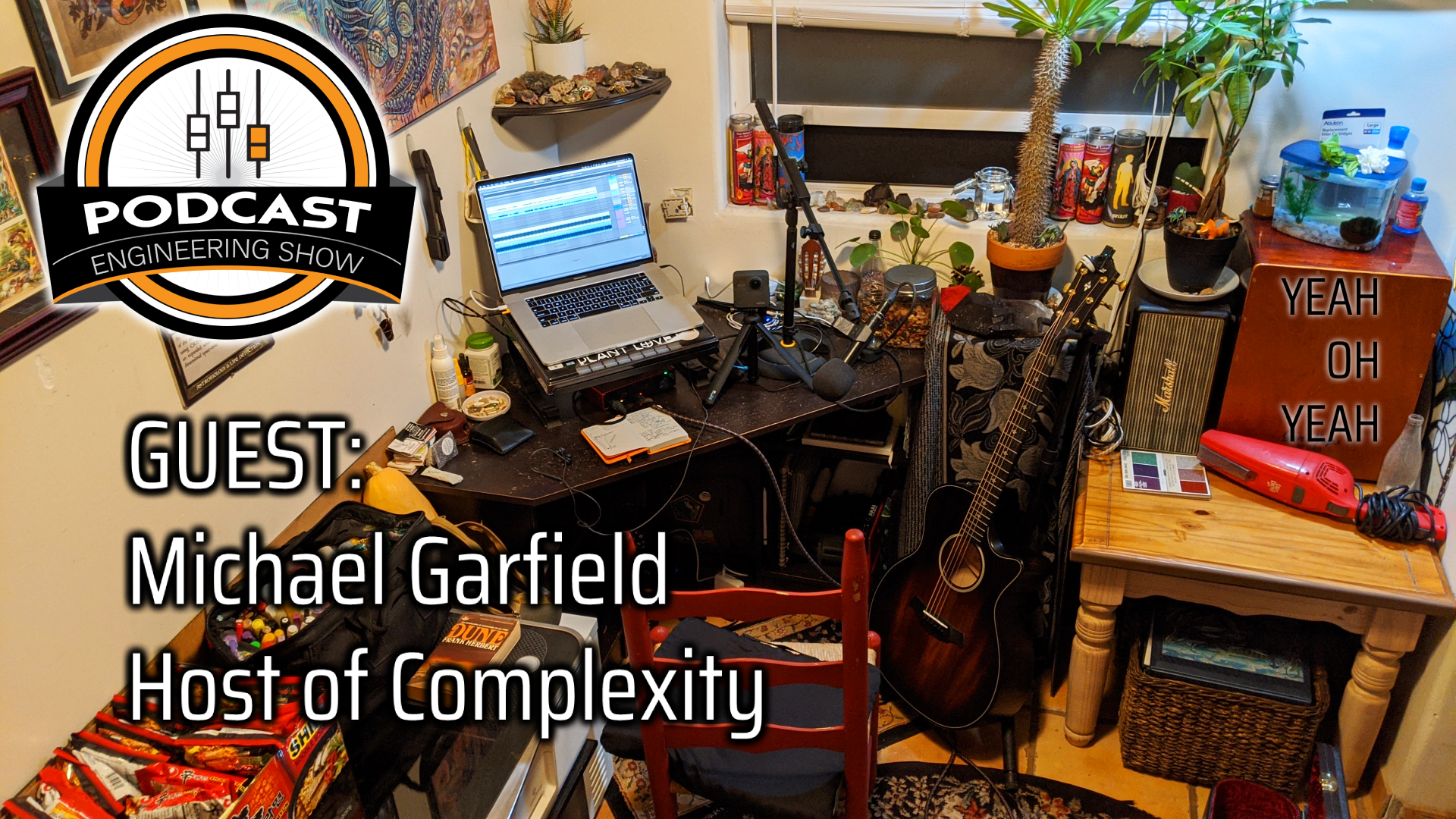
My guest is Michael Garfield – host of Complexity, host of Future Fossils, musical artist, and Social-Media-Strategist-Podcast-Producer at the Santa Fe Institute.
We discussed SO MUCH, including:
- M 88 TG: Dynamic Microphone (Hypercardioid)
- Shure PG 42 USB
- Scarlett 4i4 2nd Gen. with AIR button
- Ableton Live
- “Make It Loud” compressor preset
- iZotope plugins – De-noise, De-reverb, and more.
- Squadcast – for both his shows
- Zoom is a nightmare
- Macbook Pro
- Billie Eilish has used an AT 2020
- Roland cables
- Yeti Nano — for dropping the mic at the guests house. ***Hear it on the Scott Otrtman episode of Complexity.
- Beats Studio Pro headphones
- Simplecast
- Uploads Stereo MP3’s
- Vocal Synthesis!
- Sub-vocalization
- Grimes and Endel – AI powered lullaby, baby music, depending on time of day,
- Deep-learning musical synthesis
- Open AI jukebox project
- GPT-3, people are talking to GPT-3???
- Mubert – music generator app
- Reface – swap your face into a movie
- Chaos: Making a New Science by James Gleick
- Artificial Intelligence: A Guide for Thinking Humans by Melanie Mitchell
- Conceptual abstraction, Alpha Go can’t apply what it’s learned to other games – it can’t analogize
Thanks Michael for being a great guest!
Enter your comments and questions below.
-
Low-mid Fullness vs. Muddiness
There’s a balance to be struck in the low-mid frequencies (roughly between 200-500 Hz).
If these frequencies are too prevalent the audio will sound muddy, indistinct, dull, muffled, not clear, etc.
If these frequencies are too absent the audio will sound thin, wimpy, weak-bodied and small.
If these frequencies are set to the optimum level the audio will sound full, strong and big AS WELL AS clear, crisp and articulate.
Do you struggle with mixing these frequencies?
Want to receive the Daily Goody in your email, daily or weekly? Subscribe free here.
And please keep in mind, the Daily Goody is only a tiny little tip, fact or lesson everyday. Please don’t expect any of these posts to be long, earth-shattering masterpieces that instantly answer every single question you can think of and completely transform you into a world class podcast engineer. “Little by little, a little becomes a lot.”
-
Being Close To the Mic but Still Not Sounding “Close Enough”
A listener of The Podcast Engineering Show, Gary (host of the Audio Tidbits podcast), commented on the sound of my voice in episode 208 in which I demonstrated my voice on two microphones which I normally don’t use.
Gary: “It didn’t sound to me like you were too far away from the microphone, but I kept wanting you to pull your chair up a little closer. I guess the only words I have for it is “a little thin.” I kept wanting one of us to scoot a little closer. I had the same feeling both on my Bose computer speakers and on my iPhone. Thanks for your great podcast. I keep learning.”
My response: “Very good observations! I agree, those two microphones sound thin on my voice. Regarding sounding not-as-up-front-as-usual, this is because I didn’t use any compression in post-production on my voice in that episode (because I wanted the sound of the mics to come through un-processed). In general, compression makes audio sound closer, more in-your-face and more intelligible over background noise or music, etc., and it’s invaluable when producing professional audio. Good ear, Gary!“
Did you feel the same as Gary?
Want to receive the Daily Goody in your email, daily or weekly? Subscribe free here.
And please keep in mind, the Daily Goody is only a tiny little tip, fact or lesson everyday. Please don’t expect any of these posts to be long, earth-shattering masterpieces that instantly answer every single question you can think of and completely transform you into a world class podcast engineer. “Little by little, a little becomes a lot.”