Your cart is currently empty!
Author: Chris Curran
-
32 Bit Floating Point Explained
I found this really good video (from Allen at Sound Speeds) explaining 32 bit floating point and now things make more sense to me.
My clarifications and takeaways:
- It’s the “Floating Point” in 32 bit Floating Point that makes it special, as opposed to standard 32 bit resolution which behaves the same as regular 24 bit and 16 bit, etc.
- 32 bit Floating Point uses 2 ADC’s (analog to digital converters) — one handles regular level audio and the other handles loud audio above a certain loudness level.
- The difference in noise floor between 24 bit and 32 bit floating point is negligible or zero.
- For regular podcast recording, as long as nobody’s level is completely blown out and distorted, it’s not necessary to record in 32 bit floating point.
Specifically with regard to how the Sound Devices MixPre II series achieves such high dynamic range in 32-bit float mode: The MixPre II recorders feature Sound Devices’ own patented topology of multiple analog-to-digital converters. These converters appear in the circuitry after the Kashmir microphone preamplifier stage. They enable the recording of very-low distortion, ultra-high dynamic range audio. The MixPre II’s A-to-D’s can resolve more than 142 dB of dynamic range. Together with their Kashmir microphone preamplifiers and 32-bit float files, the MixPre II captures audio that is limited only by the capabilities of the microphone.
Want to receive the Daily Goody in your email, daily or weekly? Subscribe free here.
And please keep in mind, the Daily Goody is only a tiny little tip, fact or lesson everyday. Please don’t expect any of these posts to be long, earth-shattering masterpieces that instantly answer every single question you can think of and completely transform you into a world class podcast engineer. “Little by little, a little becomes a lot.”
-
Be Aware: Some Earbuds Feed Back Within Themselves
Sometimes when you connect with a guest to record an episode, you will hear your voice coming back on the guests audio on a slight delay and at a relatively low volume. There can be several reasons for this, but one reason can be that the guests earbuds themselves are feeding your voice back to you.
This is because some wired earbuds feed back within themselves. When the guest hears your voice, some of your voice bleeds into their earbuds microphone. And there’s no fix for this because it’s a hardware issue within the earbuds themselves.
Note: The feedback will get louder the more the guest cranks up their monitor volume in the earbuds.
Whenever this problem occurs, I ask guests to turn down their monitor volume as much as they can while still being able to hear other participants, of course. This minimizes (and usually eliminates!) the feedback on their track.
If the feedback is too loud and ruining the audio, you can:
- Ask the guest if they have any other headphones/earbuds they can use.
- Use the echo-cancellation feature in platforms like Squadcast and Zencastr. This will eliminate the feedback, but then of course you’ll have to deal with the “ducking” problem — when 2 people talk at the same time, one of them will literally be muted.
Have you ever dealt with this problem?
Want to receive the Daily Goody in your email, daily or weekly? Subscribe free here.
And please keep in mind, the Daily Goody is only a tiny little tip, fact or lesson everyday. Please don’t expect any of these posts to be long, earth-shattering masterpieces that instantly answer every single question you can think of and completely transform you into a world class podcast engineer. “Little by little, a little becomes a lot.”
-
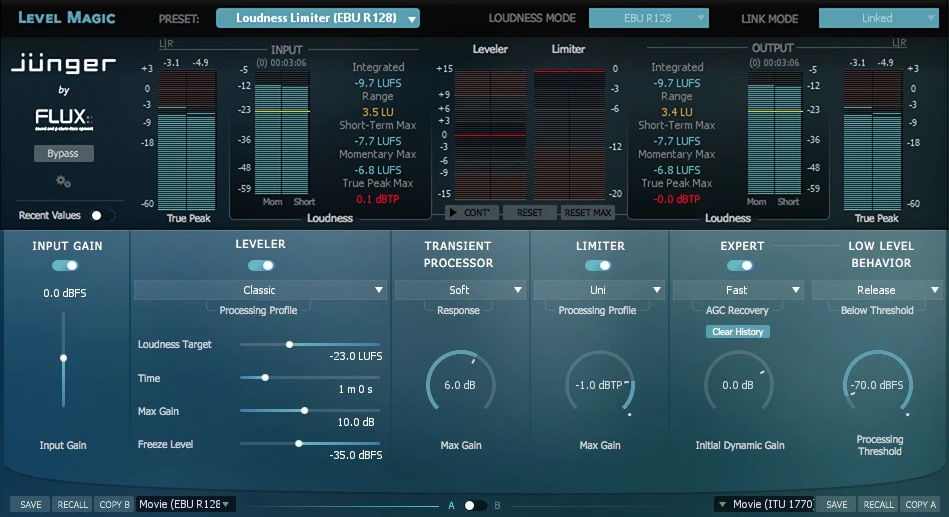
Level Magic by Flux Jünger
Level Magic is amazing leveler software! It’s a real time and offline loudness processor. You can think of it as doing a similar type of leveling that Auphonic does but WAAAAAY better quality with SOOOO many more controls. There’s a stereo version and a multichannel version, and you can try it for free.
From their website:
Level Magic is a comprehensive loudness management processor utilizing an algorithm, developed and enhanced over several years by Jünger Audio, highly adaptive to the structure of the incoming audio to meet the requirements of the broadcast and media industry, producing a result without artefacts such as pumping, breathing or distortion. Level Magic is compliant with all current worldwide loudness standards.
Features:
- True Peak level metering and limiting – ITU-R BS.1770 / EBU R128 Compliant
- Supporting up to 10 channels for Dolby Atmos and the AVID Pro Tools Dolby Atmos 7.1.2/7.0.2 Track and Bus
- Input / Output Gain (-12/+12 dB) applied to the limiter input and to the output stage of the limiter
Want to receive the Daily Goody in your email, daily or weekly? Subscribe free here.
And please keep in mind, the Daily Goody is only a tiny little tip, fact or lesson everyday. Please don’t expect any of these posts to be long, earth-shattering masterpieces that instantly answer every single question you can think of and completely transform you into a world class podcast engineer. “Little by little, a little becomes a lot.”
-
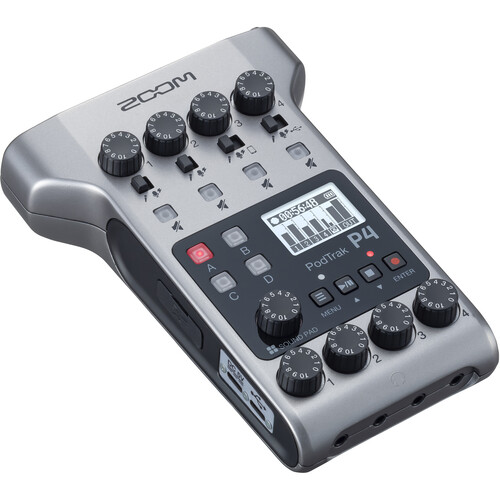
Zoom PodTrak P4
The Zoom PodTrak P4 was introduced to the world a few months ago and some folks are really liking it a lot.
From Zoom:
Purpose-built for producing polished multi-person podcasts anywhere you go, the Zoom PodTrak P4 is a cost-effective portable multitrack podcast recorder that lets you quickly record up to four mics, handle 2 echo-free remote call-ins simultaneously, trigger sound samples, and provide separate headphone feeds for all your guests, all at the same time and with refreshing simplicity.
From the intuitive, tactile controls to the plentiful battery life and powerful audio processing functions, the PodTrak P4 is well equipped to help you record or stream pristine audio for panel podcasts. Dynamic and condenser mics, customizable sound pads, call-ins via your smartphone or computer, and independent headphone outs; the PodTrak P4 can manage everything you need a podcast production station to do.
Extra touches including built-in limiters and low-cut filters for enhancing your tracks, an integrated mix-minus function to prevent echo and feedback for remote guests, and multiple powering methods make the PodTrak a truly powerful all-in-one solution for podcasting.FEATURES:
- Four High-Gain Mic Inputs
- Headphone Mixes for You and Your Guests
- Echo-Free Remote Call-Ins
- Supports BTA-2 for Wireless Remote Guests
- Assignable Sound Pads with Preset Sounds
- Instant Access to Gain and Mute for Each Input
- Record up to 10 Tracks Simultaneously
- SD Card Recording and Audio Interface Functionality
- Powered via AA Batteries, AC Adapter, or USB
- Signal Processing Adds Sonic Polish
Have you used this unit yet? How do you like it?
Want to receive the Daily Goody in your email, daily or weekly? Subscribe free here.
And please keep in mind, the Daily Goody is only a tiny little tip, fact or lesson everyday. Please don’t expect any of these posts to be long, earth-shattering masterpieces that instantly answer every single question you can think of and completely transform you into a world class podcast engineer. “Little by little, a little becomes a lot.”
-
Special: Your Blunt Pep Talk for 2021
In this special episode Steve Stewart and I discuss 5 areas of your life where immense progress is possible for you. We wish you the best possible 2021!
Steve Stewart is a podcast editor, instructor and community leader in the Podcast Editors Club (Facebook Group) and Podcast Editor Academy. Say hi to Steve 🙂
5 Areas:
- Finances
- Skills/career (education)
- Family/relationship
- Health
- Podcasting
Courses mentioned:
- Podcast Editor Academy
- Getting New Clients at Higher Rates
- Podcast Engineering School – full online program
- iZotope RX7 for Podcasts (Carrie Caulfield Arick)
- Hindenburg Journalist Quick Start (Bryan Entzminger)
You are welcome to share some of your big goals and aspirations for 2021 in the comments!
Want to receive the Daily Goody in your email, daily or weekly? Subscribe free here.
And please keep in mind, the Daily Goody is only a tiny little tip, fact or lesson everyday. Please don’t expect any of these posts to be long, earth-shattering masterpieces that instantly answer every single question you can think of and completely transform you into a world class podcast engineer. “Little by little, a little becomes a lot.”
-
Managing the Expectations of Your Clients
If you are producing audio for clients it’s vital that you carefully manage their expectations of you as well as your expectations of them.
When you and a client are crystal clear on what is expected from each other in the working relationship, there will be MUCH less confusion and uncertainty because you have a definitive framework within which you both can work confidently. And moving forward there will almost never be any surprise or shock to them or you.
Some specific areas which you will want to be clear on (among many others): Launch timing, turnaround time for producing episodes, method and timing for requesting edits, guest communications, etc.
Have you ever had trouble managing clients?
Want to receive the Daily Goody in your email, daily or weekly? Subscribe free here.
And please keep in mind, the Daily Goody is only a tiny little tip, fact or lesson everyday. Please don’t expect any of these posts to be long, earth-shattering masterpieces that instantly answer every single question you can think of and completely transform you into a world class podcast engineer. “Little by little, a little becomes a lot.”
-

The Sound in the Game “Among Us”
Among Us is a wildly popular online game and recently I was watching a streamer play and I noticed that when the characters move on the screen they move in the stereo spectrum! For instance, when a player moves their little character to the left side of the screen, the sound of their footsteps moves to the left side of the stereo spectrum. Pretty cool.
And probably each players stereo mix is custom-generated for them depending on who is around them on-screen and and where they are in the stereo spectrum.
Have you noticed this too?
Want to receive the Daily Goody in your email, daily or weekly? Subscribe free here.
And please keep in mind, the Daily Goody is only a tiny little tip, fact or lesson everyday. Please don’t expect any of these posts to be long, earth-shattering masterpieces that instantly answer every single question you can think of and completely transform you into a world class podcast engineer. “Little by little, a little becomes a lot.”
-
Descript’s NEW Transcription Glossary
I always wondered whether Descript‘s transcription process would properly transcribe proper nouns like Audio-Technica or tricky words like fractalchris. Well…
From Descript: One of our most requested features has arrived. Now you can add proper nouns — like Descript! — and other tricky words Descript has trouble with to a transcription glossary. Once you add a word to the transcription glossary, it’ll show up across all your Projects on that Drive. To access and update the transcription glossary, click the arrow next to your Project’s name. The transcription glossary doesn’t currently work with live transcription, but you can expect that functionality next year.
I don’t use Descript, but have you tried adding any words to your transcription glossary? Does it help Descript recognize and transcribe those words?
Want to receive the Daily Goody in your email, daily or weekly? Subscribe free here.
And please keep in mind, the Daily Goody is only a tiny little tip, fact or lesson everyday. Please don’t expect any of these posts to be long, earth-shattering masterpieces that instantly answer every single question you can think of and completely transform you into a world class podcast engineer. “Little by little, a little becomes a lot.”
-
Low Level Compression
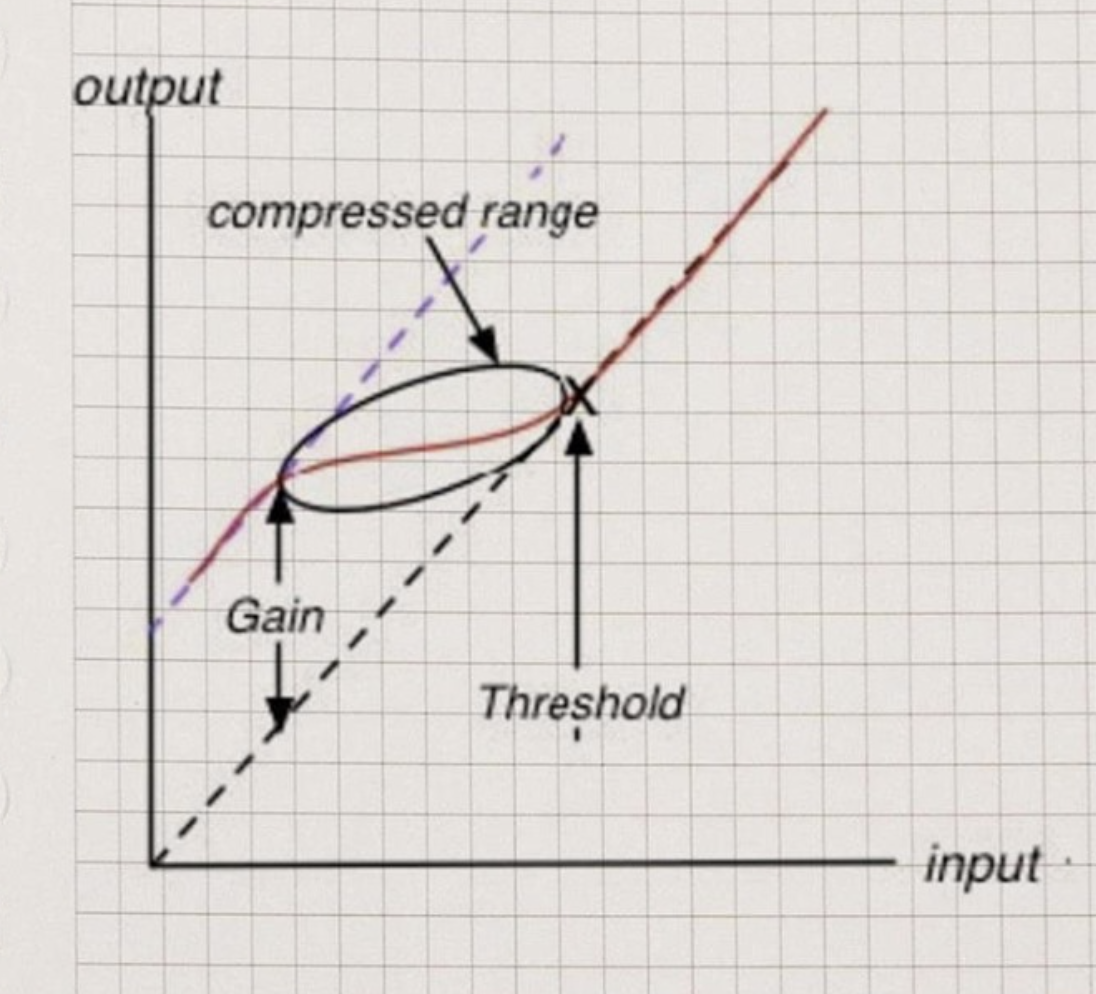
Low Level Compression, as it’s described and used in the MV2 and MaxxVolume plugins from Waves, basically brings up the volume of quieter parts of the audio. This can be very helpful when producing podcast audio where a participant get very quiet at times, for example trailing off at the end of sentences, etc. I recently purchased those two plugins but haven’t tried them yet (!!!).
Fabfilter calls their similar processing Upward Compression and they explain it in detail in this video.
And of course the Vocal Rider plugin from Waves can give similar results as well.
Some podcast episodes are unlistenable due to way too much dynamic range, and the types of plugins mentioned in this post can correct those episodes and provide a good listening experience to the listeners.
Have you used any plugins like these?
Want to receive the Daily Goody in your email, daily or weekly? Subscribe free here.
And please keep in mind, the Daily Goody is only a tiny little tip, fact or lesson everyday. Please don’t expect any of these posts to be long, earth-shattering masterpieces that instantly answer every single question you can think of and completely transform you into a world class podcast engineer. “Little by little, a little becomes a lot.”
-
Major Changes to RINGR
I’ve used Ringr in the past and it’s a good platform for recording podcast interviews over the internet. Also check out two other posts I wrote about Ringr: Ringr for Recording Guests Online, and My Frustration with Ringr.
They recently announced some major updates to their service:
- No more waiting for audio uploads. Once your call is over, it’s over. Both sides can close the app or the browser window immediately and without worry.
- RINGR now works on mobile browsers. While the RINGR Mobile app is still amazing, your guest can now use their phone or tablet without downloading it.
- Connecting is more seamless than ever. Thanks to a completely rebuilt platform, RINGR connects and syncs no matter the network, device, or operating system.
How do you get the new RINGR? If you use RINGR on your desktop or laptop, do nothing. You’re good to go. If you use the RINGR Mobile app, make sure you’ve downloaded the latest version from the App Store or Google Play.
Have you used Ringr? What was your experience?
Want to receive the Daily Goody in your email, daily or weekly? Subscribe free here.
And please keep in mind, the Daily Goody is only a tiny little tip, fact or lesson everyday. Please don’t expect any of these posts to be long, earth-shattering masterpieces that instantly answer every single question you can think of and completely transform you into a world class podcast engineer. “Little by little, a little becomes a lot.”
-
The Audio Quality of Apple AirPods’ Microphone
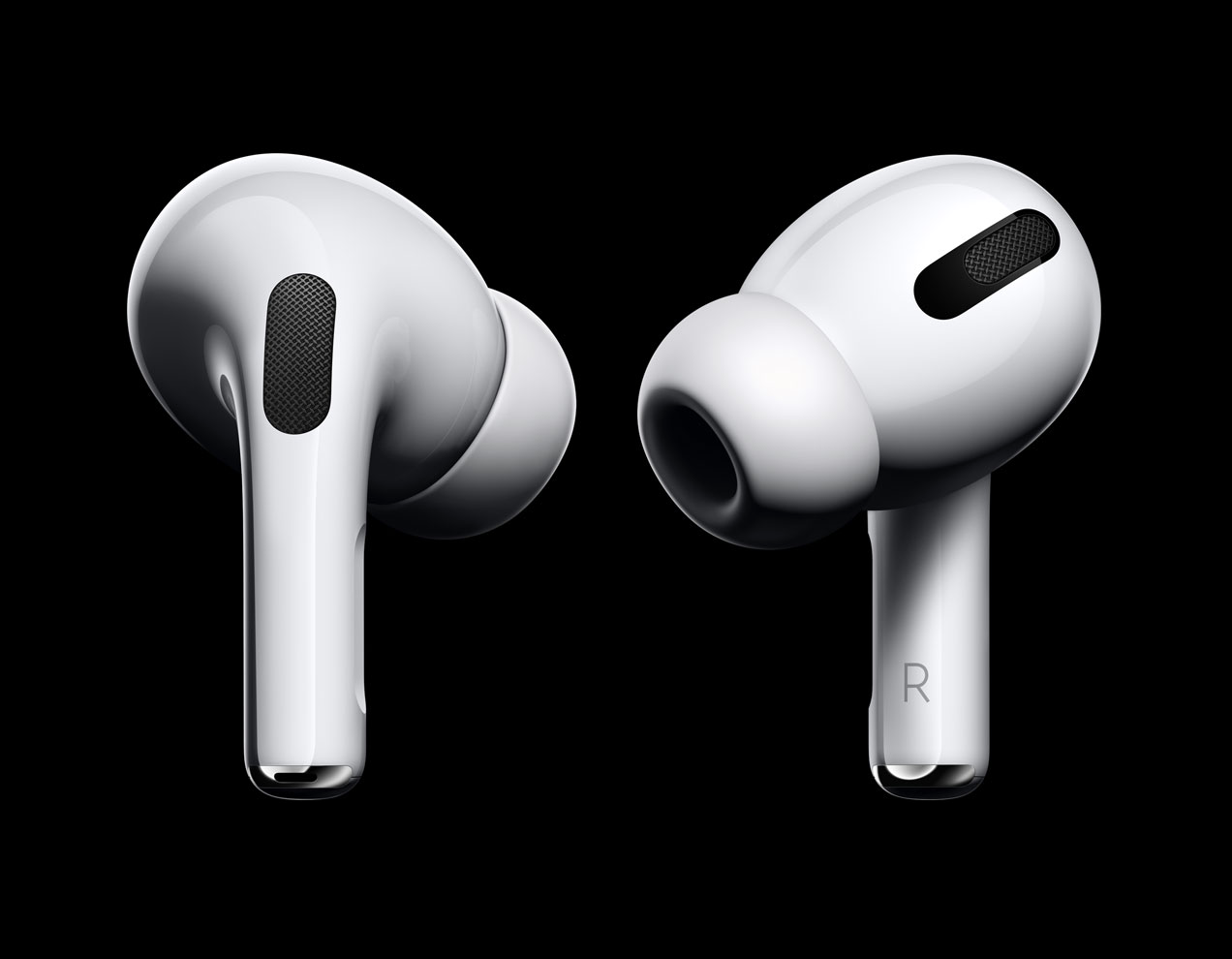
I’ve engineered many podcast recording sessions where the guest used AirPods as their microphone and monitors. I’ve also done post-production on all that recorded AirPods audio. It’s my conclusion that AirPods are wonderfully handy for phone calls and listening to music, etc., but they are not that great for recording podcast audio. Their microphone just doesn’t sound that good (in terms of professional audio quality).
I’ve had lots of trouble finding the technical specifications of the frequency response of the microphone used in various lines of AirPods. If you can find these data please share them in the comments below 😉
As I mention in my 2019 post titled AirPods and Zencastr, like Oil and Water, I believe the sample rate of some/most/all AirPods is 16kHz which is not great, not terrible. But I’d bet that it’s the Bluetooth connectivity that severely diminishes the audio quality of AirPods.
Have you had to produce AirPods audio? What was your experience?
Want to receive the Daily Goody in your email, daily or weekly? Subscribe free here.
And please keep in mind, the Daily Goody is only a tiny little tip, fact or lesson everyday. Please don’t expect any of these posts to be long, earth-shattering masterpieces that instantly answer every single question you can think of and completely transform you into a world class podcast engineer. “Little by little, a little becomes a lot.”
-
Chris’s Goody Bag – PES 208
I overview recent Daily Goody‘s from Sep.18 – Oct. 1 (see list below). You can sign up to receive Daily Goody’s in your email every day or a weekly roundup. Sign up here.
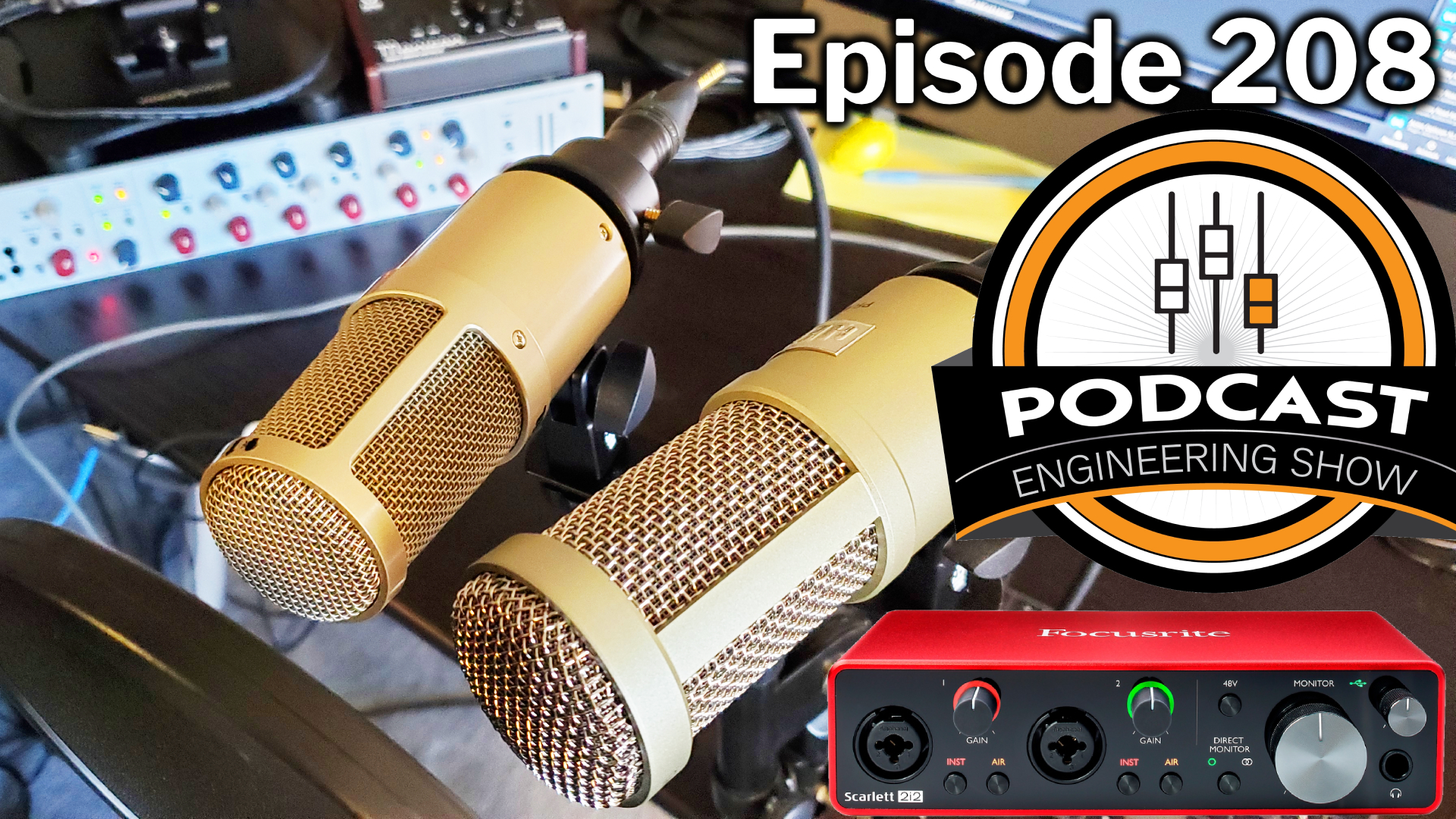
And, in this episode I switch back and forth between the Heil PR 30 and Heil PR 40 for you to be able to hear the difference, which is subtle. Michelle Levitt and I discuss the difference between these two microphones in the previous episode.
Daily Goody posts that were discussed in this episode:
- Specializing in Producing/Editing Podcasts in a Specific Niche
- NEW Course Announced! “Getting New Clients at Higher Rates”
- What is Dynamic Range Processing?
- Noting Down Your Hardware Settings
- Where To Buy Sound Absorption Blankets and Acoustic Room Treatments?
- iZotope RX 8’s New Loudness Control Module
Other Notes:
- The start date for the next PES semester is January 12, 2021.
- VIDEO: Audio Cleanup and Processing Andrew Gelina’s Voice Using Various Audio Plugins
- If you’d like to share this show with any of your podcaster friends, feel free to send them a message saying, “Btw, here’s a show about podcast audio production you may find helpful” with this link: https://podcastengineeringschool.com/subscribe/
- Daniel Hager did a STELLAR job revamping the PES website! He was my guest on episode 109, he’s the host of Let’s Talk Re-Touching, and he’s the owner of Hager Media. THANK YOU DANIEL for making the site amazing!
- My other podcast — The Mystic Show (I hope to publish new episodes soon)
New plugins I bought after Black Friday / Cyber Monday:
- EMI TG12345 Channel Strip
- MaxxVolume
- MV2
- CLA-3A Compressor / Limiter
- Abbey Road Chambers
- IR1 Convolution Reverb (we discussed this type of reverb in episode 168 with Pascal Wyse)
- AMEK EQ 200
- Trackspacer by Wavesfactory
- Level Magic by Flux Jünger
- dearVR PRO
- Phil’s Cascade
- Unfiltered Audio TRIAD
- bx_console N channel strip
- Melodyne 5 assistant by Celemony
- Quadravox by Eventide
- Decapitator by Soundtoys
What did you learn in this episode? Let me know by commenting below.
-
My Recent Plugin Purchases (Black Friday/Holidays)
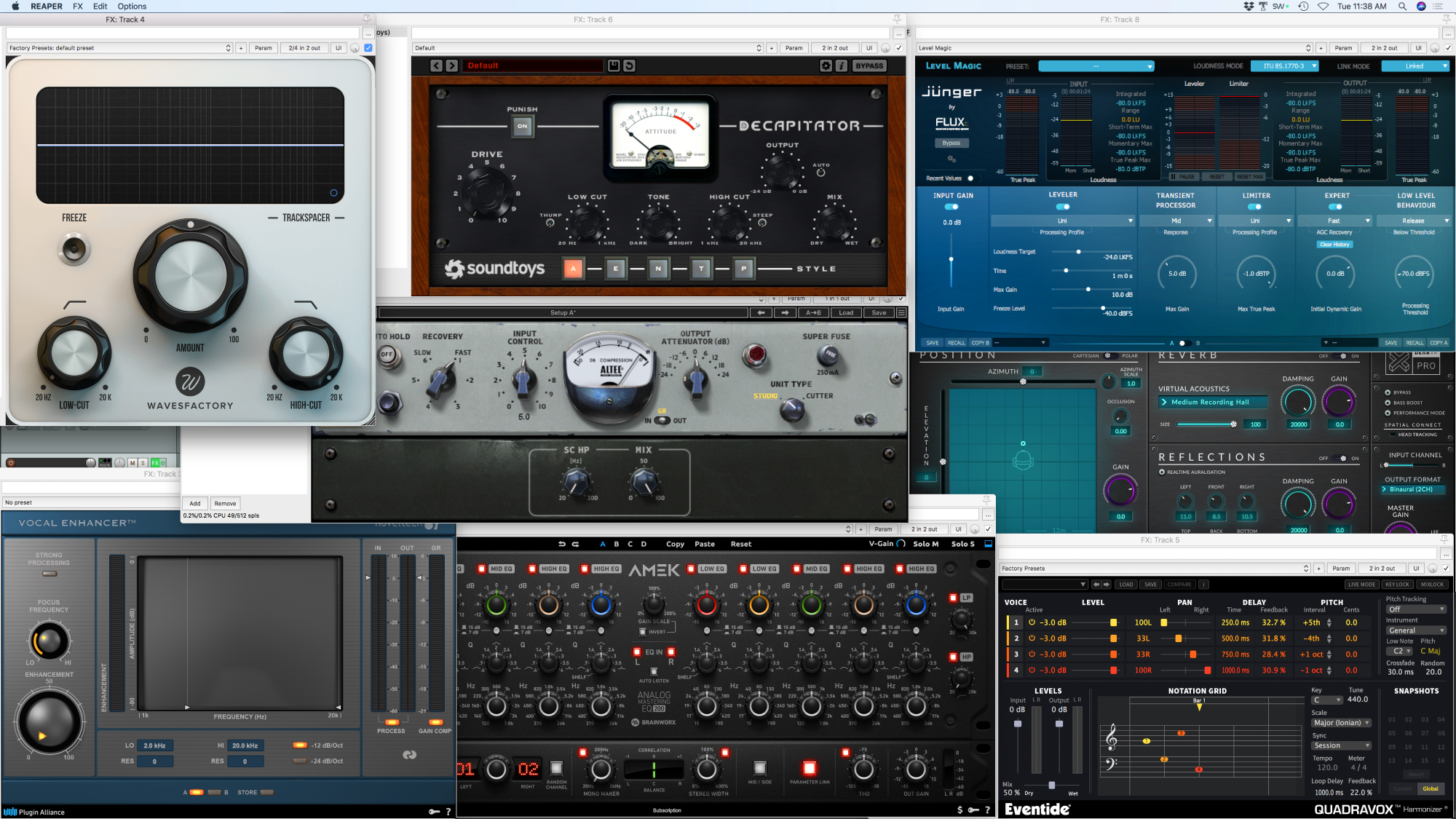
Below is a list of plugins that I recently purchased on sale around Black Friday.
Some are not often used in podcast production, but I bought them for music production. (Decapitator, Melodyne 5, Quadravox)
The 3 that I absolutely LOVE are the first 3 listed.
- TrackSpacer by Wavesfactory
- Abbey Road RS124 Vintage Tube Compressor from Waves
- AMEK EQ 200 (amazing!) and dearVR PRO from Plugin Alliance
- Vocal Enhancer by Noveltech
- Decapitator (Analog Saturator) from Soundtoys
- Melodyne 5 Essential Audio Editor by Celemony
- Quadravox Pitch Shifter by Eventide
Trackspacer acts like an intelligent frequency-specific side-chain compressor which carves a space for voices to sit nicely over music, etc.
The RS124 compressor has a really nice smooth quality to it.
The AMEK EQ 200 is an amazing EQ.
Did you recently purchase any audio plugins? Which ones?
Want to receive the Daily Goody in your email, daily or weekly? Subscribe free here.
And please keep in mind, the Daily Goody is only a tiny little tip, fact or lesson everyday. Please don’t expect any of these posts to be long, earth-shattering masterpieces that instantly answer every single question you can think of and completely transform you into a world class podcast engineer. “Little by little, a little becomes a lot.”
-
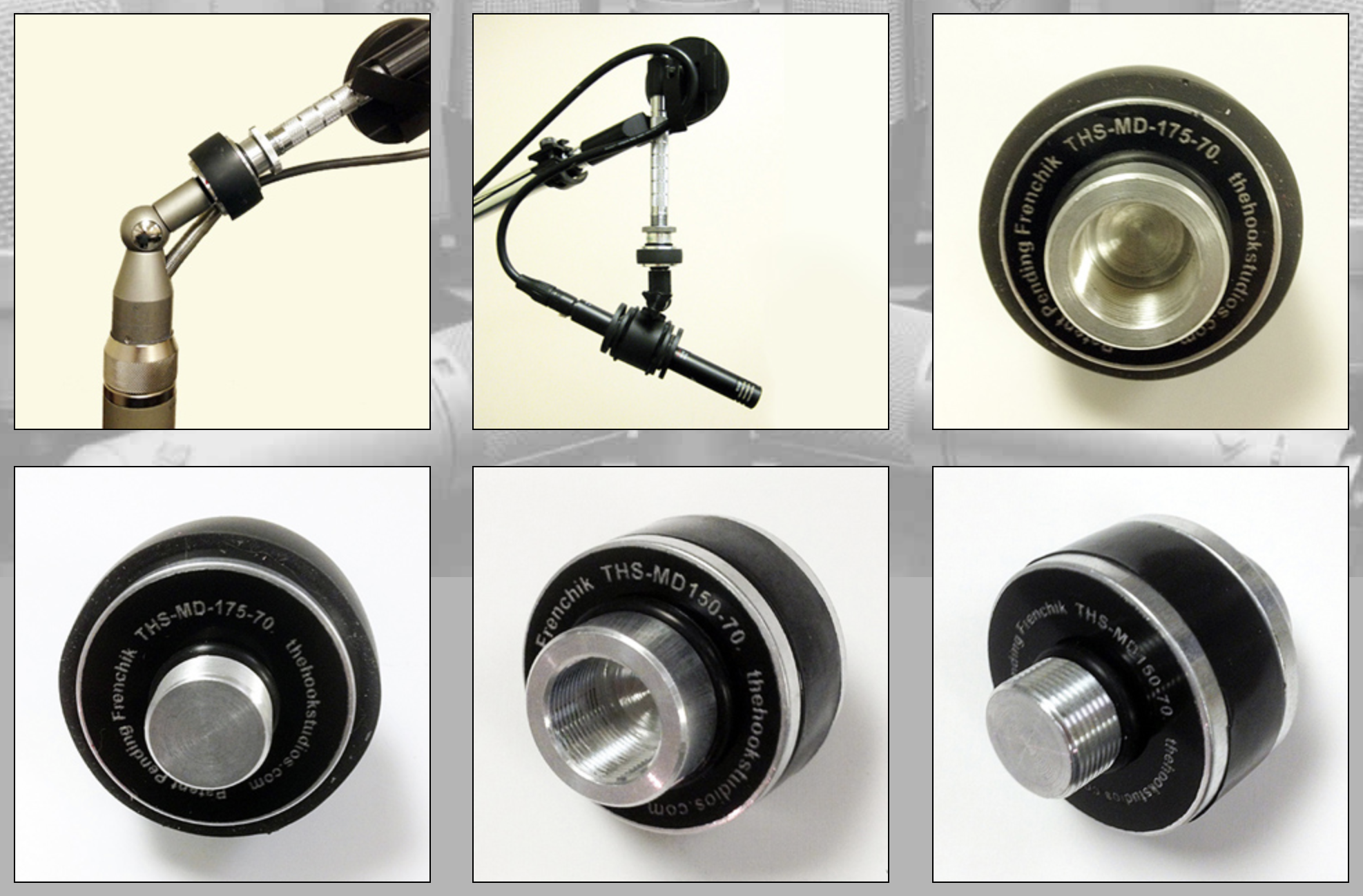
THS-MDM Microphone Decoupler
Sometimes vibrations from your desk or microphone stand can create loud disruptive jolting noises in your audio. That’s why Hook Studios created the THS-MDM Microphone Decoupler. Essentially it “disconnects” your microphone from whatever boom arm or stand you’re using as well as whatever surface it’s mounted on.
From their website:
- Our Patent Pending microphone mount mechanically decouples your microphone from direct contact between the microphone holder assembly and the microphone stand. The Hook Studios Mechanical Microphone Decoupler is easy to use and universally compatible with most OEM microphone clip holders and mounts that use standard 5/8″- 27 threads.
- This product has been thoroughly field tested by independent audio engineers over a two year period. These tests revealed a marked reduction in “metallic” strike type impact sounds, as well as a reduction in vibration, unwanted floor noise, etc. In addition, the Decoupler may be used with an existing suspension mount to reduce vibration even further.
- Critical studio listening tests using the MDM reveal increased clarity of the recorded source, especially with loud guitar cabinets. Considerable vibration of stands, hardware, etc. typically occurs in such situations, interfering with accurate harmonic overtone reproduction of the intended source. The MDM provides this decoupled suspension and vibration absorption regardless of the microphone’s direction or angle.
- Two product sizes are currently available; the Large Size MD-175-70 Mechanical Decoupler (diameter: 1.75″) as pictured above on an AKG C12 swivel mount, and the Standard Size MD-150-70 Mechanical Decoupler (diameter: 1.50″), as pictured above with a black AKG 460 mic & 3rd party isolation mount.
- The picture above also shows bottom and top views of the respective models.
Want to receive the Daily Goody in your email, daily or weekly? Subscribe free here.
And please keep in mind, the Daily Goody is only a tiny little tip, fact or lesson everyday. Please don’t expect any of these posts to be long, earth-shattering masterpieces that instantly answer every single question you can think of and completely transform you into a world class podcast engineer. “Little by little, a little becomes a lot.”
-
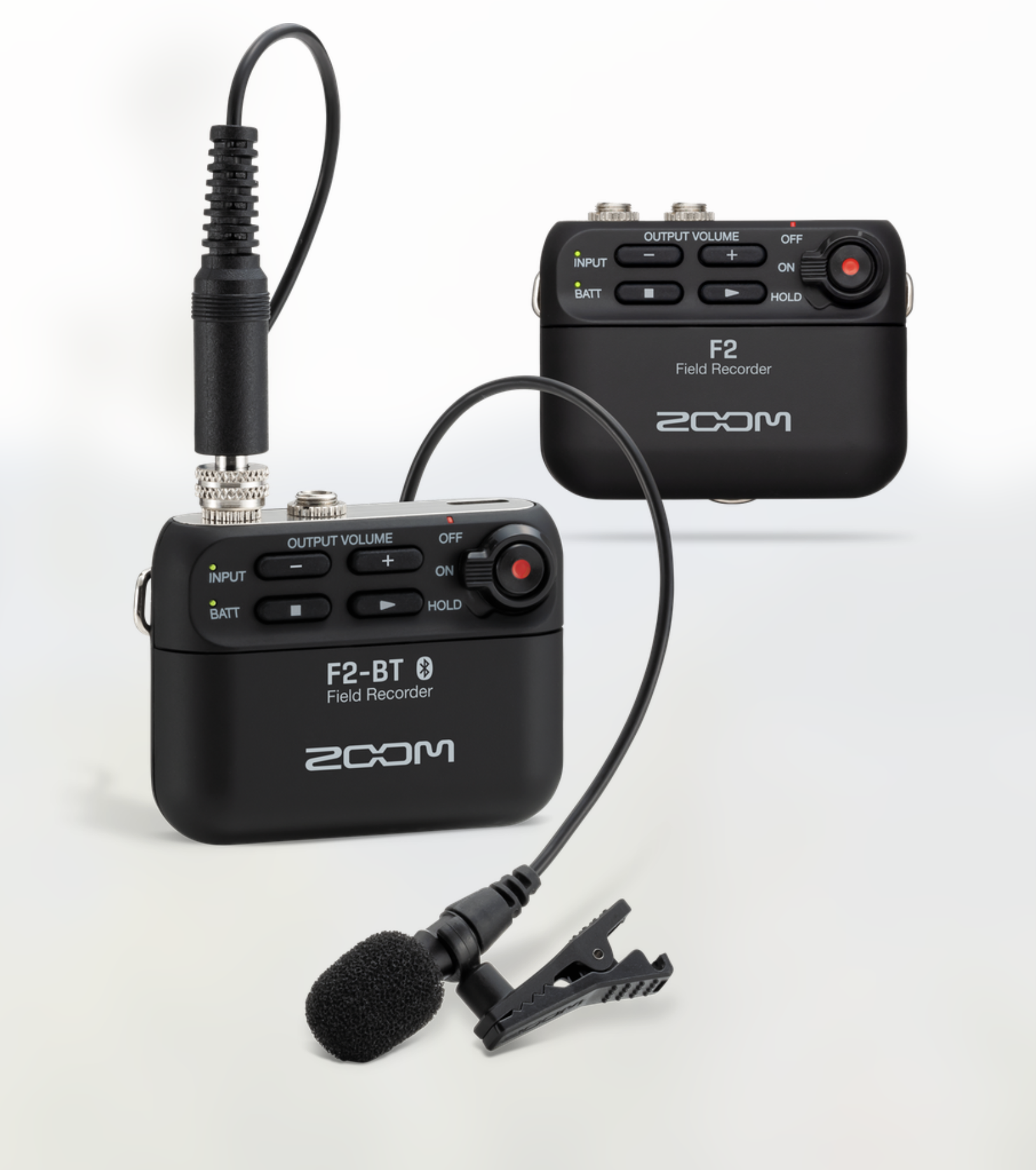
Zoom F2 Field Recorder
This little recorder, the Zoom F2, comes with a lavalier microphone and can record in 32-bit resolution. It looks like it would be extremely handy for on-the-go recording.
Zoom says: “32-Bit Float Technology in our smallest, lightest recorder ever. The F2 is a 32-bit/44.1kHz or 48kHz Field Recorder with LMF-2 Lavalier Microphone, Automatic Gain Adjustment, Included Software, and Accessories — $149. Also available with Bluetooth Control for $199.”
Have you tried this recorder yet? I have not.
Want to receive the Daily Goody in your email, daily or weekly? Subscribe free here.
And please keep in mind, the Daily Goody is only a tiny little tip, fact or lesson everyday. Please don’t expect any of these posts to be long, earth-shattering masterpieces that instantly answer every single question you can think of and completely transform you into a world class podcast engineer. “Little by little, a little becomes a lot.”
-
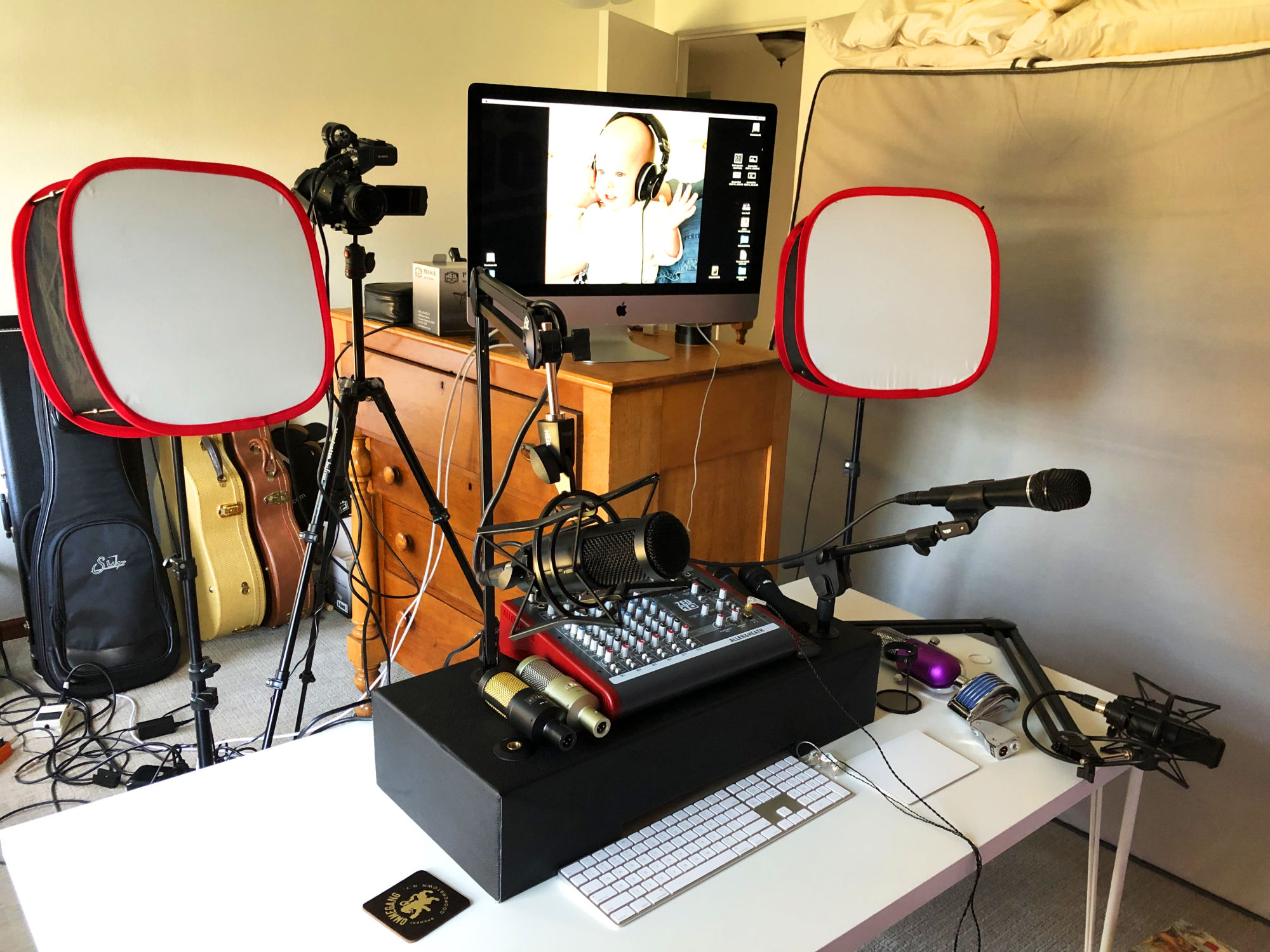
Michelle Levitt from Heil Sound – PES 207
My guest is Michelle Levitt – Creative Marketing Director at Heil Sound and podcast producer. She has performed many roles in podcasting over the years including being CEO of her own podcast studio in Buffalo, NY!
NOTE: Post-production on this episode was done by PES graduate Jesse McCune! Great job, Jesse!
NOTE-2: On next week’s Daily Goody episode, I’ll be demonstrating and comparing the Heil PR30 and PR40!
We discussed SO MUCH, including:
- In-ear monitors: “Ultimate Ears” Capital Studio Reference
- Allen and Heath ZED-10 mixer (uses no EQ, effects or pre-processing when recording)
- iMac computer
- Adobe Audition
- Various Heil microphones including the PR30 and PR40
- Pop filter: BSW Re-pop (fits the PR40 and PR30 nicely)
- When demoing microphones at shows or online she doesn’t use any EQ or compression because she wants people to hear each microphones individual character.
- Check out the presentation Michelle did titled Microphone Technology: Understanding Your Sound
- Her advice to hosts who move around too much demonstrating bad mic technique: Put your chin or nose on the windscreen to always keep close to the mic. Also wear headphones so you can hear your volume change if/when you drift off-mic which will remind you to get back on mic.
- Recently launched PR37 microphone — a dynamic mic for Live sound
- Bob Heil doing Live sound for the Grateful Dead, The Who, early ZZ Top, etc. even though he came from a broadcast background.
- Heil Sound started in the 60s as a music store — Ye Olde Music Shoppe (sp?)
- Sony HD camera and running her local audio through Cam Link 4k thru HDMI cable
Thanks for being a great guest and sharing so much with us, Michelle!
Comments/questions below.
-
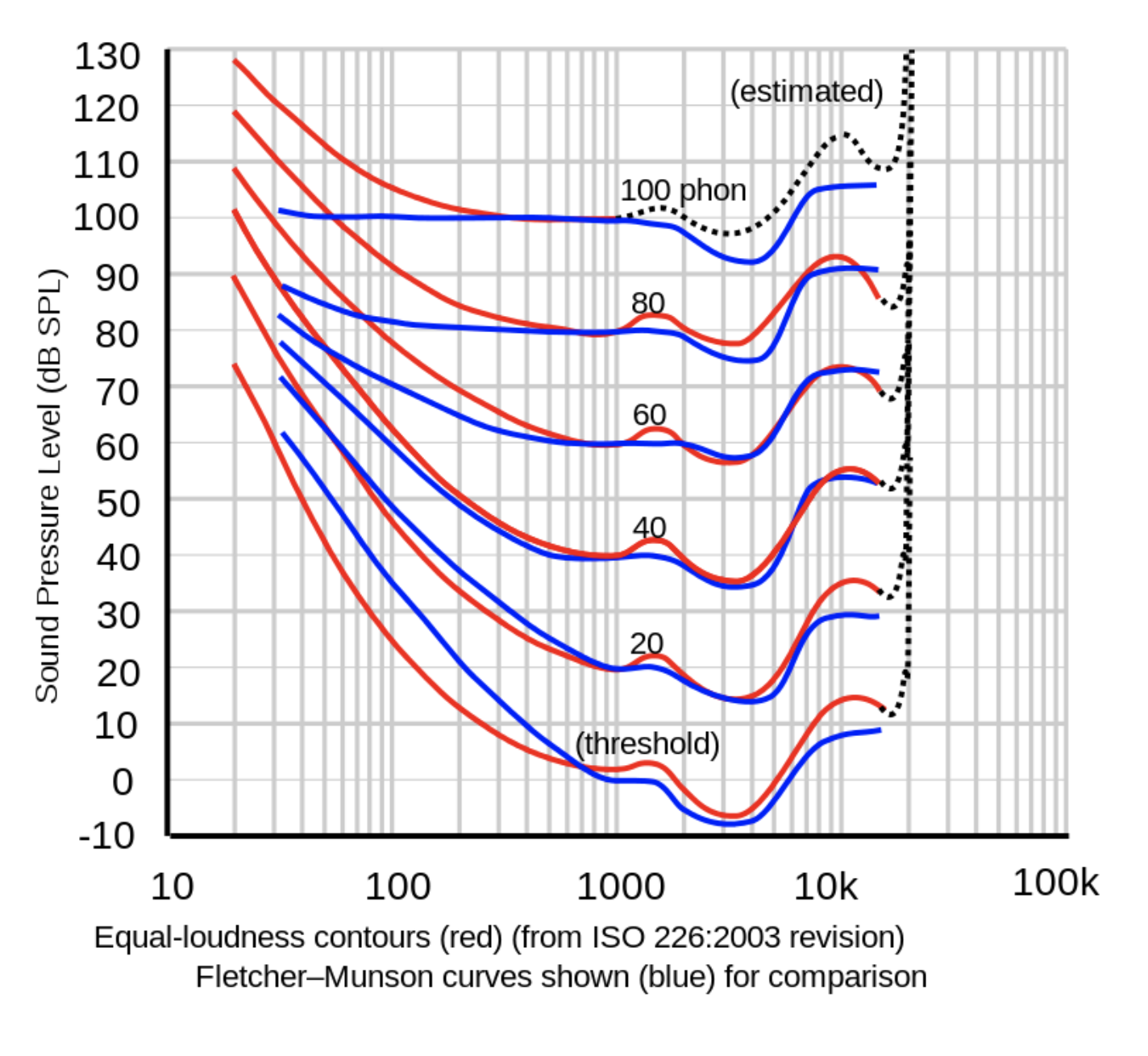
Fletcher-Munson Curves
Your ears are amazing instruments. And at different volumes you actually hear slightly different frequency curves. A song’s frequency curve will sound different if you play it at a low volume as opposed to a high volume. Ever notice that when you monitor audio at a very low volume it sounds less clear with less high frequency clarity?
“The Fletcher–Munson curves are one of many sets of equal-loudness contours for the human ear, determined experimentally by Harvey Fletcher and Wilden A. Munson, and reported in a 1933 paper entitled “Loudness, its definition, measurement and calculation” in the Journal of the Acoustical Society of America.” ~from Wikipedia.
Find lots more info HERE.
Want to receive the Daily Goody in your email, daily or weekly? Subscribe free here.
And please keep in mind, the Daily Goody is only a tiny little tip, fact or lesson everyday. Please don’t expect any of these posts to be long, earth-shattering masterpieces that instantly answer every single question you can think of and completely transform you into a world class podcast engineer. “Little by little, a little becomes a lot.”
-
Using Photopea.com To Create Episode Artwork for Free
When I started podcasting I had to figure out how to create and edit promo images because I didn’t own Photoshop or a similar app.
I found this free website Photopea.com which has so many cool features and it’s easy for a photo-novice like me to create episode artwork and promo images and a lot more! After I create something I can save it in whatever format I need — .jpg or .png or even a .psd (Photoshop) document, and many more.
I use Photopea.com almost every day and I love it.
How do you create your promo images?
Want to receive the Daily Goody in your email, daily or weekly? Subscribe free here.
And please keep in mind, the Daily Goody is only a tiny little tip, fact or lesson everyday. Please don’t expect any of these posts to be long, earth-shattering masterpieces that instantly answer every single question you can think of and completely transform you into a world class podcast engineer. “Little by little, a little becomes a lot.”
-
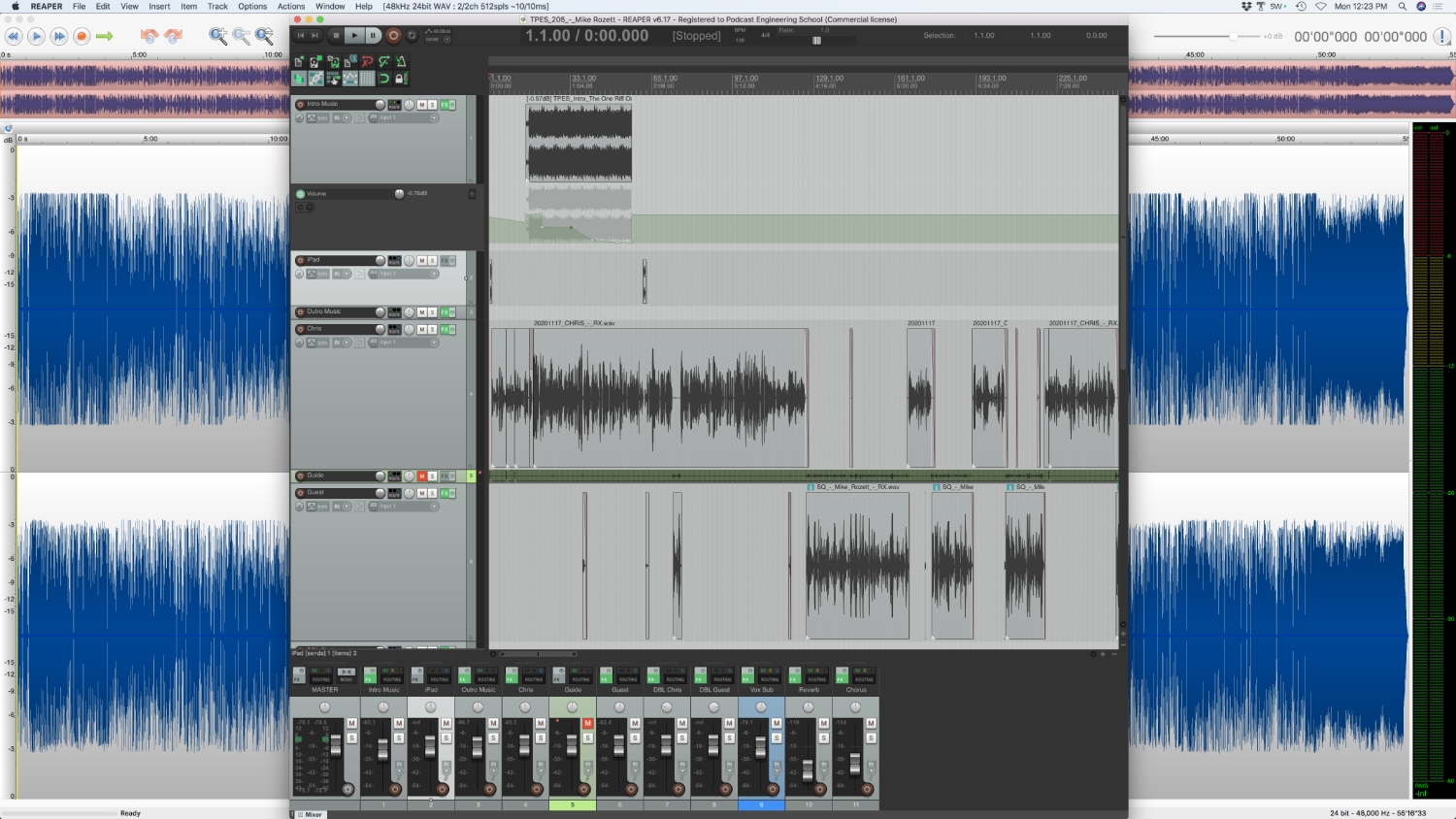
Where Do You Edit – in the Multitrack Session, or the Mixdown File, or Both?
This questions has no wrong answers because you should work however you like to work.
I used to do most of my editing on my mixed down file (using TwistedWave), after doing only a few edits in the multitrack session (mainly just separating sections where participants step on each other, etc.).
But over the past 6 months I’m doing more than half of my editing in the multitrack session (using Reaper), and then I make some finer edits (mouthclicks, timing, top and tail, etc.) on the mixed down file (using TwistedWave).
Fine-tune editing has always been much easier for me to do in a mono/stereo editor instead of a DAW.
How about you?
Want to receive the Daily Goody in your email, daily or weekly? Subscribe free here.
And please keep in mind, the Daily Goody is only a tiny little tip, fact or lesson everyday. Please don’t expect any of these posts to be long, earth-shattering masterpieces that instantly answer every single question you can think of and completely transform you into a world class podcast engineer. “Little by little, a little becomes a lot.”
