Your cart is currently empty!
Author: Chris Curran
-
Chris’s Goody Bag – PES 206
I overview recent Daily Goody‘s from Sep.4 – Sep. 17 (see list below). Don’t forget you can sign up to receive Daily Goody’s in your email every day or a weekly roundup. Sign up here.
Daily Goody posts that were discussed in this episode:
- iZotope RX 8 Just Released – The Complete Audio Repair Toolkit!
- Zencastr Video Beta Has Launched!
- New in Zoom: High Fidelity Audio Mode
- Sonarworks’ latest ebook, Get the Most from Mixing on Headphones
- The Main Thing Podcast Editors Are Using Descript For:
- Which App Do You Use To Tag Your Final Episode MP3’s? I Use…
Announcements:
- The start date for the next PES semester is January 12, 2021.
- I launched a new smaller course for independent podcast editors and producers —> Getting New Clients at Higher Rates!
- If you’d like to share this show with any of your podcaster friends, feel free to send them a message saying, “Btw, here’s a show about podcast audio production you may find helpful” with this link: https://podcastengineeringschool.com/subscribe/
New equipment and plugins I bought on Black Friday / Cyber Monday:
- Elgato Stream Deck
- AMEK EQ 200
- Trackspacer by Wavesfactory
- Level Magic by Flux Jünger
- dearVR PRO
- Phil’s Cascade
- Unfiltered Audio TRIAD
- bx_console N channel strip
- Melodyne 5 assistant by Celemony
- Quadravox by Eventide
- Decapitator by Soundtoys
What did you learn in this episode? Let me know by commenting below.
Other notes:
- Next week’s episode features Michelle Levitt from Heil Sound, and post-production of that episode will be done by PES graduate Jesse McCune!
- Daniel Hager did a STELLAR job revamping the PES website! He was my guest on episode 109, he’s the host of Let’s Talk Re-Touching, and he’s the owner of Hager Media. THANK YOU DANIEL for making the site amazing!
- My other podcast — The Mystic Show (I hope to publish new episodes soon)
-
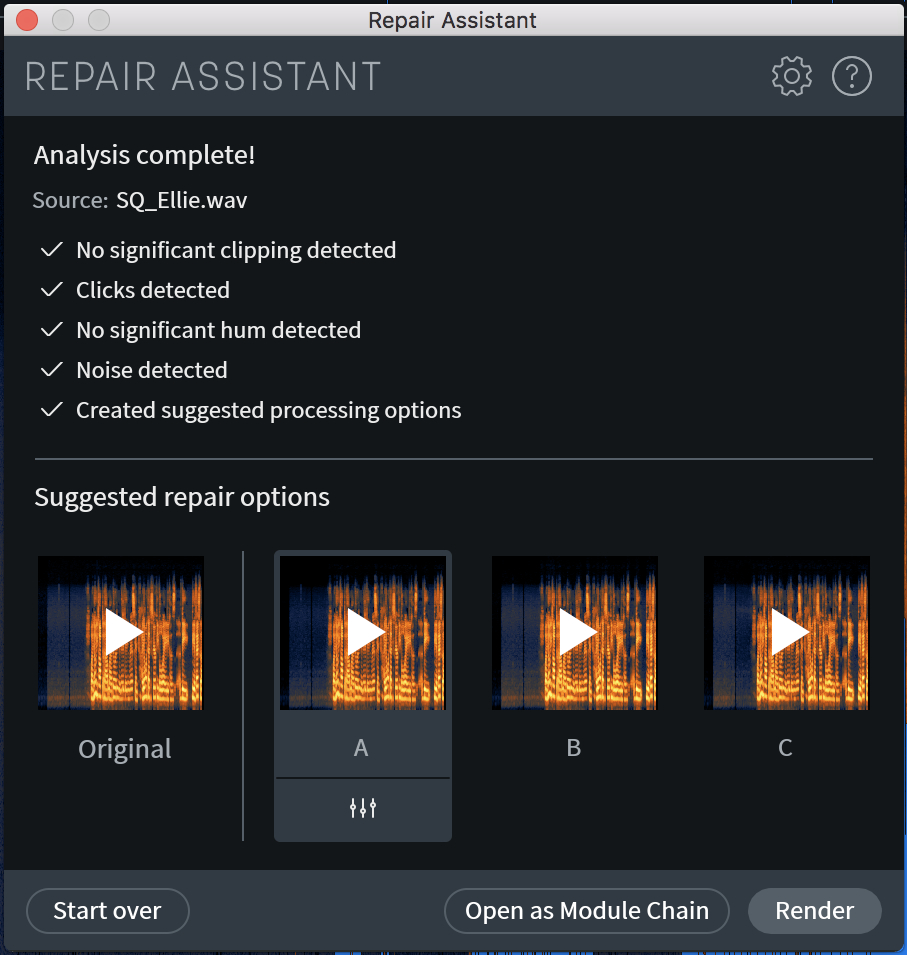
Repair Assistant in iZotope RX
In iZotope RX, I usually evaluate and repair all audio by hand. But I was recently enlightened that the Repair Assistant functionality in RX is very helpful to him and many others.
Repair Assistant evaluates your audio and suggests specific fixes depending on what is wrong with your particular audio file including things like mouth-clicks, clipping, clicks, hum, noise, etc. Then it gives you 3 differently processed samples to listen to and choose from. If one of them sound good, you just click render and your track sounds great.
So just now I tried it quickly and I agree that it can be handy for many users to help them evaluate their audio and get suggestions for various fixes.
Have you tried Repair Assistant?
*Also check out my recent episode speaking with Mike Rozett, Principal Product Manager of Repair and Edit Software at iZotope 😉
Want to receive the Daily Goody in your email, daily or weekly? Subscribe free here.
And please keep in mind, the Daily Goody is only a tiny little tip, fact or lesson everyday. Please don’t expect any of these posts to be long, earth-shattering masterpieces that instantly answer every single question you can think of and completely transform you into a world class podcast engineer. “Little by little, a little becomes a lot.”
-
Recordings Riddled With Random Clicks?
Recently Marcus de Paula posted this:
I had a colleague record some interviews for me awhile back and his recordings were riddled with random clicks.
The cause was dropped samples due to his laptop not being able to keep up for 3 reasons:
- Adobe Audition (his DAW) was set to a different sample rate than his audio interface, so it was transcoding the sample rate in real time.
- His buffer size was set way too low in Audition. You shouldn’t need to worry about latency while recording, so there’s no need to keep your buffer size too low.
- He had a bunch of other apps open while recording including Adobe Illustrator and Chrome with a ton of browser windows open.
Have you ever had to adjust these setting on your computer?
Want to receive the Daily Goody in your email, daily or weekly? Subscribe free here.
And please keep in mind, the Daily Goody is only a tiny little tip, fact or lesson everyday. Please don’t expect any of these posts to be long, earth-shattering masterpieces that instantly answer every single question you can think of and completely transform you into a world class podcast engineer. “Little by little, a little becomes a lot.”
-

Black Friday DEAL: $500 off Podcast Engineering School’s Full Program
Use code BF5 when checking out to get $500 off Podcast Engineering School’s full program which begins on January 12, 2021!
If you know someone. who’s been considering PES feel free to let them know about this rare deal.
Want to receive the Daily Goody in your email, daily or weekly? Subscribe free here.
And please keep in mind, the Daily Goody is only a tiny little tip, fact or lesson everyday. Please don’t expect any of these posts to be long, earth-shattering masterpieces that instantly answer every single question you can think of and completely transform you into a world class podcast engineer. “Little by little, a little becomes a lot.”
-
The World Thanks You for Caring About Audio Quality!
Thank you for caring about audio quality! Because of you, MANY people’s lives and listening experiences are enhanced immensely because of your attention to audio quality. Without you they would have to suffer listening to horrible audio. Keep up the great work!
Are there any specific podcast editors, engineers and producers who you would like to appreciate in the comments below?
Want to receive the Daily Goody in your email, daily or weekly? Subscribe free here.
And please keep in mind, the Daily Goody is only a tiny little tip, fact or lesson everyday. Please don’t expect any of these posts to be long, earth-shattering masterpieces that instantly answer every single question you can think of and completely transform you into a world class podcast engineer. “Little by little, a little becomes a lot.”
-
Podcast Participants Trailing off at the End of Sentences
Some podcasts hosts and guests have a habit of trailing off at the end of sentences, which means their last few words are spoken/mumbled so quietly that they can barely be heard.
This is a major problem for listeners who are listening in environments that has considerable background noise (like driving in a car, jogging, washing dishes, at the gym, etc.) because when the guest trails off the listener will not be able to hear those words AT ALL, making the conversation difficult and annoying to follow.
To help alleviate this problem in post-production tools like compression, limiting, leveling, or all three could be used. It’s also possible to manually raise the level of those quiet/mumbled parts but that is A TON of work and very time consuming.
How do you handle this kind of thing?
Want to receive the Daily Goody in your email, daily or weekly? Subscribe free here.
And please keep in mind, the Daily Goody is only a tiny little tip, fact or lesson everyday. Please don’t expect any of these posts to be long, earth-shattering masterpieces that instantly answer every single question you can think of and completely transform you into a world class podcast engineer. “Little by little, a little becomes a lot.”
-
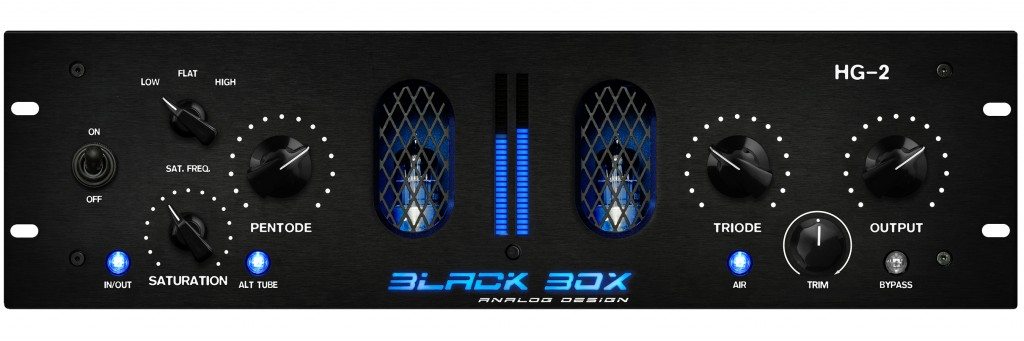
Black Box Analog Design HG-2
The Black Box Analog Design HG-2 is a saturation plugin that is OUTSTANDING!
I’ve been using it on podcast voices because it brings voices closer and makes them smoother and more analog. And the Air knob adds some nice clarity to darker recordings.
From their website: Dial in the perfect blend of pentode and triode tube sweetness, then adjust the Density control to drive both tubes harder without changing their relative balance, adding more girth and mass. The Air knob lets you control how much high-frequency fairy dust you sprinkle on. Turning down the Mix control adds back dry signal at the plugin’s output, combining HG-2’s beautiful tube softness and luster with the original signal.
Have you tried this plugin?
Want to receive the Daily Goody in your email, daily or weekly? Subscribe free here.
And please keep in mind, the Daily Goody is only a tiny little tip, fact or lesson everyday. Please don’t expect any of these posts to be long, earth-shattering masterpieces that instantly answer every single question you can think of and completely transform you into a world class podcast engineer. “Little by little, a little becomes a lot.”
-
Set up Your Microphone To Point Away From Any Sources of Noise
If there is anything in your room that is or will be making noise (like road noise coming through a window, or an air vent in the ceiling, etc.) – be sure to set up your microphone so that it’s pointing AWAY from those sources of noise. And then, of course, you should talk into the front of the microphone as usual.
Btw, the only scenario in which this would NOT work is if you’re using an omnidirectional microphone, which you shouldn’t be using anyway (unless you’re recording 2 or more people with the same microphone, but you shouldn’t be doing that unless it’s an “emergency”).
Where are you set up in your room, and which direction are you facing?
Want to receive the Daily Goody in your email, daily or weekly? Subscribe free here.
And please keep in mind, the Daily Goody is only a tiny little tip, fact or lesson everyday. Please don’t expect any of these posts to be long, earth-shattering masterpieces that instantly answer every single question you can think of and completely transform you into a world class podcast engineer. “Little by little, a little becomes a lot.”
-
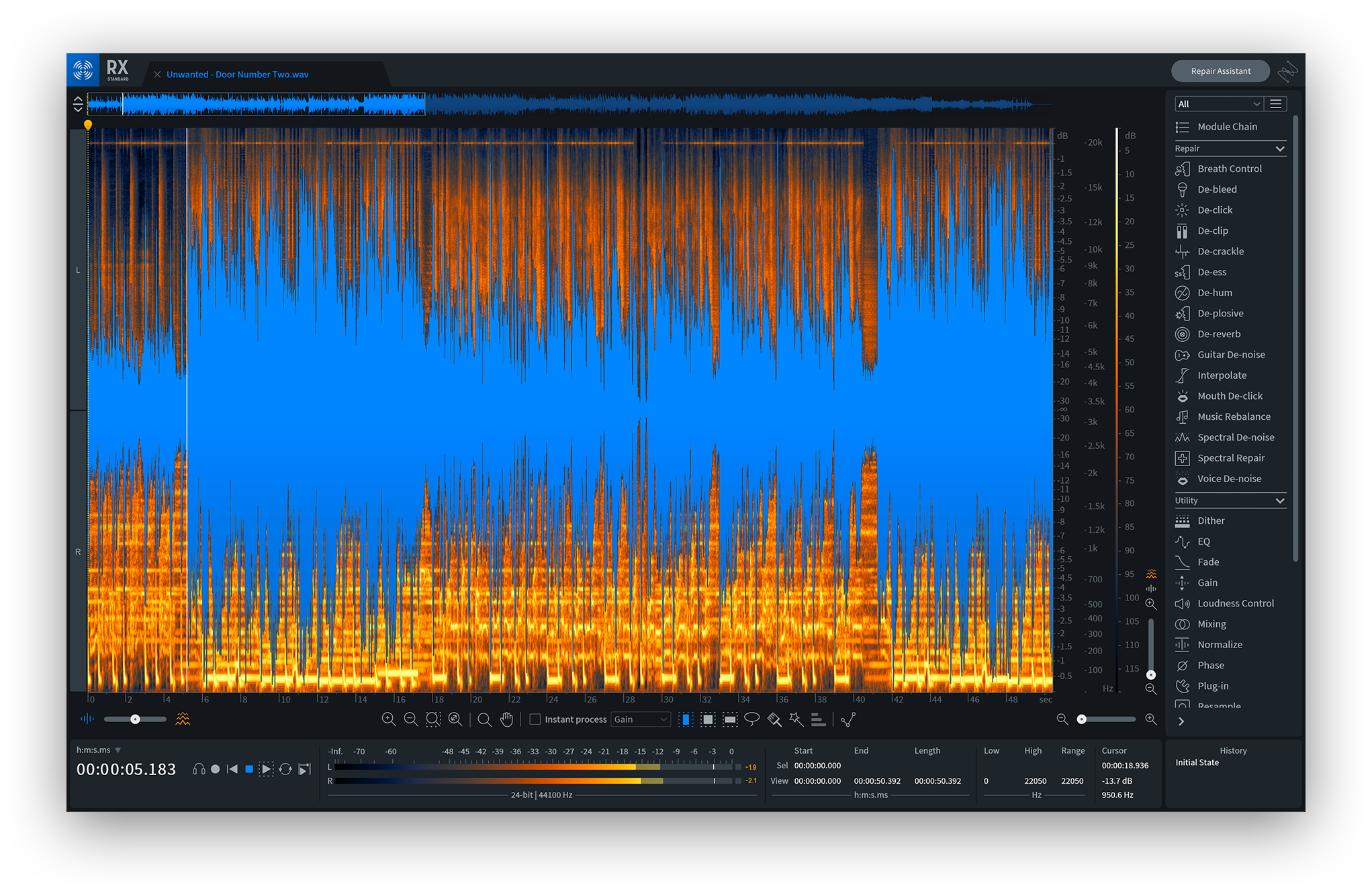
RX 8 with Mike Rozett, Principal Product Manager of Repair and Edit Software at iZotope – PES 205
My guest is Mike Rozett, Principal Product Manager at iZotope (overseeing RX, Dialogue Match, and Insight).
Mike and I discussed MANY modules of RX including:
- Breath Control
- De-click (which saved my skin many times with Zencastr years ago. Also there’s a preset called GSM Cell Phone Buzz!)
- De-clip
- De-hum
- De-plosive
- De-reverb (this module has been around longer than Dialogue De-reverb)
- De-rustle
- De-wind
- Dialogue De-reverb (AI powered, iZotope’s most sophisticated algorithm, *Use this module for speech instead of regular de-reverb)
- Guitar De-noise
- Mouth De-click
- Spectral De-noise (Using the Learn function. Also, output noise only to hear exactly what this module is removing)
- Spectral Recovery (AI powered, uses spectral patching which looks for gaps and missing audio, etc.)
- Voice De-noise
Other Pro tips:
- When you need to do more extreme processing, do multiple passes using less processing strength instead of doing one pass of extreme strength.
- Start with a preset then tweak to taste.

iZotope RX8 We also briefly touched on Dialogue Match and Insight.
Thanks for being a great guest and sharing so much with us, Mike!
Comment below with any questions or comments.
-
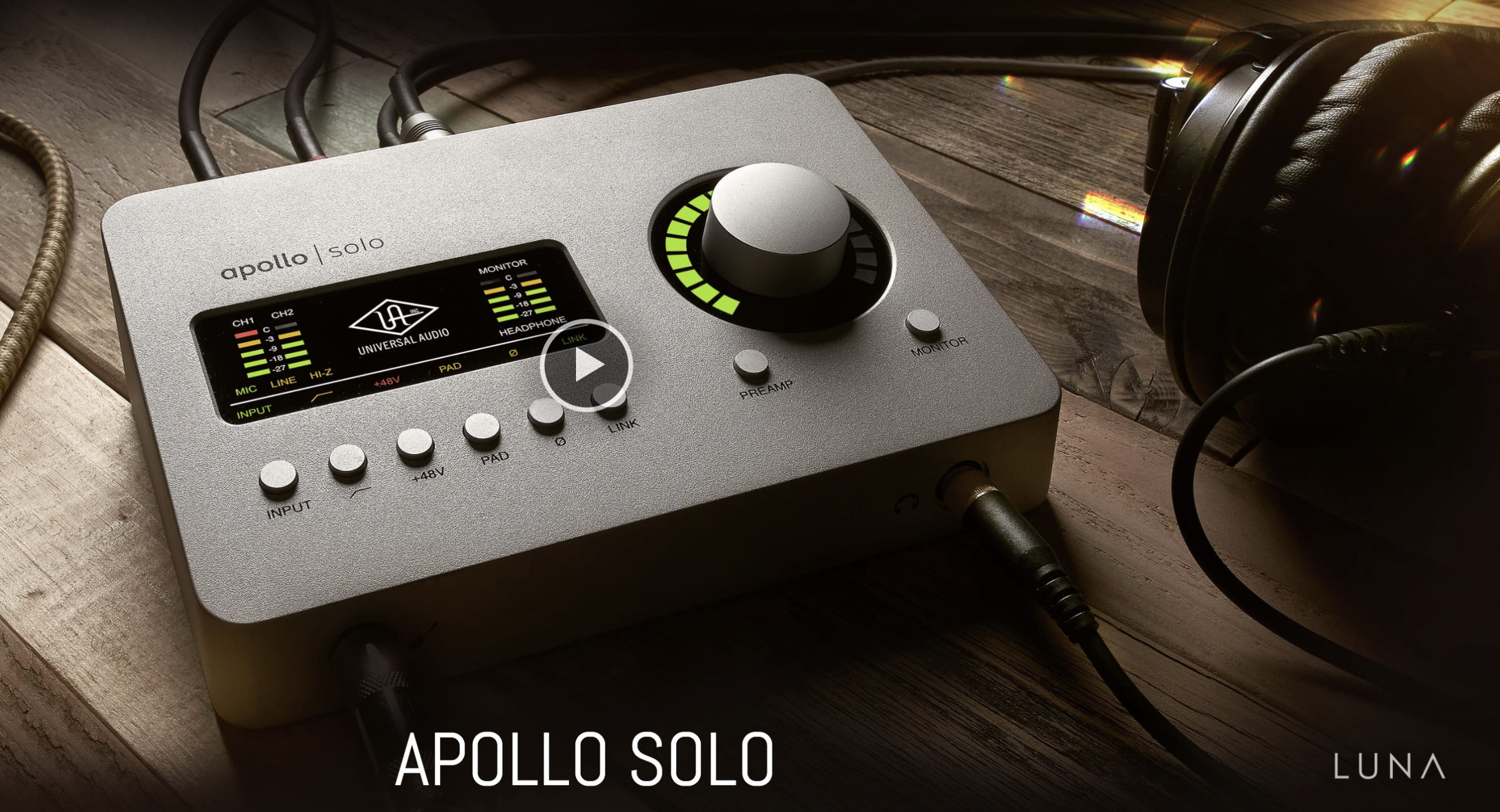
Apollo Solo
Made by Universal Audio, all the interfaces in the Apollo series are very high quality.
The Apollo Solo has two XLR inputs and is used by many podcasters.
From their website:
The Apollo Solo is a 2×4 desktop recording audio interface for Mac and Windows — delivering class‑leading A/D and D/A audio conversion, two Unison™ mic preamps, and a suite of onboard UAD plug-ins. Record with near-zero latency through mic preamp emulations from Neve, API, and more using Unison™ technology.
Includes:
- Realtime Analog Classics plug-in bundle, you get legendary compressors like the Teletronix LA-2A and EQs like the Pultec EQP-1A, stunning guitar and bass amp emulations from Softube, as well as UA’s landmark 610-B Tube Preamp and EQ plug-in.
- LUNA Recording System — a fully-integrated and inspiring music production application (Mac only)
Have you used an Apollo series interface before?
Also, have you tried the Luna DAW?
Want to receive the Daily Goody in your email, daily or weekly? Subscribe free here.
And please keep in mind, the Daily Goody is only a tiny little tip, fact or lesson everyday. Please don’t expect any of these posts to be long, earth-shattering masterpieces that instantly answer every single question you can think of and completely transform you into a world class podcast engineer. “Little by little, a little becomes a lot.”
-

EQ’ing is a Skill
When it comes to using EQ, there’s a huge difference between knowing what each control does vs. being able to skillfully dial in a great sound.
Understanding the controls is a vital first step, of course, but training your ears to manipulate audio so that it sounds great is an entirely different skill.
How do you evaluate yourself with regards to skill using an EQ?
And what EQ’s do you normally use in production?
Want to receive the Daily Goody in your email, daily or weekly? Subscribe free here.
And please keep in mind, the Daily Goody is only a tiny little tip, fact or lesson everyday. Please don’t expect any of these posts to be long, earth-shattering masterpieces that instantly answer every single question you can think of and completely transform you into a world class podcast engineer. “Little by little, a little becomes a lot.”
-

Earning a Lot Being a Professional Podcast Editor, Engineer and Producer
A career in podcast production can be amazing, if done properly. And by properly I mean PROFITABLY.
It helps if you have:
- The right tools (to be able to produce professional grade audio)
- A great mentor (to greatly speed up your progress, avoid mistakes and build a profitable business)
- An edge in the market (some angle that separates you from “average” editors)
FYI, if you’re already editing/producing podcasts and want more clients, check out my new course Getting New Clients at Higher Rates.
And check out the Podcast Editors Club on Facebook.
If you have any specific questions please comment below.
Want to receive the Daily Goody in your email, daily or weekly? Subscribe free here.
And please keep in mind, the Daily Goody is only a tiny little tip, fact or lesson everyday. Please don’t expect any of these posts to be long, earth-shattering masterpieces that instantly answer every single question you can think of and completely transform you into a world class podcast engineer. “Little by little, a little becomes a lot.”
-
Chris’s Goody Bag – PES 204
I overview recent Daily Goody‘s from Aug. 14 – Sep. 3 (see list below). Don’t forget you can sign up to receive Daily Goody’s in your email every day or a weekly roundup. Sign up here.
Daily Goody posts that were discussed in this episode:
- Gain Staging with Plugins
- 6-Point Soundcheck List for Internet Guests
- Leaning Back From the Mic When Laughing Loudly
- [VIDEO] How to Use Plugins to Automate and Improve Your Sound Quality
- Non-Destructive Audio Editing
- Mastering Plugins I Like
- True Peace of Mind for the Podcast Editor/Producer/Engineer
- Ground Loop Hum Eliminator
- Harsh Critique of a Particular Episode of a Famous Podcast
- Top 10 Audio Plugins for Podcast Production
- The Big List of Podcast Audio Plugins
Other topics:
- Daniel Hager did a STELLAR job revamping the PES website! He was my guest on episode 109, he’s the host of Let’s Talk Re-Touching, and he’s the owner of Hager Media. THANK YOU DANIEL for making the site amazing!
- An update on my songwriting efforts and plans.
- My other podcast — The Mystic Show (I hope to publish new episodes soon)
Announcements:
- I launched a new smaller course for independent podcast editors and producers —> Getting New Clients at Higher Rates!
- The start date for the next PES semester is January 12, 2021.
- If you’d like to share this show with any of your podcaster friends, feel free to send them a message saying, “Btw, here’s a show about podcast audio production you may find helpful” with this link: https://podcastengineeringschool.com/subscribe/
What did you learn in this episode? Let me know by commenting below.
-
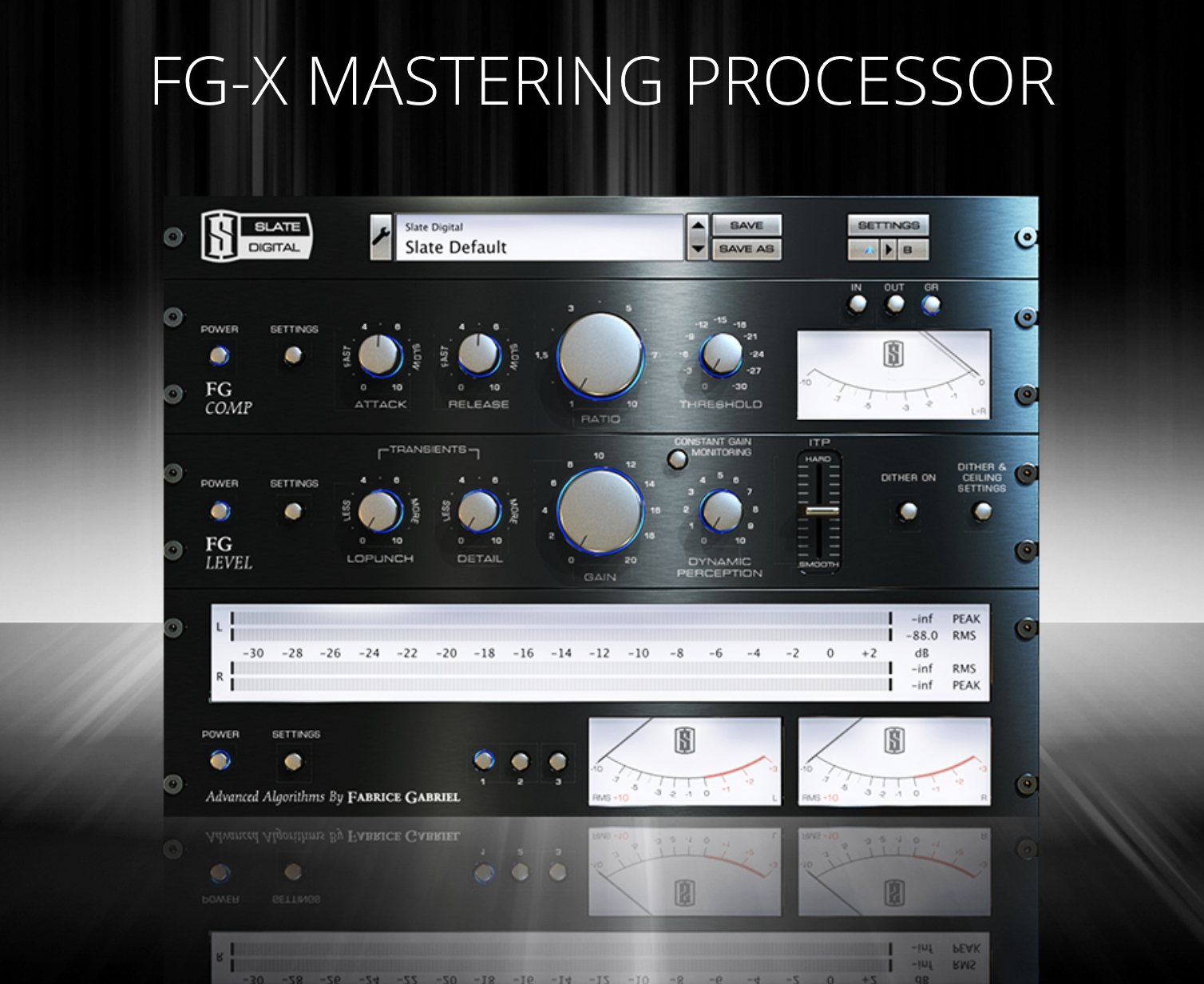
FG-X Mastering Processor from Slate Digital
I have not yet tried the FG-X Mastering Processor but I’ve heard good things about it, and the loudness enhancer looks very promising.
From their website: “The FG-X Mastering Processor is Slate Digital’s award-winning mastering plugin that combines an ultra-transparent compressor, the industry’s most coveted loudness enhancer, and a comprehensive metering panel. FG-X can make your mixes louder without altering the dynamics, removing punch, or skewing your mix balances.”
15-day free trial available.
Have you used this plugin? What has your experience been with it?
Want to receive the Daily Goody in your email, daily or weekly? Subscribe free here.
And please keep in mind, the Daily Goody is only a tiny little tip, fact or lesson everyday. Please don’t expect any of these posts to be long, earth-shattering masterpieces that instantly answer every single question you can think of and completely transform you into a world class podcast engineer. “Little by little, a little becomes a lot.”
-
Do Presentation Mistakes by Podcast Hosts Actually Draw Listeners In?
Do speaking mistakes (and the resulting self-corrections) “interrupt the pattern” of listeners and bring their full attention back to the audio and increase their focus on the content?
Do mistakes draw the listeners in, or are they just annoying?
When a podcast editor thoroughly removes all speaking mistakes, does the resulting imperfection-free audio make it more likely that listeners will zone out and lose attention?
I’ve been pondering this for a while because it seems when the host messes up, my attention is immediately drawn to them BECAUSE they messed up!
Does that happen to you when listening to podcasts?
Want to receive the Daily Goody in your email, daily or weekly? Subscribe free here.
And please keep in mind, the Daily Goody is only a tiny little tip, fact or lesson everyday. Please don’t expect any of these posts to be long, earth-shattering masterpieces that instantly answer every single question you can think of and completely transform you into a world class podcast engineer. “Little by little, a little becomes a lot.”
-
Nasty Microphone Hum Noise From Old School Headsets
Many old school call-center type headsets will output a nasty hum which is loud and terrible. And many podcast guests still use these types of headsets because they have them handy because they bought it like 15 years ago or something.
Use a de-hum processor to remove the hum or hums (yes, there may be several hums, not just one).
Many DAW’s have built in hum removal processors, and of course iZotope RX 8 has an excellent De-hum module.
What do you use to remove nasty hums?
Want to receive the Daily Goody in your email, daily or weekly? Subscribe free here.
And please keep in mind, the Daily Goody is only a tiny little tip, fact or lesson everyday. Please don’t expect any of these posts to be long, earth-shattering masterpieces that instantly answer every single question you can think of and completely transform you into a world class podcast engineer. “Little by little, a little becomes a lot.”
-

Dan LeFebvre, Host of Based on a True Story – PES 203
My guest is Dan LeFebvre, host of Based on a True Story. Follow him on Twitter.
Some of the topics we discussed:

- sE Electronics V7 microphone (See Bandrew’s review video: sE Electronics V7 Dynamic Mic Review / Test)
- RØDE boom arm
- Acoustic treatments in Dan’s office: Moving blankets, carpet, ClearSonic baffles (6’ x 4’ foldable, free-standing panels)
- Zoom R16 Multi-Track Tabletop Recorder
- Squadcast
- iZotope RX 7 — cleanup, de-reverb, etc.
- Mixcraft DAW
- iZotope Nectar – automatic EQ
- Adobe Audition
- Resampling
- Private RSS feed
- WordPress site RSS plugin
Here is Dan describing his post-production workflow:
After an episode is recorded, I edit it on my primary desktop. I have a folder structure that I’ve built over the years with templates for each step of the process. This gives me the Mixcraft project templates I need but also gives me backups of each step so I can always go back to any step later if I need to (and I’ve needed to a few times).
Step 1 is to do generate the WAV files that I’ll use to edit. I do this so I’m not editing the original audio that I recorded (again, backup everything) but also because sometimes I get multiple files that I need to cut together. For example, I recently had SquadCast cut out part-way through so I had to use my local DAW recording for a sentence or so when my guest was still talking and he didn’t realize SquadCast had dropped me. In this first step, the outcome is a single audio track for my guest and myself.

Step 2 is to do the core of the editing. This starts by pulling each track as its own WAV into iZotope RX to do any cleanup necessary. If I’m using SquadCast, I’ll also resample the 44100 kHz WAV file from there to 48000 kHz to better conform to the rest of the audio that I record at 48000 (since I do some video with my podcast). Then, back in Mixcraft, it’s to the most time consuming process all podcast editors are familiar with…going through and removing the stutters, excessive “uhs” and “ums” and so on.
Step 3 is to write and record my intro & outro. I do this after editing the episode primarily because I do a “two truths and a lie” segment that requires pulling info from the episode, so it’s easier for me to do that after I’ve edited it and it’s still fresh in my mind.
Step 4 is to edit the intro & outro onto the bulk of the episode.
Step 5 is to add the simple intro music, my FX chains and then export a single WAV file for each track. Typically this is one WAV file for me, one for my guest and one for the music track.
Step 6 is to pull those WAV files into a multitrack session in Audition where I do a match loudness. I was excited to see RX 8 has a loudness control module…but I’m not sure it’s worth the cost of the upgrade yet just for that hah! So, I do that in Audition. Coming out of Audition, I mix it all down to a single WAV file.
Step 7 is to take that WAV file and resample it from the 48000 kHz that I record in (because I do some video for my podcast) to 44100 kHz to export the final MP3 at 96kbps.
Last, but not least, I have a private RSS feed that I set up to give the episode a listen. Every so often some family members who have access to the RSS feed will help out and give it a listen and let me know if they notice any mistakes. If so, I go back to whatever step is needed to fix it.
Thanks for being a great guest and sharing so much with us, Dan!
Comment below with any questions or comments.
-
The Two Computer Settings Where You Need To Verify That Your Mic Is Active and Recording Properly
I was recently asked why someone’s podcast audio sounded unusually terrible and the reason was because their computer was recording the WRONG MICROPHONE! This is unfortunately something that happens way more than it should.
After hearing the person’s audio, I responded:
“Sounds like the computer is recording her computers on-board mic and NOT the ATR-2100. This is fairly common because most non-tech-savvy folks just plug in their USB mic and ASSUME that that USB mic is being recorded, when what they really need to do is check that their USB mic is chosen and active in two places: 1. At the computer level their USB mic should be their chosen input device, and 2. In Zencastr/Squadcast their USB mic should be their chosen input device. Make sure all 3 ladies verify both those settings before each and every recording session and that should solve the issue.”
Do you check those two settings every time you record?
Want to receive the Daily Goody in your email, daily or weekly? Subscribe free here.
And please keep in mind, the Daily Goody is only a tiny little tip, fact or lesson everyday. Please don’t expect any of these posts to be long, earth-shattering masterpieces that instantly answer every single question you can think of and completely transform you into a world class podcast engineer. “Little by little, a little becomes a lot.”
-
Podcast Audio Plugins – The Big List
I recently published this big list of podcast audio plugins categorized by EQ’s, compressors, channel strips, etc.
Most of them I have used personally, though I included others that have great reputations, too.
Please realize that I haven’t tried every single plugin in the world.
Check out the Big List!
Can you recommend any plugins that I should add to this list??
Want to receive the Daily Goody in your email, daily or weekly? Subscribe free here.
And please keep in mind, the Daily Goody is only a tiny little tip, fact or lesson everyday. Please don’t expect any of these posts to be long, earth-shattering masterpieces that instantly answer every single question you can think of and completely transform you into a world class podcast engineer. “Little by little, a little becomes a lot.”