Your cart is currently empty!
Author: Chris Curran
-
The Way You Monitor Affects Your Production a Lot
A note to more advanced podcast editors/producers:
They way you monitor (or listen to) the audio you’re producing matters a lot. Whether you use headphones, earbuds or studio monitors, the quality and frequency response of those monitors makes a huge difference.
Monitoring your audio with no coloration from your headphones/speakers will ensure that your final mixes sound good to everyone everywhere.
Every pair of headphones or speakers “colors” the sound to some degree by playing back the audio at a less-than-flat frequency response.
Reference 4 from Sonarworks removes unwanted coloration from your headphones/monitors and allows you to trust what you’re hearing so you can produce audio with confidence with your current setup. I use this for my monitors and headphones.
Morphit from ToneBoosters does a similar thing — headphones correction, simulation and personalization.
Do you use an app to flatten out the frequency response of your monitors?
Want to receive the Daily Goody in your email, daily or weekly? Subscribe free here.
And please keep in mind, the Daily Goody is only a tiny little tip, fact or lesson everyday. Please don’t expect any of these posts to be long, earth-shattering masterpieces that instantly answer every single question you can think of and completely transform you into a world class podcast engineer. “Little by little, a little becomes a lot.”
-
Into the Goody Bag, and 10 Great Plugins for Podcast Audio Production – PES 202
I overview recent Daily Goody‘s from July 31 – Aug. 13 (see list below). Don’t forget you can sign up to receive Daily Goody’s in your email every day or a weekly roundup. Sign up here.
Daily Goody posts that were discussed in this episode:
- Staying Involved in Podcasting Groups and Communities
- What Are Your Favorite Plugins for Podcast Production?
- Microphone Level vs. Line Level
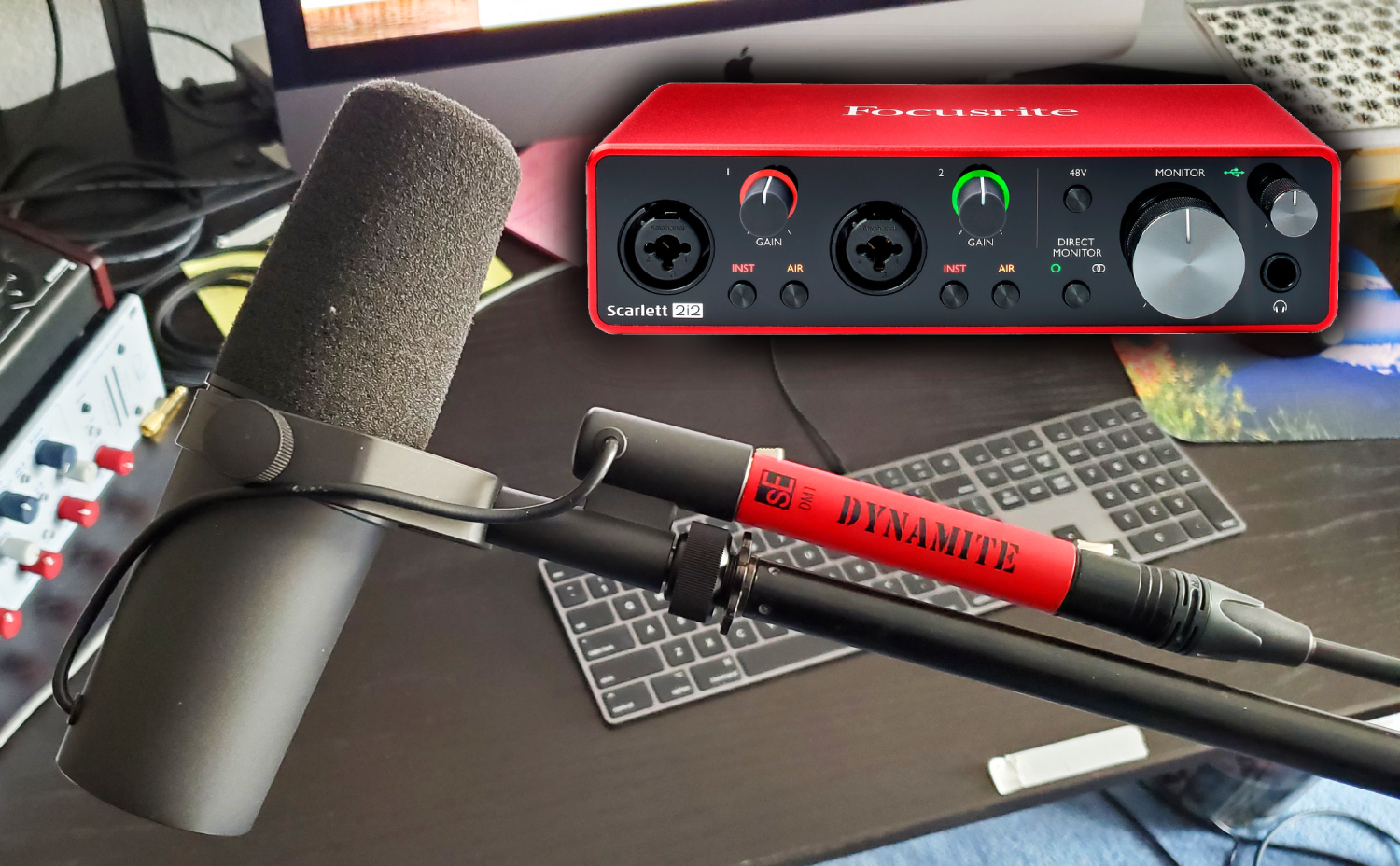
- Zoom ZDM-1 Dynamic Microphone
- Temporary Sound Treatment to Muffle Loud People Next Door
- Top 10 Audio Plugins for Podcast Production
- Podcast Audio Plugins – The Big List
At the end I discuss “What’s been going on in my world”:
- Daniel Hager did a STELLAR job revamping the PES website! He was my guest on episode 109, he’s the host of Let’s Talk Re-Touching, and he’s the owner of Hager Media. THANK YOU DANIEL for making the site amazing!
- Episode 200 was epic – thanks to everyone who sent in audio!
- An update on my songwriting efforts and plans.
- Watching Twitch livestreamers, mostly chess players and music artists. By the way, here’s the Twitch channel for PES.
- My other podcast — The Mystic Show (I hope to publish new episodes soon)
Announcements:
- I launched a new smaller course for independent podcast editors and producers —> Getting New Clients at Higher Rates!
- The start date for the next PES semester is January 12, 2021.
- If you’d like to share this show with any of your podcaster friends, feel free to send them a message saying, “Btw, here’s a show about podcast audio production you may find helpful” with this link: https://podcastengineeringschool.com/subscribe/
What did you learn in this episode? Let me know by commenting below.
-
Shure MV7 – New Microphone for Podcasting and Gaming
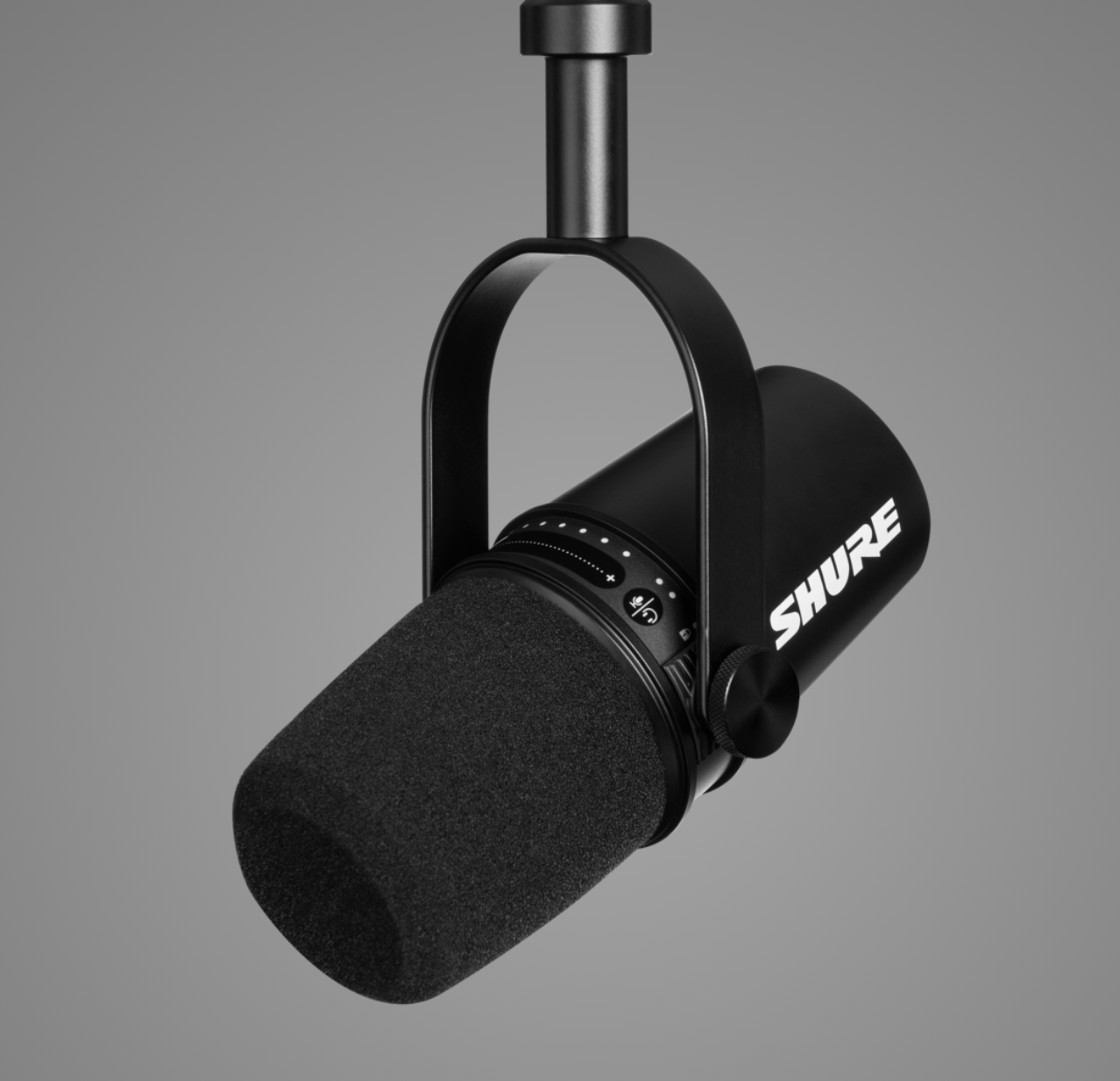
The Shure MV7 microphone is a brand new microphone made for podcasters, gaming and home recording.
Ralph M. Rivera already bought one.
From Shure’s website: “Inspired by the legendary SM7B, the MV7 is a dynamic microphone with both USB and XLR outputs for use with computers and professional interfaces alike. Connect via USB and explore additional set-up features and Auto Level Mode within our ShurePlus™ MOTIV app, to control your vocal tone, and distance from the microphone. With Auto Level Mode, you can let the microphone do the work for you.”
Here’s a short overview video from Sweetwater.
And here’s an interesting video of some guys trying it out and comparing to other microphones.
The controls on the mic itself seem pretty cool: a mute button and headphone volume controls for the mic and computer audio (and a mix control to balance the two).
Want to receive the Daily Goody in your email, daily or weekly? Subscribe free here.
And please keep in mind, the Daily Goody is only a tiny little tip, fact or lesson everyday. Please don’t expect any of these posts to be long, earth-shattering masterpieces that instantly answer every single question you can think of and completely transform you into a world class podcast engineer. “Little by little, a little becomes a lot.”
-
Townsend Labs Sphere L22 Microphone

This microphone, the Townsend Labs Sphere L22, models several vintage microphones and cost around $1,499.
One student of PES has this mic and loves it. Personally I’ve never tried it.
Also, Bandrew is currently using it on his show, the Bandrew Says Podcast.
Have you tried this mic, or any vintage modeling mic?
Want to receive the Daily Goody in your email, daily or weekly? Subscribe free here.
And please keep in mind, the Daily Goody is only a tiny little tip, fact or lesson everyday. Please don’t expect any of these posts to be long, earth-shattering masterpieces that instantly answer every single question you can think of and completely transform you into a world class podcast engineer. “Little by little, a little becomes a lot.”
-

Jason “Retailgeek” Goldberg – PES 201
My guest is Jason “Retailgeek” Goldberg, cohost of The Jason & Scot Show (an e-commerce podcast). Find him on Twitter @retailgeek
Overview of Jason’s production workflow:

300 - RX 7 Standard (if noise reduction is required)
- Adobe Audition
- Loudness Normalization -23 LUFs
- Scheps omni-channel w/ settings from Chris Curran
- Fabfilter plugins, Accusonus ERA 4 (if needed / rarely used)
- Exported ISO’s to Auphonic Multitrack
- Auphonic mixes in intro/outro music, levels the episode, adds metadata, generates MP3, uploads to libsyn, (and to Google translate and Dropbox)
- Show notes in WordPress (pasted into Libsyn for publishing)
Jason’s equipment:
- Home Studio: MKH-416 —> Rolls Mic Mute —> MixPre-6 Gen 2 (recorder and interface) —> MacBook Pro 15
- Solo Travel kit: Beyerdynamic M201TG —> Fethead —> Centrance Mic Port 2
- Group Location: SM58’s —> MixPre-6 Gen 2
Other stuff we discussed:
- RE20 w/Cloudlifter
- O.C. White boom arm mounted to the wall
- Hook Studios: OCTO-842S pop filter and THS-MDM Microphone Decoupler
- Mogami cables
- Rolls Mic Switch
- Nightlights from Zazzle!!!
- X-keys, widgets with various numbers of keys
- Microsoft Teams
- Crossgating using Auphonic
- Sends audio to be transcribed
- Time offset – conversation comes in X seconds before the intro piece ends
- Duplicate Post plugin for WordPress
Thanks for being a great guest and sharing so much with us, Jason!
Comment below with any questions or comments.
-
Podcast Editors: Beware of Negotiating Your Price Down
When a client or potential client asks you to reduce your regular price, how do you handle that?
It can be easy to drop your price to secure/maintain that client, but in the long run it may frustrate you deeply that you’re not earning what you should be earning.
One of the benefits of sticking to your guns, which I discuss at length in Getting New Clients at Higher Rates, is that you will earn more, work less and be happier overall.
Beware of negotiating your price down and the long term effects that can have because there definitely ARE clients out there who are willing to pay you your chosen rate.
Want to receive the Daily Goody in your email, daily or weekly? Subscribe free here.
And please keep in mind, the Daily Goody is only a tiny little tip, fact or lesson everyday. Please don’t expect any of these posts to be long, earth-shattering masterpieces that instantly answer every single question you can think of and completely transform you into a world class podcast engineer. “Little by little, a little becomes a lot.”
-
Metadatics – An Advanced Audio Metadata Editor for Mac OS X
I know some people argue that tagging MP3 files is not necessary anymore but I completely disagree with that.
I recently stumbled upon this app called Metadatics – an advanced audio metadata editor for Mac OS X.
From their website:
- Metadatics is a powerful audio metadata editor with many features. It supports batch editing of most audio file types including MP3, M4A, AIFF, WAV, FLAC, APE, OGG, WMA, and more.
- Features include Batch Editing, Online Sources, Rename Your Files, Functions, Album Artwork, various Metadata Formats and more.
FYI, I still use ID3 Editor or Fission to tag my MP3 and M4A files.
What do you use? And will you try Metadatics?
Want to receive the Daily Goody in your email, daily or weekly? Subscribe free here.
And please keep in mind, the Daily Goody is only a tiny little tip, fact or lesson everyday. Please don’t expect any of these posts to be long, earth-shattering masterpieces that instantly answer every single question you can think of and completely transform you into a world class podcast engineer. “Little by little, a little becomes a lot.”
-
Should You Edit a Boring Speaker Differently Than an Exciting Speaker?
Podcast participants who are exciting and energetic versus those who are more slow and boring — should you edit them differently?
My thinking: If the participant is slow, boring, and not energetic, their audio should be edited tighter to keep the pace flowing forward at a more reasonable pace. But if a participant is very energetic, then editing a bit more loosely would maintain their flow and avoid making it sound too fast.
For reference:
- Editing “tighter” means removing more blank space, removing more unnecessary filler words, and potentially removing sections where the host repeats themselves or restates something.
- Editing “looser” means leaving in more blank space, leaving in some/all filler words, and potentially leaving in sections where the host repeats themselves or restates something.
So, here’s the question for podcast editors: Does the energy level of a participant affect how tightly you edit their audio?
Want to receive the Daily Goody in your email, daily or weekly? Subscribe free here.
And please keep in mind, the Daily Goody is only a tiny little tip, fact or lesson everyday. Please don’t expect any of these posts to be long, earth-shattering masterpieces that instantly answer every single question you can think of and completely transform you into a world class podcast engineer. “Little by little, a little becomes a lot.”
-
200th Episode Celebration – PES 200
This is a celebration episode for reaching 200 episodes!
We had lots of fun including:
- Demonstrating various audio effects including flanging, phasing, chorus, reverb and delay.
- Enjoying audio clips sent in by the following listeners congratulating/roasting with the WORST sounding audio they could muster! (for fun, of course): Andy Wang, Brad Hargis, Bryan Entzminger, David DeVilbiss, Ed Sullivan, Jeni Wren, Martin Dürr, Ralph M. Rivera and Thomas Cumings. And bonus horrible audio of me congratulating/”trolling” Bandrew Scott (Podcastage) when he reached 200k subscribers on YouTube this past August.
- A raw 4-minute uninterrupted clip of Barry chatting with me in my podcast studio in New Jersey in 2013!!! So many fans have been waiting to hear some raw Barry audio 😉
- A song you’ve never heard from the band Tourbook, whose songs I use for my regular intro and outro music. This song is called Years.
Big Thanks to each and every listener for being a part of 200 fun episodes!
-
EQ then Compress, or Compress then EQ?
The age old question in audio production — should I EQ first and then use a compressor, or should I compress first and then use an EQ?
First, you should try both and hear the difference yourself. If the source audio does not need lots of EQ, then the difference is very minimal.
In general, in podcast production:
- If there is a voice that needs substantial corrective EQ then I will typically EQ it first and then compress. But of course I may use a second EQ after the compressor as well 😉
- If a voice already sounds good and doesn’t need that much corrective EQ then it probably doesn’t matter which order you use EQ and compression.
Do you have a rule of thumb regarding the processing order of EQ and compression that you live by?
Want to receive the Daily Goody in your email, daily or weekly? Subscribe free here.
And please keep in mind, the Daily Goody is only a tiny little tip, fact or lesson everyday. Please don’t expect any of these posts to be long, earth-shattering masterpieces that instantly answer every single question you can think of and completely transform you into a world class podcast engineer. “Little by little, a little becomes a lot.”
-
Trivia: What Compression Ratio Do I Use on My Channel Strip on the Way “To Tape?”
Trivia: What compression ratio do I use on my channel strip on the way “to tape?”
- 1.6:1
- 2.3:1
- 3:1
- 4:1
- 6.5:1
- 8:1

Want to receive the Daily Goody in your email, daily or weekly? Subscribe free here.
And please keep in mind, the Daily Goody is only a tiny little tip, fact or lesson everyday. Please don’t expect any of these posts to be long, earth-shattering masterpieces that instantly answer every single question you can think of and completely transform you into a world class podcast engineer. “Little by little, a little becomes a lot.”
-
Hooke Lav

The Hooke Lav should be available in April of 2021 and its Kickstarter campaign is going strong right now.
The great Allan Tépper, in his recent article, stated:
“…48 kHz audio sampling. Beyond that, it uses 24-bit resolution (ideal in production, even if you later distribute in a lower resolution) and zero latency to avoid lip-sync issues. Hooke Lav also records locally just in case.”
I actually supported this Kickstarter campaign so I will receive a Hooke Lav in April 2021 (hopefully)!
The thing I like most about it: It records onboard at 24 bit, 48 kHz (and has 8GB onboard storage).
Want to receive the Daily Goody in your email, daily or weekly? Subscribe free here.
And please keep in mind, the Daily Goody is only a tiny little tip, fact or lesson everyday. Please don’t expect any of these posts to be long, earth-shattering masterpieces that instantly answer every single question you can think of and completely transform you into a world class podcast engineer. “Little by little, a little becomes a lot.”
.
-
Chris’s Goody Bag – PES 199
I overview recent Daily Goody‘s from July 17 – July 30 (see list below). Don’t forget you can sign up to receive Daily Goody’s in your email every day or a weekly roundup. Sign up here.
Be sure to check out the Focusrite Scarlett series of audio interfaces, the world’s best-selling USB interface range with over 3 million units sold worldwide. Choose from 6 different interfaces with 1, 2, 4, or 8 microphone inputs. Works with the recording software you’re already using and works with any type of XLR microphone. New unique Air feature adds brightness and presence to your voice. Thanks to Focusrite for sponsoring this episode!
Daily Goody posts that were discussed in this episode:
- Zoom H8 (8-input Handy Recorder)
- Soundproofing a Window to Reduce Incoming Noise
- Logic Pro – a Popular DAW for Mac Only
- Recording a “Guide” Track When Recording Episodes
- Crossgate Feature in Auphonic Multitrack
- Reaper’s Dynamic Split Function Can Strip Silence
Announcements:
- I launched a new smaller course for independent podcast editors and producers —> Getting New Clients at Higher Rates!
- The start date for the next PES semester is January 12, 2021.
- If you’d like to share this show with any of your podcaster friends, feel free to send them a message saying, “Btw, here’s a show about podcast audio production you may find helpful” with this link: https://podcastengineeringschool.com/subscribe/
What did you learn in this episode? Let me know by commenting below.
.
-
Zoom PodTrak P8

The Zoom PodTrak P8 is essentially Zoom’s answer to the RØDECaster Pro.
From the great Daniel J. Lewis of Podcasters’ Society: The Zoom PodTrak P8 “has several things the RØDECaster Pro doesn’t have, like a de-esser, built-in editing, more inputs and headphone outputs, and AA-battery powering. It outputs to USB only as stereo, but records in multitrack.”
And I’m sure that the RØDECaster Pro has features that the PodTrak P8 does not have, but I don’t own either so I haven’t looked into it that far.
Are you psyched about this new piece of gear? Have you looked into it? Are you going to get one?
Want to receive the Daily Goody in your email, daily or weekly? Subscribe free here.
And please keep in mind, the Daily Goody is only a tiny little tip, fact or lesson everyday. Please don’t expect any of these posts to be long, earth-shattering masterpieces that instantly answer every single question you can think of and completely transform you into a world class podcast engineer. “Little by little, a little becomes a lot.”
.
-
Advice for Speaking Into a Lavalier Microphone?

Someone recently asked me for advice for speaking into a lavalier microphone.
My simple, practical reply:
“Clip it to yourself as close to your mouth as possible, and make sure it doesn’t rub against your clothing causing nasty scratching sounds which you will not be able to remove later. Also, if the mic has a directional pickup pattern, be sure to aim the mic at your mouth.”
Want to receive the Daily Goody in your email, daily or weekly? Subscribe free here.
And please keep in mind, the Daily Goody is only a tiny little tip, fact or lesson everyday. Please don’t expect any of these posts to be long, earth-shattering masterpieces that instantly answer every single question you can think of and completely transform you into a world class podcast engineer. “Little by little, a little becomes a lot.”
.
-
Remind Guests To Stay on After the Interview Ends
Before pressing record, be sure to remind guests to stay on after the interview because some guests will literally disconnect immediately after you thank them on the air for being on the show.
The main reason is to allow a bit of time for their Squadcast/Zencastr recording to finish uploading. If you’re not using one of these types of services that records each participant locally while progressively uploading their local recording in the background, then it really doesn’t matter if they disconnect immediately.
In addition to verifying that you have their recording, it’s good to briefly chat with guests after the recording is over because you can personally thank them again off-air, remind them what date the episode will publish, ask them to send you any assets that you need for the shownotes, and more.
Have you ever had someone disconnect immediately and therefor you lost the last bit of their recording?
Want to receive the Daily Goody in your email, daily or weekly? Subscribe free here.
And please keep in mind, the Daily Goody is only a tiny little tip, fact or lesson everyday. Please don’t expect any of these posts to be long, earth-shattering masterpieces that instantly answer every single question you can think of and completely transform you into a world class podcast engineer. “Little by little, a little becomes a lot.”
.
-
iZotope RX 8’s New Loudness Control Module
I use RX 8’s Loudness Control module to set the final loudness of every single episode I produce.
In addition to having control over True Peak and Integrated Loudness (like in RX 7), in RX 8 you now also have control over Short Term Loudness, Tolerance, and a program loudness gate.
*IMPORTANT: Be aware that in the Loudness Control module you should click on the gear and check the box for “High-accuracy processing”. I found this because I felt it was acting funny so I started poking around and found it 😉
Have you used this module yet?
Want to receive the Daily Goody in your email, daily or weekly? Subscribe free here.
And please keep in mind, the Daily Goody is only a tiny little tip, fact or lesson everyday. Please don’t expect any of these posts to be long, earth-shattering masterpieces that instantly answer every single question you can think of and completely transform you into a world class podcast engineer. “Little by little, a little becomes a lot.”
.
-
Where To Buy Sound Absorption Blankets and Acoustic Room Treatments?
Where to buy sound absorption blankets and acoustic room treatments?
1. Years ago I purchased my 2-1/2″ Acoustic Eggcrate Foam (very inexpensive and good quality, too) from The Foam Factory.
2. PES alumni and awesome dude Ed Sullivan (of Sonic Cupcake) bought blankets and stands from Vocal Booth To Go.
3. Another legendary PES alumni (Liz Covart of Ben Franklin’s World) bought her custom-designed acoustic treatment from Audimute.
How about you – have you bought any acoustic treatment? Let us know in the comments below 😉
Want to receive the Daily Goody in your email, daily or weekly? Subscribe free here.
And please keep in mind, the Daily Goody is only a tiny little tip, fact or lesson everyday. Please don’t expect any of these posts to be long, earth-shattering masterpieces that instantly answer every single question you can think of and completely transform you into a world class podcast engineer. “Little by little, a little becomes a lot.”
.
-
Noting Down Your Hardware Settings
If you use any audio hardware that has physical knobs, dials and settings (mixer, channel strip, etc.) you may want to note down your regular settings and where each knob is set to, etc.
Because if somehow your knobs or settings are changed drastically (kids, spouse, or your own experimenting), you will always have your notes to refer to so you can put all your settings back where they were, instead of having to spend time doing lots of soundchecking and testing to get your sound back.
Want to receive the Daily Goody in your email, daily or weekly? Subscribe free here.
And please keep in mind, the Daily Goody is only a tiny little tip, fact or lesson everyday. Please don’t expect any of these posts to be long, earth-shattering masterpieces that instantly answer every single question you can think of and completely transform you into a world class podcast engineer. “Little by little, a little becomes a lot.”
.