Your cart is currently empty!
Author: Chris Curran
-
Chris’s Goody Bag – PES 146
Enjoy my brief overview of recent Daily Goody‘s (from July 5 – July 17). Here’s the link to view all those blog posts. And don’t forget that you can sign up to receive the Daily Goody in your email every day or once per week. Sign up here.
Here are the Daily Goody posts that we discussed in this episode:
- Friday Audio Poll – July 5, 2019
- Multiband Exciter
- Developing Your Pitch to Potential Podcasting Editing Clients
- Monday Giggle – July 8, 2019
- What is Phase?
- Electro-Voice RE320
- Setup Time
- Friday Audio Trivia – July 12, 2019
- MixChecker Pro from Audified
- Calendly Integrates with Zoom
- Echo Cancellation in Zencastr
- Checking Balances at Low Volumes
- Editing Using Faster Playback Speed
Announcements:
- The next semester of PES starts September 10, 2019 — and the next semester after that will start in January 2020!
- Upcoming episodes: Scott Somerville, Tom Kelly, and Andrew Chadwick!
Big Thanks to everyone who comments on the website Daily Goody posts!
I appreciate you listening, and if you have any questions please let me know 🙂
If you know anyone who would like to learn more about the technical production of podcasts, please share this show with them.
Punarmilāma!
.
-
Signal to Noise Ratio

When you record any audio you will essentially record two things:
- The signal (the main thing you’re recording)
- Some noise (background noises like fans and air conditioners, or room reverb, or electrical hums, etc.)
A high signal to noise ratio means your signal is much louder than the noise, and this is good and makes the signal easier to hear for the listener.
A low signal to noise ratio means your signal is not much louder than (or the same loudness as) the noise, and this is not good because it makes it difficult for the listener to hear the signal clearly through all the noise.
To record good audio with a high signal to noise ratio you should eliminate or avoid as much noise as possible, and the person speaking should be very close to the microphone.
Want to receive the Daily Goody in your email, daily or weekly? Subscribe free here.
And please keep in mind, the Daily Goody is only a tiny little tip, fact or lesson everyday. Please don’t expect any of these posts to be long, earth-shattering masterpieces that instantly answer every single question you can think of and completely transform you into a world class podcast engineer. “Little by little, a little becomes a lot.”
.
-
Fixing Small Mixing Mistakes in the Mastering Step
After you mix down your final episode, or if someone sends you audio that’s already mixed together, you may need/want to make some of the following adjustments in the mastering step if you notice any imperfections:
- Use a compressor, limiter and/or vocal rider to even out the loudness of participants voices if one is louder than the others.
- Make general EQ adjustments to add or remove low end or high end, etc. Sometimes I use a multiband compressor to help even out the frequencies, too.
- Use a de-esser to remove any remaining harsh sibilance.
- Use a de-plosive or multiband compressor to remove remaining plosives.
Want to receive the Daily Goody in your email, daily or weekly? Subscribe free here.
And please keep in mind, the Daily Goody is only a tiny little tip, fact or lesson everyday. Please don’t expect any of these posts to be long, earth-shattering masterpieces that instantly answer every single question you can think of and completely transform you into a world class podcast engineer. “Little by little, a little becomes a lot.”
.
-
Speeding Up a Slow Talker
If a podcast guest or host has an excruciatingly slow pace of delivery, there are a couple ways to speed up the audio to make it seem like they have a bit more energy than they do.
1. Time Stretch: Most audio editing software allow you to time stretch audio. This means that if the initial length of a piece of audio is one minute, you can stretch it out to be one minute and 15 seconds, which would draw it out and slow down the pace. But you can use the same tool to get the opposite effect; you can transform that one minute segment to be only 50 seconds long, for instance. And the pitch can be retained as well so you don’t create that chipmunk sound. This means that the person’s delivery will be considerably sped up, and less excruciating. Keep in mind that when you stretch/compress audio like this, the more you stretch or compress the more you will destroy the quality of the audio. In fact some software’s time stretch processing is not that good to begin with, so be very careful not to use this type of processing too extremely. Making a one minute segment 50 seconds long might be OK, but if you tried to make it 30 seconds long it will sound absolutely terrible.
2. Tighten up the spaces between sentences a bit. Now with this, there’s only so much silence you can remove before the timing will sound totally unnatural. But removing just a bit of silence will go a long way toward giving the perception that the speaker has more energy and is speaking more quickly.
Want to receive the Daily Goody in your email, daily or weekly? Subscribe free here.
And please keep in mind, the Daily Goody is only a tiny little tip, fact or lesson everyday. Please don’t expect any of these posts to be long, earth-shattering masterpieces that instantly answer every single question you can think of and completely transform you into a world class podcast engineer. “Little by little, a little becomes a lot.”
.
-
Warning Listeners About Extreme Volume Spikes?
Recently my previous guest Max Flight from Airplane Geeks asked me about the best way to present a recording which has HUGE dynamic range. In fact, it’s audio from an airshow, so when the airplanes fly directly overhead the sound is extremely loud. He wanted to retain the dynamic range because the extreme contrast of loudness makes the airplanes sound even more impressive. So should he warn the listeners that the audio will get really loud at times? Or how should he handle this situation?
This was my reply:
In my experience, and in my opinion, when presenting audio/radio listeners with audio from a real life event, or even music, it’s not effective to try to reproduce the extreme dynamic range of a real life event. I know everyone loves the dynamic range and I’ve heard so many amateurs say, “Oh, I like my voice better with no compression,” but in order to present audio to a listener it works much better if you control the dynamics. *And keep in mind, you can control the dynamics AND give the lister the perceived experience of some things being louder than others, it just won’t be as extremely dynamic as the raw audio is. Make sense? So regarding your question, I would produce the audio so that the loud jet sounds are somewhat-to-significantly louder than the announcer guys and other audio elements. And if you really want to maintain a huge dynamic range and warn people of this so they don’t hurt themselves, I suggest starting the episode with audio that is “about” as loud as the loudest parts of the episode, and then just tell people in the intro that sometimes the jet audio will be very quiet at times and then it’ll get loud. And of course you can suggest that they listen in a very low-noise environment, etc.
Want to receive the Daily Goody in your email, daily or weekly? Subscribe free here.
And please keep in mind, the Daily Goody is only a tiny little tip, fact or lesson everyday. Please don’t expect any of these posts to be long, earth-shattering masterpieces that instantly answer every single question you can think of and completely transform you into a world class podcast engineer. “Little by little, a little becomes a lot.”
.
-
The Green Apple Trick
I’ve never tried this, but…
If you eat some green apple (Granny Smith not Golden Delicious), your mouthclicks will cease almost instantly. By the way, any foods with high acidity will provide this effect.
Also, the effect may only last up to 10 minutes, so it’s not a long-term fix.
Want to receive the Daily Goody in your email, daily or weekly? Subscribe free here.
And please keep in mind, the Daily Goody is only a tiny little tip, fact or lesson everyday. Please don’t expect any of these posts to be long, earth-shattering masterpieces that instantly answer every single question you can think of and completely transform you into a world class podcast engineer. “Little by little, a little becomes a lot.”
.
-
Guests Moving Around During Recording
It’s important to instruct podcast guests to NOT move around once the recording starts.
Many guests get fidgety and nervous, etc., and they move around and make unnecessary and distracting noises.
Instruct them to get comfortable and NOT move once the recording starts.
If you’re part way through an episode and they start moving around, stop and instruct them again to sit still.
Want to receive the Daily Goody in your email, daily or weekly? Subscribe free here.
And please keep in mind, the Daily Goody is only a tiny little tip, fact or lesson everyday. Please don’t expect any of these posts to be long, earth-shattering masterpieces that instantly answer every single question you can think of and completely transform you into a world class podcast engineer. “Little by little, a little becomes a lot.”
.
-
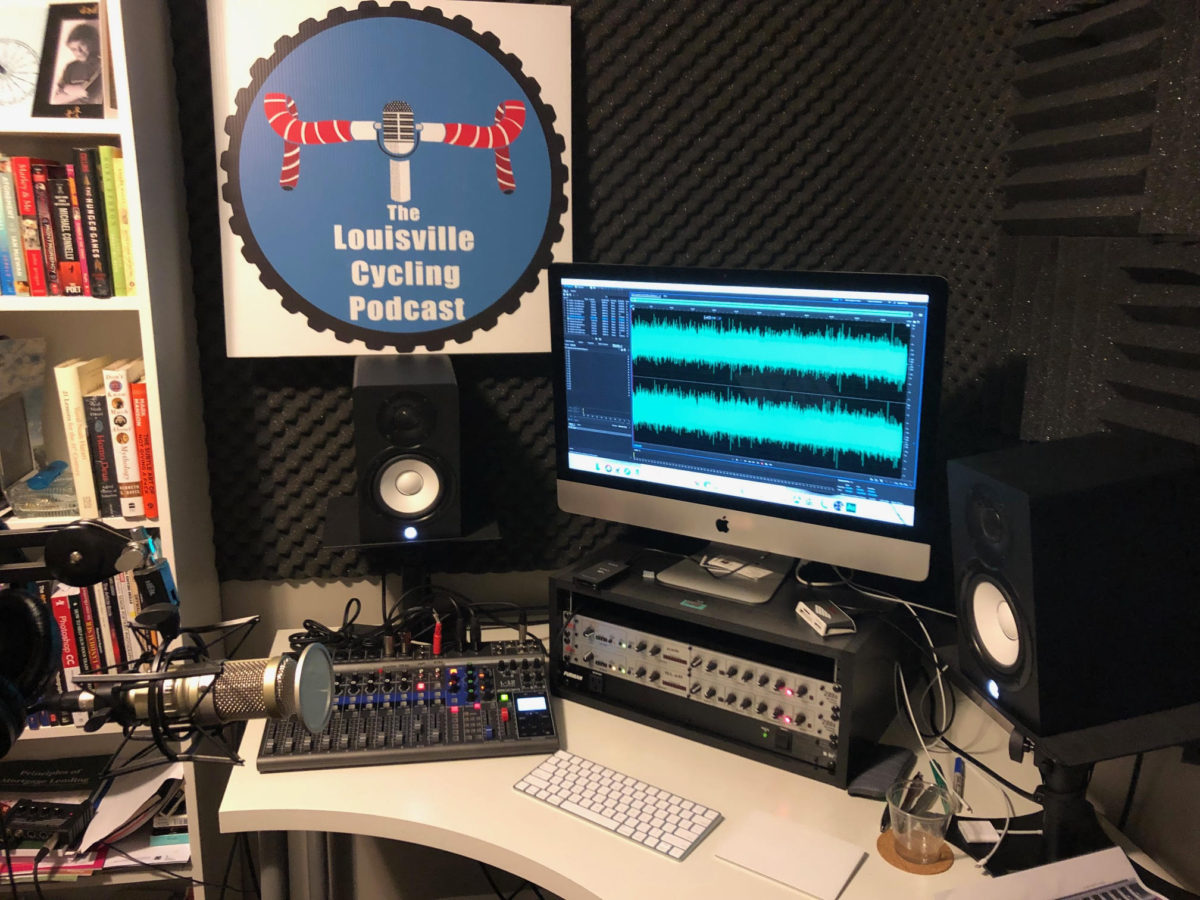
Barry Gary from The Louisville Cycling Podcast – PES 145
My guest is Barry Gary from The Louisville Cycling Podcast! He hosts and produces the show, and he is a graduate of Podcast Engineering School.
We discussed a lot, including:
- Zoom L-12 digital mixer
- Using Zencastr, Zoom and exploring Squadcast
- Heil PR-40
- Shure SM7b
- Cloudlifter
- He also has an RE-320, Rode Procaster, Shure SM-58’s, and some Sennheiser broadcast headsets that I can use in noisy locations
- dbx 286s
- Reaper
- iZotope RX 7
- Mac Pro desktop machine
- Waves plugins
- For my remote recording he uses either a Zoom FN8 or H5
- Using plugins in Reaper (EQ, gate, compressors, etc)
- Mix down to WAV
- Detailed edit in Twistedwave
- Assemble all episode audio Audition including music, intro, ads, conclusions, etc.
- Final mixdown to a stereo WAV at 48K, as well as stereo MP3
Thanks for being a great guest, Barry!
Comment below with any questions or comments.
.
-
Gullfoss (Intelligent EQ from Soundtheory)
Gullfoss (Intelligent EQ from Soundtheory): I purchased this expensive plugin several months ago and I really like it, though there are not many situations in podcast production where I need to use it. It can sometimes do a really good job of cleaning up badly recorded podcast guests audio. And I’m still experimenting with it quite a bit, too.
From their website:
Gullfoss is an intelligent equalizer that listens to a signal and decides how to prepare the audio so that your brain can get the most information out of it. The realtime analysis of Gullfoss uses Soundtheory’s computational auditory perception model to understand which audible elements are competing for your attention. Gullfoss allows for quick and precise fixes that would otherwise be unsolvable or would require significant time and experience to resolve.
Gullfoss is even capable of fixing balancing issues between different sound elements without access to the individual tracks. The internal auditory model allows Gullfoss to make objective decisions about the perceived sound. As a result, mixes processed with Gullfoss will generally translate more consistently between different listening situations.
Gullfoss, enabled by new patent-pending equalizer technology, processes audio with unrivaled sound quality. The equalizer is capable of changing its frequency response more than 300 times per second and without introducing audible artifacts or degrading signal quality. Together with the highly advanced computational auditory perception model that has been developed by Soundtheory, Gullfoss is the first and only product of its kind.
Want to receive the Daily Goody in your email, daily or weekly? Subscribe free here.
And please keep in mind, the Daily Goody is only a tiny little tip, fact or lesson everyday. Please don’t expect any of these posts to be long, earth-shattering masterpieces that instantly answer every single question you can think of and completely transform you into a world class podcast engineer. “Little by little, a little becomes a lot.”
.
-
My Streaming Setup From Podcast Movement
My streaming setup from my hotel room at Podcast Movement 2019 a couple weeks ago:
- Sennheiser e835 microphone plugged into an iRig Pre connected to my phone’s 1/8” TRRS input jack.
- Android phone connected via an ethernet cable using the Larix Broadcaster app, and mounted on my Zhiyun Smooth 4 gimbal.
- Stream to my Restream.io account which send the stream to YouTube, Twitch, Facebook, etc.
- Monitor the chat on my laptop computer using the Restream chat app.
Want to receive the Daily Goody in your email, daily or weekly? Subscribe free here.
And please keep in mind, the Daily Goody is only a tiny little tip, fact or lesson everyday. Please don’t expect any of these posts to be long, earth-shattering masterpieces that instantly answer every single question you can think of and completely transform you into a world class podcast engineer. “Little by little, a little becomes a lot.”
.
-
ATR2100-USB Microphone
The ATR2100-USB microphone is made by Audio-Technica, and it’s one of the most used microphones in podcasting because of it’s price, quality and versatility.
Price: Usually around $65
Quality: For beginner podcasters its audio quality is very good compared to other cheaper microphones. Of course, it’s not as high quality as more expensive microphones like the Shure SM7b or Electro-Voice RE20, etc.
Versatility: It can connect to computers via USB as well as XLR cable, and it can do both SIMULTANEOUSLY! This means you can run the USB signal into your computer, and simultaneously run the XLR output into a Digital recorder to record a backup. This mic also has a mute switch right on the mic itself which can come in handy.
Needed accessories: A windscreen, and a mic stand of boom arm.
Want to receive the Daily Goody in your email, daily or weekly? Subscribe free here.
And please keep in mind, the Daily Goody is only a tiny little tip, fact or lesson everyday. Please don’t expect any of these posts to be long, earth-shattering masterpieces that instantly answer every single question you can think of and completely transform you into a world class podcast engineer. “Little by little, a little becomes a lot.”
.
-
Envelope of Sound
“Envelope, in musical sound, is the attack, sustain, and decay of a sound. Attack transients consist of changes occurring before the sound reaches its steady-state intensity. Sustain refers to the steady state of a sound at its maximum intensity, and decay is the rate at which it fades to silence. In the context of electronically synthesized sound, the term decay is sometimes used to refer to a drop in intensity that may occur between the attack and the sustain phase, and in such cases the time it takes for the sound to fade to silence is called the release.” – Written by: The Editors of Encyclopaedia Britannica
Want to receive the Daily Goody in your email, daily or weekly? Subscribe free here.
And please keep in mind, the Daily Goody is only a tiny little tip, fact or lesson everyday. Please don’t expect any of these posts to be long, earth-shattering masterpieces that instantly answer every single question you can think of and completely transform you into a world class podcast engineer. “Little by little, a little becomes a lot.”
.
-
As a Student of PES You Are Going to Be Overwhelmed, in a Good Way
Podcast Engineering School deliver so much education that most students are overwhelmed by the sheer volume of material, concepts, specifications, and training, etc.
But the great new is that students can re-watch classes anytime forever.
And they also have access to the closed Slack group of students, graduates and me the instructor who can help them with any questions forever.
I really like giving way more training than students expect because all of it helps them become professional podcast engineers who can go out into the world and earn good money and build a career.
Want to receive the Daily Goody in your email, daily or weekly? Subscribe free here.
And please keep in mind, the Daily Goody is only a tiny little tip, fact or lesson everyday. Please don’t expect any of these posts to be long, earth-shattering masterpieces that instantly answer every single question you can think of and completely transform you into a world class podcast engineer. “Little by little, a little becomes a lot.”
.
-
Contracts With Production Clients
Contracts are extremely important when doing business.
For podcast production, here are some things you may want to include in your contracts with clients:
- Length of the contract. How many episodes over what length of time.
- Specifically what you will be doing for them. Include everything: Audio cleanup, mixing, mastering, tagging, uploading to media host,
- Specifically what you will NOT be doing for them
- Specifically what items/info you need from them as well as how far in advance you need it.
- Requirements with regards to you receiving raw tracks at least X number of days before that episode is to be published. You don’t want clients sending you files and saying, “We need to publish this tomorrow morning!”
- Specific pricing for additional work, episodes that go long, extra audio to be added at the last minute, etc.
- Payment terms. I usually require 2 payments – 50% up front, and the remaining 50% when we are half way through the contract.
Of course, each client is unique so you may need to include additional elements in the contract as well.
Want to receive the Daily Goody in your email, daily or weekly? Subscribe free here.
And please keep in mind, the Daily Goody is only a tiny little tip, fact or lesson everyday. Please don’t expect any of these posts to be long, earth-shattering masterpieces that instantly answer every single question you can think of and completely transform you into a world class podcast engineer. “Little by little, a little becomes a lot.”
.
-
Archiving Production Files
Archiving your and/or your clients’ production files is a great idea for various reasons, some more likely than others. You may want to go back and:
- Adjust something and re-mix and re-publish
- Delete a portion and re-publish
- Use a segment of an old episode in a current episode
- Use the episode audio in a video production or slideshow, etc.
- Clip out quotes for use elsewhere
- Etc.
FYI, I always archive each and every production file associated with each episode.
And if I need to go back and make an edit, etc., to an episode, I always use the uncompressed WAV file mixes. I will make the edit on the WAV file and then encode the new MP3 from that, instead of editing an MP3 and then re-encoding it as another MP3 (which ends up degrading the audio quality even more because it’s a compressed version of a compressed version).
Want to receive the Daily Goody in your email, daily or weekly? Subscribe free here.
And please keep in mind, the Daily Goody is only a tiny little tip, fact or lesson everyday. Please don’t expect any of these posts to be long, earth-shattering masterpieces that instantly answer every single question you can think of and completely transform you into a world class podcast engineer. “Little by little, a little becomes a lot.”
.
-
Chris’s Goody Bag – PES 144
Enjoy my brief overview of recent Daily Goody‘s (from June 21 – July 3). Here’s the link to view all those blog posts. And don’t forget that you can sign up to receive the Daily Goody in your email every day or once per week. Sign up here.
Here are the Daily Goody posts that we discussed in this episode:
- Friday Audio Trivia! June 21, 2019
- Chapters in Episodes
- Sharing DAW Files With Clients?
- Aging and Hearing High Frequencies
- Handheld Microphones
- Moving Your Microphone While Recording
- Friday Audio Trivia! June 28, 2019
- Saturn Plugin from FabFilter
- Cleanfeed
- What Is Mic Technique and Why Is It so Important?
- Removing a Headsets Close-Mic Breath Noises With RX 7 De-wind
- Editing Celebrities Audio
Announcements:
- The next semester of PES starts September 10, 2019.
- Upcoming episodes: Barry Gary, Scott Somerville, and Tom Kelly!
Big Thanks to everyone who comments on the website Daily Goody posts!
I appreciate you listening, and if you have any questions please let me know 🙂
If you know anyone who would like to learn more about the technical production of podcasts, please share this show with them.
Punarmilāma!
.
-
Ripple Delete
Ripple delete can be a very handy process for audio editing as well as video editing.
In your DAW, if you use “regular” delete when deleting a piece of audio on one track, it will delete that piece and leave all other tracks and pieces alone.
But if you use “ripple” delete when deleting a piece of audio on one track, all the other tracks will also be deleted over that particular time selection. Essentially, it deletes all track audio for the time selection, and all media to the right is slid left so there ends up being no gap or “dead space.” This is usually the best way to go if you are doing detailed editing in your DAW.
“I believe it’s named ‘Ripple’ because it causes a ripple change effect down the line.” – from Rock Stone on TechSmith.
Want to receive the Daily Goody in your email, daily or weekly? Subscribe free here.
And please keep in mind, the Daily Goody is only a tiny little tip, fact or lesson everyday. Please don’t expect any of these posts to be long, earth-shattering masterpieces that instantly answer every single question you can think of and completely transform you into a world class podcast engineer. “Little by little, a little becomes a lot.”
.
-
Avoiding Plosives, Removing Plosives
The definition of plosive from Uncle Google is:
adjective
1.
denoting a consonant that is produced by stopping the airflow using the lips, teeth, or palate, followed by a sudden release of air.noun
1.
a plosive speech sound. The basic plosives in English are t, k, and p (voiceless) and d, g, and b (voiced).As far as how they sound, it’s a huge spike in low frequencies (usually from 120 Hz and below) which can be jarring and annoying, especially if you have the bass cranked up.
Amateurs don’t prevent or remove plosives, because usually they don’t even know what they are and/or how annoying they are.
Avoiding plosives: When recording use a pop filter or windscreen between the microphone and your mouth. And/or angle your microphone so that the plosive air from your mouth doesn’t hit the microphone directly.
Removing plosives in post-production: Use specific plugins made to “de-plosive” the recording (I use iZotope RX), or use a multiband compressor to specifically crush the plosive frequencies.
Want to receive the Daily Goody in your email, daily or weekly? Subscribe free here.
And please keep in mind, the Daily Goody is only a tiny little tip, fact or lesson everyday. Please don’t expect any of these posts to be long, earth-shattering masterpieces that instantly answer every single question you can think of and completely transform you into a world class podcast engineer. “Little by little, a little becomes a lot.”
.
-
“I Don’t Want to Learn ANY Audio Engineering”
OK, but if you’re recording podcasts, you ARE engineering by definition, and if you do it badly your audio may sound terrible. If you don’t want to learn anything about audio or how to engineer you own recordings, hire an engineer, be happy with crappy quality, or stop podcasting.
Want to receive the Daily Goody in your email, daily or weekly? Subscribe free here.
And please keep in mind, the Daily Goody is only a tiny little tip, fact or lesson everyday. Please don’t expect any of these posts to be long, earth-shattering masterpieces that instantly answer every single question you can think of and completely transform you into a world class podcast engineer. “Little by little, a little becomes a lot.”
.